Best App for Apartment Rentals in 2026: 8 Products Compared
Find the best app for apartment rentals in 2026, comparing 8 rental apps for listings, alerts, tours, applications and renter-friendly filters today now.
- Editor's choice
 Zillow
Renters who want apartments, houses, and condos in one search
Starts atFreeVisit zillow.comFull review - Great alternative
 Apartments.com
Renters focused on larger managed apartment buildings
Starts atFreeVisit apartments.comFull review - Also consider
 Apartment List
Renters who want a shortlist matched to budget and commute
Starts atFreeVisit apartmentlist.comFull review
TL;DR:
- Zillow and Apartments.com offer the widest listing coverage, while Apartment List and Zumper help narrow choices with matching and alerts.
- Most rental apps are free to browse, but application fees, screening costs, and optional services vary by landlord and listing.
- Always verify availability, fees, and lease terms directly with the property before paying or signing, since listings can go out of date.
- Map search helps for commute planning, while saved searches and alerts help in fast markets where good units rent quickly.
- Scam checks matter: avoid paying deposits before a tour or lease, and verify the landlord and property through official channels where possible.
Quick comparison
| Tool | Best for | Starts at | Free plan? | |
|---|---|---|---|---|
| Zillow | Renters who want apartments, houses, and condos in one search | Free | Yes | Visit |
| Apartments.com | Renters focused on larger managed apartment buildings | Free | Yes | Visit |
| Apartment List | Renters who want a shortlist matched to budget and commute | Free | Yes | Visit |
 Zumper | Renters who want fast alerts for new listings | Free | Yes | Visit |
 HotPads | Renters who search by map and neighbourhood | Free | Yes | Visit |
 Realtor.com | Renters who want rental listings plus local market context | Free | Yes | Visit |
 Redfin | Renters who want market data alongside rental listings | Free | Yes | Visit |
 Trulia | Renters who want neighbourhood detail with listings | Free | Yes | Visit |
The best apps for apartment rentals
We compared official feature pages, pricing pages, app store listings, privacy policies, and public reviews, with attention to listing coverage, search filters, alerts, tour booking, and application tools. Coverage varies by city, so a strong national app can still be thin in a small market.
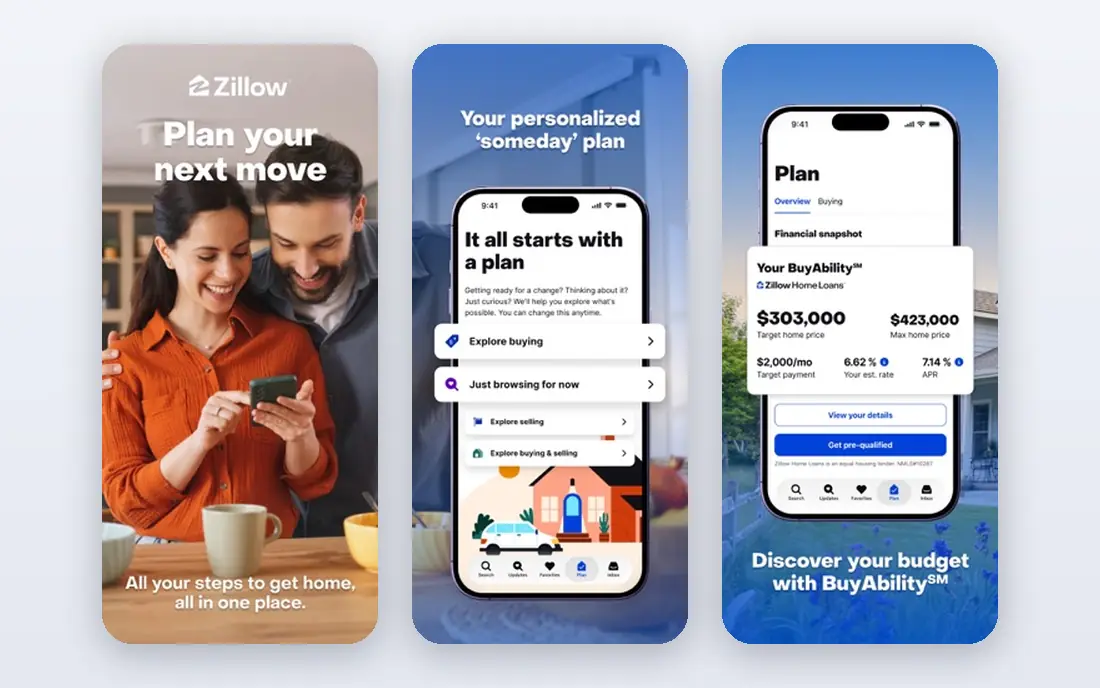
Zillow lists apartments in managed buildings alongside owner-listed houses and condos, which gives renters more choice than an apartment-only site. Filters cover price, beds, baths, pets, and amenities, and map search helps compare neighbourhoods and commute routes. Saved searches and alerts help in fast markets. Zillow browsing is free, while its shared application, where accepted, costs $35 for applications and screening at participating rentals for 30 days, according to Zillow help pages. Not every landlord accepts it, so ask before applying. Listing freshness also varies, so confirm availability before a tour.
- Broad listing types, map search, saved searches and alerts
- Some listings go out of date, shared application fee applies at participating rentals
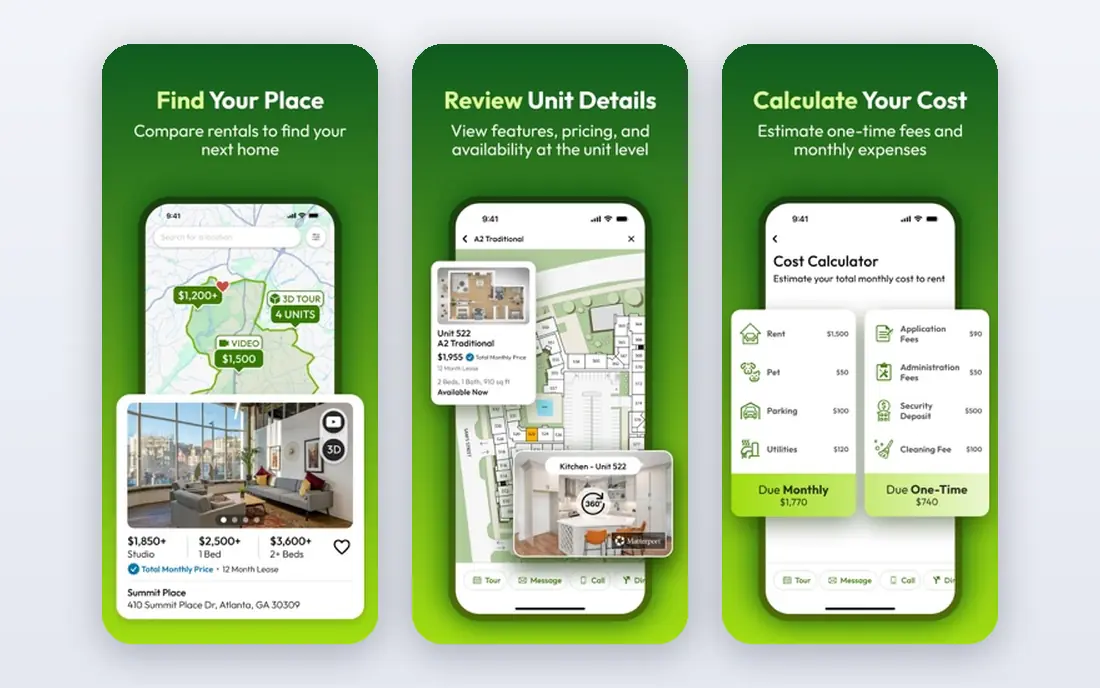
Apartments.com is a natural first stop for renters who want professionally managed buildings, with detailed photos, floor plans, amenity lists, and availability information on many listings. Tour scheduling tools make it easier to book several viewings in one trip. Filters help narrow by price, pet policy, and lease features. Sponsored listings can appear prominently, so scroll past paid placements and check filters carefully. Smaller landlords and single houses appear less often than on Zillow. For managed buildings in larger cities, Apartments.com remains a core search tool.
- Strong managed building coverage, photos and floor plans, tour scheduling
- Paid placements can push sponsored listings higher, coverage varies by city
Apartment List
Best for: Renters who want a shortlist matched to budget and commute
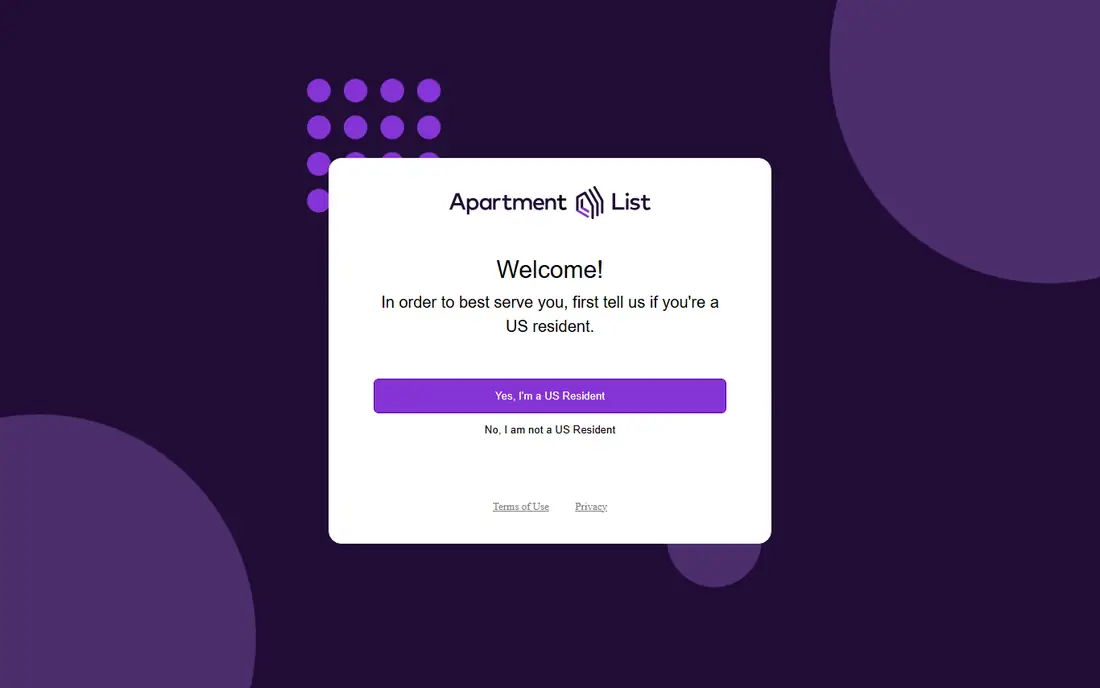
Apartment List asks about budget, move date, commute, and amenities, then builds a shortlist that fits those answers. That approach saves time for renters who feel overwhelmed by thousands of listings. Price drop alerts and rent specials can also highlight buildings that recently changed price. Matching is only as good as local coverage, so renters in smaller markets should pair it with Zillow or Apartments.com. Apartment List is free for renters, which makes it an easy second search tool alongside a broader listing app.
- Personalised matching, budget caps, price drop alerts
- Matching quality depends on listing coverage in your city, fewer owner listings in some areas
Zumper focuses on speed, with alerts for new listings that match your area and budget, plus instant apply tools on participating rentals. That speed matters in competitive cities, where a good unit can attract many applicants in a day. The mobile app is clean and easy to use for daily checks. Coverage is stronger in larger rental markets, and instant apply is not available on every listing. Zumper works best as an alert tool alongside a broader search app, rather than as the only place you look.
- New listing alerts, instant apply on some listings, clean mobile search
- Coverage varies by market, some features depend on landlord participation
HotPads, part of the Zillow group, is built around map search, which helps renters compare areas along a commute route or near work, school, or family. Filters for price, beds, pets, and amenities keep the map useful, and listing pages show photos and key details without clutter. Because HotPads shares a parent with Zillow, many listings overlap, so it is best used for its map experience rather than as a separate listing source. Renters who think in maps and neighbourhoods often prefer HotPads for the first pass, then check details on the main listing site.
- Strong map search, price and amenity filters, neighbourhood view
- Owned by Zillow, so listings overlap heavily, fewer unique tools
Realtor.com lists rentals alongside homes for sale, with local data on neighbourhoods, schools, and market trends. That context helps renters compare areas, especially when moving to a new city. Search filters cover price, beds, baths, and property type, and saved searches support ongoing checks. Rental coverage is not always as deep as Zillow or Apartments.com in every city, and sale listings can clutter a rental search if filters are not set carefully. Realtor.com works well as a research companion, paired with a rental-first app for daily alerts.
- Rental listings, market trends, school and neighbourhood data
- Rental depth varies by city, sale listings can distract from rentals
Redfin is best known for home sales, but it also lists apartments and houses for rent, with map tools and market context. Renters moving between renting and buying, or tracking a neighbourhood over time, may value that broader view. The interface is clean and the search tools are easy to learn. Redfin rental coverage varies, and rental-specific tools such as application management are thinner than on Zillow or Apartments.com. Use Redfin for research and area comparison, and pair it with a rental-first app for the widest daily listing check.
- Rental listings, price history context, map tools
- Rental coverage is thinner than sale coverage in many markets, fewer rental-only features
Trulia, also part of the Zillow group, adds neighbourhood insights such as local amenities, commute context, and area character alongside rental listings. That detail helps renters who are new to a city and want to compare areas beyond price and bedroom count. Saved searches and alerts support ongoing monitoring. Trulia overlaps heavily with Zillow, so it should not be treated as a fully separate listing source. Its value lies in presentation and neighbourhood context, especially for renters who want a feel for an area before booking tours.
- Neighbourhood insights, listing photos, saved searches
- Owned by Zillow, so overlap is high, rental tools are similar to Zillow
How we picked these
We compared official feature pages, pricing pages, app store listings, privacy policies, and public reviews, and we kept only apps that are free to browse for renters and list real apartments in the United States in October 2026. We favoured apps with map search, alerts, tour tools, and clear application information, and we noted where coverage overlaps because several apps share a parent company.
Buying guide: how to choose the best app for apartment rentals
Use more than one app in a fast market
No single app lists every unit. Pair a broad app such as Zillow with a managed building app such as Apartments.com, plus an alert app such as Zumper or Apartment List. That combination catches owner listings, managed buildings, and new posts without requiring hours of manual checking.
Set filters that match your real limits
Price, commute time, pet policy, parking, laundry, and lease length matter more than a long wish list. Set a firm budget cap, then add only filters that would actually stop you signing. Over-filtering can hide good units, especially in tight markets.
Verify before you pay anything
Confirm availability, monthly rent, fees, deposit terms, and what is included in rent directly with the landlord or property manager. Avoid sending money before a tour, a lease, and a verified payment method. If a deal looks far below market rent and pressures quick payment, treat that as a warning sign.
Prepare documents early
Many landlords ask for ID, income proof, rental history, and references. Having those ready helps you apply quickly when a good unit appears. Ask whether the landlord accepts a shared application, what screening fee applies, and how long approval usually takes.
FAQ
What is the best app for apartment rentals?
Zillow suits most renters for breadth, while Apartments.com suits managed buildings and Apartment List suits matched shortlists. Using two or three apps together usually gives better coverage than relying on one.
Are the best apartment rental apps free?
Browsing is free on the apps in this list, but landlords may charge application or screening fees. Zillow shared application costs $35 at participating rentals for 30 days, while other landlords set their own fees, so ask before applying.
What are the best apps for apartment rentals in a new city?
Start with Zillow and Apartments.com for coverage, then add Apartment List for matching and Trulia or Realtor.com for neighbourhood context. Local Facebook groups and city housing sites can add owner listings that national apps miss.
How can I avoid rental scams?
Tour the unit or verify it through the property manager, never pay a deposit by wire or gift card before a lease, and check that the person you deal with controls the property. If a listing uses stolen photos or pressures instant payment, walk away and report it.
Do rental apps include application tools?
Some listings support online applications, while others direct you to a landlord portal or paper form. Check each listing for application details, fees, and accepted payment methods before starting.
Should I use a rental app or a local agent?
Apps work well for browsing and alerts, while a local agent or locator can help in unfamiliar markets, with tours, and with landlord contacts. Many locator services are free to renters, paid by the property, but terms vary, so confirm costs first.
Sources
https://www.zillow.com https://www.apartments.com https://www.apartmentlist.com https://www.zumper.com https://www.hotpads.com https://www.realtor.com https://www.redfin.com https://www.trulia.com