Best API Mocking Software in 2026: 9 Tools Compared
Compare the best api mocking software in 2026, from free local tools like Mockoon and WireMock to cloud mocks and spec-driven Prism and Apidog for developers.

- Editor's choice
 Mockoon
Free local mocks for developers
Starts atFreeVisit mockoon.comFull review - Great alternative
 WireMock
Complex stateful test doubles
Starts atFreeVisit wiremock.ioFull review - Also consider
 Postman Mock Servers
Mocks inside Postman collections
Starts atFreeVisit postman.comFull review
TL;DR:
- API mocking software creates fake API endpoints that return realistic responses, so frontend teams can build and test while backend work is still in progress.
- Mockoon is our pick for most developers, because it is free, open source, and easy to run locally, while WireMock leads for complex Java integration tests.
- Spec-driven tools such as Prism and Microcks generate mocks from OpenAPI specs, which reduces drift when the real API changes.
- Cloud tools such as Beeceptor and MockLab suit shared team mocks and demos, while local tools suit offline work and CI pipelines.
- Pick by workflow. A frontend developer needs a quick local mock, a backend team needs stateful test doubles, and a platform team needs spec-driven contract mocks.
Quick comparison
| Tool | Best for | Starts at | Free plan? | |
|---|---|---|---|---|
| Mockoon | Free local mocks for developers | Free | Yes | Visit |
| WireMock | Complex stateful test doubles | Free | Yes | Visit |
| Postman Mock Servers | Mocks inside Postman collections | Free | Yes | Visit |
 Prism | Spec-driven OpenAPI mocks | Free | Yes | Visit |
 Beeceptor | Quick cloud mocks and webhooks | Free | Yes | Visit |
 MockServer | Open source HTTP mocking | Free | Yes | Visit |
 Microcks | Cloud-native contract mocking | Free | Yes | Visit |
 Apidog | All-in-one API design and mocking | Free | Yes | Visit |
 MockLab | Hosted mocks for teams | See website | Free trial | Visit |
The best api mocking software
API mocking software lets teams simulate an API before it exists, test failure cases, and develop in parallel without waiting for backend services. We compared official feature pages, pricing pages, and public reviews to build this list.
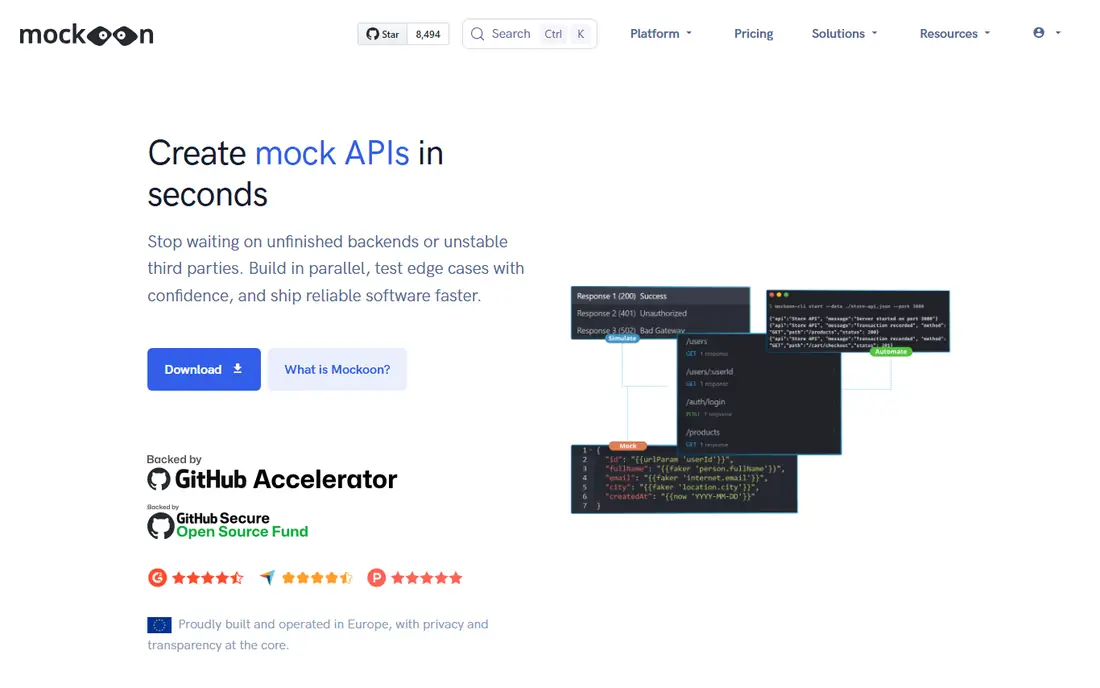
Mockoon is our pick for most developers because it removes friction. Download the desktop app, define routes and responses in a visual interface, and you have a local mock API running in minutes, offline, with no account required for basic use. Rules, templating, and response sequencing cover most frontend and testing needs.
The limit is sharing. Mockoon is local-first, so team sharing needs its paid cloud sync or a self-hosted setup, and it is HTTP-focused rather than multi-protocol. For a single developer or a small team that wants a fast, free local mock, Mockoon is the friendliest tool on this list.
- Free and open source desktop app
- Very easy local setup
- Rules, templating, and response control
- Local-first, so sharing needs cloud sync or self-hosting
- Team features sit in paid tiers
- No multi-protocol depth
WireMock is the serious test-double tool for backend and integration testing. It supports detailed stubbing, request matching, stateful scenarios, fault injection, and recording, so teams can simulate third-party APIs, failure modes, and multi-step flows in automated tests. Java libraries and a standalone server cover most stacks.
That power needs learning. Simple mocks take more setup than Mockoon or Beeceptor, and configuration is code-heavy. Cloud hosting and enterprise features are paid. For Java teams and complex integration tests, WireMock remains the standard.
- Open source with deep stubbing
- Stateful scenarios and fault simulation
- Java and standalone options
- Steeper learning curve
- Configuration is code-heavy for simple mocks
- Cloud features are paid
Postman Mock Servers suit teams that already live in Postman. Define examples in a collection, create a mock server, and teammates can call the mock URL while the real API is still being built. Sharing inside Postman is smooth, and the workflow fits API exploration and testing habits many developers already have.
The limits are real. The free tier caps mock servers and monthly calls, and examples must be updated by hand when the API changes, since there is no native OpenAPI sync. For Postman-centered teams with modest mock needs, it is convenient. For spec-driven workflows, Prism or Microcks fit better.
- Mocks built from Postman collections
- Familiar to Postman users
- Easy sharing inside teams already on Postman
- Free tier limits mock servers and calls
- Examples must be maintained by hand
- No native OpenAPI sync
Prism, from Stoplight, now part of SmartBear, is the classic spec-driven mock tool. Run one command against an OpenAPI file, and Prism serves realistic, spec-compliant responses while validating requests against the contract. That contract-first approach reduces drift, since updating the spec updates the mock.
Prism is local-first as a CLI, so sharing a mock URL with a team or CI system needs hosting somewhere. Platform direction has also shifted after the SmartBear acquisition, so check current docs. For solo developers and API-first teams that value spec accuracy, Prism is an excellent free tool.
- Generates mocks from OpenAPI specs
- Validates requests and responses
- Free open source CLI
- Local-first CLI focus
- Sharing needs hosting
- Stoplight platform direction has changed after acquisition
Beeceptor is the fastest way to get a shareable mock URL. Create an endpoint in seconds, define rules and responses in a browser, and share the link with teammates or use it to debug webhooks from Stripe, Shopify, or GitHub without deploying a server. Traffic inspection shows exactly what arrived, headers and payloads included.
Beeceptor is manual and cloud-dependent, so long-lived CI suites and spec-driven workflows may fit other tools better. Paid pricing is per endpoint on some tiers, so check costs for many mocks. For demos, prototypes, and webhook debugging, Beeceptor is delightfully quick.
- Instant cloud mock endpoints
- No-code setup
- Traffic inspection and webhook debugging
- Cloud dependency for long-lived suites
- Per-endpoint pricing on paid tiers
- Manual rules, not spec-driven
MockServer is a long-running open source mock tool for HTTP and HTTPS services, with expectations, verifications, and proxy support. It runs in Docker and Kubernetes, which suits CI pipelines and shared test environments, and its Apache 2.0 license keeps it free for commercial use. A 2026 release added newer protocol and clustering features.
MockServer remains a single-maintainer project in practice, and its interface is less polished than Mockoon. Teams that already standardize on MockServer will find it reliable, while teams choosing fresh may prefer Microcks for cloud-native work or Mockoon for local ease. For open source HTTP mocking in CI, MockServer is a solid choice.
- Open source Apache 2.0 project
- HTTP and HTTPS mocking
- Docker and Helm support for CI
- Single-maintainer history
- Interface is less polished than Mockoon
- Multi-protocol support is limited
Microcks is the cloud-native, spec-driven mock platform for platform teams. It mocks APIs from OpenAPI, AsyncAPI, and other spec formats, runs well on Kubernetes, and supports contract testing alongside mocking. That combination suits teams that treat APIs as products with contracts, versions, and governance.
Setup is heavier than a desktop tool, and Microcks shines most for platform and backend teams rather than a single frontend developer. For organizations standardizing API mocks in CI and Kubernetes, Microcks offers modern, open source depth that older tools lack.
- Open source and cloud-native
- Supports OpenAPI, AsyncAPI, and other specs
- Kubernetes-friendly
- Setup is heavier than Mockoon
- Best for platform teams
- Smaller community than WireMock
Apidog is the all-in-one API platform that includes mocking as part of design, testing, documentation, and collaboration. Backend teams define endpoints, frontend teams mock them from the same definition, and test cases can be reused once the real API goes live. Real-time collaboration helps teams stay in sync during parallel development.
The all-in-one scope can feel heavy if you only need a quick mock, and larger team features sit in paid tiers. For teams that want one tool for the whole API lifecycle, rather than separate design, mock, and test tools, Apidog is a strong and highly rated option.
- Design, mocking, testing, and docs in one tool
- Real-time collaboration
- Strong mock server features
- All-in-one scope can feel heavy
- Paid tiers needed for larger teams
- Learning curve for full platform
MockLab provides hosted mock APIs that teams can share without running their own servers. Stubbing, scenarios, and team workspaces help QA and frontend teams work against a stable mock while backend services change. For distributed teams that need one shared mock URL, hosted tools remove local setup friction.
MockLab is smaller than Postman or Apidog, and offline local use is limited by design. Pricing should be checked for team size and mock count. For teams that want a hosted, shared mock service without building infrastructure, MockLab is a practical option.
- Hosted mock APIs for teams
- Good for shared environments
- Supports stubbing and scenario workflows
- Pricing needs checking for team use
- Smaller vendor than Postman or Apidog
- Local offline use is limited
How we picked these
We compared official feature pages, pricing pages, and public reviews, and we checked that each product is sold or maintained in October 2026. We favored tools that truly mock APIs, meaning they serve fake endpoints with controllable responses, and we included local, cloud, spec-driven, and all-in-one options. Where pricing was not published, we wrote See website rather than guessing. Note that Mocky, once popular for single fixed responses, no longer serves mocks as of late September 2026, so we excluded it.
What to check before you buy api mocking software
Start with who will use the mock and where it will run. A frontend developer needs a fast local tool, a CI pipeline needs a Docker or hosted mock that starts reliably, and a platform team needs spec-driven mocks that stay in sync with contracts. Those three needs point to different tools, so name yours before shortlisting.
Test failure cases and state
A good mock does more than return a happy-path 200 response. Test error codes, slow responses, malformed data, and multi-step state changes, such as creating a resource and then fetching it. If your tool cannot simulate failures and state, your tests will pass in development and fail against the real API.
Check spec sync and maintenance
If your API changes often, spec-driven mocks save maintenance, since updating the OpenAPI file updates the mock. If your API is stable and simple, hand-written mocks in Mockoon or Beeceptor may be faster. Ask who owns the spec, how often it changes, and how mock updates will be reviewed.
FAQ
What is api mocking software?
API mocking software creates fake API endpoints that return realistic responses, so teams can build, test, and demo software before the real API is ready. It helps frontend and backend teams work in parallel and test edge cases without depending on live services.
What is the best api mocking tool?
Mockoon is our pick for most developers, because it is free, open source, and easy to run locally. WireMock leads for complex integration tests, Prism and Microcks lead for spec-driven mocks, and Beeceptor leads for quick cloud mocks.
Is there free api mocking software?
Yes. Mockoon, WireMock, Prism, MockServer, and Microcks are free and open source, while Postman, Beeceptor, and Apidog offer free tiers with limits. Free tiers usually cap mock servers, calls, or team features, so check limits for your use case.
What is the best api mocking tool for frontend developers?
Mockoon is usually best for frontend developers, because it runs locally, needs no account for basic use, and lets you define routes and responses visually. Beeceptor is a good cloud alternative if you need a shareable URL quickly.
How is api mocking different from API testing?
Mocking simulates an API so other code can run against it, while testing checks whether a real or mocked API behaves correctly. Many tools do both, but mocking focuses on serving fake responses, while testing focuses on assertions, suites, and reports.
Can api mocking software handle GraphQL and gRPC?
Some tools support GraphQL, SOAP, and gRPC alongside REST, including Beeceptor and Microcks for certain protocols, but many classic tools are HTTP and REST focused. Check protocol support for your stack before committing, especially for gRPC services.