Best Anonymous Email Services in 2026: 8 Services Compared
We compared the best anonymous email services on privacy policies, encryption, payment options and price, so you can email privately and lawfully today.
- Editor's choice
 Proton Mail
Best all-round private email
Starts at$3.99 per monthVisit proton.meFull review - Great alternative
 Tuta
Best value encrypted email
Starts at$3 per monthVisit tuta.comFull review - Also consider
 StartMail
Unlimited aliases and PGP
Starts at$5 per monthVisit startmail.comFull review
TL;DR:
- True anonymity is limited: a private mailbox hides your address from recipients and trackers, but it does not make unlawful activity untraceable or legal.
- Proton Mail and Tuta lead for most people, with end-to-end encryption and clear privacy policies.
- Posteo and Disroot suit users who want to pay without giving a name, while StartMail suits alias-heavy use.
- Encryption only works end to end when both sides use compatible encryption, so check how each service handles outside mail.
- Use these services lawfully, for privacy, journalism, activism, business confidentiality and personal safety, and read each provider's abuse policy before signing up.
Quick comparison
| Tool | Best for | Starts at | Free plan? | |
|---|---|---|---|---|
| Proton Mail | Best all-round private email | $3.99 per month | Yes | Visit |
| Tuta | Best value encrypted email | $3 per month | Yes | Visit |
| StartMail | Unlimited aliases and PGP | $5 per month | No | Visit |
 Mailfence | Email plus calendar and documents | $2.50 per month | Yes | Visit |
 Hushmail | Simple encrypted email | See website | No | Visit |
 Posteo | Anonymous payment and green hosting | $1 per month | No | Visit |
 Disroot | Community-run private email | Free | Yes | Visit |
 CounterMail | USB-key two-factor security | See website | No | Visit |
The best anonymous email services
Anonymous email services aim to keep your identity separate from your mailbox: no advertising trackers, no profiling for ads, and in several cases no name required at signup. This guide lists only legitimate privacy services with clear policies, and it includes a plain lawful-use note throughout. We compared official pricing pages, privacy policies and public comparisons, and we did not claim hands-on testing. Use these tools to protect your privacy, not to evade lawful accountability, harass others, or commit fraud.
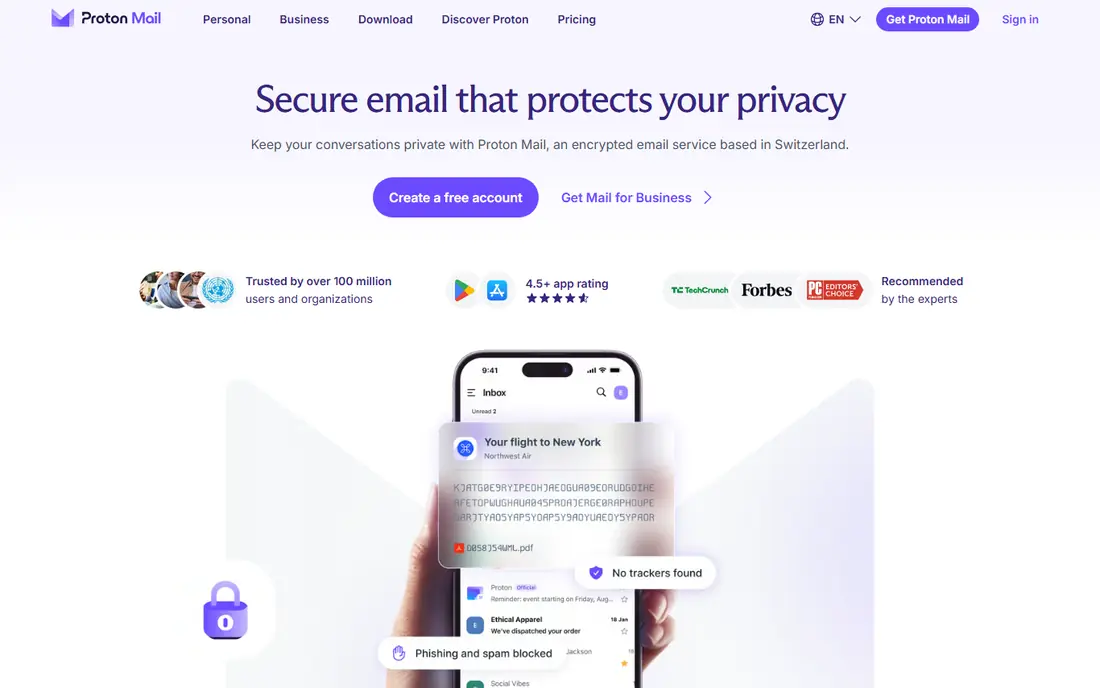
Proton Mail is our pick for most people seeking private email. Based in Switzerland, it offers end-to-end encryption for mail between Proton users, encrypted messages to outside users via a password link, and a free tier that needs no card to start. Paid Mail Plus at 3.99 dollars a month adds 15 GB storage, 10 addresses, unlimited messages and custom domain support, while Proton Unlimited bundles mail, calendar, VPN and drive.
The limits are honest ones. Encryption is strongest inside the Proton network, and mail to Gmail or Outlook is only end-to-end encrypted if you use the password-protected option or the recipient uses compatible PGP. Free users get 1 GB storage and a daily message cap, so heavy users will need a paid plan. Proton suits anyone who wants a mainstream, well-supported private mailbox with a clear policy and a long track record since 2014.
- End-to-end encryption between Proton users
- Swiss jurisdiction
- Free tier with 1 GB storage
- Calendar, VPN and drive in higher bundles
- Free tier limits messages to 150 a day
- Full encryption to outside users needs a password-protected message
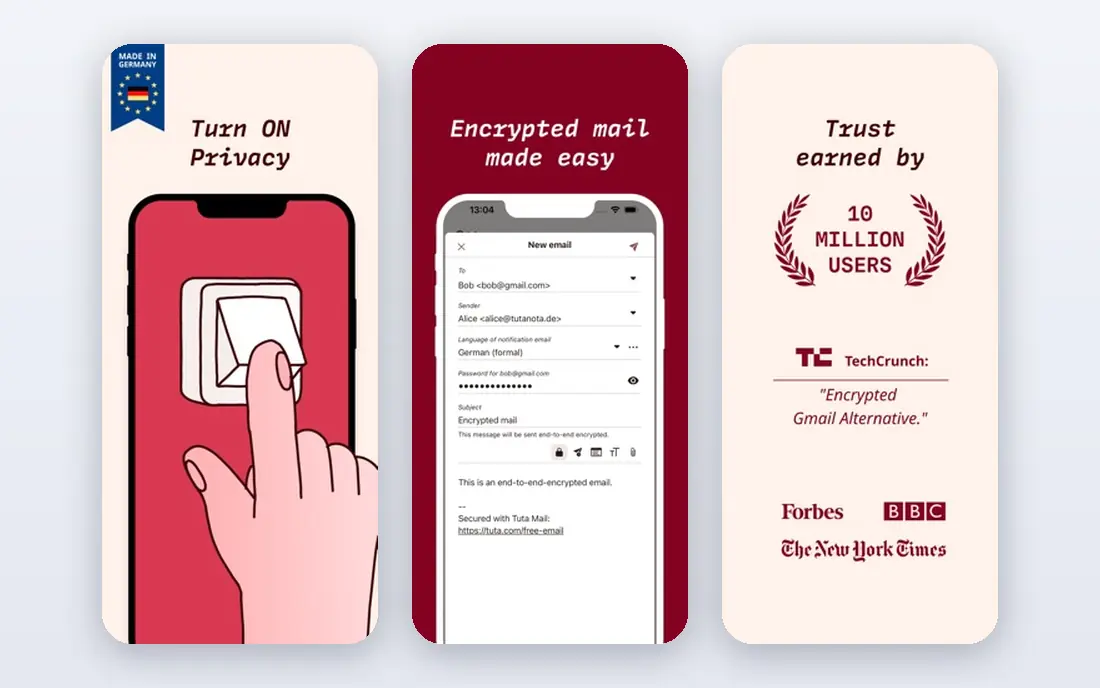
Tuta, formerly Tutanota, offers the best value encrypted mailbox here. Its paid plans start around 3 euros a month in recent comparisons, with end-to-end encryption for mail, calendar and contacts, and a free tier for light use. Its clients are open source, and its German jurisdiction sits under strong European privacy law. For a user who wants encryption by default without paying Proton prices, Tuta is hard to beat.
The trade-offs are practical. Free accounts face a low daily sending limit, reported around six messages a day in community discussions, and Tuta does not offer IMAP, so you must use its official apps or webmail rather than Thunderbird or Apple Mail. That matters if you rely on a desktop client. Tuta suits a privacy-focused user who will live inside its apps and wants encryption across mail and calendar at a low price.
- End-to-end encrypted mail, calendar and contacts
- German jurisdiction
- Low paid price
- Open-source clients
- Free tier has a low daily sending limit
- No IMAP support, so outside mail apps need the official client
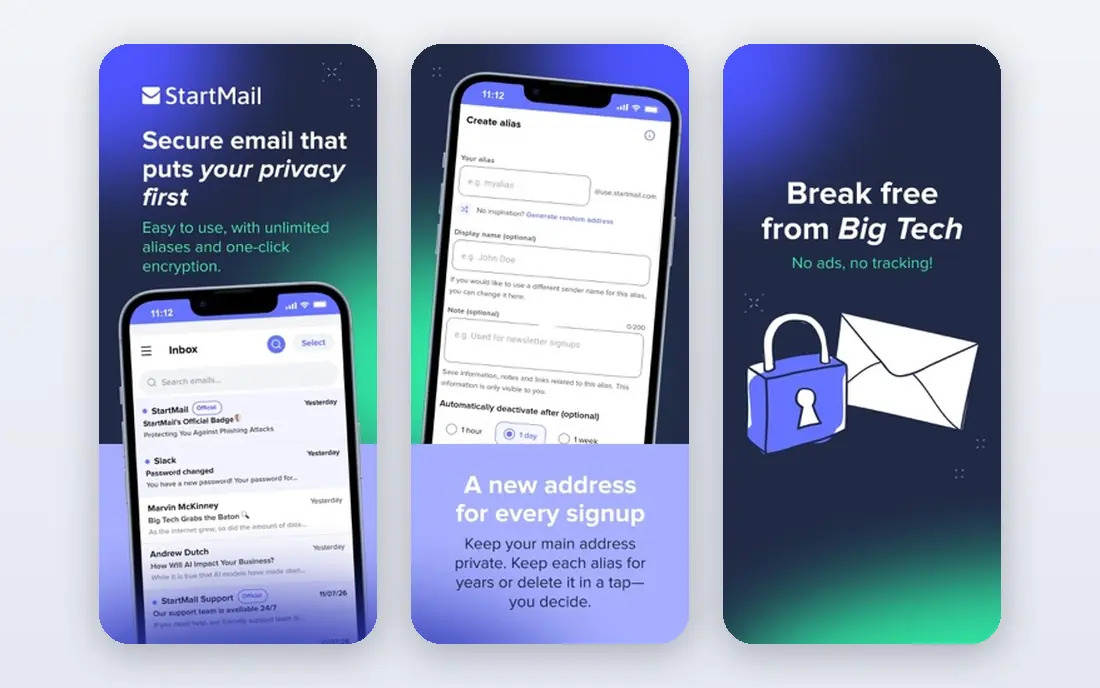
StartMail suits people who manage many identities from one mailbox. Its standout feature is unlimited aliases, so you can give every shop, newsletter and service a different address and cut off any alias that starts spamming you, without revealing your real address. PGP support lets advanced users encrypt mail to outside PGP users, and its Netherlands base sits under European privacy law.
There is no free plan, and the entry price around 5 dollars a month is higher than Tuta or Posteo. StartMail also looks more functional than modern rivals, which will not bother users who value aliases over design. Choose StartMail when alias control is your main privacy tool, such as for signups, shopping and newsletters that you want to keep separate from your main identity.
- Unlimited aliases for separate identities
- PGP encryption support
- Netherlands jurisdiction
- No free-tier data trade-off
- No free plan
- Higher entry price than Tuta or Posteo
- Interface is functional rather than modern
Mailfence is the suite pick: email plus calendar, contacts and document storage, with OpenPGP encryption for users who want it. Based in Belgium, it offers a free tier with 500 MB storage, so you can test the service before paying, and paid plans from 2.50 dollars a month in recent comparisons add storage and features. That bundle suits someone replacing both Gmail and Google Docs habits with a private alternative.
The free tier is small, and the interface feels more traditional than Proton or Tuta. Mailfence also requires care with PGP: encryption to outside users works best when both sides use compatible tools. Pick Mailfence when you want a private office suite, not just a mailbox, and you are comfortable with a functional, no-frills design.
- Email, calendar, contacts and documents in one suite
- OpenPGP support
- Belgian jurisdiction
- Free tier with 500 MB
- Paid entry at 2.50 dollars a month covers modest storage
- Interface feels traditional
Hushmail is one of the longest-running names in encrypted email, and its appeal is simplicity. It offers encrypted webmail without the suite complexity of Proton or Mailfence, and business plans cover small teams that need encrypted mail for client communication. For a user who wants a straightforward encrypted mailbox and nothing else, Hushmail still does the job.
The drawbacks are price transparency and modern features. There is no free plan, pricing must be confirmed on its site, and it lacks the calendar, drive and VPN bundles rivals offer. Hushmail also sits in a different legal context from Swiss or EU rivals, so read its privacy policy and jurisdiction notes carefully. Choose Hushmail for simple encrypted mail, not for a full privacy suite.
- Long-running encrypted email service
- Simple webmail with encryption options
- Business plans for small teams
- No free plan
- Pricing must be confirmed at signup
- Fewer modern features than Proton or Tuta
Posteo is the anonymity-first pick for users who do not want to link a name or card to a mailbox. It does not ask for your name, and it accepts anonymous payment methods, including cash sent by post in some options, which few rivals match. At around 1 euro a month for 2 GB storage, with calendar and contacts included, it is also one of the cheapest paid private mailboxes available.
The service is deliberately plain. There is no free plan, the interface is functional, and custom domain handling differs from Proton or Tuta, so check the current terms if a domain matters to you. Posteo suits a user whose priority is paying without identification, hosted on green energy in Germany, with a clear no-ads, no-tracking policy.
- Costs around 1 euro a month
- Accepts anonymous payment options including cash by post
- No name required
- Green-powered hosting in Germany
- No free plan
- No custom domain on the basic mailbox in some configurations
- Interface is plain
Disroot is a community-run platform from the Netherlands that offers email alongside cloud storage, forums and other privacy-respecting tools. It is free, supported by donations, and trusted in privacy communities for its policies and transparency. For a user who prefers a non-commercial, community project over a venture-backed company, Disroot is a genuine option.
Community operation is also its limit. Support, uptime guarantees and scaling differ from commercial services like Proton, and account creation can involve a wait or approval step. Disroot suits a technically comfortable user who values community governance and is happy to donate to keep the service running. Keep a backup of important mail, as with any free community service.
- Free community-run service
- Email plus cloud, forum and other tools
- Privacy-respecting policies
- Donations support the project
- Community-run, so support and scale differ from commercial rivals
- Account approval can take time
CounterMail targets users who want hardware-backed security. It offers a USB-key option for two-factor authentication, encrypted mail, and diskless servers designed so mail data does not persist on disk in the usual way. Based in Sweden, it appeals to security-conscious users who want an extra hardware layer beyond a password and app code.
The service is niche. There is no free plan, pricing must be confirmed on its site, and its user base and feature set are smaller than Proton or Tuta. CounterMail suits a user who specifically wants USB-key authentication and a security-first design, and who accepts a plainer, smaller service in exchange. For most private-mail users, Proton or Tuta will be simpler and better supported.
- Strong security focus with USB-key two-factor option
- Encrypted mail with diskless servers
- Swedish jurisdiction
- No free plan
- Pricing must be confirmed
- Smaller user base and fewer modern features
How we picked these
We compared official pricing pages, privacy policies and public comparisons, and we favoured services with clear no-tracking policies, published encryption details, and a lawful-use stance. We excluded services with vague policies, shutdown services such as Skiff, and any tool marketed for evading law enforcement or harassment. We did not claim hands-on testing, and we recommend reading each provider's current privacy policy before signing up.
What to check before you buy
Read the privacy policy for three things: what data the provider logs, how long it keeps it, and what it discloses under legal process. No legitimate provider can promise to ignore a lawful court order, and any service that does should not be trusted. Check jurisdiction, since Swiss, German, Dutch, Belgian and Swedish law differ, and confirm whether signup needs a phone number, payment card or name.
Use private email lawfully and practically. Pair it with unique passwords, two-factor authentication, and aliases for signups so one breach does not expose your main address. Remember that encryption protects message content, not metadata like sender, recipient and timing in all cases, and that mail to outside providers is only fully encrypted with compatible tools. For sensitive work, such as journalism or personal safety, combine private email with secure messaging and advice from a trusted organisation.
A simple private email setup
Start with a paid plan on Proton or Tuta for your main private address, add Posteo or StartMail for aliases or anonymous payment needs, and keep a separate address for shopping and newsletters. Turn on two-factor authentication, download recovery codes safely, and test sending to a friend on another provider to see how encryption and password-protected messages work in practice.
FAQ
Is anonymous email really anonymous?
Not fully. A private mailbox hides your address from recipients, trackers and data brokers, and some services let you sign up without a name. Your IP address, payment method and message metadata can still identify you in some cases, and providers must comply with lawful orders. For strong anonymity, combine private email with a VPN or Tor and anonymous payment, and understand the limits.
Can I use anonymous email for normal daily mail?
Yes, for lawful daily use. Proton, Tuta, Mailfence and Posteo all work as normal mailboxes for personal and business mail, with apps for phone and desktop in most cases. The main adjustments are encryption handling for outside recipients and, for Tuta, using its official apps rather than IMAP clients.
Is it legal to use an anonymous email service?
Yes, using a private or anonymous email service for lawful purposes is legal in most countries, including for privacy, journalism, activism and business confidentiality. It becomes unlawful only when used to commit fraud, harassment, threats or other crimes. Providers with clear abuse policies may suspend accounts used for abuse, and that is a sign of a legitimate service.
What is the difference between encrypted and anonymous email?
Encrypted email protects message content from interception, while anonymous email aims to hide your identity from recipients and trackers. A service can offer one without the other. The strongest private services offer both: encryption for content and signup or payment options that do not require your real name.
Do I need to pay to get a private email account?
Not always. Proton, Tuta, Mailfence and Disroot offer free tiers, though storage and sending limits apply. Paid plans add storage, addresses, custom domains and support, and paying can itself reduce reliance on advertising. A free tier is fine for testing, but a paid plan suits a main mailbox you depend on.
Can I keep my existing email address with a private service?
Only with a custom domain plan. Proton Plus and higher, and similar tiers elsewhere, let you use your own domain, so your address stays yours even if you switch providers. Free tiers and basic plans use the provider's domain, so migrating later means telling contacts about a new address. Buy a domain first if portability matters to you.