Best AI Writing Tools in 2026: 9 Tools Compared
Best ai writing tools updates compared: 9 current tools, prices, free plans and limits, so you can pick the right writing help for blogs, work and fiction.
- Editor's choice
 Grammarly
Everyday editing
Starts at$12 per monthVisit grammarly.comFull review - Great alternative
 Jasper
Marketing teams
Starts at$59 per monthVisit jasper.aiFull review - Also consider
 Copy.ai
Sales and marketing workflows
Starts at$24 per monthVisit copy.aiFull review
TL;DR:
- Most people need an editor, not a draft factory, so Grammarly and QuillBot cover the daily work at a low cost.
- Jasper and Copy.ai suit marketing teams that need a shared voice and repeatable workflows, but they cost far more than a general assistant.
- Rytr is the cheapest way to draft short copy, while Sudowrite is the only pick here built around fiction and long manuscripts.
- Free plans are real but capped, so check prompt, word and character limits before you rely on one for client work.
- Prices move often in this category, so confirm the plan on the vendor site before you pay.
Quick comparison
| Tool | Best for | Starts at | Free plan? | |
|---|---|---|---|---|
| Grammarly | Everyday editing | $12 per month | Yes | Visit |
| Jasper | Marketing teams | $59 per month | Free trial (7 days) | Visit |
| Copy.ai | Sales and marketing workflows | $24 per month | Free trial | Visit |
 Writesonic | SEO articles and AI search | $79 per month | Free trial | Visit |
 Rytr | Budget short copy | $9 per month | Yes | Visit |
 Sudowrite | Fiction writing | $10 per month | Free trial | Visit |
 QuillBot | Paraphrasing | $8.33 per month | Yes | Visit |
 Wordtune | Rewriting sentences | See website | Yes | Visit |
 ProWritingAid | Manuscript editing | $10 per month | Yes | Visit |
The best AI writing tools
These are the best new ai writing tools updates we would shortlist now, with a mix of editors, drafters and one fiction specialist. Each tool below does a different job well, and the right choice depends on what you write most.
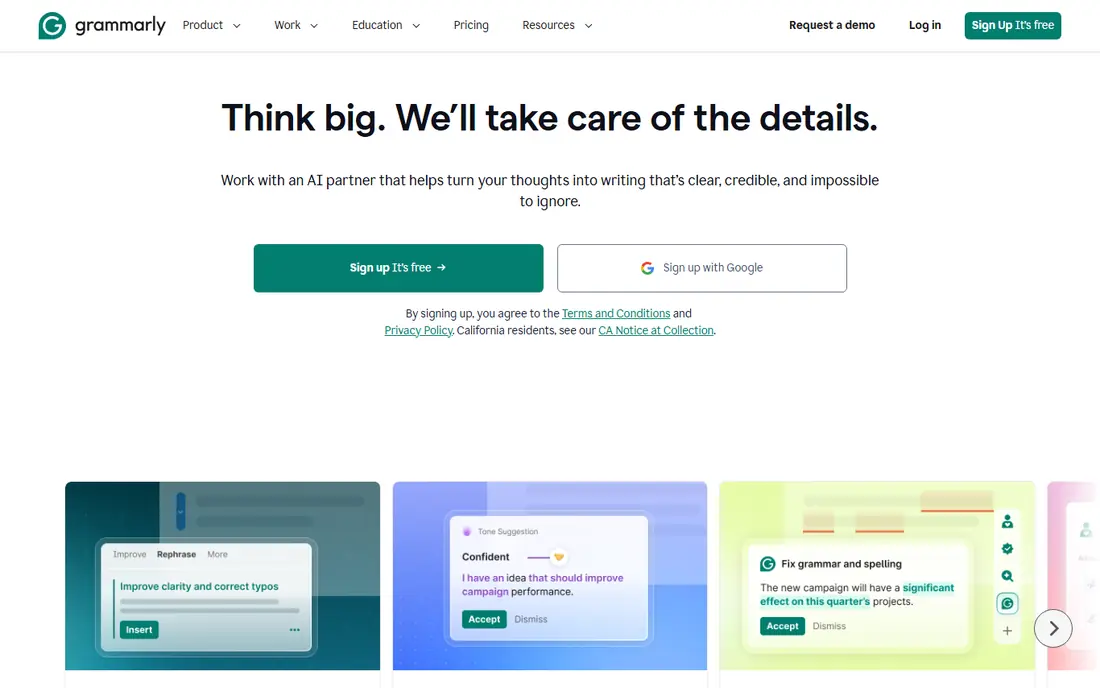
Grammarly is our pick for most people because it meets you where you already type. It catches grammar, spelling and awkward phrasing in email, documents and browser forms, and its tone suggestions help a short message sound calm rather than blunt. The free plan covers the basics, plus a limited number of AI prompts each month, which is enough for many casual writers.
The catch is scope. Grammarly polishes text you already have, and it will not plan a 2,000 word article from a brief in the way Jasper or Writesonic try to do. If your main problem is blank-page drafting, pair it with a drafter or a general assistant. If your main problem is sending clean, professional copy, it is hard to beat for the price.
- Works across browsers, documents and email
- Clear tone and clarity suggestions
- Generous free tier for basic checks
- Not a long-form draft generator
- Pro price rises sharply on monthly billing
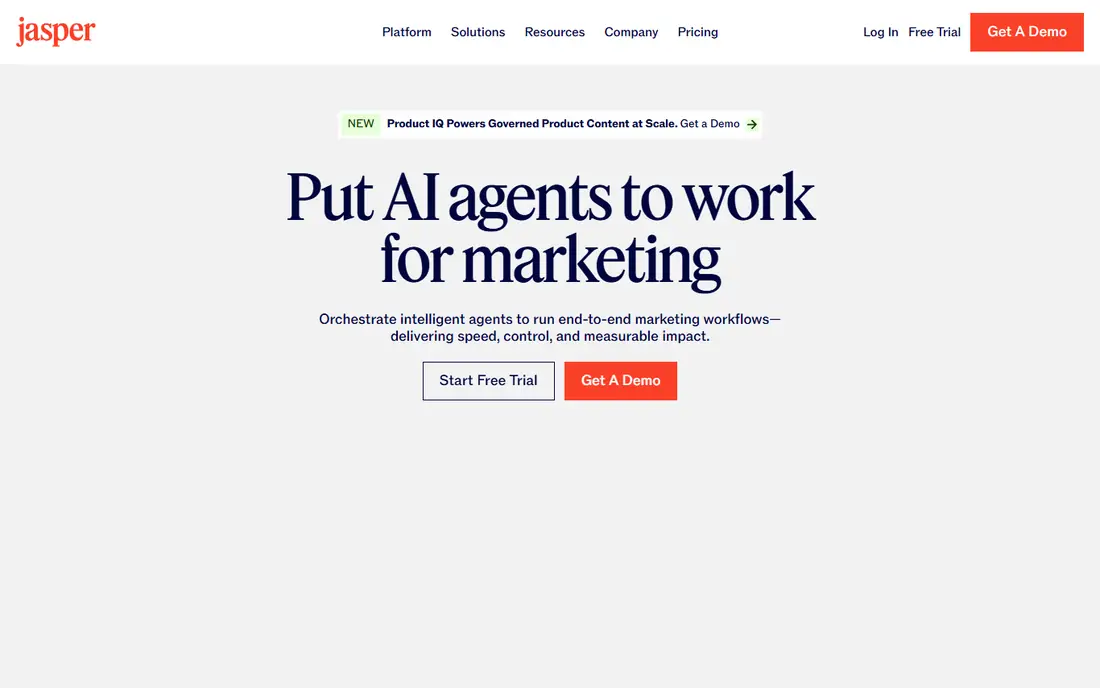
Jasper is built for teams that publish a lot and need every piece to sound like it came from the same brand. You can set brand voices, store knowledge about your products, and reuse templates for blog posts, ads and product pages. That structure matters when five people write for one company and readers should not notice the change of author.
For a solo writer, the price is the problem. At $59 per seat per month on annual billing, and $69 on monthly billing, Jasper costs several times more than Rytr or QuillBot. It earns that price only when brand consistency and team output are daily needs. Try the trial with a real brief before you commit a whole team to it.
- Brand voice controls for consistent copy
- Templates for campaigns and long-form drafts
- Team workflows
- Expensive per seat
- Overkill for one person writing occasional posts

Copy.ai has moved toward workflows rather than simple one-off generations. Its chat plan covers five seats at the entry price, which makes it a practical shared tool for a small sales or marketing team. You can build repeatable steps for prospecting, outreach and content refreshes instead of rewriting the same prompt every week.
The weakness is that the bigger workflow plans are priced for companies, not individuals, and the tool is not designed for novels, essays or careful long-form reporting. Use it when your writing is tied to pipelines, campaigns and repeatable tasks. For personal creative work, Sudowrite or a general assistant will feel more natural.
- Workflow automation for go-to-market teams
- Chat across several models
- Low entry price for a team chat plan
- Workflow pricing jumps sharply at higher tiers
- Less suited to long fiction or academic work
Writesonic is the pick here for publishers who care about being found in search results and in AI answers, not just about drafting fast. Its article workflow and AI visibility tracking help a team see which pages are cited or surfaced, and that feedback loop is useful when you publish every week. The writing itself still needs a human editor to check facts, tone and structure.
Price is the main barrier. At $79 per month on annual billing for its Starter plan, it is a business tool rather than a casual blogging aid. Small publishers should compare its article allowance with their real publishing pace. If you publish only one or two posts a month, a cheaper drafter plus Grammarly may give you a better return.
- Article packs aimed at search visibility
- Tracking for AI search results
- Current data for research-led drafts
- No longer a cheap standalone writer
- Entry plan limits the number of articles
Rytr wins on price alone, and that is a real advantage for students, freelancers and small shops. The free plan gives 10,000 characters a month, which is enough to test the tool on captions, emails and product blurbs. The unlimited paid plan is $9 per month on monthly billing, or $7.50 per month on annual billing, which is less than most lunch orders.
Do not expect Rytr to carry a long report or a nuanced argument on its own. Short copy is its strength, and longer drafts tend to drift, repeat ideas or need heavy rewriting. Treat it as a fast first draft for short formats, then edit with care, and it will save time without costing much.
- Very low monthly price
- Free tier for light use
- Many short-form templates
- Character limits on the free plan
- Output needs editing for longer or technical pieces
Sudowrite is the only tool on this list that thinks like a novelist. Its Story Engine walks you from an idea through characters, beats and chapters, while Describe and Expand help a flat scene gain texture. For a writer working on a novel, that structure is more useful than a generic chatbot, because the tool keeps the story bible and manuscript context in view.
The trade-off is credits. The Hobby and Student plan costs $10 per month on annual billing and includes a set credit allowance, and heavier writers will need the Professional plan. Outputs still need serious editing for pacing, dialogue and continuity. Buy Sudowrite for help with fiction drafts, not for finished prose straight from the machine.
- Story Engine for outlines and chapters
- Tools for description, expansion and rewriting
- Fiction-focused workflow
- Credits cap monthly use on cheaper plans
- Not useful for marketing copy or business reports
QuillBot is best when you already have a draft and need a cleaner version of it. Its paraphraser offers modes for fluency, formality and academic tone, and the summarizer helps you condense research notes or long articles into usable points. Students and professionals who rewrite emails, essays and reports every day will get more from it than from a general drafter.
The free plan limits paraphrases to short passages and only two modes, so heavy users will need Premium at $8.33 per month on annual billing. It also will not plan or research a piece for you. Use QuillBot to reshape and tighten text, and keep a separate tool for first drafts when you need them.
- Several rewrite modes
- Summarizer and grammar checker included
- Low annual price
- Free paraphrases are short
- Not a long-form drafting tool
Wordtune solves one small moment very well, which is the sentence that almost says what you mean. It offers several rewrites, lets you shorten or expand a thought, and helps you continue when you stall mid-email. That focus makes it fast, because you are not wading through campaign templates to fix two lines.
The limit is scope. Wordtune will not write a campaign, manage a manuscript or check a whole document the way ProWritingAid does. Check the current price on its site before you subscribe, since paid plans have varied, and start with the free tier, which gives a limited number of rewrites per day, to see if sentence-level help is really your bottleneck.
- Focused sentence rewrites at several formality levels
- Shorten and expand options
- Simple to use in email
- Narrow scope compared with full writing suites
- Paid pricing varies by promotion and plan
ProWritingAid goes deeper than a grammar checker. Its reports look at pacing, repeated words, readability, dialogue tags and other patterns that shape a manuscript, and that depth is why many fiction and nonfiction writers prefer it for a final pass. It works inside the editors writers already use, so you do not need to change your whole workflow to get its feedback.
New users may find the sheer number of reports daunting, and the free tier caps document length and daily rewrites. Premium costs $10 per month on annual billing, or $30 per month on monthly billing, so annual billing is the sensible choice if you edit regularly. Use it after a draft exists, not as a replacement for writing the draft.
- More than 25 reports on style, pacing and repetition
- Manuscript-level analysis
- Integrations with Word, Google Docs and Scrivener
- Reports can overwhelm new users
- Not a first-draft generator
How we picked these
We compared official feature pages, pricing pages, app store listings and public reviews for tools that are still sold and maintained in October 2026. We looked for a clear job each tool does well, a price a reader can verify, and a free plan or trial that lets you test it before paying. We also weighed limits honestly, because a low headline price means little when word, character or credit caps block your real workload.
We did not claim hands-on testing, and we did not rank tools on invented scores. Our order puts the most broadly useful editor first, then team drafters, then specialists for SEO, budget copy, fiction, paraphrasing and manuscript editing. That order reflects who each tool serves best, not a claim that every reader needs the top pick.
What to check before you subscribe
Start with the job, not the brand. If you write emails and reports, an editor such as Grammarly or ProWritingAid will help every day. If you publish marketing content at scale, Jasper or Copy.ai may justify their cost through shared voice and workflows. If you write fiction, Sudowrite is the specialist, and QuillBot or Wordtune are better for reshaping sentences than for starting from nothing.
Check the cap, not just the price
Free plans differ in what they count. Grammarly counts AI prompts, Rytr counts characters, Sudowrite counts credits, and QuillBot limits paraphrase length. Read the plan page and match the cap to a normal week of your work, not to a single test.
Check the output rules for your work
AI text still needs fact checking, source checking and a human edit, especially for health, legal or financial topics. Keep original sources for claims, and do not publish AI drafts unchecked. If your employer or publisher has an AI policy, follow it, and disclose AI help where that policy requires it.
Try before you pay for a team
Use a trial with a real brief, a real deadline and a real editor. That test will show whether brand voice controls, workflow steps or manuscript reports actually save time, or whether a cheaper editor plus a general assistant covers the same work.
FAQ
What are the best ai writing tools updates for beginners?
Start with Grammarly for editing and Rytr or QuillBot for drafting and rewriting. They are cheap, easy to learn and useful from the first day. Move to Jasper or Writesonic only when you publish often enough that brand voice or search visibility becomes a daily concern.
What is the best new ai writing tools update for fiction?
Sudowrite is the strongest fiction pick here, because its Story Engine and story bible tools are built for novels rather than ads. Pair it with ProWritingAid for a manuscript pass, since Sudowrite drafts still need editing for pacing and continuity.
Is there a good free AI writing tool?
Yes, for limited use. Grammarly, Rytr, QuillBot, Wordtune and ProWritingAid all offer free tiers, but each caps prompts, characters, paraphrase length or rewrites. A free tier is a good test and a good light-use tool, but regular professional work usually needs a paid plan.
Do AI writing tools replace human editors?
No. They speed up drafting and catch surface errors, but they can invent facts, flatten tone and miss context. A human editor should still check accuracy, structure and voice, especially for published work, client work and anything with legal or medical claims.
How much should I pay for an AI writing tool?
Most solo writers do fine between $8 and $12 per month on annual billing for an editor or paraphraser. Teams should budget $24 to $79 per seat or plan per month, depending on whether they need workflows, brand voice or SEO tracking. Pay monthly first if you are unsure, then switch to annual billing once the tool proves its worth.
Which tool is best for SEO articles?
Writesonic is the most search-focused pick here, thanks to its article packs and AI search tracking. Even so, search results depend on research, original insight and accurate facts, so use it as a drafting aid and add your own expertise, sources and edits before publishing.