Best AI Writing Tools for Education in 2026: 8 Tools Compared
Compare the best ai writing tools for education in 2026, with grammar help, feedback, paraphrasing and research support for students and teachers for class.

- Editor's choice
 Grammarly
students and teachers who want grammar, clarity and tone help
Starts atFreeVisit grammarly.comFull review - Great alternative
 QuillBot
students who need paraphrasing and summarising help for cited sources
Starts atFreeVisit quillbot.comFull review - Also consider
 ProWritingAid
older students and researchers who want deep writing analysis
Starts atFreeVisit prowritingaid.comFull review
TL;DR:
- Grammar and clarity tools like Grammarly, LanguageTool and ProWritingAid are the lowest-risk starting point, because they edit work you already wrote.
- Feedback tools like Claude and Jenni AI help with structure and revision, but students should still write and check the final draft themselves.
- Paraphrasing tools must be used on cited sources, not to hide AI-generated text, so check your school policy before using QuillBot.
- Always verify AI suggestions, because AI can invent citations, facts and quotes that look correct at first glance.
Quick comparison
| Tool | Best for | Starts at | Free plan? | |
|---|---|---|---|---|
| Grammarly | students and teachers who want grammar, clarity and tone help | Free | Yes | Visit |
| QuillBot | students who need paraphrasing and summarising help for cited sources | Free | Yes | Visit |
| ProWritingAid | older students and researchers who want deep writing analysis | Free | Yes | Visit |
 LanguageTool | multilingual students and teachers who want grammar checks in many languages | Free | Yes | Visit |
 Hemingway Editor | students who want clearer, shorter sentences | Free | Yes | Visit |
 Jenni AI | students who want outlining, drafting help and PDF-based citations | Free | Yes | Visit |
 Paperpal | researchers and graduate students who need academic editing | Free | Yes | Visit |
 Claude | students and teachers who want detailed feedback on a full draft | Free | Yes | Visit |
The best AI writing tools for education
Writing tools for education should help students learn to write better, not replace the writing itself. The best tools catch grammar and clarity problems, give feedback on structure, help paraphrase sources correctly, and support research, while leaving the ideas and final wording to the student. The tools below cover those jobs, with a clear note on academic integrity for each use.
Grammarly
Best for: students and teachers who want grammar, clarity and tone help

Grammarly is the most widely used education writing aid, because it works inside browsers, Word and Google Docs, and catches errors as you type. It flags grammar, spelling, punctuation and clarity problems, suggests simpler phrasing, and on paid plans checks tone and originality, which helps a student polish a draft before submission.
It fits almost any student or teacher, from a first-year essay to a staff report, because it edits existing writing rather than generating a new essay from scratch. The catch is over-trust, because Grammarly can suggest a change that alters meaning, so read each suggestion and keep your own voice, rather than accepting every edit.
- Real-time grammar and clarity checks
- Tone suggestions
- Plagiarism check on paid plans
- Advanced rewrites and plagiarism checks need paid plan
- Suggestions are not always right
QuillBot
Best for: students who need paraphrasing and summarising help for cited sources

QuillBot is best known for paraphrasing, and that feature helps when a student needs to restate a cited source in their own words and understand it better. You paste a passage, choose a mode such as standard or formal, and QuillBot offers a reworded version, while the summariser can shorten a long article into key points for study notes.
It fits a student working with research sources, who already has citations and wants help expressing source ideas clearly, not a student looking to disguise copied text. The catch is academic integrity, because paraphrasing a source still needs a citation, and using QuillBot to reword AI output to hide its origin can breach school rules, so check policy first.
- Paraphrase modes
- Summariser
- Citation generator
- Free plan limits modes and words
- Misuse can breach academic rules
ProWritingAid
Best for: older students and researchers who want deep writing analysis
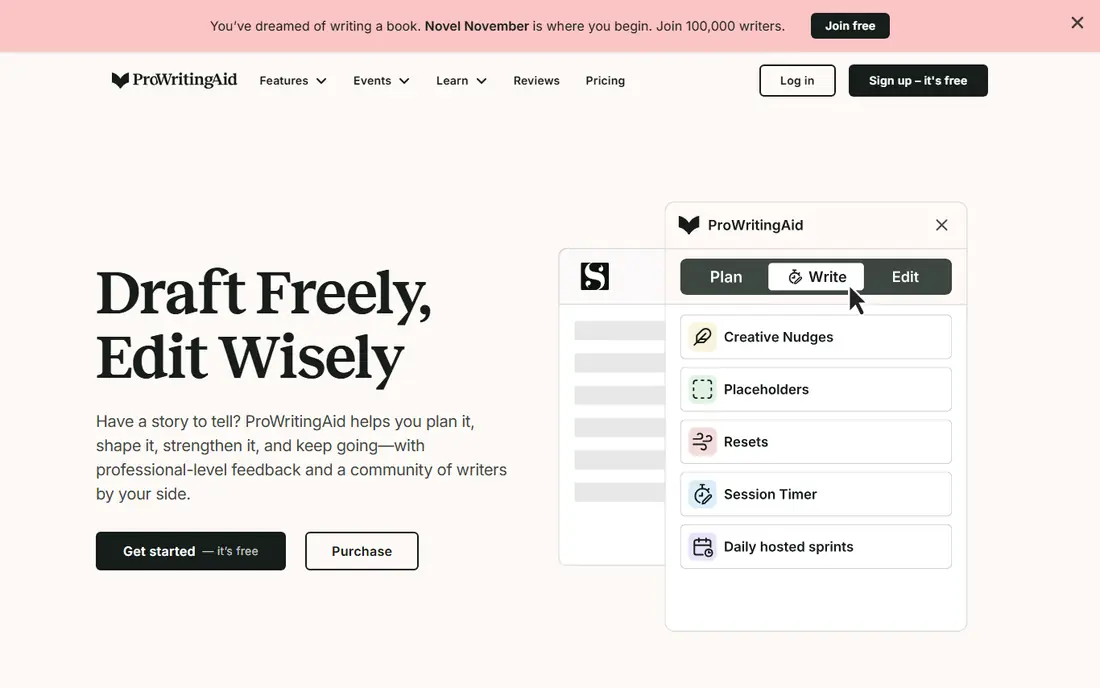
ProWritingAid goes deeper than a basic grammar checker, with reports on style, sentence variety, structure, readability and overused words. You can run a full report on an essay, see patterns such as repeated sentence starts or long passive passages, and then revise with specific targets, which suits a longer research paper or thesis chapter.
It fits a college or graduate student who wants to improve writing habits over a term, rather than a quick fix for a single short assignment. The catch is volume, because a long report can feel overwhelming, so focus on two or three report types per draft, such as readability and sentence length, and ignore the rest for now.
- Detailed style and structure reports
- Word and Docs integration
- Readability checks
- Reports can overwhelm new writers
- Full features need paid plan
LanguageTool
Best for: multilingual students and teachers who want grammar checks in many languages
LanguageTool is a strong choice for multilingual classrooms, because it checks grammar, spelling and punctuation across many languages, not just English. It works as a browser extension and inside common editors, flags errors with explanations, and offers a free tier that covers everyday student writing without a subscription.
It fits a language learner, an international student, or a teacher marking work in more than one language, where a single-language tool would miss key errors. The catch is depth, because its AI rewriting and style help are thinner than Grammarly or ProWritingAid, so pair it with a feedback tool for structure work on longer essays.
- Grammar checks in many languages
- Browser and Docs support
- Open source core
- AI rewrite features are more limited than rivals
- Advanced checks need paid plan
Hemingway Editor takes a different approach, by highlighting hard sentences, passive voice and adverbs, rather than fixing grammar line by line. You paste a draft, and colour highlights show which sentences are hard to read, which helps a student shorten long sentences, cut filler words and make an argument easier to follow.
It fits a student whose writing is grammatically sound but dense, and a teacher who wants a visual way to show why a paragraph feels heavy. The catch is scope, because Hemingway does not replace a grammar checker, so use it after Grammarly or LanguageTool, not instead of them, and keep some complex sentences where the topic needs them.
- Readability highlights
- Passive voice and adverb flags
- Simple web editor
- No grammar checking in depth
- Desktop app is paid
Jenni AI
Best for: students who want outlining, drafting help and PDF-based citations
Jenni AI is built around the academic workflow, with outlining, autocomplete and citation help that starts from sources you upload. You can build an outline, draft sections with suggestions, and pull citations from PDFs, which helps a research paper where source handling matters as much as prose.
It fits a student writing a sourced essay or literature review, who wants help structuring an argument and keeping citations attached to claims. The catch is the free limit and integrity risk, because the free plan covers only a limited number of words, and a draft built mainly from AI suggestions may breach course rules, so write the argument yourself and use Jenni for structure and source checks.
- Autocomplete and outlining help
- Citation support from uploaded PDFs
- Research workflow
- Free word limit is low
- Drafting help needs careful academic use
Paperpal is tuned for academic and journal writing, with language suggestions that match formal research style rather than casual blog prose. It checks grammar, academic phrasing and consistency, and on paid plans runs submission checks that flag common journal requirements, which helps a graduate student or early-career researcher.
It fits a thesis, journal draft or conference paper, where precise academic language and consistent terminology matter. The catch is audience, because a school essay may not need Paperpal depth, and its best checks sit behind a paid plan, so try the free tier on a real draft before paying.
- Academic language suggestions
- Submission checks
- Word integration
- Best features need paid plan
- Less suited to school essays
Claude is useful for education writing as a feedback partner, because it can review a long draft, point out weak arguments, and suggest clearer structure. You can paste a draft, ask for feedback on logic, evidence and flow, and use the reply as a revision checklist, rather than asking Claude to write the essay for you.
It fits a student who has a complete draft and wants a second reader, and a teacher who wants to model revision questions for a class. The catch is accuracy and policy, because Claude can invent citations or misread a source, and submitting AI-written text as your own work breaches most school rules, so use it for feedback, then rewrite in your own words.
- Long document review
- Detailed feedback on structure and clarity
- Brainstorming help
- General chatbot, not a dedicated checker
- Outputs need fact checking
How we picked these
We compared official feature pages, pricing notes, education guidance and academic integrity information for each tool, plus teacher and student reviews from 2026. We gave weight to tools that edit or give feedback on student work, support citations, and work inside Word or Google Docs. We did not claim classroom testing, and we left out tools whose main purpose was generating full essays with no learning or citation support.
How to use AI writing tools in education without breaking academic rules
Check the course policy first
Some courses allow grammar tools but not drafting tools, while others require disclosure of any AI help. Ask the teacher or check the syllabus before you start, not after submission.
Use AI for editing and feedback, not for the first draft
Write your own outline and draft first, then use a tool to catch errors, improve clarity or test your argument. That order keeps the learning and the authorship with you.
Cite sources, even after paraphrasing
Paraphrasing does not remove the need for a citation. Keep the source, page and quote notes with your draft, and check that every paraphrased idea is credited.
Verify every AI citation and fact
AI tools can invent authors, years, titles and statistics. Check each citation in the original source before you include it, and remove any claim you cannot verify.
FAQ
Is using Grammarly cheating?
Most schools allow grammar and clarity tools like Grammarly, because they edit work you wrote, much like spell check. Check your course policy, because rules vary, and disclose use if your teacher asks.
Can students use AI to write an essay?
Submitting AI-generated text as your own work usually breaches academic integrity rules, even if you paraphrase it. Use AI for brainstorming, outlining, editing and feedback, then write the submission yourself.
What is the best free AI writing tool for students?
Grammarly free tier is a strong free starting point for grammar and clarity, while LanguageTool free tier suits multilingual writers. QuillBot free tier helps with paraphrasing cited sources, within school rules.
How should teachers use these tools?
Teachers can use them to model revision, give faster feedback on clarity, and show students how to check a draft. Set clear rules for student use, and show examples of allowed and disallowed help.
Do AI writing tools store student work?
Data handling varies by tool and plan, so check the privacy policy and your school guidance before uploading sensitive or assessed work. Prefer tools with clear education privacy terms and admin controls.