6 Best AI Video Generation Tools for Beginners for 2026, Vetted and Compared
Searching for the best AI video generation tools for beginners? Here are 6 options with prices and free plans. Every entry states what it lacks. Clear verdicts.

- Editor's choice
 Pictory
Script and URL to video
Starts at$12.50 per month, billed yearlyVisit pictory.aiFull review - Great alternative
 HeyGen
Personal avatar videos
Starts at$29 a monthVisit heygen.comFull review - Also consider
 InVideo AI
Prompt to editable AI video
Starts at$4 per seat/mo, billed annuallyVisit invideo.ioFull review
Direct answer
Start with Pictory if you need script and URL to video. Listed starting prices: Pictory from $12.50 per month, billed yearly, HeyGen from $29 a month and InVideo AI from $4 per seat/mo, billed annually. If your case is different, HeyGen suits personal avatar videos and InVideo AI suits prompt to editable AI video. The remaining 3 options are covered below with prices and limits.
TL;DR:
- The list opens with Pictory, aimed at script and URL to video.
- One limit worth knowing about HeyGen: avatar setup takes effort.
- Descript suits text-based video editing.
- 3 of 6 tools offer a free plan: HeyGen, Synthesia, Descript.
Last checked November 2026. Prices and plan details were read from the vendors' own pages in November 2026; vendors change plans often, so confirm the current price on the vendor site before you buy.
Quick comparison
| Tool | Best for | Starts at | Free plan? | |
|---|---|---|---|---|
| Pictory | Script and URL to video | $12.50 per month, billed yearly | Free trial | Visit |
| HeyGen | Personal avatar videos | $29 a month | Yes | Visit |
| InVideo AI | Prompt to editable AI video | $4 per seat/mo, billed annually | Not stated | Visit |
 Synthesia | Business presenter videos without filming | $19 a month | Yes | Visit |
 Luma Dream Machine | Creative prompt-based video generation | $30 a month | No | Visit |
 Descript | Text-based video editing | $16 per person per month | Yes | Visit |
The full AI video generation tools for beginners list
If you are comparing AI video generation tools for beginners, this page covers 6 tools in one place: what each is best for, what it costs to start, whether it has a free plan, and the main limit to know about.

Pictory targets script and URL to video. Pictory describes itself as an AI video agent and generator. Beginners can describe a video, paste a script, add an URL, upload a PowerPoint, or use audio.
Limits to weigh: Less control over custom footage.
The agent plans the scenes for review. That makes it approachable for repurposing blog posts, presentations, or recordings into short videos without starting from a blank timeline. Since the agent proposes the scene plan, results can feel generic until you refine them. It is less about generating original cinematic clips and more about assembling existing material. What you pay to start with Pictory: $12.50 per month, billed annually. On free options: Free trial. Strengths: AI agent plans scenes.
- Review and refine workflow
- Opens from script, URL, slides
- Scene planning may need manual edits
For personal avatar videos, HeyGen is a natural candidate. HeyGen concentrates on creating AI videos with a personal avatar, using your face and voice without filming every time.
Worth adding: the approach is most solid for talking-head content, not for generating arbitrary scenes or cinematic B-roll. HeyGen pricing: $29 per month. A free plan is available with HeyGen.
Limits to weigh: Best for talking-head formats.
- Clear
- Handy for repeat updates
- Avatar setup takes effort
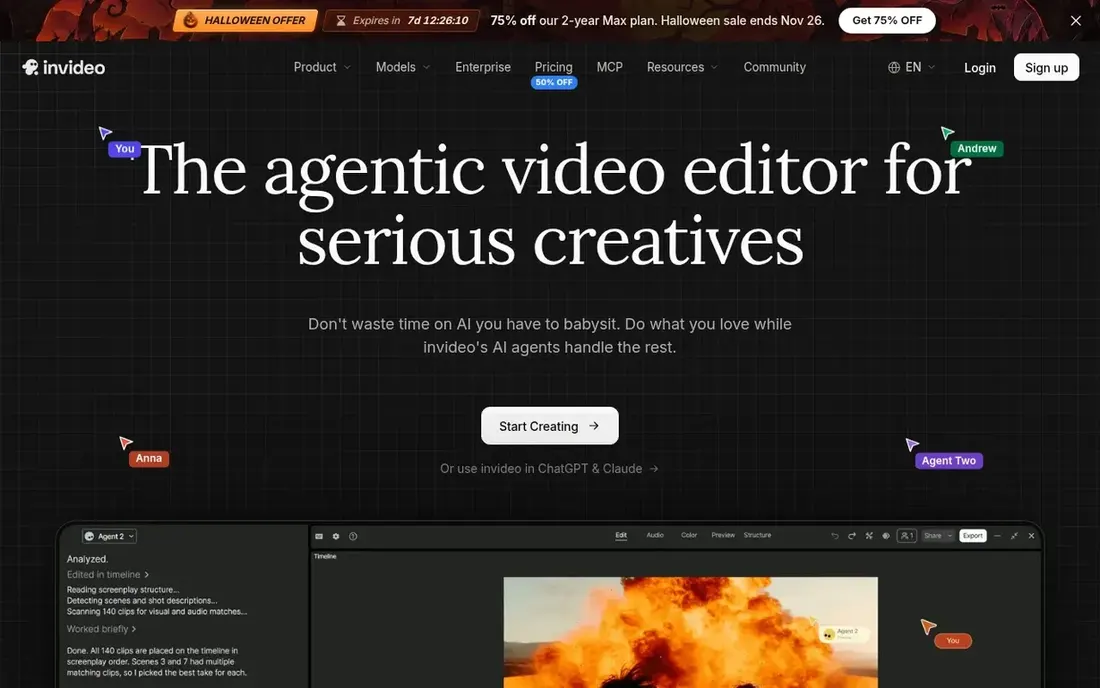
InVideo AI works best for prompt to editable AI video. InVideo AI presents an editor for creating videos without limits, with an AI agent assisting the process.
Choose InVideo AI when you want a prompt-first start with editing choices, and look elsewhere when you need strict brand templates or presenter consistency. Price to start with InVideo AI: $4 per seat/mo, billed annually. Free options: Not stated.
Watch-outs: Output quality varies by prompt.
- Fits fast social content
- Build videos from prompts
- May need cleanup edits

Synthesia is designed for business presenter videos without filming. Choose Synthesia when clarity, consistency, and multilingual delivery matter more than cinematic experimentation.
As for the details, beginners can type a script and let an AI presenter deliver it, which removes the need for cameras, lighting, or a studio. The trade-off is that Synthesia leans toward structured, presenter-led videos instead of open-ended creative footage. On cost, Synthesia starts like this: $19 per month. Synthesia offers a free plan.
Watch-outs: Avatar style may feel formal.
- Designed for training and communication
- Supports numerous languages
- Less suited to cinematic generation
Pick Luma Dream Machine if this describes you: creative prompt-based video generation. Luma presents itself as a creative AI product for video generation and image creation, powered by video generation models and creative agents.
Drawbacks to consider: Less structured for business training.
Also, choose Luma Dream Machine when you want to explore creative generation, and pick Synthesia or HeyGen when you need a presenter to deliver a clear message. The platform is less concentrated on avatars, templates, or structured training videos. Entry price for Luma Dream Machine: $30 per month. Luma Dream Machine has no free tier.
- Creative agent workflows
- Fits experimental visuals
- Results need review
Pick Descript if this describes you: text-based video editing. Choose Descript when your central task is cleaning up spoken content, and pair it with a generator when you need visuals that do not exist yet. Descript is an AI video and audio editor that makes editing as simple as editing text.
Rather than trimming timelines, you work with a transcript and remove or rearrange words to shape the video. On top of that, Descript is an editing environment first, so it does not replace tools that produce footage or avatars from prompts. Descript cost at the entry level: $16 per person per month. A free plan is available with Descript.
The main drawbacks: Best with recorded or spoken content.
- Record, transcribe, publish
- Beginner-friendly workflow
- Not a prompt-to-footage generator
How we chose
Each tool was reviewed on what its vendor publishes: price, plan limits, core features and stated drawbacks. We did not run hands-on tests. Where a price is missing, the vendor does not list one publicly or ties it to a quote. Always confirm before budgeting. The order reflects how well each tool fits the most common buying scenario for AI video generation tools for beginners, then price clarity, then free plan access. It is a starting point, not a verdict.
Questions to settle before buying
- Confirm the entry price on the vendor page: InVideo AI starts at $4 per seat/mo, billed annually, but seat counts and billing terms change the total.
- Read the fine print on the free plans from HeyGen, Synthesia and Descript; seat, project and feature caps differ.
- Use real work to test the free trial from Pictory, rather than a demo project.
- Read the limits listed for Pictory first: scene planning may need manual edits.
- Verify that exporting from Luma Dream Machine is possible on your plan and covers all your records.
- Check the support hours and onboarding help HeyGen offers; smaller vendors vary a lot here.
FAQ
Do these tools publish their prices?
Yes. Every tool from Pictory to Descript shows a starting price, though seats, add-ons and billing terms still change the final cost.
How are the tools for AI video generation tools for beginners ordered?
Pictory sits first and Descript last because the order follows typical fit for AI video generation tools for beginners, then price clarity and free access. It is a judgement call, so read each profile for fit and limits.
Is Pictory the right pick for everyone comparing AI video generation tools for beginners?
No single tool suits every team. Pictory comes first because it fits script and URL to video, while HeyGen suits personal avatar videos and InVideo AI suits prompt to editable AI video. Match the tool to your own size, budget and workflow before deciding.
What should I check before choosing an AI video tool?
Confirm the input types, output formats, language support, and how much manual editing is available after generation. Also review the vendor's stated limits so you know what the tool is built to do.
What is the cheapest option for AI video generation tools for beginners in this list?
On published monthly entry prices, InVideo AI is the lowest here at $4 per seat/mo, billed annually. Entry price is only part of the cost, because seats, add-ons and billing terms can change the total.
Sources
- https://pictory.ai
- https://www.heygen.com
- https://invideo.io
- https://www.synthesia.io
- https://lumalabs.ai
- https://www.descript.com