Best AI Tools for Lawyers in 2026: 8 Tools Compared
Best AI tools for lawyers compared: 8 research, drafting, and contract tools for law firms and in-house teams, with features, limits, and pricing details.
- Editor's choice
 Harvey
Large firms and enterprise legal teams
Starts atSee websiteVisit harvey.aiFull review - Great alternative
 CoCounsel
Research and drafting grounded in Westlaw
Starts atSee websiteVisit thomsonreuters.comFull review - Also consider
 Lexis+ AI
LexisNexis users and citation checking
Starts atSee websiteVisit lexisnexis.comFull review
TL;DR:
- CoCounsel and Lexis+ AI suit research-heavy work because their answers link back to established legal content and citation checks.
- Harvey and Legora suit larger firms that want one workspace for research, drafting, review, and team workflows.
- Spellbook and Robin AI suit contract work, with Spellbook strongest inside Word and Robin AI strongest for playbook-based review.
- Luminance suits large document sets and due diligence, while Clio Duo suits small firms already running on Clio.
- No tool replaces lawyer judgment: every output still needs human review before it reaches a client or a court.
Quick comparison
| Tool | Best for | Starts at | Free plan? | |
|---|---|---|---|---|
| Harvey | Large firms and enterprise legal teams | See website | No | Visit |
| CoCounsel | Research and drafting grounded in Westlaw | See website | Free trial | Visit |
| Lexis+ AI | LexisNexis users and citation checking | See website | Free trial | Visit |
 Spellbook | Contract drafting inside Word | See website | Free trial | Visit |
 Robin AI | Playbook-based contract review | See website | Free trial | Visit |
 Legora | Collaborative review and drafting | See website | No | Visit |
 Luminance | Large-scale contract review and diligence | See website | No | Visit |
 Clio Duo | Small firms already using Clio | See website | Free trial | Visit |
The best ai tools for lawyers
These tools help lawyers research, draft, and review faster, but they serve different kinds of practice. Choose by your main work type, your existing research subscription, and your data controls.
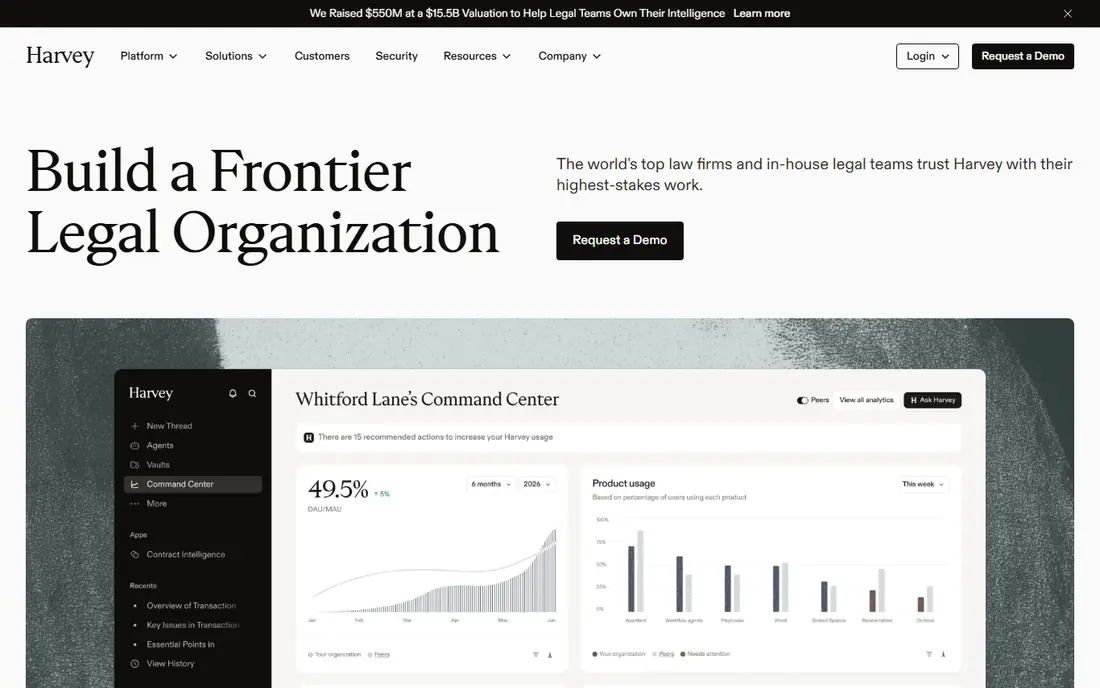
Harvey is built as a general legal AI platform for large firms and corporate legal departments. It covers research, drafting, document review, and due diligence, and it can draw on a firm's own documents and knowledge bases. That breadth suits teams that want one platform across practice groups rather than a separate tool for each task.
The barrier is access and cost. Harvey is sold as an enterprise product with quote-based pricing, so solo lawyers and small firms will likely find it out of reach. Larger teams should also budget time for governance, permissions, and training before rolling it out widely.
- Broad practice coverage
- Firm knowledge tools
- Workflow automation
- Enterprise pricing only
- Implementation takes planning and training

CoCounsel, from Thomson Reuters, pairs generative AI with Westlaw and Practical Law content. That grounding matters for litigation and research teams, because answers can be traced to primary law and practical guidance rather than general web text. It also handles drafting and document analysis in the same workspace.
Pricing is not published as a simple monthly rate, so firms need a quote based on users and jurisdiction coverage. Teams already paying for Westlaw get the most from it, since the research content is the core advantage.
- Westlaw and Practical Law grounding
- Strong research depth
- Document analysis
- Price is quote-based
- Best value requires a Thomson Reuters subscription
Lexis+ AI, now paired with the Protégé assistant, gives LexisNexis users generative research tied to its content library. Citation checking through Shepard's helps lawyers confirm that cases are still good law, which is a practical safeguard for briefs and memos. Drafting and summarization tools sit alongside research, so work can move from source to draft without switching systems.
The main drawback is packaging. LexisNexis bundles vary, and the AI add-on price depends on the firm's existing plan. Firms standardized on LexisNexis will find the fit natural; others should compare total bundle cost before switching research providers for AI alone.
- Shepard's citation validation
- Large research corpus
- Drafting help
- Quote-based pricing
- Interface and bundles can feel complex
Spellbook lives inside Microsoft Word, which is where many transactional lawyers already draft. It suggests clauses, flags risky language, applies playbooks, and helps with redlines without forcing lawyers into a new editor. Multi-document review extends that help to deal sets rather than single agreements.
It is not a substitute for a research platform. Lawyers who need case law research will still need Westlaw, LexisNexis, or a similar source. For contract-heavy practices, though, the Word-native design keeps the workflow familiar and fast.
- Word-native drafting
- Clause suggestions
- Playbooks and redlining
- Contract-focused, not a research tool
- Pricing needs a sales quote
Robin AI focuses on contract review against a firm's own playbook. It marks up agreements, explains deviations, and can pair software with lawyer review for higher-stakes contracts. That mix suits in-house teams facing steady contract volume but limited headcount.
Smaller teams should check what the base software covers on its own, since some of the strongest results come from the managed review service. Still, for teams that repeat the same contract types, playbook consistency is a real time saver.
- Playbook enforcement
- Human review option
- Word integration
- Review depth varies by plan
- Managed service adds cost
Legora, formerly Leya, offers a collaborative workspace for research, drafting, and review. Teams can work on the same documents, run tabular reviews across large sets, and use agents for repeated steps. Word and Outlook add-ins keep the work close to daily email and drafting habits.
Pricing is quote-based and aimed at mid-size and large firms. Solo practitioners may find simpler tools more practical. For firms that review together and want shared context, Legora is a strong contender.
- Shared workspaces
- Tabular document review
- Word and Outlook add-ins
- Enterprise pricing
- Newer brand name may confuse buyers
Luminance uses pattern recognition to review large contract collections, flag unusual terms, and support negotiation and due diligence. It is well suited to mergers, portfolio reviews, and compliance checks where volume makes manual reading slow and inconsistent. Drafting and analysis tools round out the platform.
The trade-off is scale and price. Luminance is priced for firms and companies with serious document volume, not occasional contract review. Teams with that volume often find the consistency across thousands of documents worth the investment.
- Pattern recognition across large sets
- Negotiation help
- Portfolio analysis
- Enterprise cost
- Setup and training take time
Clio Duo brings AI into Clio Manage, the practice management tool many small firms already use. It can summarize matters, draft client updates, pull deadlines from documents, and surface next steps in context. Because it works with existing matters, adoption is easier than adding a separate platform.
It does not replace a dedicated legal research or contract platform. Firms needing deep research or complex contract review will still need another tool. For small firms wanting everyday AI help inside their current system, Duo is a practical start.
- Tied to matters and calendars
- Summaries and client updates
- Easy adoption
- Less deep than dedicated research tools
- Requires Clio Manage
How we picked these
We compared official product pages, pricing information, and recent independent comparisons of legal AI tools in October 2026. We favored tools with clear legal use cases, published vendor documentation, and active sales in the United States. We avoided general chatbots as standalone picks, since law firms need source grounding, confidentiality controls, and matter context that general tools do not guarantee.
Choosing the right legal AI tool
Start with the work you do most, then check data handling, since client confidentiality shapes every other decision.
Match the tool to the task
Research teams should prioritize citation grounding and source coverage. Transactional teams should prioritize Word integration and playbooks. Litigation teams should look for deposition and document analysis features. A tool that excels at one task may be only average at another, so shortlist by task first.
Check confidentiality and review duties
Ask where client data is stored, whether it trains vendor models, and how long inputs are retained. Confirm that outputs can be reviewed, cited, and corrected before filing or sending. Many firms also need admin controls, audit logs, and matter-level permissions, so treat those as requirements, not extras.
Run a pilot on real matters
Pick a small set of closed matters, run the same tasks in two tools, and compare accuracy, citation quality, and time saved. Include a senior lawyer in review, since junior staff may miss subtle errors. A short pilot gives better evidence than a sales demo, and it surfaces training needs early.
Also ask about document retention and conflict checks before a firm-wide rollout. Confirm how long prompts and uploads are kept, who can access matter workspaces, and whether the tool can be limited to specific practice groups during a pilot. Training matters as well: short sessions on prompt writing, citation checking, and error spotting prevent overreliance better than a long manual. Firms should also decide who owns AI output review for each matter type, so responsibility stays clear when a draft moves from AI assistance to client advice.
FAQ
What is the best AI tool for lawyers?
There is no single best tool: CoCounsel and Lexis+ AI lead for research, Spellbook and Robin AI lead for contracts, and Harvey and Legora lead for broad firm workflows. Choose by your main task and your existing research or practice management system.
Can AI write legal documents on its own?
AI can draft and suggest language, but a qualified lawyer must review every document before use. AI output can contain errors, outdated law, or invented citations, so human review is a professional duty, not an optional step.
Is legal AI safe for client data?
Safety depends on the vendor contract and settings. Check data retention, model training policies, encryption, and access controls, and avoid entering confidential client information into tools without firm approval. Enterprise legal tools usually offer stronger controls than general chatbots.
How much do AI tools for lawyers cost?
Most dedicated legal AI tools use quote-based pricing, often tied to users, jurisdiction coverage, and existing subscriptions. Expect enterprise tools to cost far more than general AI subscriptions, and always request a written quote that includes implementation and training.
Do I still need Westlaw or LexisNexis if I buy legal AI?
In most cases, yes. The strongest legal AI tools draw on those research libraries, and citation checking depends on them. A general AI tool without legal sources is a poor substitute for research that may be filed or relied on by a client.