5 Best Client Portal Software for Lawyers for 2026, Vetted and Compared
Weighing the best client portal software for lawyers? We lined up 5 products by cost, free access and fit. Limits and pricing notes included. Pick by budget.

- Editor's choice
 Actionstep
Full workflow and client experience control
Starts atSee websiteVisit actionstep.comFull review - Great alternative
 PracticePanther
Automating firm processes and billing
Starts at$49 per user a monthVisit practicepanther.comFull review - Also consider
 Smokeball
Automatic time tracking and document automation
Starts atSee websiteVisit smokeball.comFull review
Direct answer
Start with Actionstep if you need thorough workflow and client experience control. Listed starting prices: PracticePanther from $49 per user a month, MyCase from $50 per user a month and Rocket Matter from $39 a month per user billed annually. PracticePanther is the stronger choice for automating firm processes and billing, while Smokeball suits automatic time tracking and document automation. All 5 tools are compared below on price, free plan and limits.
TL;DR:
- Number one here is Actionstep, a fit for thorough workflow and client experience control.
- PracticePanther comes with a trade-off: advanced customization may need extras.
- For the cheapest start, look at Rocket Matter: $39 per month per user billed annually.
- Rocket Matter is the one to check for efficient practice management and client portal.
- A permanent free plan is missing from all 5 tools, Actionstep and Rocket Matter included; plan for a trial or a premium start.
Last checked November 2026. Prices and plan details were read from the vendors' own pages in November 2026; vendors change plans often, so confirm the current price on the vendor site before you buy.
Quick comparison
| Tool | Best for | Starts at | Free plan? | |
|---|---|---|---|---|
| Actionstep | Full workflow and client experience control | See website | Not stated | Visit |
| PracticePanther | Automating firm processes and billing | $49 per user a month | Free trial | Visit |
| Smokeball | Automatic time tracking and document automation | See website | Not stated | Visit |
 MyCase | All-in-one case, client, and billing management | $50 per user a month | Free trial | Visit |
 Rocket Matter | Efficient practice management and client portal | $39 a month per user billed annually | Free trial | Visit |
Client Portal Software for Lawyers compared in detail
If you are comparing client portal software for lawyers, this page covers 5 tools in one place: what each is best for, what it costs to start, whether it has a free plan, and the main limit to know about.
Think of Actionstep for full workflow and client experience control. Actionstep is law firm management software that provides thorough control over your success, helping perfect legal workflows and build better client experiences.
Actionstep does not show a starting price in this comparison, so check the vendor site for current pricing. As for free access: Not stated.
Downsides: Complicated setup may need dedicated admin.
- Legal management software for businesses
- Full control over workflows
- May be more than small businesses need
PracticePanther makes the most sense for automating firm processes and billing. PracticePanther is law practice management software that helps automate firm processes, billing, and time tracking.
Price to start with PracticePanther: $49 per user per month. Free options: Free trial.
What to check first: Some features most useful for smaller businesses.
- Automates firm processes
- Billing and time tracking included
- Advanced customization may need extras

Where Smokeball fits: automatic time tracking and document automation. Smokeball is legal practice management software that boosts productivity through automatic time tracking, document automation, and trust and billing software. Its client portal capabilities sit within a broader productivity-focused system, making it a good fit for businesses that want to capture billable time easily and automate document-heavy processes whereas keeping clients informed through a portal.
Downsides: Feature depth can overwhelm new users.
More specifically, if your priority is a straightforward, standalone client portal instead of deep time and document automation, a more focused tool could be a better match. On top of that, since Smokeball leans heavily on desktop-based automation, businesses that operate entirely in the browser or on mobile may prefer a cloud-first alternative. No starting price is listed for Smokeball here; confirm pricing on the vendor site. As for free access: Not stated.
- Trust and billing software included
- Automatic time tracking
- Desktop-centric workflow may not suit all remote teams
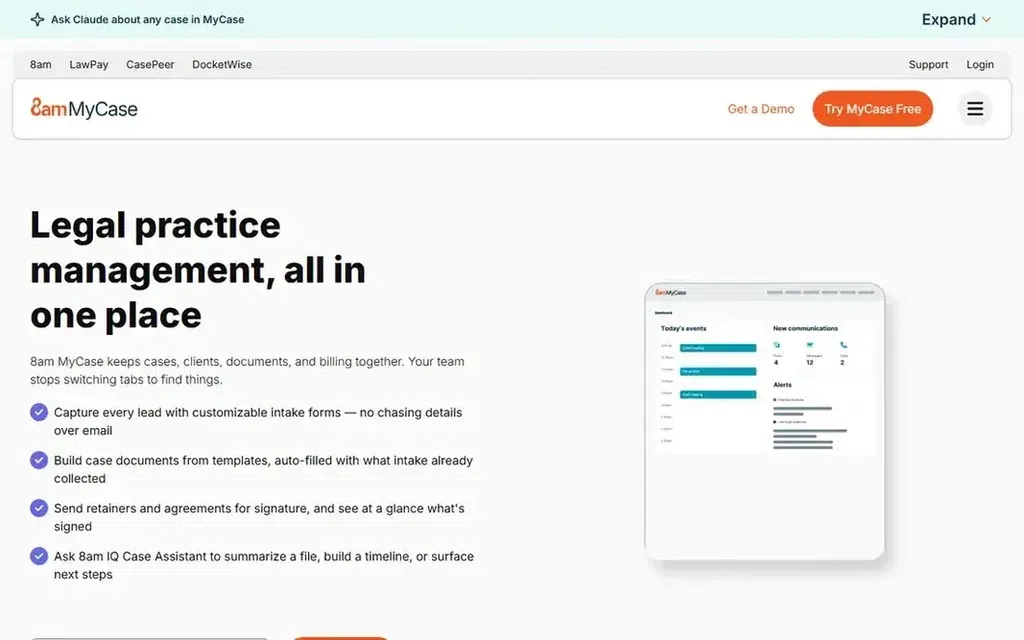
MyCase works best for all-in-one case, client, and billing management. Businesses with highly specialized workflows or existing best-of-breed systems may find MyCase's all-in-one approach less flexible than modular alternatives. MyCase is legal practice management software built to run a profitable firm, not just handle cases.
It brings cases, clients, billing, and payments together in one place, and its client portal is part of that unified experience. This makes it a solid fit for small to midsize businesses that want a single system for client communication, case updates, and invoicing without stitching together separate tools. On top of that, if you primarily need a standalone portal and already have case management, consider a lighter choice or a product that integrates more openly with your current stack. The starting price for MyCase: $50 per user per month. Free access: Free trial.
Drawbacks to consider: May be more than needed for very small businesses.
- Unified cases, clients, billing, payments
- Client portal integrated with case management
- Customization choices can need a ramp-up time
Rocket Matter works best for efficient practice management and client portal. Rocket Matter may not offer the same depth of AI or automation as newer products, and businesses seeking modern analytics might look elsewhere.
As for the details, if your priority is a proven, straightforward portal and practice management system without advanced AI, Rocket Matter is a reasonable choice. Starting cost for Rocket Matter: $39 per month per user billed annually. Free options: Free trial.
Where it is weaker: May lack some advanced AI features.
- Single source of truth for firm management
- Client portal for sharing case details
- Interface can feel dated to some users
How we chose
Selection started from tools commonly considered for client portal software for lawyers, then narrowed to 5 that have clear pricing information or a clear quote process. Where a price is missing, the vendor does not list one publicly or ties it to a quote. Always confirm before budgeting. The order reflects how well each tool fits the most common buying scenario for client portal software for lawyers, then price clarity, then free plan access. It is a starting point, not a verdict.
Things to verify first
- Confirm the entry price on the vendor page. For Actionstep and Smokeball that means a quote rather than a fixed price.
- Use real work to test the free trial from PracticePanther, MyCase and Rocket Matter, rather than a demo project.
- Read the limits listed for Actionstep first: complicated setup may need dedicated admin.
- Make sure MyCase lets you export your data in a format another tool can read.
- Total up the real monthly cost of Rocket Matter, including add-ons, extra users and usage-based fees.
FAQ
What should a client portal for lawyers include?
A client portal for lawyers should offer secure document sharing, messaging, case status updates, and invoice access. It should also plug into your practice management system to avoid duplicate data entry and ensure clients see accurate, up-to-date information.
Do these tools publish their prices?
Not all of them. Actionstep and Smokeball publish no starting price, so expect a quote request for those. The rest, PracticePanther included, show a starting price, though seats and billing terms still change the final cost.
How are the tools for client portal software for lawyers ordered?
The order follows typical fit for client portal software for lawyers, with Actionstep first and Rocket Matter last, then price clarity and free access. It is editorial judgement, not a score, so another team could rank the tools differently.
What is the cheapest option for client portal software for lawyers in this list?
On published monthly entry prices, Rocket Matter is the lowest here at $39 per month per user billed annually. Entry price is only part of the cost, because seats, add-ons and billing terms can change the total. Each of the 5 options in this client portal software for Lawyers guide has its own card above with the price, free plan and limits.
Is Actionstep the right pick for everyone comparing client portal software for lawyers?
No single tool suits every team. Actionstep comes first because it fits comprehensive workflow and client experience control, while PracticePanther suits automating firm processes and billing and Smokeball suits automatic time tracking and document automation. Match the tool to your own size, budget and workflow before deciding.
Sources
- https://www.actionstep.com
- https://www.practicepanther.com
- https://www.smokeball.com
- https://www.mycase.com
- https://www.rocketmatter.com