Best AI Tools for Day Trading in 2026: 9 Tools Compared
Compare the best AI tools for day trading, with scanners, chart analysis, backtesting, and automation, plus current costs, limits, and trading risks in 2026.

- Editor's choice
 Trade Ideas
AI trade signals
Starts at$89 per monthVisit trade-ideas.comFull review - Great alternative
 TrendSpider
Automated chart analysis
Starts at$82 per monthVisit trendspider.comFull review - Also consider
 TradingView
Charting and alerts
Starts atFreeVisit tradingview.comFull review
TL;DR:
- Trade Ideas and TrendSpider lead for active traders, with AI signals, scanning, and backtesting, but both cost serious money.
- TradingView and Finviz are better starting points for charting and screening without a large subscription.
- No AI tool removes trading risk, and backtested results do not guarantee future results.
- This is not financial advice. Trading carries risk, including the risk of losing money you cannot afford to lose.
Quick comparison
| Tool | Best for | Starts at | Free plan? | |
|---|---|---|---|---|
| Trade Ideas | AI trade signals | $89 per month | Yes | Visit |
| TrendSpider | Automated chart analysis | $82 per month | No | Visit |
| TradingView | Charting and alerts | Free | Yes | Visit |
 Tickeron | Prebuilt AI strategies | See website | Free trial | Visit |
 Composer | No-code strategy building | Free | Yes | Visit |
 Danelfin | AI stock research | See website | Free trial | Visit |
 Finviz | Fast stock screening | See website | Yes | Visit |
 TC2000 | Technical screening | Free | Yes | Visit |
 SignalStack | Alert automation | See website | Free trial | Visit |
The best AI tools for day trading
Day trading AI tools do different jobs. Some scan for momentum, some draw and test chart patterns, some build strategies without code, and some turn alerts into orders. This list covers each job, with costs and limits stated plainly. This is not financial advice, and trading carries risk. Past performance, including backtested performance, does not guarantee future results.
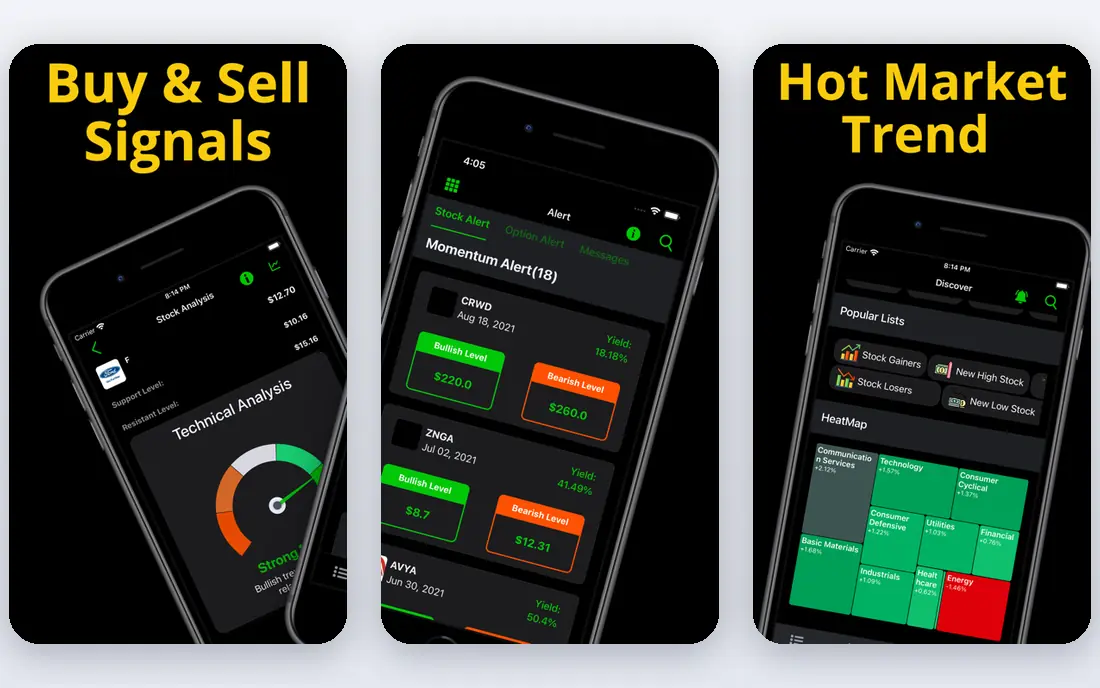
Trade Ideas is the closest thing on this list to an AI co-pilot for active equity traders. Its Holly engine runs many strategy simulations overnight and presents top ideas for the next session, with entry, stop, and target levels. During the day, real-time scanners flag momentum, volume spikes, and unusual price action. Paper trading lets you test ideas without real money, which is the right first step with any new signal source.
Pricing matters here. Standard costs $127 per month, or $89 per month billed annually, and Premium costs $254 per month, or $178 per month billed annually, with Holly signals on Premium. That puts the AI feature firmly in serious-trader territory. Treat Holly ideas as research leads, not instructions, and check risk, liquidity, and news before any trade.
- Holly AI signals with entry and risk levels
- Strong real-time scanning
- Paper trading included
- Holly signals need the Premium plan
- Interface feels dated
- High cost for casual traders
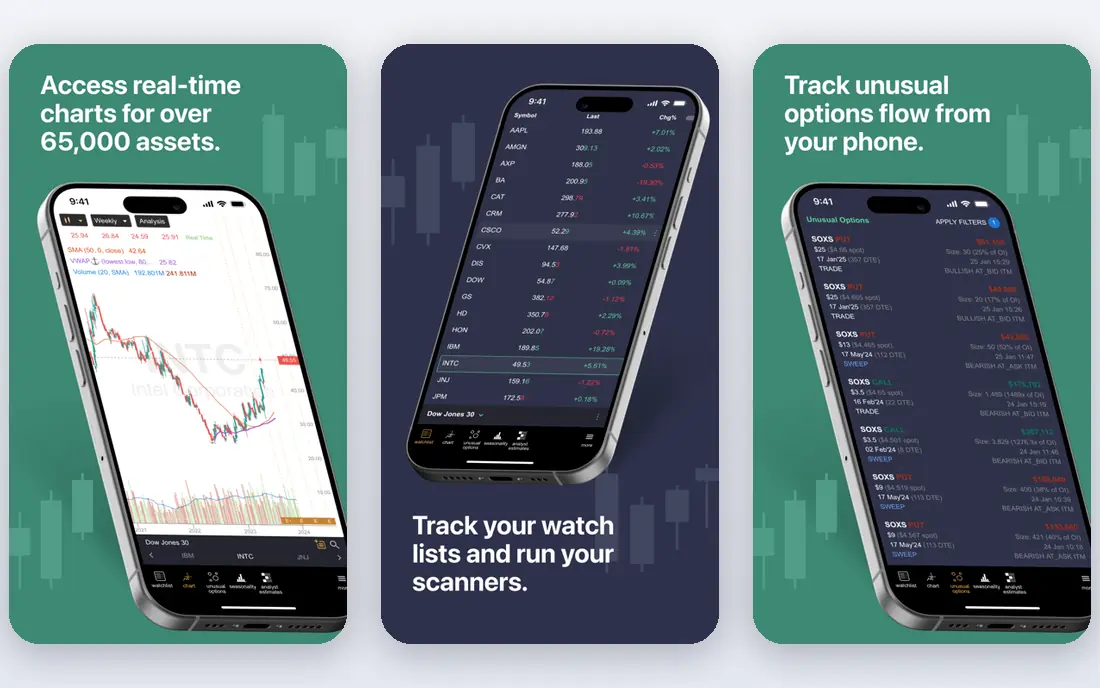
TrendSpider automates the tedious part of technical trading, which is drawing trendlines, finding patterns, and testing whether a setup worked in the past. Its Strategy Tester lets you test rules on historical data, and alerts can fire across timeframes without watching charts all day. Sidekick AI features help with chart questions and coding assistance on some plans, but check the current plan details, since AI allowances vary.
Pricing starts at $82 per month based on recent listings, with higher plans for more alerts and automation. There is no free tier, only a paid trial. TrendSpider suits traders who already think in charts and want automation. If your trading is driven mainly by earnings, news, or fundamentals, it adds less value.
- Automatic trendlines and pattern detection
- Strong backtesting
- Multi-timeframe alerts
- No free plan, only a paid trial
- Technical focus leaves fundamentals thin

TradingView is the charting home for many day traders, even those who use another tool for signals. Charts are fast and clear, indicators are plentiful, and Pine Script lets users build and share custom indicators and strategies. Alerts can be set on price, indicators, and drawings, and paper trading is available for practice. The free plan covers core charting, while paid plans start at $12.95 per month billed annually in some listings and rise for more charts, alerts, and data.
TradingView is not a pure AI signal tool, but it is the base layer many AI workflows sit on. Use it to check a signal on a clean chart, set alerts, and keep a watchlist. For traders who are starting out, TradingView plus a free screener is often a better spend than an expensive AI subscription.
- Excellent charts across markets
- Huge indicator library
- Active community scripts
- AI features are limited compared with dedicated AI tools
- Data and alerts vary by plan
Tickeron sells prebuilt AI robots and pattern tools that traders can follow or study. Each robot follows a defined strategy, and Tickeron publishes track records for those strategies, which lets you compare approaches before subscribing. Tools also cover trend prediction, pattern recognition, and screening across stocks, ETFs, and crypto.
Pricing varies by plan, robot, and timeframe, so check the exact package price before subscribing, and read how each track record was calculated. A robot that did well in one market phase may do poorly in another. Tickeron suits traders who want ready-made strategies to study, but it still needs risk controls, position sizing, and a clear exit plan for every trade.
- Prebuilt AI robots with published track records
- Covers stocks, ETFs, and crypto
- Pattern tools included
- Pricing varies by robot and timeframe
- Track records need careful reading
Composer lets you build trading strategies with a visual editor, no code required. You set rules, test them on historical data, and automate the resulting strategy if you choose. Plans include a free tier, with paid tiers at $10 per month and Pro at $32 per month billed annually based on recent listings. That lower entry price makes Composer a good learning tool for strategy design.
Composer is not a day trading signal feed in the Trade Ideas sense. It is a strategy builder, and the quality of any strategy depends on the rules you write. Avoid overfitting, which means building a strategy that fits past data perfectly but fails on new data. Test with fresh data, keep rules simple, and start with small size or paper trading.
- Build strategies without code
- Visual editor
- Backtesting and automation in one place
- US stocks and ETFs focus
- Automation still needs market and risk judgment
Danelfin gives AI scores for stocks and ETFs, based on technical, fundamental, and sentiment factors, with explanations for what drives each score. That helps traders narrow a watchlist and check whether a stock they are watching scores well or poorly across factors. It is a research tool first, useful before the market opens or when building a list for the day.
Danelfin is not a real-time day trading scanner, and it will not replace intraday alerts or execution tools. Check the vendor site for current pricing and trial terms. Use Danelfin to research and rank ideas, then use a charting or scanning tool for timing and risk management during the session.
- AI scores for stocks and ETFs
- Clear explanations for each score
- Useful for research
- Research tool, not a live day trading scanner
- Full scores need a paid plan
Finviz is a fast, no-frills screener that many day traders check first. Filters cover price, volume, market cap, performance, and technical signals, and results update quickly. Heatmaps show sector strength at a glance, and news links help you check why a stock is moving. The free version covers core screening, while Finviz Elite adds real-time data, advanced charts, and backtesting, with pricing listed on the vendor site.
Finviz does not offer AI signals in the Trade Ideas sense, but it is an excellent starting point for finding candidates before you apply AI or chart tools. For traders on a budget, Finviz plus TradingView covers screening and charting for little or no cost, which is often the right stack before paying for AI.
- Very fast screener with many filters
- Useful heatmaps and news
- Low learning curve
- AI features are limited
- Real-time data and advanced tools need the paid Elite plan
TC2000 combines charting, screening, and watchlists in a desktop and web platform focused on US stocks and options. Condition-based scans let you define technical setups and find matches quickly, and the charting tools are clean and fast. A free version covers basic use, with paid plans for real-time data, more scans, and advanced features, as listed on the vendor site.
TC2000 suits traders who want a focused technical platform without the breadth of TradingView. It is less useful for crypto, forex, or international markets, and it does not offer AI signal engines like Trade Ideas. For US technical traders, it is a solid, lower-cost base for screening and chart review.
- Strong charting and screening for US stocks
- Easy condition-based scans
- Desktop and web versions
- US market focus
- AI features are limited
- Advanced data needs paid plans
SignalStack connects TradingView alerts to broker orders, so a chart alert can become a trade without manual entry. That helps traders who have a tested alert setup and want faster, more consistent execution, especially for strategies that fire while they are away from the screen. Setup is no-code, with broker connections and order settings managed in the SignalStack dashboard.
Automation also adds risk. A faulty alert, a wrong order size, or a broker outage can turn a small error into a real loss fast. Test every automation in paper trading first, set position size limits, and monitor live orders closely. SignalStack is a tool for traders who already have a tested system, not a shortcut to a system.
- Turns TradingView alerts into broker orders
- No code needed
- Supports many brokers
- Automation adds execution risk
- Needs careful testing
- Subscription cost on top of charting
How we picked these
We compared official feature pages, pricing pages, and public reviews for AI and AI-adjacent day trading tools. We favored tools that are still actively sold, that clearly fit day trading tasks such as scanning, chart analysis, backtesting, or automation, and that cover free, mid-priced, and premium options. We did not claim hands-on testing, and we did not verify trading performance claims. Prices were taken from vendor pages and recent pricing guides, and where pricing varies by plan or package, we wrote See website.
Trading risk, in plain terms
This is not financial advice, and no tool on this list can remove trading risk. Day trading can lead to rapid losses, especially with borrowed money, concentrated positions, or thinly traded stocks. AI signals and backtests can look strong in past data and fail in live markets, since market conditions change and past results do not predict future results.
A safer way to evaluate any AI trading tool
Start with paper trading, and keep a simple log of every signal, entry, exit, and reason. Set a maximum loss per trade and per day before you start, and do not trade money you need for rent, bills, or debt payments. Check whether a tool requires a broker link, what data it uses, and how it handles outages. If a tool promises guaranteed profits, treat that as a warning sign, not a selling point.
FAQ
What is the best AI tool for day trading?
Trade Ideas is the strongest pick for AI signals, while TrendSpider is the strongest for automated chart analysis and backtesting. For most beginners, TradingView plus Finviz is a better starting stack, since it costs less and teaches chart and screening skills first.
What is the best AI day trading app for beginners?
TradingView and Finviz are the best beginner picks, with free plans, clear charts, and fast screening. Composer is also useful for learning strategy design without code. Avoid expensive AI subscriptions until you have a tested process and a paper trading record.
Do AI trading tools actually work?
AI tools can help with scanning, pattern detection, and backtesting, but they do not guarantee profits. Results depend on the strategy, market conditions, risk controls, and execution. Treat any performance claim with care, and test a tool yourself in paper trading before using real money.
How much do AI day trading tools cost?
Costs range from free for TradingView and Finviz basics to $89 per month billed annually for Trade Ideas Standard and $178 per month billed annually for Trade Ideas Premium, with TrendSpider starting around $82 per month. Add broker fees, data fees, and taxes to the true cost.
Can AI tools trade automatically for me?
Some tools, such as Composer and SignalStack, can automate strategies or turn alerts into orders, but automation still needs human oversight. Set limits, test in paper trading, and monitor live orders, since automation can amplify errors as well as speed.
Is day trading with AI safe?
No trading approach is safe from loss. AI tools can reduce manual work and surface ideas, but they cannot remove market risk, execution risk, or the risk of a strategy failing in new conditions. Only trade with money you can afford to lose, and consider speaking to a qualified financial adviser for personal advice.