Best AI Tools Comparison in 2026: 8 Tools Compared
This best ai tools comparison covers ChatGPT, Claude, Gemini, Copilot and more, with prices, strengths, limits and best uses for each for work and home use.
- Editor's choice
 ChatGPT
All-round everyday use
Starts at$8 per monthVisit chatgpt.comFull review - Great alternative
 Claude
Writing and long documents
Starts at$20 per monthVisit claude.comFull review - Also consider
 Gemini
Google Workspace users
Starts at$4.99 per monthVisit gemini.google.comFull review
TL;DR:
- ChatGPT is the broadest all-round pick, with writing, images, voice and coding in one app.
- Claude suits long documents, careful writing and coding, with a clear, steady tone.
- Gemini is the natural pick for Google Workspace users, thanks to Gmail, Docs and Drive links.
- Microsoft Copilot suits teams that live in Word, Excel, Outlook and Teams.
- Perplexity is the best research-first pick when you want sources shown with an answer.
- Prices cluster near $20 per month for paid individual plans, so ecosystem and workflow matter more than a few dollars.
Quick comparison
| Tool | Best for | Starts at | Free plan? | |
|---|---|---|---|---|
| ChatGPT | All-round everyday use | $8 per month | Yes | Visit |
| Claude | Writing and long documents | $20 per month | Yes | Visit |
| Gemini | Google Workspace users | $4.99 per month | Yes | Visit |
 Microsoft Copilot | Microsoft 365 teams | $19.99 per month | Yes | Visit |
 Perplexity | Research with sources | $20 per month | Yes | Visit |
 Grok | Social and real-time topics | $8 per month | Yes | Visit |
 DeepSeek | Low-cost coding and reasoning | Free | Yes | Visit |
 Midjourney | Image generation | $10 per month | No | Visit |
The best AI tools comparison
This comparison covers general AI assistants, research tools, a low-cost reasoning option and an image tool, because most people need more than one type of AI. We compared official pricing pages, feature pages and public documentation in October 2026, and we focused on tools that a US consumer or small business can use today.
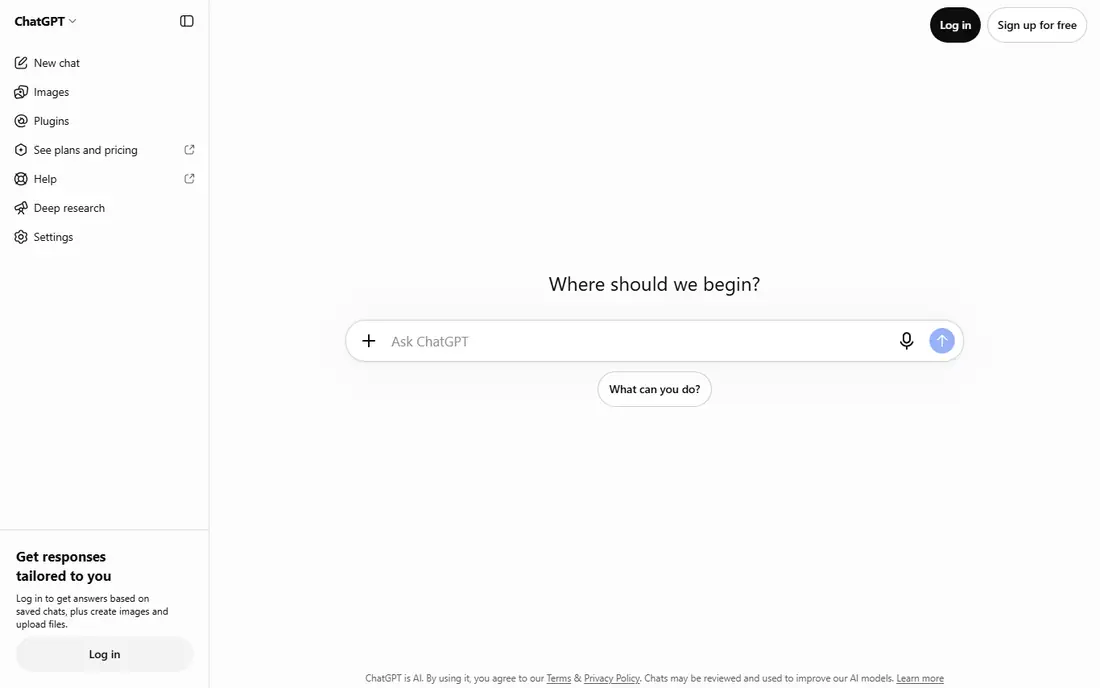
ChatGPT remains the default AI assistant for most people, because it covers so many tasks in one place. You can draft an email, plan a trip, debug code, make an image and talk through a problem by voice without switching apps. The Go plan at $8 per month is a lower-cost entry point, while Plus at $20 per month raises limits for heavier users.
The limit is trust, not breadth. ChatGPT can sound confident while getting a detail wrong, so check dates, prices and quotes against a primary source before you publish or act on them. For everyday help across writing, planning and coding, it is still our pick for most people.
- Broad features in one app
- Image generation and voice
- Custom GPTs and projects
- Free tier has usage limits
- Answers still need fact-checking
- Higher Pro plan is costly
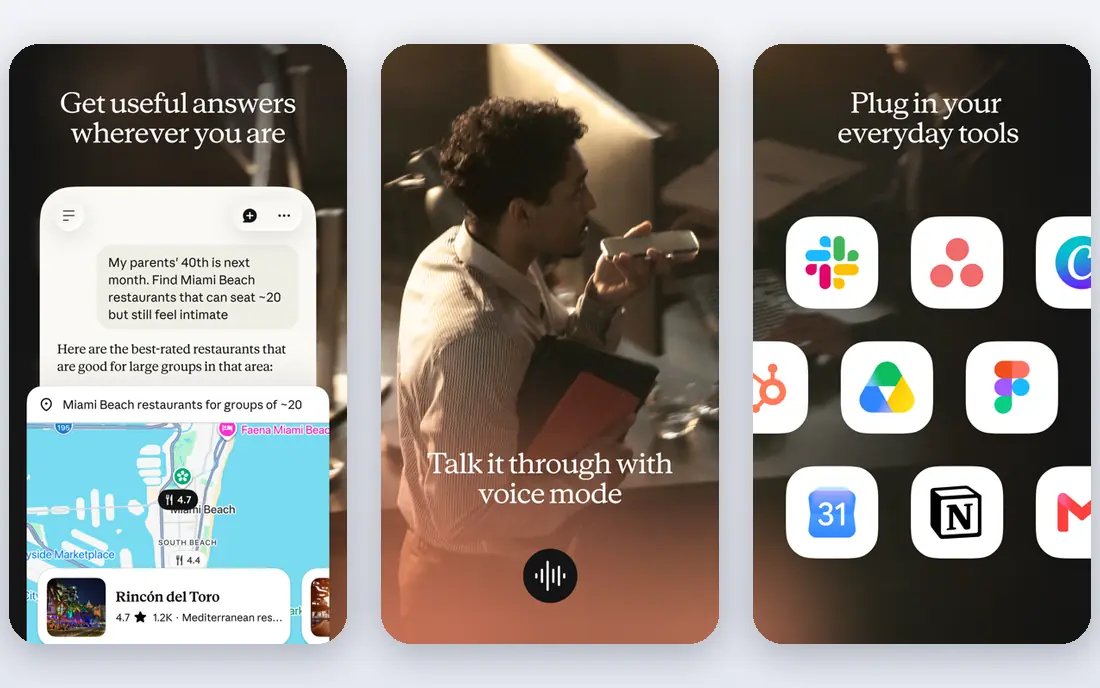
Claude, from Anthropic, is our pick when writing quality matters most. It handles long documents well, keeps a steady tone, and explains its reasoning in a way that is easy to follow. Writers, editors and analysts often prefer it for reports, proposals and code review, where clarity beats flash.
Claude is less of a one-stop media studio than ChatGPT, and its image generation is more limited. The free plan is fine for light use, but regular users will need Pro. If your main work is reading, writing and coding, Claude earns its monthly cost.
- Strong long-document handling
- Careful, readable writing
- Good coding help
- Paid plan starts at $20 per month
- Fewer image tools than ChatGPT
- Some features sit behind higher tiers
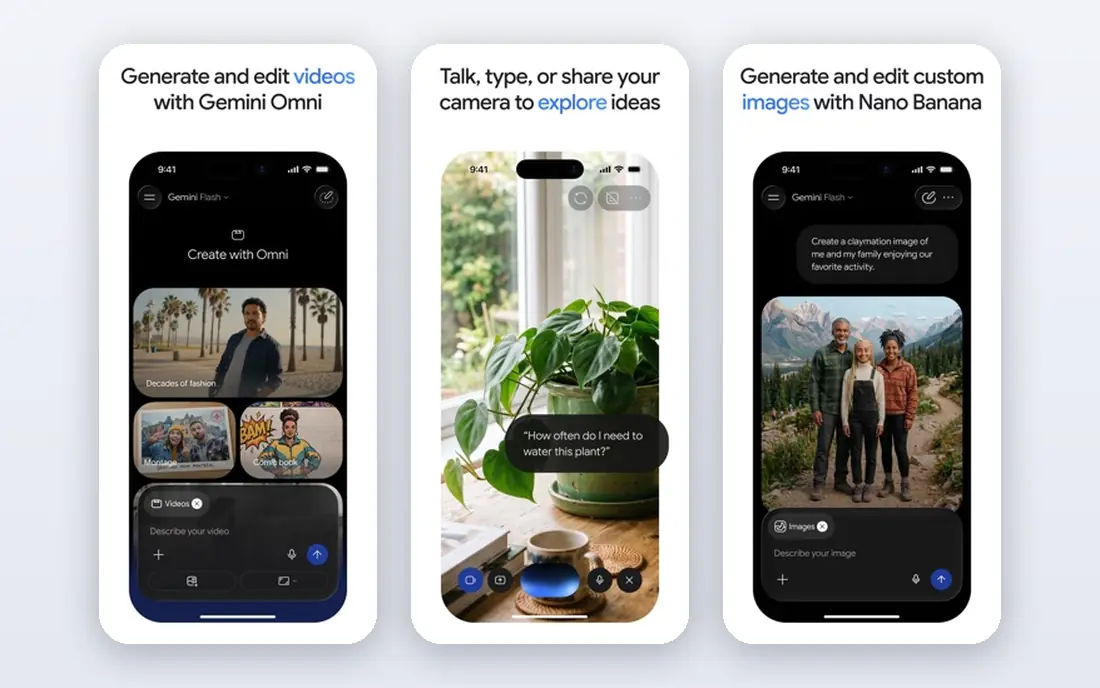
Gemini is the obvious pick if your work already lives in Google apps. It can summarise an inbox thread, draft from a Doc, work with a Sheet, and pull context from Drive, which saves the copy-and-paste step other assistants require. Google AI Plus at $4.99 per month is also one of the lowest paid entry points here.
Outside Google Workspace, Gemini loses some of its edge, and its writing style may feel less polished than Claude for some users. If you use Gmail and Docs daily, though, the fit is strong. Check the current Google AI plan names before you buy, since Google has changed plan labels in the past.
- Links to Gmail, Docs, Sheets and Drive
- Low-cost AI Plus entry
- Long context for large documents
- Best value inside Google apps
- Tone and style differ from Claude
- Higher Ultra plan is costly
Microsoft Copilot is less about a single chat window and more about help inside the apps you already use at work. It can draft in Word, summarise an Outlook thread, help with a spreadsheet, and catch you up on a Teams meeting. For a team that already pays for Microsoft 365, that in-app help is a real time saver.
The catch is the ecosystem lock-in. If you do not use Microsoft apps, Copilot is less compelling than ChatGPT or Claude. Business pricing also varies, with Copilot add-ons for Microsoft 365 plans, so confirm the exact plan for your team size before you commit.
- Built into Word, Excel, Outlook and Teams
- Business admin controls
- Good for meeting and email triage
- Full value needs Microsoft 365
- Personal pricing varies by plan
- Less flexible as a standalone chat app
Perplexity is the research-first tool on this list. Instead of giving an answer alone, it shows the sources it used, which makes it easier to verify a claim, follow a citation, or compare views on a current topic. That habit matters in 2026, when AI answers can look polished while still being wrong.
It is not the best pick for a long essay or a creative story, where ChatGPT or Claude feel stronger. Use Perplexity to research, then write in your own words with the sources you checked. For students, journalists and analysts, that workflow is worth the plan cost.
- Shows sources with answers
- Good for current events and fact-checking
- Clean research workflow
- Less suited to long creative writing
- Pro cost matches other paid plans
- Source quality still needs checking
Grok, from xAI, suits people who follow fast-moving topics on X and want an assistant tied to that stream. It can summarise trends, explain a breaking story, and answer with a more casual tone than some rivals. Plus pricing starts near $8 per month, with higher tiers for heavier use.
If you do not use X, Grok loses much of its special value, and its style may not suit formal business writing. Treat it as a second assistant for current topics, not as your only writing tool, and verify any news claim against a primary source.
- Links to X for current topics
- Low-cost Plus entry
- Image and voice features
- Best for X users
- Tone can be less formal
- Free tier has limits
DeepSeek stands out for value. Its chat app is free to use, and its models are known for strong reasoning and coding help at a low cost. Students, hobby coders and budget-conscious users can get serious help without a $20 monthly plan.
The trade-off is polish and ecosystem. DeepSeek does not plug into Gmail, Docs or Microsoft 365 in the same way Gemini and Copilot do, and its interface is more basic. Read its privacy policy before you paste sensitive work into it, as you should with any AI tool. For cost-first coding and problem solving, it is hard to beat.
- Free chat access
- Strong reasoning and coding value
- API pricing is low for developers
- Fewer ecosystem links than Google or Microsoft
- Interface is simpler
- Data policies need a careful read
Midjourney is not a chat assistant, but it belongs in an AI tools comparison because image generation is now a core AI task. It produces detailed, stylised images that many designers, marketers and authors prefer over generic AI art. Its community galleries also help new users learn what good prompts look like.
There is no free plan, so you pay from $10 per month to try it properly, and the Discord-based workflow feels odd at first. If you only need an occasional image, ChatGPT or Gemini may cover you. If images are central to your work, Midjourney is still the specialist pick.
- High-quality, distinctive images
- Strong style control
- Large creative community
- No free plan
- Works mainly through Discord or its web editor
- Needs prompt practice
How we picked these
We compared official pricing pages and feature pages for AI tools that are widely available in the US in October 2026. We kept general assistants with a free tier where possible, plus one research tool, one low-cost reasoning tool and one image specialist, because a single assistant rarely covers every need. We left out tools that are invite-only, enterprise-only, or mainly API products with no consumer app.
We did not claim hands-on testing. Our view comes from vendor pricing and feature documentation, plus public reviews and how each tool fits a clear workflow, such as Google Workspace, Microsoft 365, research or image work.
How to choose between AI tools
Start with where your work already lives. Google users should test Gemini first, Microsoft users should test Copilot first, and everyone else should test ChatGPT and Claude side by side on the same task. Use the same prompt in each, then judge the answer on accuracy, tone and usefulness, not on speed alone.
Use two tools, not ten
Most people do best with one general assistant for daily work and one specialist for research or images. Perplexity for research plus ChatGPT or Claude for writing is a common pairing. Adding more subscriptions rarely adds more value, and it makes it harder to learn any one tool well.
Check facts before you act
AI tools can invent dates, prices, quotes and citations. Treat every factual answer as a draft, not a source. Check money, health, legal and safety claims against an official page or a trusted publication before you publish, pay or share advice based on them.
FAQ
What is the best AI platform comparison for everyday use?
ChatGPT is the broadest everyday pick, Claude is best for careful writing and long documents, and Gemini is best inside Google Workspace. Test all three free tiers on your own tasks before you pay.
Which AI app comparison is best for coding?
Claude and DeepSeek both suit coding well, with Claude offering a more polished writing and review flow and DeepSeek offering strong value at no cost for chat use. ChatGPT also covers coding, images and general help in one app.
Is there a free AI tool that is actually good?
Yes. ChatGPT, Claude, Gemini, Perplexity, Grok and DeepSeek all offer free tiers for light use. Free tiers have limits, so heavy daily users will still need a paid plan.
What is the best AI tools comparison for research?
Perplexity is the best research-first pick, because it shows sources with its answers. Always open and check those sources, since a cited page may not support the claim as stated.
Should I pay $20 per month for AI?
Pay only if you use the tool daily and the higher limits save you real time. Start free, track how often you hit a limit in two weeks, then choose the cheapest plan that removes that block.
Can AI tools replace a human writer or researcher?
No. AI tools speed up drafting, summarising and idea generation, but they still make factual errors and miss context. A human should check facts, tone and sources before any AI draft is published or sent.