Best AI Design Tools Comparison: 8 Tools Compared
Our best ai design tools comparison reviews 8 current tools for marketing, social, and product design, with prices, strengths, and honest limits in 2026.
- Editor's choice
 Canva
Everyday marketing design
Starts at$15 per monthVisit canva.comFull review - Great alternative
 Adobe Express
Quick branded social content
Starts at$9.99 per monthVisit adobe.comFull review - Also consider
 Figma
Interface and product design
Starts at$16 per editor per monthVisit figma.comFull review
TL;DR:
- Canva is our pick for most people because it covers social posts, presentations, and print in one familiar editor.
- Figma is the clear choice for interface and product work, while Canva and Adobe Express suit marketing content better.
- AI image generation is useful for drafts and ideas, but brand work still needs human review before it goes live.
- Free plans are good for trying a tool, yet background removal, brand kits, and high resolution exports often sit behind paid plans.
Quick comparison
| Tool | Best for | Starts at | Free plan? | |
|---|---|---|---|---|
| Canva | Everyday marketing design | $15 per month | Yes | Visit |
| Adobe Express | Quick branded social content | $9.99 per month | Yes | Visit |
| Figma | Interface and product design | $16 per editor per month | Yes | Visit |
 Visme | Data visuals and reports | $12.25 per month | Yes | Visit |
 Uizard | App screens from prompts | See website | Free trial | Visit |
 Looka | Fast logo and brand starter kits | See website | No | Visit |
 Designs.ai | Small teams needing many asset types | See website | Free trial | Visit |
 Kittl | Merch, logos, and print design | $12 per month | Yes | Visit |
The best ai design tools
We compared official feature pages, pricing pages, and public reviews for tools that cover a different design job. The list below starts with the broadest options and moves toward more specialist tools, so you can stop at the first one that matches your work.
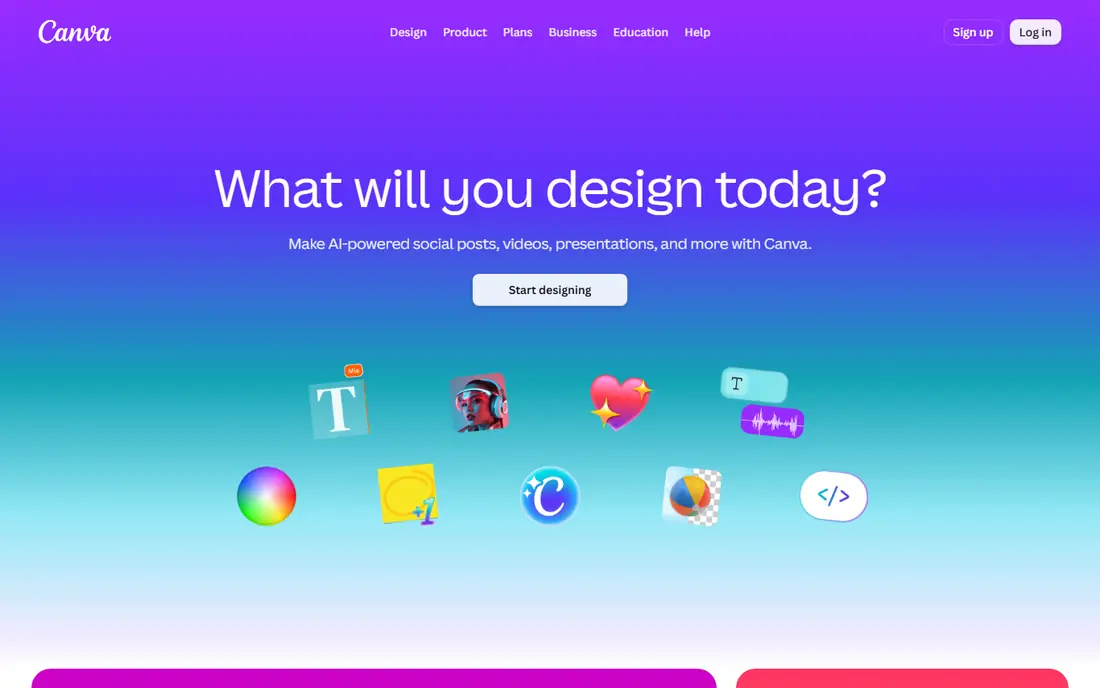
Canva is the easiest starting point for a small business owner who needs a social post on Monday, a flyer on Tuesday, and a short presentation on Friday. The editor feels familiar after a few minutes, and templates give a new user a decent layout instead of a blank page. Its AI tools can draft copy, remove a background, resize a design for another channel, and generate an image when stock photos do not fit. The catch is depth. Canva is not a full replacement for professional illustration or page layout software, and complex files can feel hard to control once they grow. We also found that free users need to watch for crown-marked assets, since those require Pro. For most everyday marketing work, though, Canva covers the most ground for the least learning time.
- Huge template library
- Easy drag and drop editor
- AI writing, image, and resize tools in Pro
- Advanced vector and print control is limited
- Premium assets are easy to use by accident on the free plan
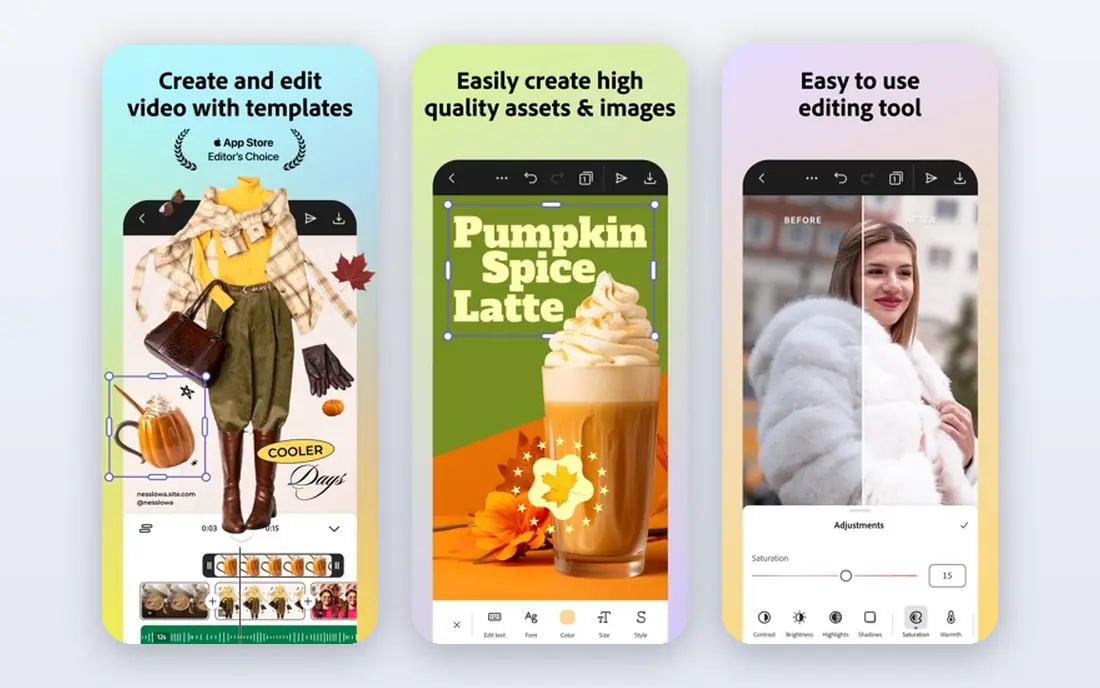
Adobe Express suits people who already use Adobe tools, or who want commercially safer AI images without learning a heavy desktop app. Firefly models are trained with attention to commercial use, which matters when a design will run in paid ads or on a client site. The editor is clean, fast, and focused on social, video, and single-page marketing pieces. Where Express falls short is breadth. It does not try to be a presentation suite, a print studio, and a video editor at the same level as Canva. Teams that publish a high volume of varied formats may feel the smaller template library. If your main need is polished social content with a consistent brand look, Express is a strong, lower priced alternative.
- Adobe Firefly image generation
- Simple brand controls
- Good Adobe Stock access on paid plans
- Template range is smaller than Canva
- Some brand and resize features need Premium
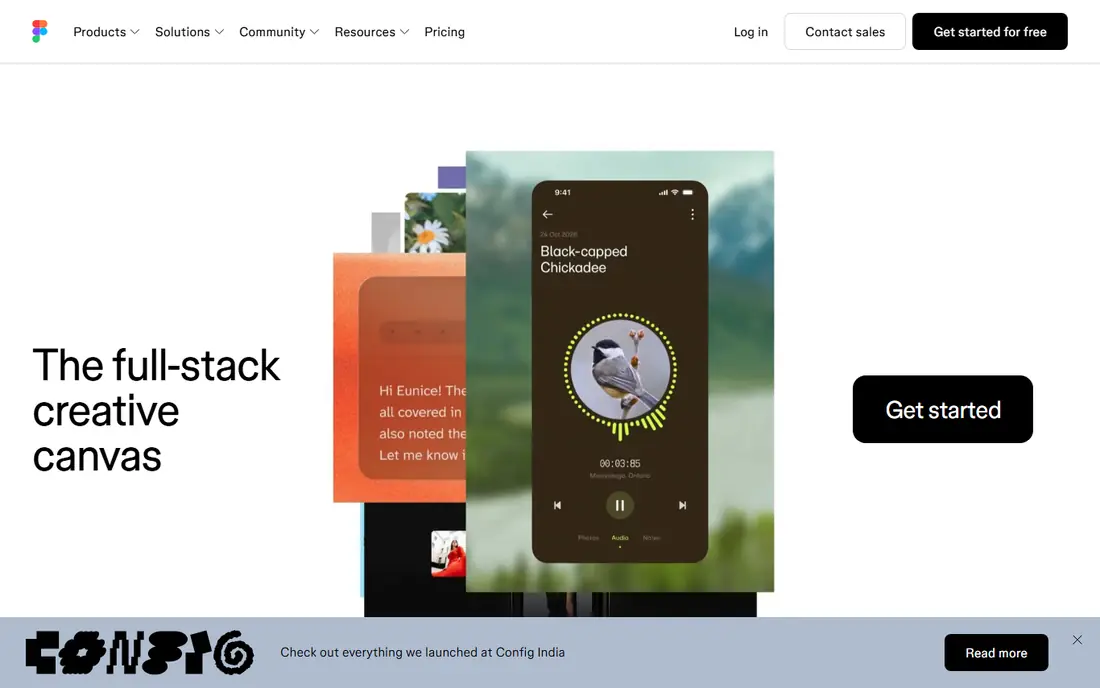
Figma is in a different category from the rest of this list, and that is the point. It is built for websites, apps, and design systems, where the same button, card, or form appears in dozens of places and must stay consistent. Components, shared styles, and prototypes let a designer, a developer, and a product manager work in the same file without passing static images back and forth. Its AI features help with early drafts, text, and image fills, but they do not replace product thinking. A prompt can produce a plausible screen, yet spacing, hierarchy, and real content still need a designer. If you are choosing a tool for marketing graphics only, Figma will feel like too much structure. If you build interfaces, it is the standard most teams already expect.
- Real time collaboration
- Strong component and prototyping system
- Useful AI for first drafts and renaming layers
- Weak for print and long marketing documents
- Paid seats add up for larger teams
Visme earns its place for work that starts with numbers. A quarterly report, a survey summary, or an infographic needs charts that stay accurate and readable, and Visme handles that better than a general template editor. You can bring in data, pick a chart style, and build a document that reads as one piece instead of a set of pasted images. The trade-off is focus. For a quick social graphic, Visme has more panels and settings than you need, and the free plan is best treated as a trial for layout rather than a full publishing tool. Paid plans remove the main limits and add brand controls. Choose Visme when reports and data stories are a regular part of your week.
- Charts, maps, and data widgets
- Good for reports and infographics
- Brand kit on paid plans
- Free plan limits downloads and project size
- Editor can feel busy for simple social posts
Uizard is for the earliest stage of a product, when you need to show an idea rather than ship a polished interface. Type a description, upload a sketch, or start from a template, and you get editable screens that a team can discuss. That speed helps founders and product managers test a flow before paying for full design work. Do not judge Uizard by finished app quality. Its screens are starting points, and typography, spacing, and real content often need work in Figma or a similar tool. Pricing also varies by plan, so check the current page before you commit. As a way to move from an idea to a clickable draft in an afternoon, it is genuinely useful.
- Turns prompts and sketches into editable screens
- Fast wireframes
- Useful for early product ideas
- Output needs design review
- Not suited to finished marketing design
Looka fits a new business that needs a usable logo, color palette, and social files this week, without hiring a designer yet. You enter a business name, pick styles you like, and the tool generates logo options you can refine. The brand kit then gives you files for social profiles, cards, and simple marketing use. The honest limit is originality. AI logos draw on common patterns, so two businesses in the same field can end up with similar marks. If your brand will carry a storefront, packaging, or a large ad campaign, a human designer is still worth the cost. For a launch, a side project, or a test of a business idea, Looka is fast and affordable.
- Quick logo generation
- Matching brand kit files
- Simple purchase for a new business
- Logos can feel generic
- Limited control compared with a human designer
Designs.ai is a bundle, and bundles suit teams that need a little of everything. One account can produce a logo draft, a short video, a social mockup, and some marketing copy without learning four separate tools. That breadth is helpful for a small team where one person covers design, social, and basic video. The cost of breadth is depth. Its video editor will not match a dedicated editor, and its logo tool will not match a brand designer. Credits and plan limits also matter, since heavy months can cost more than the headline price suggests. Pick Designs.ai when variety matters more than mastery of one format.
- Logo, video, mockup, and copy tools in one account
- Fast for varied content needs
- Individual tools are less deep than specialist apps
- Credit limits need checking
Kittl stands out for print and merchandise, where type treatment and illustration matter more than a clean corporate template. T-shirt designs, posters, stickers, and logos benefit from its text effects, textures, and illustration sets. The editor is approachable, yet it gives more control over lettering than a general social tool. Kittl is not the best pick for slide decks, reports, or a full marketing suite. Its free plan also caps resolution and features, so check export quality before you order a large print run. If you sell merch, design for print, or love bold typographic work, Kittl deserves a place on your shortlist.
- Strong text effects and vintage styles
- Good for shirts and print
- Large illustration library
- Less suited to presentations and documents
- Advanced features need paid plans
How we picked these
We compared official feature pages, pricing pages, and public reviews, and we favored tools that are actively sold and supported in October 2026. A tool made this list only if its AI features were part of a real design workflow, not a single button added to an old editor. We also weighed free plans, export quality, brand controls, and how well each tool fits a specific job, rather than ranking by popularity alone.
What to check before you pay
Start with the output, not the prompt
AI demos look impressive because they show a finished image. Your test should be different. Take one real project, such as a product post or a landing page hero, and run it through the tool end to end. Check the export at full size, read every word the AI wrote, and see how the design looks on a phone. A tool that saves an hour on drafting but needs an hour of fixes has not saved you anything.
Brand control and licensing
If you publish for a business, check three things before you pay: brand kits, font and asset licensing, and AI image terms. Brand kits keep colors and logos consistent across a team. Asset licensing decides whether you can use a template image in paid ads. AI image terms decide whether generated images are safe for commercial use. These details are dull, but they prevent costly rework later.
Credits, seats, and exports
Many AI design tools charge by credits, seats, or export type, so the headline price is only part of the cost. Count how many people will edit, how many AI images you will generate in a busy month, and whether you need transparent PNG files, print-ready PDFs, or video exports. A cheaper plan with tight credit limits can cost more than a higher plan that fits your real volume.
FAQ
Which AI design tool is best for beginners?
Canva is the easiest starting point for most beginners because its templates, editor, and help content are built for non-designers. Adobe Express is a close second for social content, especially if you already use Adobe products. Figma is better once you move into interface work, but it has a steeper learning curve for marketing design.
Can AI design tools replace a professional designer?
For routine social posts, simple flyers, and first drafts, they can reduce the amount of designer time you need. For a full brand identity, packaging, complex print work, or a product interface, a professional designer still adds judgment about hierarchy, audience, and originality. Many teams use AI tools for drafts and a designer for final brand work.
Are AI-generated images safe for commercial use?
It depends on the tool and the plan, so read the licensing terms on the vendor site before you publish. Some tools, such as Adobe Express with Firefly, are positioned for commercial use, while other generators have limits on stock assets or AI output. Keep a record of the tool, plan, and license for any image used in paid work.
Do I need a paid plan for good exports?
Often, yes. Free plans usually limit resolution, remove brand controls, or restrict background removal and premium assets. Test an export on the free plan first, then check whether the paid plan adds the file types and quality you need. For print, this check matters more than it does for social posts.
How do I compare AI design tools fairly?
Use the same brief in each tool, with the same text, brand colors, and output size. Score the result on readability, brand fit, export quality, and editing time, not on how striking the first AI image looks. Repeat the test with a second brief, since AI output varies and one good result does not prove a tool is reliable.