Best AI Coding Tools Comparison in 2026: 10 Tools Compared
This best ai coding tools comparison covers Copilot, Cursor, Claude Code, Codex, and more in 2026, with pricing, free tiers, and workflow help right now.
- Editor's choice
 GitHub Copilot
Cheapest all-round assistant
Starts at$10 per monthVisit github.comFull review - Great alternative
 Cursor
AI-first editor
Starts at$20 per monthVisit cursor.comFull review - Also consider
 Claude Code
Terminal agent work
Starts at$20 per monthVisit claude.comFull review
TL;DR:
- GitHub Copilot is the cheapest reliable starting point, at $10 a month, for developers already in VS Code or GitHub.
- Cursor suits developers who want an AI-first editor with strong multi-file editing, at $20 a month for Pro.
- Claude Code and OpenAI Codex suit terminal and agent workflows, and both are bundled with their parent chat plans.
- Windsurf, now part of Devin Desktop, suits teams that want predictable agent quotas without surprise overage bills.
- Seat price is only the floor, because most tools now meter agent work with credits or usage limits on top.
Quick comparison
| Tool | Best for | Starts at | Free plan? | |
|---|---|---|---|---|
| GitHub Copilot | Cheapest all-round assistant | $10 per month | Yes | Visit |
| Cursor | AI-first editor | $20 per month | Yes | Visit |
| Claude Code | Terminal agent work | $20 per month | No | Visit |
 OpenAI Codex | ChatGPT users who code | $20 per month | Yes | Visit |
 Windsurf | Predictable agent quotas | $20 per month | Yes | Visit |
 Tabnine | Privacy-focused teams | See website | Yes | Visit |
 Amazon Q Developer | AWS developers | See website | Yes | Visit |
 JetBrains AI | JetBrains IDE users | See website | Free trial | Visit |
 Replit AI | Browser-based building | See website | Yes | Visit |
 Sourcegraph Cody | Large codebase search | See website | Yes | Visit |
The best ai coding tools comparison
AI coding tools have moved from autocomplete to agents that plan, edit, and test multi-file changes. That shift makes workflow matter more than a single benchmark score. The ten tools below cover editors, terminal agents, and enterprise options.

GitHub Copilot remains the default for many developers, because it lives inside VS Code, JetBrains, Neovim, and GitHub itself. Inline completions are unlimited on paid plans, and chat, agent mode, and pull request reviews add multi-file help without leaving the editor. The free tier offers limited completions and chat, which is enough to test the workflow.
The catch is credit math. Agent sessions, chat with premium models, and code reviews consume AI credits, with overage billed per credit once the allowance ends. Light users will stay inside the Pro allowance, while heavy agent users should consider Pro+ or Max. For $10 a month, Copilot is still the best value for most individual developers.
- Low price
- Deep VS Code and GitHub integration
- Unlimited completions on paid plans
- Agent work uses credits
- Premium models cost more
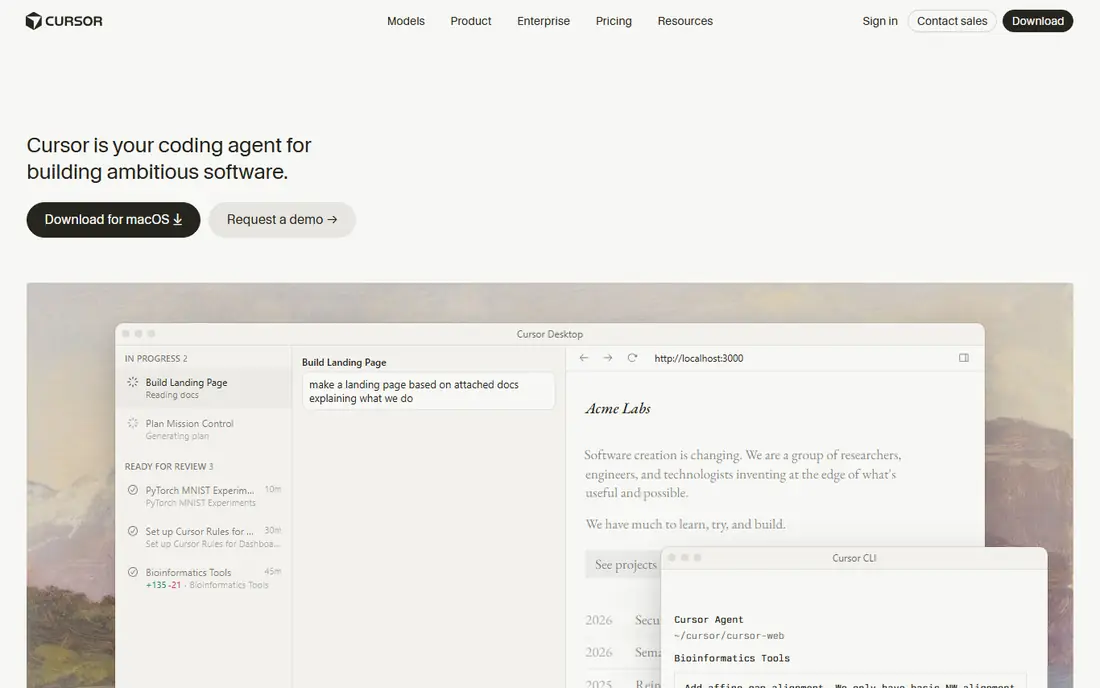
Cursor is a VS Code-based editor built around AI, with Tab predictions, chat, and an agent that can edit several files at once. Its visual diff review makes it easy to check agent changes before accepting them, and model choice lets you pick speed or reasoning power for a given task. The free Hobby tier offers limited agent requests plus a trial of Pro.
The downside is usage. Pro includes a set usage pool, and heavy agent work can burn through it, with extra usage billed at model rates. Pro+ and Ultra raise the pool substantially, but at $60 and $200 a month. For developers who live in an AI editor and review diffs carefully, Cursor is a powerful daily tool.
- Strong multi-file agent editing
- Fast Tab predictions
- Model choice
- Usage pool can run out
- Higher tiers cost much more

Claude Code is a terminal agent that reads your codebase, plans a change, edits files, and runs tests, with a plan mode that lets you approve the approach before it writes code. It suits developers who prefer the terminal, work on large refactors, or want an agent that explains its reasoning. It is included with Claude Pro and higher plans, starting at $20 a month.
The limits are usage windows. Claude plans reset usage on five-hour and weekly windows, and heavy use can hit limits before the window ends. There is no separate free tier for Claude Code itself. For terminal-first developers who value careful, large-scale edits, it is one of the strongest agents available.
- Strong reasoning on large tasks
- Terminal-first workflow
- Plan mode for review
- No free tier for Code itself
- Usage limits reset on timers
OpenAI Codex is the coding agent bundled with ChatGPT plans, with a desktop app and IDE integrations for agent-led tasks. It suits developers who already pay for ChatGPT and want coding help without a second subscription. Codex can plan multi-step work, run tests, and propose changes across a project, and its free tier covers light desktop use.
The catch is usage. ChatGPT plans set Codex usage limits, and heavy agent work may need Plus at $20 a month or Pro at a higher price. Model quality also varies by plan, so the cheapest route may not give the strongest reasoning. For ChatGPT subscribers, Codex is a natural and cost-effective coding companion.
- Bundled with ChatGPT plans
- Strong agent tasks
- Desktop app
- Usage limits vary by plan
- Best models need higher tiers
Windsurf, now operating as Devin Desktop after its acquisition by Cognition, is an AI IDE with a Cascade agent that plans workflows and tracks terminal and clipboard context. Its free tier offers unlimited Tab autocomplete plus a light agent quota, which makes it generous for trying the editor. Pro at $20 a month adds a larger agent quota with predictable daily and weekly refreshes.
The main confusion is branding, since windsurf.com now redirects in some contexts and team pricing uses a base fee plus per-seat pricing. The predictability advantage is real, though: quotas refresh on a schedule rather than burning credits unpredictably. For developers who dislike surprise bills, Windsurf is worth a close look.
- Unlimited Tab completions
- Daily and weekly agent quotas
- Cascade planning
- Brand transition to Devin Desktop can confuse
- Team pricing is higher
Tabnine suits teams that care about where code goes, with deployment options and controls that appeal to regulated or security-conscious organizations. It offers completions, chat, and agent features across many IDEs, and its free tier covers basic completions for individual developers. Team plans add administration, private models, and policy controls.
The trade-off is agent depth. Tabnine's agent features are solid but trail the multi-file editing experience of Cursor and the ecosystem depth of Copilot. Pricing also varies by deployment, so enterprise buyers should request a quote. For privacy-first teams, Tabnine is a credible and calm choice.
- Strong privacy options
- Works in many IDEs
- Team controls
- Agent features trail Cursor and Copilot
- Pricing varies by deployment
Amazon Q Developer is built for developers working in AWS, with knowledge of AWS services, infrastructure code, and console workflows. It offers completions, chat, and agent features in supported IDEs, plus help inside the AWS console for troubleshooting and modernization tasks. A free tier for individuals makes it easy to test on a personal AWS project.
The limit is scope. Outside AWS, its advantage fades beside Copilot or Cursor, and agent quality varies by IDE. Teams already invested in AWS will get the most value, especially for migration and infrastructure work. For AWS-heavy development, Q Developer is a natural companion.
- Strong AWS knowledge
- IDE and console integrations
- Free tier for individuals
- Less useful outside AWS
- Agent features vary by IDE
JetBrains AI is the natural choice for developers who live in IntelliJ, PyCharm, WebStorm, or other JetBrains IDEs. It offers completions, chat, and agent features tuned to JetBrains indexing and refactoring tools, plus local model options for teams that want code to stay on their machines. The integration feels native rather than bolted on.
The downside is ecosystem lock-in. Outside JetBrains IDEs, JetBrains AI offers little, and pricing is tied to JetBrains subscription paths. VS Code users will find Copilot or Cursor simpler. For a JetBrains shop, though, JetBrains AI keeps developers in the editor they already know.
- Deep JetBrains integration
- Local model options
- Code-aware chat
- Less value outside JetBrains IDEs
- Pricing tied to JetBrains plans
Replit AI suits beginners, students, and builders who want to prototype in a browser without local setup. Its Agent can build an app from a prompt, run it, and iterate, while the workspace handles hosting and deployment. The free tier lets you try the workflow, and paid plans add more agent credits and resources.
The limits appear on larger work. Replit is less suited to a large existing codebase with strict deployment rules, and hosting and agent costs can add up on a long project. For prototypes, learning, and small apps, it is one of the fastest ways to go from idea to running software.
- Full browser workspace
- Fast prototypes
- Agent builds apps from prompts
- Less suited to large existing codebases
- Hosting costs add up
Sourcegraph Cody is built for large codebases, where finding the right code matters as much as writing new code. It indexes repositories, answers questions with code context, and helps with refactors across many files. Enterprise controls and self-hosting options suit large organizations with compliance needs.
The trade-off is that Cody is more of a search and context assistant than a full IDE agent like Cursor. Setup and indexing quality shape results, so small projects may not need its depth. For teams with a sprawling codebase, Cody can save hours of searching each week.
- Excellent codebase search
- Understands large repos
- Enterprise controls
- Less of a full IDE agent
- Setup matters for best results
How we picked these
We compared official pricing pages, free tier terms, IDE support, agent features, and public pricing comparisons updated in 2026. We favored tools that are actively maintained, offer a clear free or trial path, and publish usage limits honestly. We treated benchmark scores as a guide only, since workflow fit and cost control matter more in daily use.
How to choose an AI coding tool
Match the tool to your editor and workflow
VS Code users should start with Copilot or Cursor, JetBrains users with JetBrains AI, and terminal users with Claude Code or Codex. Switching editors for an AI tool rarely pays off unless the agent workflow is a clear upgrade. Test the tool in your real project, not just on a demo task.
Budget for agent usage, not just the seat
Seat price is the floor, because agent work is metered with credits, pools, or timed limits on most tools. Estimate how many agent sessions you run each week, and check what happens when the allowance ends. A $10 plan with overage can cost more than a $20 plan with a larger allowance for heavy users.
Review every agent change
AI agents can introduce subtle bugs, security flaws, and style drift, especially on large refactors. Review diffs, run tests, and keep small commits so a bad change is easy to revert. The best tool is the one whose diffs you actually read, not the one that writes the most code.
FAQ
What is the best ai coding tool comparison result for beginners?
GitHub Copilot is the best starting point for beginners, thanks to its $10 price, free tier, and deep VS Code integration. Cursor is a good next step if you want a dedicated AI editor. Both offer free tiers for testing before you pay.
Is Cursor better than GitHub Copilot?
Cursor offers a stronger AI-first editing experience, with multi-file agent editing and visual diff review. Copilot is cheaper, more widely integrated, and better for developers who want assistance inside their existing editor. The better tool depends on whether you want a new editor or an assistant inside the one you already use.
What is the best ai coding tool for large codebases?
Sourcegraph Cody suits large codebases, thanks to its search and context across repositories. Claude Code and Cursor also handle large projects well, with plan modes and multi-file agents. For very large enterprise repos, Cody's indexing and controls are a distinct advantage.
Do AI coding tools replace developers?
No, they speed up routine code, boilerplate, and first drafts, but they still need human review for design, security, and edge cases. Teams that review diffs and run tests get the most value, while teams that accept agent output blindly risk subtle bugs. Treat AI output as a draft from a fast junior colleague.
How much do AI coding tools cost in 2026?
Individual plans cluster around $10 to $20 a month for standard use, $39 to $60 for a step up, and $100 to $200 for heavy agent use. Most tools meter agent work on top of the seat price, so heavy users should budget for overage or a higher tier. Free tiers cover light use and testing.
Sources
- https://github.com/features/copilot
- https://www.cursor.com/pricing
- https://www.claude.com/product/claude-code
- https://openai.com/codex/
- https://www.windsurf.com/pricing
- https://www.tabnine.com/pricing
- https://aws.amazon.com/q/developer/pricing/
- https://www.jetbrains.com/ai/
- https://replit.com/pricing
- https://sourcegraph.com/cody/pricing