Shortlist: 8 Best AI Platform for Creating Images for 2026
Best AI platform for creating images: 8 tools compared on price, free plans and fit. Fit and flaws are laid out for each entry. Updated November 2026.
- Editor's choice
 Adobe Firefly
Commercially safe images for client work
Starts atFree; Standard $9.99/monthVisit firefly.adobe.comFull review - Great alternative
 Black Forest Labs
Photorealistic images through an API at scale
Starts atUsage-based, from about $0.02 per image (API)Visit blackforestlabs.aiFull review - Also consider
 Leonardo AI
Game art, concept design and batch production
Starts atFree; $12/monthVisit leonardo.aiFull review
Direct answer
Our first pick is Adobe Firefly, best for commercially safe images for client work. Black Forest Labs is the stronger choice for photorealistic images through an API at scale, while Leonardo AI suits game art, concept design and batch production. The remaining 5 options are covered below with prices and limits.
TL;DR:
- The list opens with Adobe Firefly, aimed at commercially safe images for client work.
- Free plans are common here: 7 of 8 tools have one, including Adobe Firefly, Black Forest Labs, Leonardo AI and Design.com.
- Google Gemini suits conversational image editing for Google users.
- The cheapest monthly starting price in the list is $10/month, offered by Midjourney.
Quick comparison
| Tool | Best for | Starts at | Free plan? | |
|---|---|---|---|---|
| Adobe Firefly | Commercially safe images for client work | Free; Standard $9.99/month | Yes | Visit |
| Black Forest Labs | Photorealistic images through an API at scale | Usage-based, from about $0.02 per image (API) | Yes | Visit |
| Leonardo AI | Game art, concept design and batch production | Free; $12/month | Yes | Visit |
 Design.com | Creating marketing visuals | Free; AI Design Plan from $3/month (billed yearly) | Yes | Visit |
 Playground | Quick, casual image creation in the browser | Free; Pro $15/month | Yes | Visit |
 Stability AI | Open models, self-hosting and full control | Free (open weights); Stable Assistant from $9/month | Yes | Visit |
 Midjourney | Distinctive, art-directed imagery | $10/month (billed per month) | No | Visit |
 Google Gemini | Conversational image editing for Google users | Free; Google AI Pro $19.99/month for higher limits | Yes | Visit |
AI Platform for Creating Images compared in detail
If you are comparing AI platform for creating images, this page covers 8 tools in one place: what each is best for, what it costs to start, whether it has a free plan, and the main limit to know about.
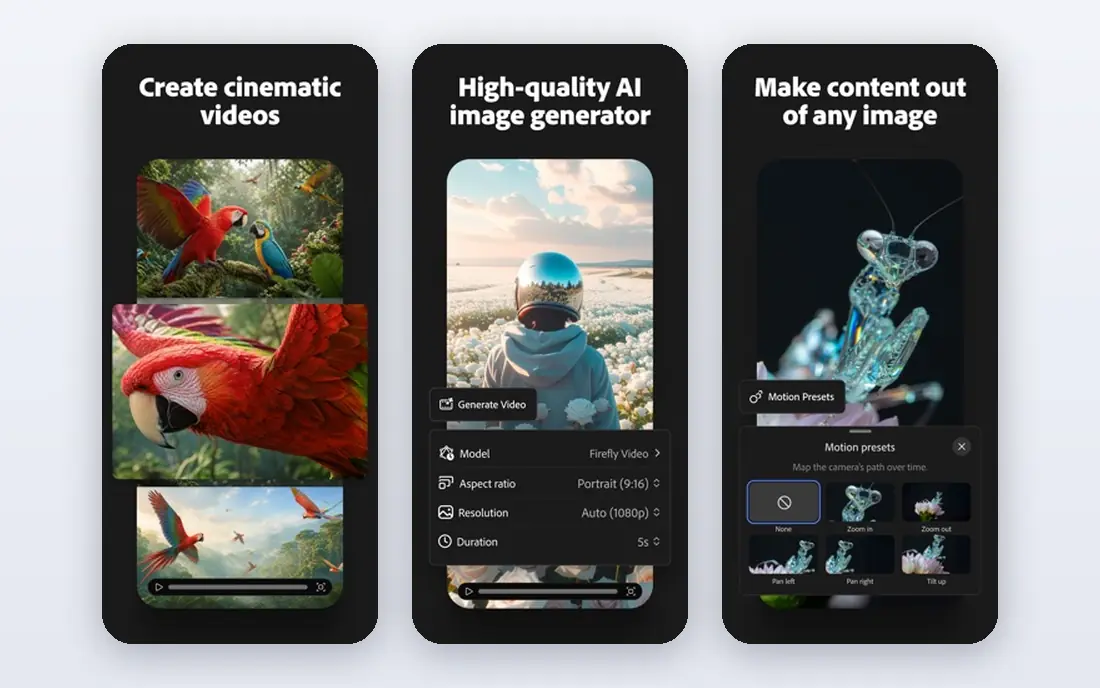
Pick Adobe Firefly if this describes you: commercially safe images for client work. Firefly is the product you choose when the legal department has questions. More specifically, Firefly also opens the door to partner models from Google, OpenAI and Black Forest Labs inside one interface.
Downsides: Aesthetic quality trails Midjourney.
The free level offers restricted daily generations, and the $9.99 Standard plan brings 2,000 monthly generative credits plus unlimited standard image features like Generative Fill. Also, Adobe trained its base models on licensed Adobe Stock content and public-domain material, and premium plans contain indemnification against IP claims. For agencies producing work for clients, that single fact outweighs benchmark scores. Starting cost for Adobe Firefly: Free. Adobe Firefly includes a free tier.
- 30+ models including partner models
- Deep Photoshop and Express integration
- Credit system gets pricey at high volume
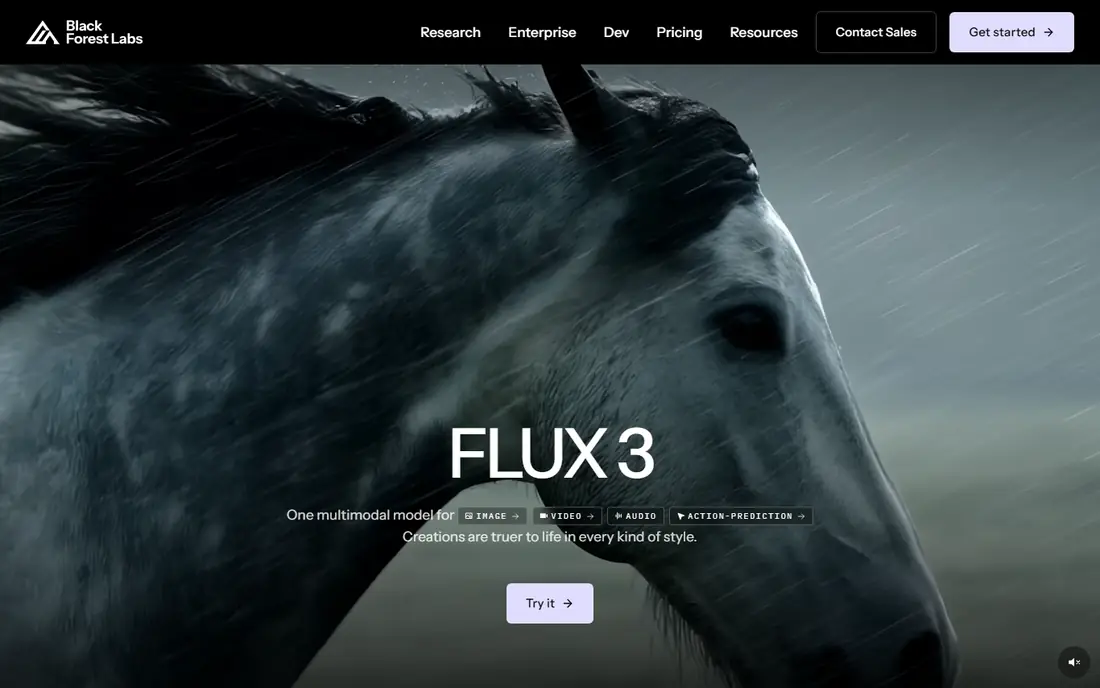
Black Forest Labs is built with photorealistic images through an API at scale in mind. FLUX is the engine behind a surprising share of the AI images you see online.
Points against: Primarily a developer product with no refined consumer app.
There is no subscription to handle, which fits teams with spiky workloads: pay for the month you launch a campaign, pay nothing the month you do not. As for the details, pricing is usage-based, starting around two cents per image for the lighter variants through the official API, with the top Pro models costing more. Black Forest Labs cost at the entry level: Usage-based, from about $0.02 per image. Black Forest Labs has a free plan.
- Industry-leading photorealism
- Open-weight models for self-hosting
- Pricing varies by model and host
Leonardo AI is built with game art, concept design and batch production in mind. Leonardo built its reputation with game artists and illustrators, and it presents. As for the details, the free plan hands out 150 tokens a day, enough for 20 to 30 entry-level images.
Trade-offs to know: Interface can feel dense for beginners.
In daily use, premium users can train custom models on their own reference images, which is genuinely handy for keeping a consistent character or brand style across dozens of assets. Premium plans start at $12 per month and add private generations, which the free level lacks. Leonardo AI pricing: Free. A free plan is available with Leonardo AI.
- Custom model training on premium plans
- One of the most ample free levels
- Token system takes time to understand
Design.com makes the most sense for creating marketing visuals. Design.com is a practical choice for companies that need more than a standalone AI image. Its AI image generator can produce realistic photos, illustrations and other visuals from a straightforward text prompt.
Honest limits: Downloading AI-generated images needs a premium plan.
On top of that, once you've generated an image, you can use it straight in Design.com's templates for social media posts, flyers, posters, advertisements and other marketing materials. Worth adding: you can try the AI Image Generator at no cost, though downloading generated images needs a premium plan. Also, the AI Design Plan begins at $3/month billed yearly and contains 50 AI images per month alongside extra design tools. Starting cost for Design.com: Free. Design.com includes a free tier.
Main advantages: Create images and turn them into finished marketing graphics on one product.
- Flyers and posters
- Easy-to-use editor for adding text
- The AI Design Plan has a monthly image allowance
Where Playground fits: quick, casual image creation in the browser. Pro at $15 per month ($12 on annual billing) lifts the caps and layers on a worldwide royalty-free commercial license. Under the hood it now routes to solid external models including GPT Image and Nano Banana alongside its own, plus a canvas editor for inpainting and outpainting that spans the most typical edits without a ramp-up time.
Points against: Less depth than specialist products.
More specifically, the free tier is genuinely usable for trying ideas. It refills in small batches on a rolling window and forbids commercial use. What you pay to start with Playground: Free. Playground includes a free tier.
- Canvas editor with inpainting
- Fast and approachable
- Free tier is rate-limited and personal-use only
Stability AI is designed for open models, self-hosting and full control. Stability AI plays two roles. It hands away open-weight Stable Diffusion models that anyone can download and run at no cost.
Honest limits: Consumer app lags behind rivals in polish.
It sells a refined consumer app, Stable Assistant, plus a straightforward API. As for the details, for a business with engineering resources, self-hosting removes the subscription question entirely: once the model runs on your own GPU, generations cost only electricity. Stable Assistant opens at $9 per month with a three-day trial and works like a normal chatbot with image generation built in. Choose Stability when control and cost at scale matter more than convenience. The starting price for Stability AI: Free. A free plan is available with Stability AI.
- No usage caps when self-hosted
- Straightforward $0.01 per credit API
- Self-hosting needs technical skill and a decent GPU
Choose Midjourney for distinctive, art-directed imagery. Firms earning over $1 million per year must also be on Pro or above for the commercial terms to apply. In practice, if your brand leans on mood and atmosphere, like a boutique hotel, a coffee brand or a game studio, Midjourney gets you there quicker than anything else here.
In daily use, the pricing is straightforward but unforgiving. Worth adding: Midjourney remains the product people mean when they say an image "looks AI-generated" in a decent way. Its V8 models produce painterly, cinematic and richly detailed images with less prompt engineering than competitors demand. On top of that, there is no free level, and Stealth mode needs the $60 Pro plan. The starting price for Midjourney: $10/month. There is no free plan with Midjourney.
Downsides: No free level or trial.
- Capable community and style exploration
- Commercial rights on premium plans
- Generations are public on Basic and Standard plans
Google Gemini was built for conversational image editing for Google users. Gemini is the quiet value pick. For everyday use, higher usage limits and the best models sit behind Google AI Pro at $19.99 per month, which also includes Gemini Advanced, NotebookLM and expanded Drive storage.
Honest limits: not a dedicated studio.
Anyone with a Google account can produce and edit images at no cost. Its editing is unusually decent at multi-turn refinement: ask for three rounds of changes and the subject stays consistent rather than drifting. Starting cost for Google Gemini: Free. Free access exists with Google Gemini.
- Decent text rendering
- Free with any Google account
- Highest limits need a premium Google plan
How these tools were picked
LinkVetted used vendor pricing pages and product documentation as the base, then compared plans, free access and documented limits for 8 tools. Seat minimums, billing terms and add-ons can move the real cost, so the starting prices here are a guide and not a quote. The ranking is editorial: typical fit first, then clear pricing, then free access. If your needs are unusual, read the profiles rather than relying on position.
Pre-purchase checklist
- Check the vendor page for the current price: Midjourney starts at $10/month here, and seats or billing terms can move it.
- Read the fine print on the free plans from Adobe Firefly, Black Forest Labs, Leonardo AI and others; seat, project and feature caps differ.
- Before choosing Adobe Firefly, weigh its main limit: aesthetic quality trails Midjourney.
- Check the support hours and onboarding help Stability AI offers; smaller vendors vary a lot here.
- Run a one or two week pilot of Black Forest Labs with the people who will use it every day.
FAQ
How are the AI platform for creating images ordered?
Adobe Firefly sits first and Google Gemini last because the order follows typical fit for AI platform for creating images, then price clarity and free access. It is a judgement call, so read each profile for fit and limits.
Do these tools publish their prices?
Yes. Every tool from Adobe Firefly to Google Gemini shows a starting price, though seats, add-ons and billing terms still change the final cost.
Which AI image system is a good match for beginners?
Start with Adobe Firefly if you need commercially safe images for client work. Black Forest Labs is the better match for photorealistic images through an API at scale, and Leonardo AI for game art, concept design and batch production. The best choice depends on budget, team size and workflow.
Can I try these tools before paying?
Often, yes. Adobe Firefly, Black Forest Labs, Leonardo AI and others have a free plan. Use your own data and a real task during the test, and check what the free tier or trial limits before you rely on it.
Which system makes the best photorealistic images?
Start with Adobe Firefly if you need commercially safe images for client work. Black Forest Labs is the better match for photorealistic images through an API at scale, and Leonardo AI for game art, concept design and batch production. The best choice depends on budget, team size and workflow.
Which AI platform for creating images have a free plan?
7 of the 8 tools have a free plan, including Adobe Firefly, Black Forest Labs, Leonardo AI and Design.com. Free plans usually cap users, projects or features, so check the limits on the vendor page.