Best AI Orchestration Tools: 8 Tools Compared in 2026
Compare the best AI orchestration tools for 2026, from LangGraph and LangChain to n8n, Dify, Temporal and Prefect, with pricing and team fit for developers.
- Editor's choice
 LangGraph
Stateful agent workflows in code
Starts atFreeVisit langchain.comFull review - Great alternative
 LangChain
Standard tool-calling agents
Starts atFreeVisit langchain.comFull review - Also consider
 CrewAI
Role-based multi-agent teams
Starts atSee websiteVisit crewai.comFull review
TL;DR:
- LangGraph is our pick for code-first teams building stateful, long-running agents.
- n8n and Dify suit teams that want visual workflows without building a runtime from scratch.
- Temporal and Prefect are strongest when reliability and durable execution matter most.
- Model LLM costs separately, since most orchestration prices exclude model calls.
Quick comparison
| Tool | Best for | Starts at | Free plan? | |
|---|---|---|---|---|
| LangGraph | Stateful agent workflows in code | Free | Yes | Visit |
| LangChain | Standard tool-calling agents | Free | Yes | Visit |
| CrewAI | Role-based multi-agent teams | See website | Yes | Visit |
 Microsoft Agent Framework | Enterprise multi-agent systems | See website | Yes | Visit |
 n8n | Visual automation with AI nodes | $20 per month | Yes | Visit |
 Dify | Low-code AI apps and RAG | $59 per month | Yes | Visit |
 Temporal | Durable, long-running workflows | See website | Yes | Visit |
 Prefect | Reliable data and AI workflows | See website | Yes | Visit |
The best AI orchestration tools
AI orchestration tools coordinate model calls, tools, memory, retries and human review into a workflow an agent can run reliably. We compared official documentation, pricing pages and hosting models for the tools below, focusing on production use in October 2026.
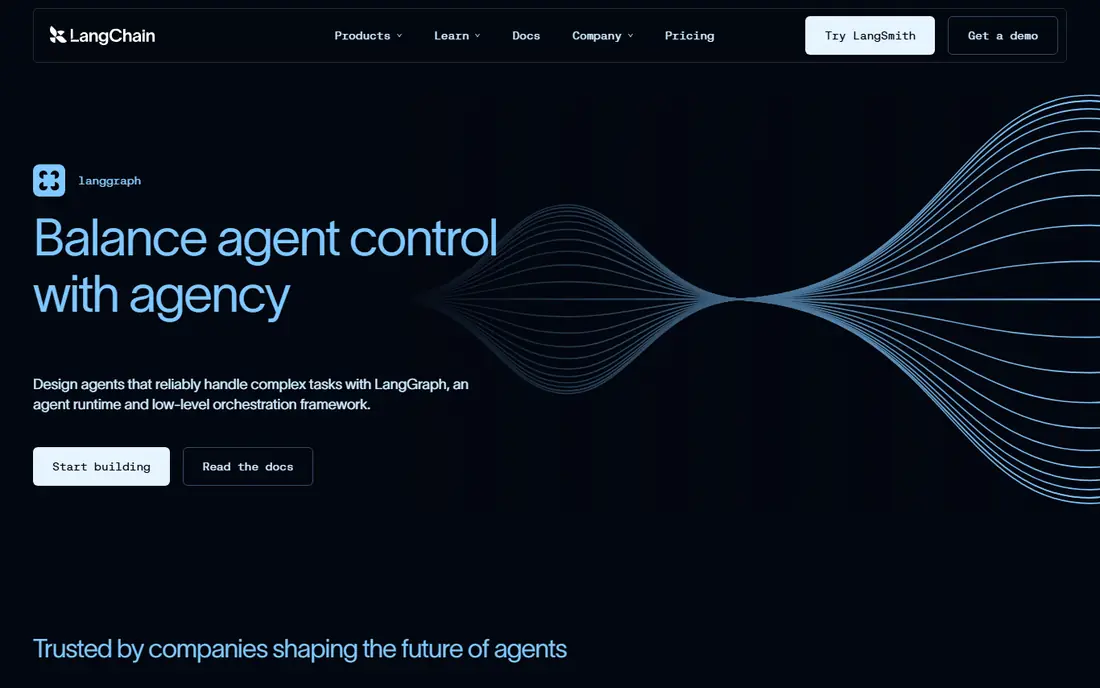
LangGraph is LangChain low-level runtime for building agents as graphs of nodes and edges. That design gives a team control over branching, loops, retries and shared state, which simple chains cannot express well. Built-in persistence lets a long-running agent pause, resume and survive a failure, while human review steps let a person approve an action before it runs.
The trade-off is engineering effort. A team must design state schemas, checkpoints and recovery behaviour itself, and managed deployment through LangSmith adds seat and compute costs. For a production agent with complex steps, that control is worth it. For a simple chatbot, LangChain higher-level agent is an easier start.
- Precise control over state and branching
- Built-in persistence and human review
- Python and JavaScript support
- Steeper learning curve
- Managed hosting adds seat and compute costs
LangChain gives a team a ready-made agent that can call tools, use memory and follow middleware rules, with far less code than a raw graph. It integrates with many model providers, vector stores and tools, so a team can swap models without rewriting the whole app. Documentation and community examples are extensive, which helps a new team move fast.
When a workflow needs custom branching, long pauses or complex state, LangChain standard agent can feel limiting, and that is when LangGraph becomes the better layer. LangSmith observability also adds cost at scale, though a free developer tier helps for early work. For most standard agents, LangChain is the right starting point.
- Ready-made agent with tools and middleware
- Large integration range
- Strong docs and community
- Less control than LangGraph for custom flows
- Managed observability is paid
CrewAI models a multi-agent system as a crew of agents with roles, goals and tools, which feels natural for tasks that need research, drafting and review by different agents. A prototype can be built quickly in Python, and the hosted platform adds deployment and management for teams that do not want to run their own infrastructure. A free basic tier allows a small number of executions per month for testing.
At production scale, pricing moves to a custom enterprise quote, so costs need a sales conversation. Complex crews also need careful design around handoffs, errors and costs, since several agents can multiply model calls. For role-based teams and fast prototypes, CrewAI is one of the easiest frameworks to learn.
- Simple role-based crew model
- Fast prototyping
- Hosted platform option
- Enterprise pricing is quote-based
- Complex crews still need engineering care
Microsoft Agent Framework combines AutoGen multi-agent patterns with Semantic Kernel enterprise features into one framework. It suits teams already invested in Microsoft tools, Azure and enterprise identity, since it fits that ecosystem well. Multi-agent conversation patterns, tool use and workflow orchestration are core to the design.
Because the framework is a recent combination, some guides and examples are still catching up, and teams may need to check current docs for the latest patterns. Pricing depends on hosting and Azure usage rather than a single licence fee. For an enterprise team standardising on Microsoft, it is a strong long-term choice.
- Multi-agent patterns from AutoGen plus enterprise features
- Microsoft ecosystem fit
- Open source core
- Newer combined framework
- Documentation is still maturing in places
n8n is a visual automation platform that now includes AI nodes, sub-workflows, webhooks and custom code. A team can build an agent workflow on a canvas, connect apps and models, and add code where the visual flow runs out. The community edition is free to self-host, and cloud plans start at $20 per month billed yearly for a set number of executions.
Agent state, memory and long-running reasoning are patterns a team assembles in n8n, rather than a built-in agent runtime with checkpoints. Cloud execution limits also need watching for high-volume work. For automation-heavy teams that want AI inside existing workflows, n8n is flexible and good value.
- Visual canvas with AI nodes
- Self-hosted community edition
- Unlimited users and workflows on paid plans
- Agent state is a pattern you build, not a packaged runtime
- Execution limits on cloud plans
Dify lets a team build AI apps, chatbots and RAG workflows with a visual editor, without writing a full agent framework from scratch. It supports prompt orchestration, tool use and knowledge bases, and the open-source core can be self-hosted for free. Cloud plans start at $59 per workspace per month for the Professional tier, with a free Sandbox for testing.
Very deep branching logic and unusual tool-calling patterns can still push a team toward code, and model API costs sit on top of the subscription. For a product team that wants to ship an AI app fast with RAG, Dify is one of the most complete low-code options.
- Visual app builder with RAG support
- Open-source core
- Cloud or self-hosted
- Deep branching logic pushes you toward code
- LLM API costs sit on top
Temporal is a workflow engine built for durable execution. If a workflow fails partway through, Temporal can resume from the last checkpoint rather than starting again, which matters for long-running AI jobs, approvals and multi-step processes. The open-source core can be self-hosted, and a cloud offering handles scaling for teams that prefer managed hosting.
Temporal is not an AI framework on its own. A team still needs to build agent logic, model calls and tool handling on top of it, and running it well takes engineering skill. For AI workflows where reliability and exactly-once behaviour matter, Temporal is a strong foundation under an agent layer.
- Durable execution that survives failures
- Strong for long-running jobs
- Open source core
- Needs engineering skill to run well
- AI features are a layer on top, not the core
Prefect helps a team run Python workflows reliably, with retries, scheduling, observability and failure handling built in. That reliability transfers well to AI pipelines that prepare data, run model calls, check outputs and load results into another system. The open-source core and cloud options give a team choice over hosting.
Prefect does not provide a dedicated agent runtime with state graphs and human review in the same way as LangGraph. A team building a complex agent will still need an agent framework on top. For data and AI pipelines where a failed run must be retried cleanly, Prefect is a solid, Python-friendly choice.
- Reliable workflow runs with retries and observability
- Python-native
- Cloud or self-hosted
- AI orchestration is general workflow orchestration, not a dedicated agent runtime
- Pricing is quote-led at scale
How we picked these
We compared AI orchestration tools that are available in October 2026, using official documentation, pricing pages and hosting models. We favoured tools with a clear orchestration role, from code-first agent runtimes to visual platforms and durable workflow engines. We left out tools that only provide a chat interface with no workflow control, and tools whose current pricing or status could not be confirmed.
How to choose an orchestration tool
Start from the workflow shape
A simple tool-calling agent fits LangChain, a stateful multi-step agent fits LangGraph, a role-based team fits CrewAI, and a visual app fits Dify or n8n. A long-running job with approvals fits Temporal or Prefect under an agent layer. Picking by workflow shape avoids forcing a simple tool into a complex job.
Plan for failures and human review
Agents fail, tools time out, and model outputs need checking. Look for retries, checkpoints, observability and human approval steps before you commit. A tool that makes failures visible and recoverable will save more time than one with a longer feature list but weak error handling.
Budget for models and observability
Orchestration prices usually exclude model API costs, which can dwarf the platform fee for a busy agent. Add tracing, evaluation and hosting costs to the same budget, and set limits on steps per run. A small pilot with real traffic gives a far better cost estimate than a pricing page alone.
FAQ
What is AI orchestration?
AI orchestration is the coordination of model calls, tools, memory, retries and human review into a workflow that an agent can run reliably. It decides which step runs next, what state is shared between steps, and what happens when a step fails. Without orchestration, a multi-step agent becomes a fragile chain of manual calls.
Is LangChain or LangGraph better?
LangChain is better for a standard tool-calling agent, since it provides a ready-made agent with less code. LangGraph is better for a custom, stateful workflow with branching, loops, long pauses or human approval steps. Many teams use both, with LangChain for the agent and LangGraph underneath for control.
Can I use n8n for AI agents?
Yes, n8n can build AI workflows with AI nodes, sub-workflows and webhooks, and it suits automation-heavy teams. Agent state and long-running reasoning are patterns you build in n8n, rather than a packaged agent runtime. For a complex stateful agent, a code-first framework such as LangGraph may fit better.
What is the best AI orchestration platform for beginners?
Dify and n8n are the most beginner-friendly options, since both offer visual builders and free tiers for testing. Dify suits AI apps and RAG, while n8n suits automation across many apps. A beginner who wants to learn agent code should start with LangChain, then move to LangGraph for custom workflows.
How much does AI orchestration cost?
Many frameworks are free and open source, with paid costs coming from managed hosting, observability and model API calls. LangSmith Plus starts at $39 per seat per month, n8n cloud starts at $20 per month billed yearly, and Dify Professional starts at $59 per workspace per month. Always budget for model calls separately, since those often exceed platform fees.