Best AI App Development Platforms in 2026: 8 Platforms Compared
We compared the best ai app development platforms for prompt to app building, covering code ownership, mobile publishing, pricing, and ease of use in 2026.
- Editor's choice
 Bubble
Complex web apps and SaaS
Starts at$29 per monthVisit bubble.ioFull review - Great alternative
 Lovable
Prompt to app MVPs with code
Starts at$25 per monthVisit lovable.devFull review - Also consider
 Bolt
Fast prompt to deployed web apps
Starts at$25 per monthVisit bolt.newFull review
TL;DR:
- Lovable, Bolt, and Replit lead for prompt to code apps you can edit and deploy quickly.
- Bubble remains the strongest visual builder for complex web apps with deep workflows.
- Adalo and FlutterFlow suit mobile first apps, with Adalo simpler and FlutterFlow closer to code.
- Code ownership and usage pricing vary widely, so check export and overage rules before building.
Quick comparison
| Tool | Best for | Starts at | Free plan? | |
|---|---|---|---|---|
| Bubble | Complex web apps and SaaS | $29 per month | Yes | Visit |
| Lovable | Prompt to app MVPs with code | $25 per month | Yes | Visit |
| Bolt | Fast prompt to deployed web apps | $25 per month | Yes | Visit |
 Replit | Full web apps and internal tools | $20 per month | Yes | Visit |
 Adalo | Native mobile apps without code | $36 per month | Yes | Visit |
 Glide | Internal apps from spreadsheets | $25 per month | Yes | Visit |
 Softr | Client portals on existing data | $19 per month | Yes | Visit |
 FlutterFlow | Mobile apps with Flutter code | $29 per month | Yes | Visit |
The best AI app development platforms
AI app development platforms turn a prompt or visual design into a working app. Some generate code you keep, while others keep your app on their platform. That difference matters more than the demo.
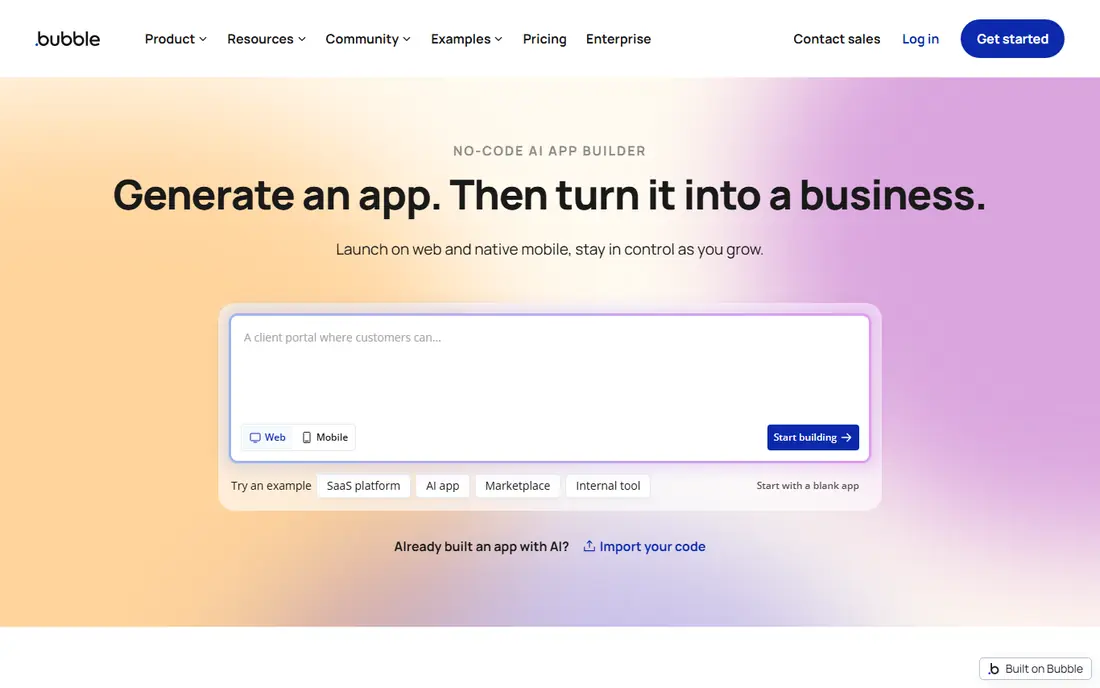
Bubble is a strong choice for complex web apps and saas. Bubble handles complex logic, databases, and plugins that simpler builders cannot express. In our comparison of official feature pages, pricing, and public reviews, it stood out for visual workflows.
The honest catch is that the lack of code export means your app stays on Bubble, so treat it as a long term home. That trade-off matters most when you scale, so test it on your real workload during a trial. Pick Bubble when you want a serious web product with custom workflows and are willing to learn the platform.
Pricing and plan details change often, so check the vendor page linked above before you buy. A short trial on your own data, with your own team, will tell you more than any feature list. If it fits that trial, it is likely to fit daily work too.
- Visual workflows
- Built-in database
- Large plugin library
- No code export
- Learning curve is steep
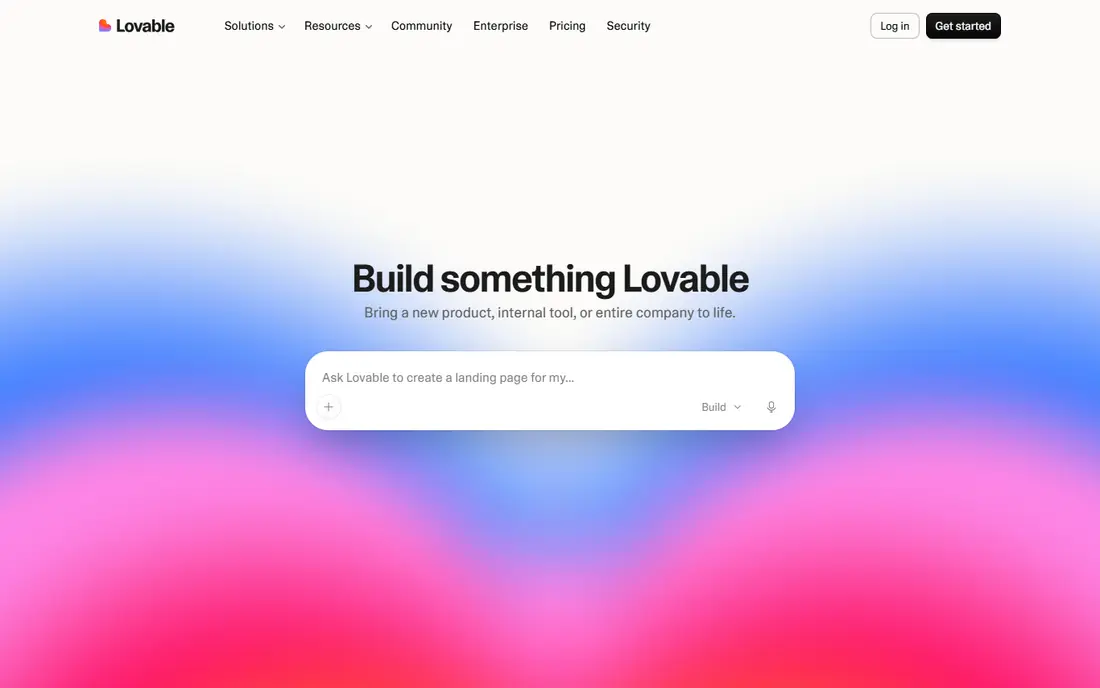
Lovable is a strong choice for prompt to app mvps with code. Lovable turns plain language prompts into a full stack app with code you can inspect and change. In our comparison of official feature pages, pricing, and public reviews, it stood out for prompt to full stack app.
The honest catch is that generated code still needs testing, especially for auth, payments, and data rules. That trade-off matters most when you scale, so test it on your real workload during a trial. Pick Lovable when you want an MVP fast and want to keep and edit the code.
Pricing and plan details change often, so check the vendor page linked above before you buy. A short trial on your own data, with your own team, will tell you more than any feature list. If it fits that trial, it is likely to fit daily work too.
- Prompt to full stack app
- Code you can edit
- Fast deployment
- AI output needs review
- Costs rise with usage

Bolt is a strong choice for fast prompt to deployed web apps. Bolt builds and deploys web apps from prompts in the browser, with code you can edit. In our comparison of official feature pages, pricing, and public reviews, it stood out for prompt to code.
The honest catch is that token limits can slow large projects, so scope MVPs tightly. That trade-off matters most when you scale, so test it on your real workload during a trial. Pick Bolt when speed matters and you want a working prototype in hours, not weeks.
Pricing and plan details change often, so check the vendor page linked above before you buy. A short trial on your own data, with your own team, will tell you more than any feature list. If it fits that trial, it is likely to fit daily work too.
- Prompt to code
- Browser based editing
- Quick deployment
- Token and usage limits
- Complex apps need manual work
Replit is a strong choice for full web apps and internal tools. Replit combines AI building, code editing, and hosting in one workspace. In our comparison of official feature pages, pricing, and public reviews, it stood out for ai agent building.
The honest catch is that usage based costs need monitoring once an app gets real traffic. That trade-off matters most when you scale, so test it on your real workload during a trial. Pick Replit when you want to build, host, and iterate in one place with a real codebase.
Pricing and plan details change often, so check the vendor page linked above before you buy. A short trial on your own data, with your own team, will tell you more than any feature list. If it fits that trial, it is likely to fit daily work too.
- AI agent building
- Hosting
- Collaboration tools
- Costs vary with usage
- App complexity needs care
Adalo is a strong choice for native mobile apps without code. Adalo publishes to web, iOS, and Android from one editor, which suits mobile first products. In our comparison of official feature pages, pricing, and public reviews, it stood out for native ios and android publishing.
The honest catch is that very complex logic can hit limits, so test your hardest workflow early. That trade-off matters most when you scale, so test it on your real workload during a trial. Pick Adalo when mobile publishing matters and you want a simple visual builder.
Pricing and plan details change often, so check the vendor page linked above before you buy. A short trial on your own data, with your own team, will tell you more than any feature list. If it fits that trial, it is likely to fit daily work too.
- Native iOS and Android publishing
- Drag and drop builder
- AI app builder
- Complex logic limits
- Performance varies with app size
Glide is a strong choice for internal apps from spreadsheets. Glide turns a spreadsheet into a polished internal app with forms, lists, and permissions. In our comparison of official feature pages, pricing, and public reviews, it stood out for spreadsheet to app.
The honest catch is that it is less suited to consumer apps that need app store publishing and complex logic. That trade-off matters most when you scale, so test it on your real workload during a trial. Pick Glide when your data already lives in a sheet and you need an internal tool fast.
Pricing and plan details change often, so check the vendor page linked above before you buy. A short trial on your own data, with your own team, will tell you more than any feature list. If it fits that trial, it is likely to fit daily work too.
- Spreadsheet to app
- AI layout help
- Business app templates
- Web apps first, not full native publishing
Softr is a strong choice for client portals on existing data. Softr builds client portals and dashboards on data you already have, with permissions per user. In our comparison of official feature pages, pricing, and public reviews, it stood out for portals on airtable and sheets.
The honest catch is that teams needing deep custom logic may outgrow it. That trade-off matters most when you scale, so test it on your real workload during a trial. Pick Softr when you need a portal or dashboard quickly, not a full custom SaaS product.
Pricing and plan details change often, so check the vendor page linked above before you buy. A short trial on your own data, with your own team, will tell you more than any feature list. If it fits that trial, it is likely to fit daily work too.
- Portals on Airtable and Sheets
- Permissions
- Templates
- App logic is simpler than Bubble
- Design limits on lower plans
FlutterFlow is a strong choice for mobile apps with flutter code. FlutterFlow builds real Flutter apps visually and lets you export code, which helps teams that want control. In our comparison of official feature pages, pricing, and public reviews, it stood out for visual flutter builder.
The honest catch is that it takes more learning than Adalo, especially for backend and auth setup. That trade-off matters most when you scale, so test it on your real workload during a trial. Pick FlutterFlow when you want a mobile app with code you can keep and a team that can handle Flutter.
Pricing and plan details change often, so check the vendor page linked above before you buy. A short trial on your own data, with your own team, will tell you more than any feature list. If it fits that trial, it is likely to fit daily work too.
- Visual Flutter builder
- Code export
- Firebase links
- Learning curve for non developers
- Pricing varies by plan
How we picked these
We compared official feature and pricing pages for prompt to code and visual builders. We kept platforms with a current AI building feature in 2026, whether prompt based, AI assisted, or agent based. We favored platforms with real publishing, database, and auth features, not just demo generators.
What to look for before you buy
Decide on code ownership first
Some platforms let you export code, while others keep your app on their system. Code ownership helps if you later hire developers or move hosting. Platform lock-in can be fine for an internal tool, but risky for a product you plan to sell for years. Ask about export, database export, and what happens if you cancel, before you build past a prototype.
Test your hardest workflow early
Demos show simple forms and lists, but real apps need auth, payments, permissions, and edge cases. Build your hardest workflow in the trial: a multi-step form, a payment, a permission rule, or an integration. If that workflow needs workarounds, you will feel it every week. A platform that handles your hardest case is usually the right one, even if it costs more.
Watch usage pricing as you grow
Many platforms charge by users, workflow runs, or AI tokens, so a cheap MVP can become costly at scale. Model costs at 100, 1,000, and 10,000 users, including overages. For internal tools, per user pricing matters most. For consumer apps, workflow and token costs matter more. Choose a plan with headroom, not just the lowest entry price.
FAQ
What is the best AI app development platform for beginners?
Adalo, Glide, and Softr suit beginners, since they offer visual builders and templates with less setup. Lovable and Bolt suit beginners who want code but are comfortable reviewing it. Start with a small real project, not a demo, to see which editor feels natural.
Can I publish to the App Store with an AI app builder?
Yes, with tools such as Adalo and FlutterFlow, which support native mobile publishing. Web focused tools such as Bubble and Lovable need wrappers or separate mobile work. Check store fees, review rules, and publishing steps before promising a launch date.
Do AI app platforms write good code?
AI generated code can be a strong starting point, but it needs review, testing, and security checks. Auth, payments, and data access need special care, since bugs there have real consequences. Treat AI output as a draft from a junior developer, not a finished product.
How much does an AI app development platform cost?
Entry plans for leading tools range from about $19 to $36 per month, with usage and higher tiers adding cost. Enterprise and team plans cost more. Model usage, users, and AI credits at your expected scale before comparing entry prices.
Is Bubble still a good AI app development platform?
Yes, for complex web apps, since Bubble now adds AI assistance to a deep visual builder. It suits SaaS products with custom workflows and databases. It is less suited to native mobile apps or teams that must own their code.