Best Additive Manufacturing Software in 2026: 8 Tools Compared
We compare the best additive manufacturing software for 2026, from Materialise Magics and Netfabb to Cura and PreForm, with pricing and fit for makers and pros.

- Editor's choice
 Materialise Magics
Industrial build preparation
Starts atSee websiteVisit materialise.comFull review - Great alternative
 Autodesk Netfabb
Design integration and build prep
Starts atSee websiteVisit autodesk.comFull review - Also consider
 Ultimaker Cura
Free desktop slicing
Starts atFreeVisit ultimaker.comFull review
TL;DR:
- The best additive manufacturing software depends on the job, with Magics and Netfabb leading industrial build prep and Cura leading desktop slicing.
- Free slicers like Cura, PrusaSlicer and Bambu Studio cover most hobby and small shop printing well, so paid tools must earn their price.
- Metal additive work needs simulation and process tools such as Ansys Additive, which desktop slicers do not provide.
- Printer compatibility decides many purchases, since some tools are tied to one brand's machines while others work across brands.
- File repair, orientation, support generation and packing are the daily features that matter most, so test them on your own parts.
Quick comparison
| Tool | Best for | Starts at | Free plan? | |
|---|---|---|---|---|
| Materialise Magics | Industrial build preparation | See website | No | Visit |
| Autodesk Netfabb | Design integration and build prep | See website | Free trial | Visit |
| Ultimaker Cura | Free desktop slicing | Free | Yes | Visit |
 PrusaSlicer | Open source slicing | Free | Yes | Visit |
 Bambu Studio | Bambu Lab printers | Free | Yes | Visit |
 Formlabs PreForm | Formlabs resin and SLS printing | Free | Yes | Visit |
 Simplify3D | Detailed print control | See website | No | Visit |
 Ansys Additive | Metal process simulation | See website | No | Visit |
The best additive manufacturing software
These are the best additive manufacturing software tools we found for 2026, from industrial suites to free desktop slicers.
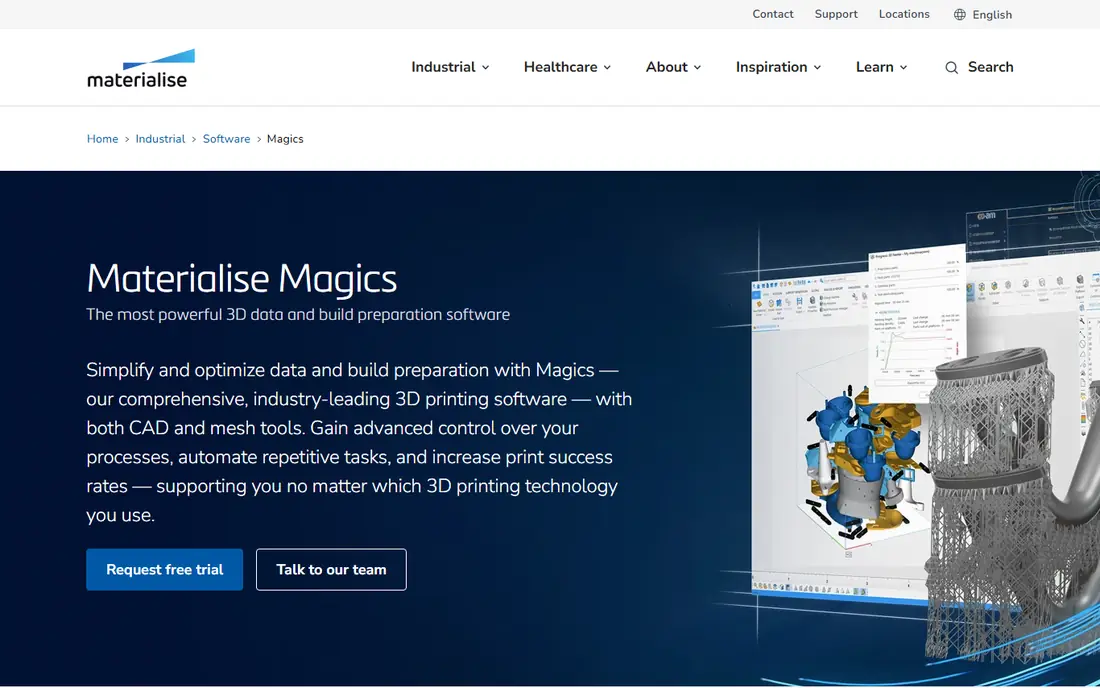
Materialise Magics is the industry standard for industrial additive build preparation, and it shows in daily work. Mesh repair, editing, orientation, support generation and build packing sit in one tool, which matters when a failed build wastes expensive powder or resin. Its long track record in service bureaus and production shops means most industrial printers have a Magics workflow already.
The learning curve is steep, and pricing is quoted rather than published, which puts Magics out of reach for hobby users. Magics fits production teams that print daily and need reliable, repeatable build prep across many machines.
- Industry standard build prep
- Strong mesh repair and editing
- Support generation and packing tools
- Quote based pricing
- Steep learning curve for new users
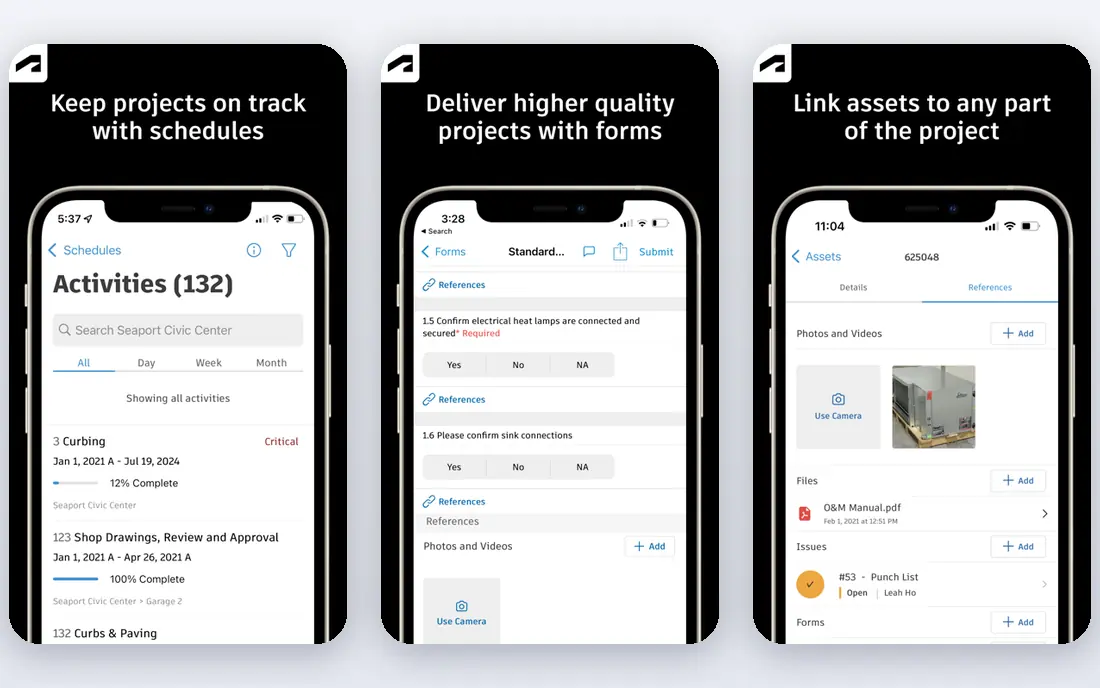
Netfabb suits teams already working in Autodesk tools, since it connects design, build prep and simulation in a familiar ecosystem. Mesh repair, wall thickness checks, support generation, lattice structures and packing cover the core build prep job, while simulation add-ons help metal teams predict distortion before printing. That breadth makes it a strong industrial alternative to Magics.
Pricing is harder to follow, with subscription and token based options depending on the product bundle, so get a clear quote for your use case. Large builds can also demand plenty of RAM. Netfabb fits Autodesk shops that want build prep close to their CAD work.
- Strong Fusion ecosystem integration
- Mesh repair and lattice tools
- Simulation options for metal
- Pricing model is complex
- Heavy RAM use on large builds
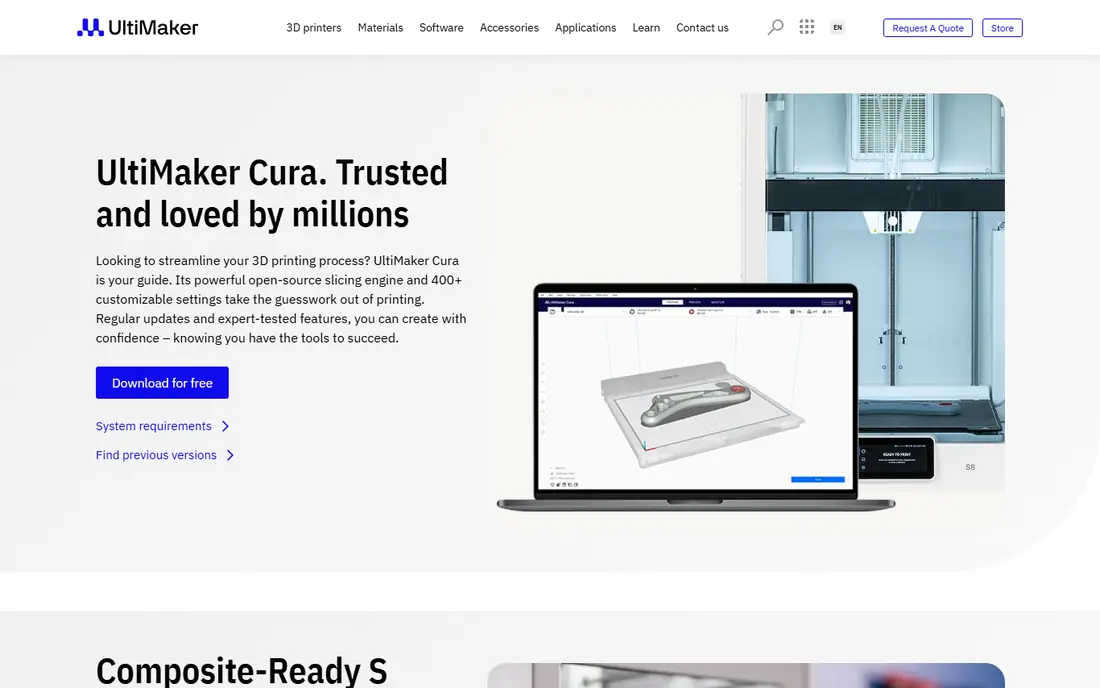
Ultimaker Cura is the default slicer for many desktop users, and its free price makes it easy to recommend. It offers hundreds of print settings, ready made profiles for many printers and materials, and a plugin marketplace that adds features without a paid upgrade. Beginners can slice a first print in minutes, while experienced users can tune nearly every setting.
Cura works best with Ultimaker machines, though community profiles support many other printers. Power users who want absolute control over every toolpath may prefer Simplify3D or PrusaSlicer, but for most desktop printing Cura does the job at no cost.
- Free and widely supported
- Huge profile library
- Plugin marketplace
- Tied most closely to Ultimaker printers, though profiles exist for others
- Advanced controls are less deep than Simplify3D
PrusaSlicer is the open source slicer of choice for many experienced makers, with organic supports, variable layer heights and detailed print controls that rival paid tools. It is free, actively developed, and supports a wide range of printers beyond Prusa's own machines. The community around it also produces profiles and guides for many materials.
Beginners may find the interface more technical than Cura, and default profiles are tuned most carefully for Prusa printers. PrusaSlicer fits makers who want deep control without paying for a slicer, and who enjoy tuning settings for their own machines.
- Free and open source
- Excellent organic supports
- Strong community development
- Interface can feel technical for beginners
- Best tuned for Prusa printers
Bambu Studio is the natural slicer for Bambu Lab printer owners, since it is free and built around those machines. Slicing is fast, multi material and multi color setups are handled well, and printer, filament and print monitoring connect in one app. That tight integration is why Bambu Lab owners rarely need another slicer.
The limit is obvious, which is that Bambu Studio is only useful for Bambu Lab printers. Users with mixed fleets will still need Cura or PrusaSlicer for other machines. Bambu Studio fits Bambu Lab owners who want the simplest path from model to print.
- Free and tightly integrated with Bambu Lab printers
- Fast slicing
- Multi material support
- Only useful for Bambu Lab machines
- Cloud features raise privacy questions for some users
PreForm is the free slicer for Formlabs resin and SLS printers, and it simplifies a workflow that can intimidate newcomers. One click print setup orients parts, generates supports and estimates resin use, while manual controls remain for users who want them. That balance suits dental, jewelry and engineering shops that print in resin daily.
PreForm only drives Formlabs machines, so it is not a general purpose slicer. Resin printing also brings washing, curing and safety steps that filament printing does not, so budget for that post-processing equipment alongside the software.
- Free for Formlabs owners
- One click print setup
- Strong support generation for resin
- Only works with Formlabs printers
- Resin workflow differs from filament printing
Simplify3D appeals to users who want exact control over every part of a print. Multi process settings let different sections of one model print at different speeds, infills and supports, which helps with complex engineering parts. Broad printer support also makes it useful for shops with mixed fleets.
The challenge is value, since Cura and PrusaSlicer now offer much of the same control for free. Simplify3D fits users who already know its workflow or need its specific multi process features, but new users should trial the free slicers first.
- Very detailed process controls
- Multi process printing
- Broad printer support
- Paid while strong free slicers exist
- Updates are less frequent than open source rivals
Ansys Additive serves a different job from slicers, which is predicting what happens during a metal print before committing powder and machine time. It models thermal and mechanical effects, predicts distortion and residual stress, and helps engineers adjust builds to succeed the first time. For aerospace, medical and automotive metal printing, that prediction can save weeks of trial builds.
Ansys Additive is quoted rather than published in price, and it needs engineers who understand simulation to use well. It fits metal additive teams where a failed build is expensive, rather than desktop users printing prototypes in plastic.
- Predicts distortion, stress and build failure for metal printing
- Links process to part quality
- Strong engineering depth
- Quote based pricing
- Needs simulation expertise to use well
How we picked these
We compared official product pages, pricing information and public comparisons for additive manufacturing software in October 2026. We favored tools that are actively sold or maintained, that cover a clear stage of the additive workflow, and that serve different users, from hobby makers to industrial production teams. We also weighed printer compatibility, since a tool tied to one brand is a poor recommendation for a mixed fleet.
How to choose additive manufacturing software
Start with your printer and material. A slicer must support your machine and your material, whether that is filament, resin or metal powder, or it is useless no matter how good its features look. Next, match the tool to the stage you struggle with most, whether that is design, build prep, slicing or simulation, since few tools do all four equally well.
Then test the daily features on your own parts. Repair a messy mesh, orient a tricky part, generate supports and pack a build, and judge the results by print success rather than marketing claims. Finally, check total cost, including printer lock-in and training time, since a free tool your team already knows often beats a powerful tool nobody uses.
Slicer, build prep or simulation
A slicer turns a model into printer instructions and suits most desktop printing. Build prep tools like Magics and Netfabb repair, orient and pack industrial builds. Simulation tools like Ansys Additive predict metal print outcomes. Many production teams use all three in sequence, while hobby users need only a slicer.
A final practical point is to judge software on your own hardest parts rather than sample models. Print a part with thin walls, overhangs and fine detail, and check whether supports remove cleanly and dimensions hold up after post-processing. For industrial users, run the same build twice and compare failure rates, since repeatability matters more than a single good print. A tool that handles your worst geometry reliably is worth more than one that only shines on easy demo pieces.
FAQ
What is the best additive manufacturing software for beginners?
Ultimaker Cura is the best starting point, since it is free, widely supported and easy to learn. PrusaSlicer is a strong free alternative for users who want deeper control.
What is the best additive manufacturing software for industrial use?
Materialise Magics and Autodesk Netfabb lead industrial build prep, with Ansys Additive adding metal process simulation. The right mix depends on whether you print in polymer or metal.
Is there free additive manufacturing software?
Yes, Cura, PrusaSlicer, Bambu Studio and PreForm are all free for their respective printers. Open source tools cover most desktop printing needs without a paid slicer.
Do I need different software for metal 3D printing?
Metal printing benefits from simulation and process tools that desktop slicers do not provide, especially for predicting distortion and build failure. Polymer prototyping rarely needs that level of simulation.
Can one slicer work with every 3D printer?
No, slicers support different printer profiles, and brand specific tools like Bambu Studio and PreForm only work with their own machines. Check your printer's supported slicers before choosing software.
Sources
- https://www.materialise.com/en/software/magics
- https://www.autodesk.com/products/netfabb/overview
- https://ultimaker.com/software/ultimaker-cura
- https://www.prusa3d.com/page/prusaslicer_424/
- https://bambulab.com/en/download
- https://formlabs.com/software/preform/
- https://www.simplify3d.com
- https://www.ansys.com/products/additive