8 Best AAC Apps in 2026 for Communication
Looking for the best aac apps? We compare eight augmentative and alternative communication apps for symbol, text and eye gaze users, with price notes.
- Editor's choice
 Proloquo2Go
Widely supported symbol app
Starts atSee websiteVisit assistiveware.comFull review - Great alternative
 TouchChat
Flexible grids and WordPower
Starts atSee websiteVisit saltillo.comFull review - Also consider
 LAMP Words for Life
Motor planning learners
Starts atSee websiteVisit prc-saltillo.comFull review
TL;DR:
- Proloquo2Go, TouchChat and LAMP Words for Life are the most widely supported symbol apps, and all are commonly recommended by speech language professionals.
- CoughDrop and Cboard suit users who need cross platform access, while TD Snap suits users on Tobii devices and Windows as well as iPad.
- Text based users often prefer Proloquo4Text, which is faster for literate teens and adults who can type.
- Try an app with the user, with a speech language professional where possible, before buying, since vocabulary layout matters more than feature count.
Quick comparison
| Tool | Best for | Starts at | Free plan? | |
|---|---|---|---|---|
| Proloquo2Go | Widely supported symbol app | See website | No | Visit |
| TouchChat | Flexible grids and WordPower | See website | Free trial | Visit |
| LAMP Words for Life | Motor planning learners | See website | No | Visit |
 TD Snap | Tobii and multi device users | See website | Free trial | Visit |
 CoughDrop | Cross platform sync | See website | Free trial | Visit |
 Cboard | Free symbol boards | Free | Yes | Visit |
 Avaz | School and family use | See website | Free trial | Visit |
 Proloquo4Text | Text based communication | See website | No | Visit |
The best aac apps
AAC stands for augmentative and alternative communication. These apps give people with speech difficulties a way to communicate by tapping symbols, typing text, or using eye gaze and switch access, with speech output from the device. This article is general information only, not medical advice, and a speech language professional can help match an app to a specific user.
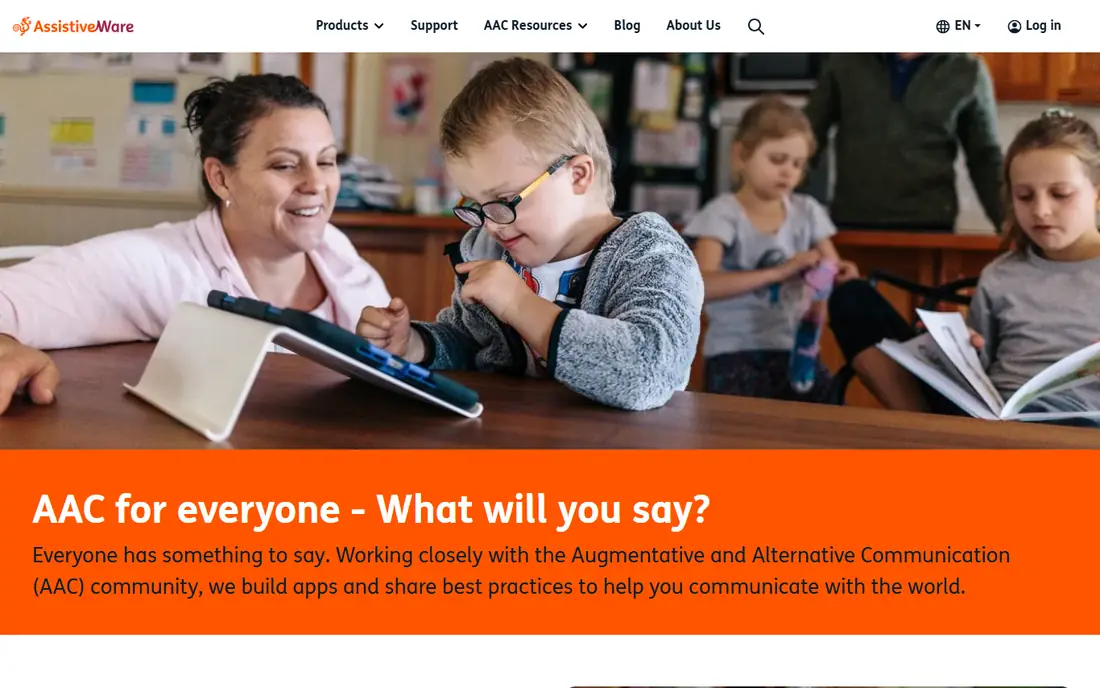
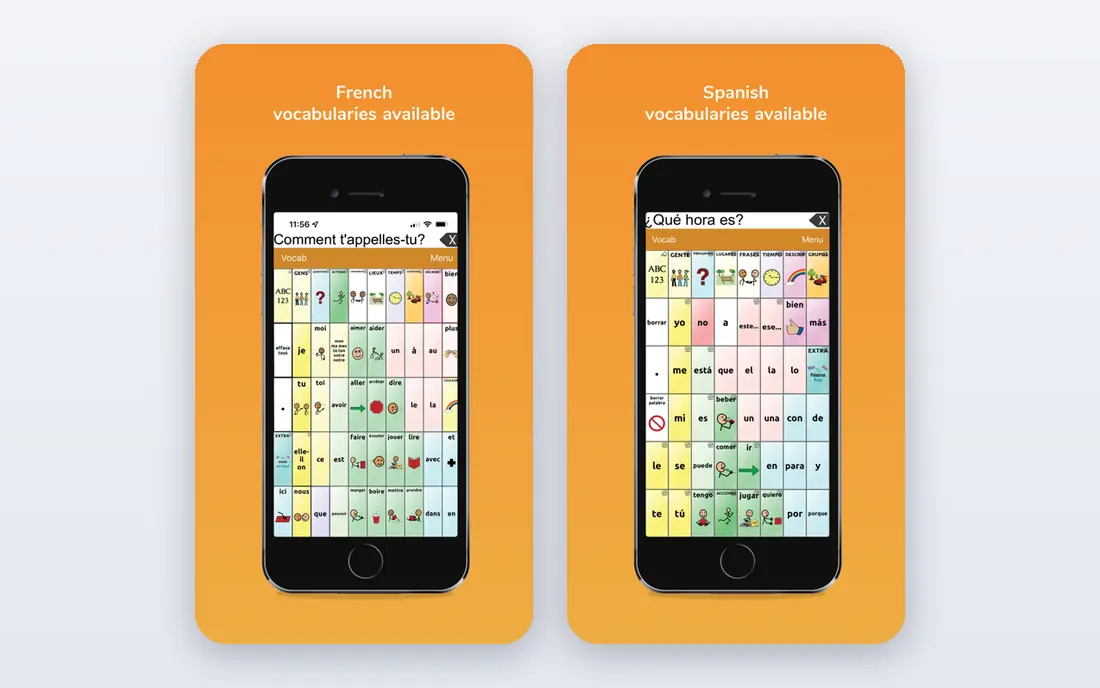
Proloquo2Go is one of the most widely used AAC apps, with a core word vocabulary that grows from basic requests to fuller sentences. Users tap symbols that speak, and families can add custom words, photos and folders for school, home and community life. Its long track record means many speech language professionals already know how to program and model with it.
The main limits are platform and price. It runs on Apple devices, so an iPad is needed, and the one time purchase is a real cost for families, though schools and funding programs sometimes cover it. For a user who needs a full symbol system with strong professional support, Proloquo2Go is a safe first demo.
- Large core word vocabulary
- Strong customisation
- Widely known to professionals
- Apple only
- One time price is high for families
TouchChat, from Saltillo, offers a range of vocabularies and grid sizes, from simple starter boards to larger WordPower sets for more advanced users. That range lets one app grow with a user, rather than forcing a switch as language skills develop. Switch scanning and head tracking options support users with motor access needs.
Setup is the trade off. Choosing the right vocabulary, grid size and access method takes care, and families often need guidance at the start. With that setup done, TouchChat is a flexible, well supported choice for school age users through adults.
- Many grid sizes and vocabularies
- WordPower options
- Switch and head tracking support
- Apple focused in many setups
- Setup takes time to get right
LAMP Words for Life is built around motor planning. Each word stays in the same place, so users learn movement patterns for words rather than hunting for a new location each time. That consistency can help users who are still building language, because the motor pattern becomes automatic with practice.
Partners need to learn the system too, and modelling takes time. The app is Apple based in most listings, so factor in an iPad. For a learner who benefits from consistent motor patterns and a structured vocabulary, LAMP is a strong, well respected option.
- Consistent motor patterns
- Unity vocabulary
- Strong for minimally verbal learners
- Apple only in many listings
- Learning curve for new partners
TD Snap, from Tobii Dynavox, suits users who may move between an iPad, a Windows device or a dedicated Tobii device. It offers core word and motor planning approaches, with access methods including touch, switch scanning and eye gaze on compatible hardware. That range helps users with changing access needs.
Pricing varies, since TD Snap is often bundled with Tobii hardware or sold as an app, so check the current app price for your device. For a user who needs eye gaze or a Windows option, TD Snap is one of the most flexible choices here.
- Works on iPad and Windows
- Eye gaze and switch access
- Core and motor options
- Full features vary by device
- Pricing varies with hardware bundles
CoughDrop stands out for families and schools that use mixed devices. Boards sync across iPad, Android, Windows, Chromebook and a browser, and several adults can edit boards from different devices. That sync helps when a user moves between home, school and therapy with different hardware.
It uses a subscription rather than a one time purchase, so long term cost needs a check. The interface is functional rather than flashy. For a team that needs cross platform access and shared editing, CoughDrop is a practical, lower friction choice.
- Works on iPad, Android, Windows and web
- Cloud sync
- Shared editing for teams
- Subscription model
- Interface is less polished than some rivals
Cboard is a free, open source symbol board app that runs in a browser and on phones and tablets. It supports many languages, lets users build custom boards, and speaks selected symbols aloud. For a family trying AAC for the first time, or for a user who needs a simple backup board, Cboard removes the price barrier.
It does not match the depth, vocabulary sets or access options of premium apps. Think of Cboard as a strong starting point and a backup system, rather than a full replacement for a clinical AAC setup. For low cost access, it is hard to beat.
- Free version available
- Many languages
- Works in a browser
- Less depth than premium apps
- Support is community based
Avaz offers symbol based communication with text options, a clear layout and tools for parents and teachers to build boards and track use. It runs on iPad and Android, which helps families that do not use Apple hardware. The design suits children and school settings, with simple editing for adults.
Pricing is subscription based, with a one time option in some listings, so check the current store price. Avaz is less widely known to US professionals than Proloquo2Go or TouchChat, but for a family that wants a friendly, cross platform symbol app, it is a solid pick.
- Symbol and text options
- Child friendly design
- School friendly setup
- Subscription pricing
- Smaller US professional base than top three apps
Proloquo4Text is for users who can type and want fast, natural speech output. It offers word prediction, abbreviation expansion and a range of voices, so a literate teen or adult can hold a conversation at a pace closer to natural speech. It also supports switch and eye tracking access on compatible devices.
It is not a symbol app, so it suits a different user from the symbol apps above. If typing is possible and speed matters, Proloquo4Text is often a better fit than a symbol grid. For users who cannot yet type fluently, start with a symbol app instead.
- Fast typing with word prediction
- Natural voices
- Good for literate users
- Needs literacy and typing ability
- Apple only
How we picked these
We compared official product pages, app store listings and public AAC guides for apps that work in October 2026. We kept apps with real speech output, custom boards or vocabularies, and access options beyond simple tapping where stated. We weighed vocabulary model, platform, access methods, price and professional support, because an AAC app must fit the user, not just look good in a store listing. Prices change often in this category, so we used See website where store prices differed across sources.
How to choose an AAC app
Start with the user, not the app store ranking. Note how the user communicates now, whether they read and type, what motor access they use, and which devices the family and school already own. A symbol app, a text app and an eye gaze setup serve different needs, and the wrong model will frustrate even a well made app.
Trial with support where you can. Many apps offer a free trial or a lite version, and a speech language professional can help set up a trial board and model its use over several days. Watch whether the user can find core words quickly, whether partners can model without taking over, and whether the app works in noisy, real life settings.
Plan for backup and growth
Keep a low tech backup, such as a printed core board, for times when a device runs out of charge or breaks. Choose an app that can grow, with larger grids or fuller vocabularies available, so the user does not need to relearn a whole system later. Back up boards to the cloud where the app allows it, so a lost device does not mean lost vocabulary.
Check funding and school support
Schools may fund AAC through an education plan where need is documented, and health plans may cover a dedicated device with an evaluation and order. Ask the school team and the app maker about funding paths, and keep records of trials and evaluations. A short trial note from a professional can help a funding request more than a long feature list.
FAQ
What is the best AAC app?
There is no single best app, because needs differ by age, literacy, motor access and device. Proloquo2Go, TouchChat and LAMP Words for Life are the most widely supported symbol apps, while Proloquo4Text suits literate typists. A trial with a speech language professional is the best way to choose.
Are AAC apps free?
Some are free, such as Cboard, while most premium apps charge a one time price or a subscription. Prices vary by store and sale timing, so check the current app store price. Schools and funding programs may cover costs where need is documented.
Can an iPad replace a dedicated AAC device?
For many users, yes, an iPad with a good AAC app works well and costs less than a dedicated device. Dedicated devices offer rugged cases, longer support and funding paths in some systems. An iPad needs a protective case and a way to limit distractions, such as guided access, for full time use.
What is the difference between core word and motor planning AAC?
Core word systems focus on a small set of high frequency words that combine into many sentences. Motor planning systems, such as LAMP, keep each word in a fixed place so users learn movement patterns. Both approaches work, and the right one depends on the learner and the professional guidance available.
Do AAC apps work offline?
Many do, once boards and voices are downloaded. CoughDrop and Cboard also offer web access, but offline use depends on the device and setup. Download voices and boards before travel, and keep a printed backup board for times without power or signal.