8 Akiflow Alternatives for Tasks and Calendar Planning in 2026
Searching for akiflow alternatives? We compared 8 task and calendar planners, from guided daily planning to automatic scheduling, with prices and limits.
- Editor's choice
 Sunsama
Guided daily planning
Starts at$20 per monthVisit sunsama.comFull review - Great alternative
 Motion
Automatic scheduling
Starts at$19 per monthVisit usemotion.comFull review - Also consider
 Todoist
Fast task capture
Starts atSee websiteVisit todoist.comFull review
TL;DR:
- Akiflow stands out by pulling tasks from many tools into one calendar, so the best replacement depends on whether you need that central inbox or just a better daily plan.
- Sunsama and Motion sit at opposite ends of planning style: Sunsama guides a manual daily review, while Motion reschedules tasks for you when plans change.
- Todoist and TickTick are the cheapest strong options, with free plans that suit solo users who do not need automatic scheduling.
- Reclaim and Morgen are better picks for calendar-heavy users, because they work with existing calendars rather than asking you to rebuild your system.
Quick comparison
| Tool | Best for | Starts at | Free plan? | |
|---|---|---|---|---|
| Sunsama | Guided daily planning | $20 per month | Free trial | Visit |
| Motion | Automatic scheduling | $19 per month | Free trial | Visit |
| Todoist | Fast task capture | See website | Yes | Visit |
 TickTick | Tasks, habits, and calendar | $3.99 per month | Yes | Visit |
 Reclaim | AI scheduling in Google Calendar | $10 per month | Yes | Visit |
 Morgen | Multiple calendars in one view | $15 per month | Free trial | Visit |
 Routine | Tasks, calendar, and notes | See website | Yes | Visit |
 ClickUp | Teams that need tasks plus docs | $7 per month | Yes | Visit |
The best akiflow alternatives
These tools all combine tasks with time, but they differ in how much control they leave to you. We compared official pricing pages, feature pages, and integration lists to sort them by planning style rather than by feature count alone.

Sunsama is the closest match for people who liked Akiflow but want a slower, more deliberate planning flow. Each day starts with a guided review: you pull tasks in from connected tools, drag them onto your calendar, and set realistic times for each one. That ritual helps when your task list keeps growing faster than your day, because it forces a choice about what actually fits.
The trade-off is effort. Sunsama does not auto-schedule your day in the background, so you must spend a few minutes planning each morning. It also has no free tier, only a trial, which makes it a commitment rather than a casual try. If you enjoy planning by hand and want one calm place for tasks and calendar, Sunsama is a strong pick. If you want the app to decide for you, Motion or Reclaim will fit better.
- Structured daily planning ritual
- Pulls tasks from Gmail, Slack, and other tools
- Clean calendar view
- No free plan
- Price is high for solo users
- Manual planning takes time each morning
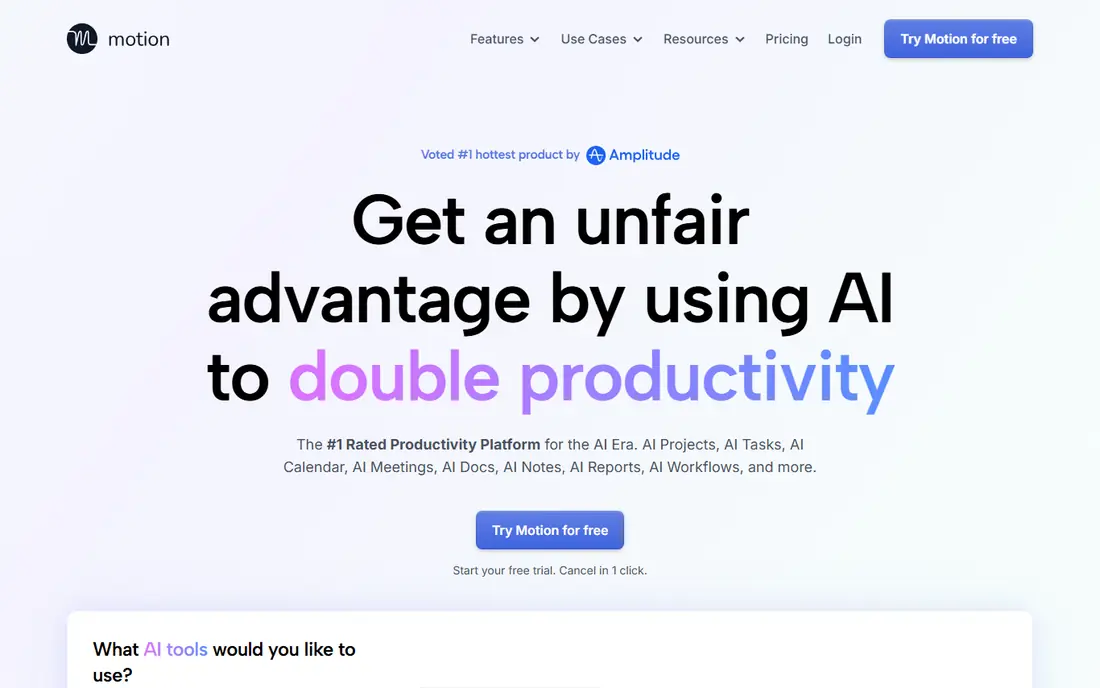
Motion is built for people who do not want to plan each day by hand. You add tasks with deadlines and priorities, and Motion places them into open calendar time, moving them when meetings appear or deadlines shift. That approach suits busy professionals whose calendars change often, since the plan updates without a daily rebuild.
The downside is control. Some users find auto-rescheduling unsettling, especially when a task moves to a time they had kept for focused work. Motion also costs more than a simple task app, and its project features take time to set up well. For managers and founders juggling many deadlines, that automation can save real time. For people who prefer a fixed daily plan, Sunsama gives a calmer experience.
- Auto-schedules tasks around meetings
- Reschedules when plans change
- Combines calendar, tasks, and projects
- No free plan
- Automatic changes can feel controlling
- Learning curve for project setup

Todoist is the simplest replacement on this list, and for many people that is the point. You can type a task like a normal sentence, add a date in plain words, and move on. Projects, labels, and filters keep a large list organised without turning task management into a second job. It runs on phones, desktops, browsers, and watches, so capture is never far away.
What Todoist does not do is plan your calendar for you. There is no automatic time blocking, and the free plan limits you to a small number of projects. If you pair Todoist with Google Calendar or Outlook and plan time blocks yourself, it works well and costs far less than Sunsama or Motion. If you want tasks placed on your calendar automatically, look at Reclaim or Morgen instead.
- Very fast capture with natural language dates
- Works on almost every device
- Reliable sync
- No built-in calendar time blocking
- Free plan caps projects
- Advanced views need a paid plan
TickTick gives you more for less money than most rivals here. Tasks, a calendar view, a habit tracker, and a Pomodoro focus timer live in one app, so you do not need separate tools for daily routines and focused work. The free plan covers the basics well, and Premium is among the cheapest paid plans in this category.
The cost of that breadth is a busier interface. New users may need a few days to find the views they like and hide the ones they do not need. Imports from other task tools also vary, so check your main source before switching. For students, freelancers, and solo workers who want one affordable app for tasks, habits, and time, TickTick is hard to beat on value.
- Calendar, habits, and Pomodoro timer in one app
- Generous free plan
- Low paid price
- Interface can feel busy
- Task imports vary by source
- Some features need Premium
Reclaim is a good pick if your calendar is already the centre of your day. Instead of asking you to live in a new app, it schedules tasks, routines, and focus blocks into your existing Google Calendar or Outlook calendar, and moves them when meetings change. That makes it a lighter switch than a full planner, since your calendar stays the source of truth.
It is less suited as a standalone task manager. You will still need a place to capture and organise tasks, and Reclaim then handles the scheduling layer on top. A free Lite plan lets you test the core idea before paying. For calendar-heavy workers who liked Akiflow's time blocking but want it inside a calendar they already use, Reclaim is a practical choice.
- Auto-schedules tasks and habits into Google Calendar
- Protects focus time
- Works with Outlook too
- Calendar-first design, not a full task manager
- Best with Google Calendar
- Team features cost more
Morgen solves a common problem for people with several calendars: work, personal, and shared calendars in different accounts. It shows them together, lets you schedule tasks onto the calendar, and keeps availability clear across accounts. That unified view is useful for consultants, freelancers, and anyone who books meetings across work and personal life.
Task management is solid but lighter than a dedicated task app. If you need deep projects, filters, and collaboration, Todoist or ClickUp will serve you better, with Morgen handling the calendar side. The trial is the way to test whether the unified view is worth the monthly price. For multi-calendar users, that single view alone can justify the switch.
- Combines Google, Outlook, and other calendars
- Task list with scheduling
- Clean desktop and mobile apps
- No free plan beyond a trial
- Task features are lighter than Todoist
- Some integrations need a paid plan
Routine aims to be a daily dashboard where tasks, calendar events, and notes sit together. Its keyboard-first design suits people who like to capture quickly and plan without reaching for the mouse. The free plan lets you test the core workflow before paying, which is helpful for a newer product.
The main risk is maturity. Routine does not yet match Akiflow or Todoist on integrations, and its feature set has changed as the product has grown. That matters if you rely on pulling tasks from many tools. For solo users who want a clean, fast dashboard and are happy with a smaller integration list, Routine is worth trying. For heavy integration users, Sunsama or Motion are safer bets.
- Tasks, calendar, and notes in one dashboard
- Fast keyboard-first design
- Free plan to start
- Smaller integration range than Akiflow
- Newer product with a changing feature set
- Team features are limited
ClickUp is the team option on this list. It combines tasks with docs, goals, whiteboards, and dashboards, so a small team can plan work and store related notes in one place. The free plan is generous, and paid plans start lower than Sunsama or Motion on a per-user basis.
For solo daily planning, ClickUp can feel heavy. You will spend time setting up spaces and views before the daily flow feels natural, and its calendar planning is less guided than Sunsama's ritual. If you work alone and only need personal planning, TickTick or Todoist will be faster. If your tasks involve teammates, shared docs, and project tracking, ClickUp gives you far more room to grow.
- Tasks, docs, goals, and dashboards in one workspace
- Generous free plan
- Strong team collaboration
- Can feel complex for solo planning
- Setup takes time
- Calendar planning is less guided than Sunsama
How we picked these
We compared official pricing and feature pages for planners that combine tasks with calendar time, since that is Akiflow's core appeal. We included guided planners, automatic schedulers, and broader team tools, and we noted free plans and trial limits honestly. We left out single-purpose calendars and simple note apps that do not manage tasks against time.
How to choose the right planner for your day
Start with how you like to plan. If a short morning review helps you focus, choose a guided planner like Sunsama. If your calendar changes constantly and you want the app to adapt, choose an automatic scheduler like Motion or Reclaim. If you mainly need fast capture and a reliable list, Todoist or TickTick will do the job for less money, and you can add calendar blocks by hand.
Next, check integrations before you commit. List the tools your tasks come from, such as email, Slack, Notion, or a team project board, and confirm the replacement pulls from those sources. Run a one-week trial with real work, not a test list, and judge the tool by whether you still open it on day seven. Price matters, but a planner you abandon costs more than a paid plan you actually use.
FAQ
Is there a free Akiflow alternative?
Yes. Todoist, TickTick, Reclaim, Routine, and ClickUp all offer free plans, though each limits some features. TickTick and Todoist are the strongest free starting points for solo users. Reclaim's free Lite plan is best if you mainly need scheduling inside Google Calendar.
Which Akiflow alternative is best for automatic scheduling?
Motion is the most automatic option, since it places and reschedules tasks around meetings. Reclaim is a close second and works inside your existing calendar. Choose Motion for a full planner, and Reclaim if you want to keep your current calendar.
Can these tools replace both a task app and a calendar?
Partly. Sunsama, Motion, Morgen, and Routine combine tasks with calendar views, but most people still keep a main calendar app for meetings. The best setup is often one planner for daily tasks plus Google Calendar or Outlook for shared scheduling.
Does Sunsama work with Gmail and Slack?
Yes, Sunsama connects to Gmail, Slack, and several other tools to pull tasks into your daily plan. Check the current integration list on its site before switching, since integrations change over time.
Is Motion worth the price for solo users?
It depends on how often your schedule changes. If meetings frequently disrupt your plan, automatic rescheduling can save daily replanning time. If your days are fairly stable, a cheaper guided planner or a simple task app may give you the same result for less.