Switching From Axure RP? 5 Alternatives for 2026
Comparing Axure RP alternatives? 5 contenders, each with entry cost, free tier and best-fit buyer. Weaknesses are named for every tool. Updated for 2026.
- Editor's choice
 Balsamiq
Quick, low-fidelity wireframing
Starts at$16 per editor a monthVisit balsamiq.comFull review - Great alternative
 Sketch
Mac designers seeking focused workflow
Starts at$12 per editor a monthVisit sketch.comFull review - Also consider
 Figma
Collaborative design and prototyping
Starts at$3 per monthVisit figma.comFull review
Direct answer
Balsamiq is the first pick on this list for quick, low-fidelity wireframing. Listed starting prices: Balsamiq from $16 per editor a month, Sketch from $12 per editor a month and Figma from $3 per month. Sketch is the stronger choice for Mac designers seeking focused workflow, while Figma suits collaborative design and prototyping. Prices, free plans and limits for all 5 tools follow.
TL;DR:
- Balsamiq sits first on this list: quick, low-fidelity wireframing.
- Just one of the 5 tools, Marvel, has a free plan.
- Check the limits for Marvel before you commit: less known for advanced interaction design.
- The cheapest monthly starting price in the list is $3 per month, offered by Figma.
Last checked November 2026. Prices and plan details were read from the vendors' own pages in November 2026; vendors change plans often, so confirm the current price on the vendor site before you buy.
Quick comparison
| Tool | Best for | Starts at | Free plan? | |
|---|---|---|---|---|
| Balsamiq | Quick, low-fidelity wireframing | $16 per editor a month | Free trial | Visit |
| Sketch | Mac designers seeking focused workflow | $12 per editor a month | Free trial | Visit |
| Figma | Collaborative design and prototyping | $3 per month | Not stated | Visit |
| Marvel | All-in-one design and testing | See website | Yes | Visit |
 ProtoPie | Advanced AI-assisted interaction prototyping | See website | Not stated | Visit |
Our 5 picks for Axure RP
This LinkVetted guide covers 5 options for Axure RP. Each profile lists a starting price, free plan details, strengths and drawbacks, so you can drop poor fits quickly.
Balsamiq works best for fast, low-fidelity wireframing. This makes it a solid fit for early-stage ideation, stakeholder communication.
What to check first: Not intended for refined visual design.
Teams that require to iterate on layout and flow before committing to visual design. The starting price for Balsamiq: $16 per editor per month. Free access: Free trial.
- Focus on early UI concepts
- Fast wireframing and prototyping
- Restricted high-fidelity design features
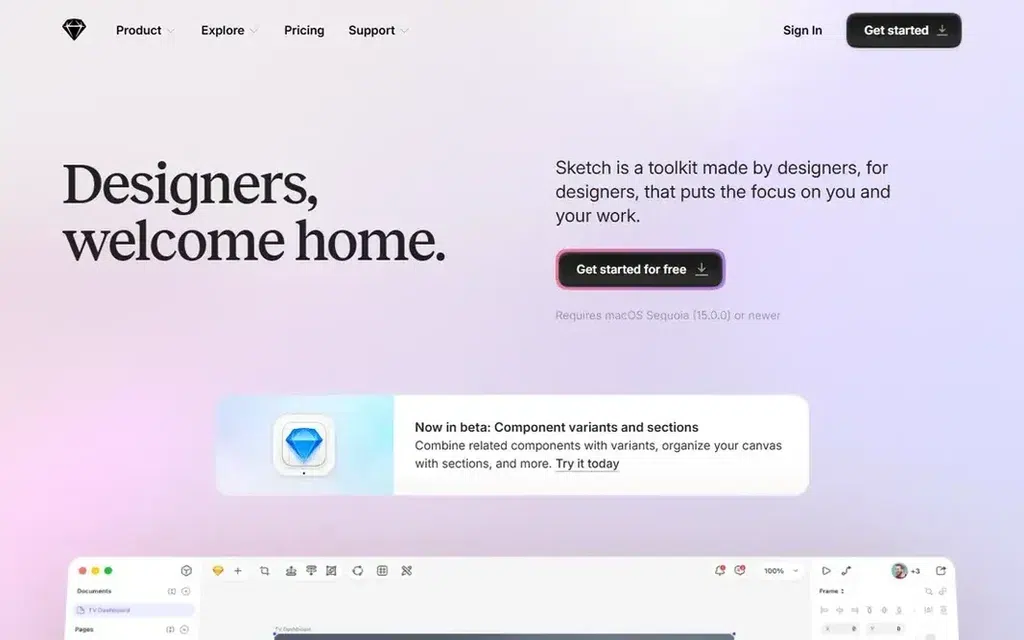
Sketch is designed for Mac designers seeking focused workflow. It fits Mac-based designers who want a dedicated interface design environment and a straightforward path from design to developer handoff, particularly those who prefer a native app over a browser canvas.
Watch-outs: Collaboration features are less central than in browser-first tools.
Its collaboration story is less central than in browser-first tools, so teams that require live co-editing across disciplines should consider Figma instead. Starting cost for Sketch: $12 per editor per month. Free options: Free trial.
- Focused interface
- Made by designers for designers
- Mac-only product
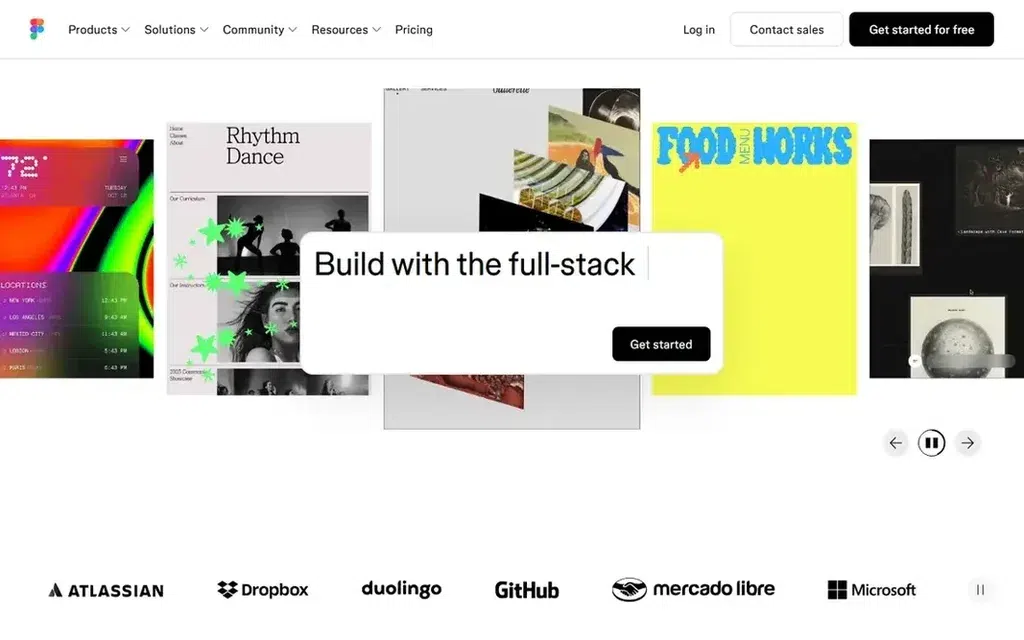
Where Figma fits: collaborative design and prototyping. This makes it a solid fit for cross-functional product teams that want design and prototyping without switching tools, and for those who value live collaboration over a purely local desktop app.
If your priority is low-fidelity wireframes rather than refined design systems, a focused wireframing tool like Balsamiq may be a better match. Figma pricing: $3 per month. As for free access: Not stated.
Points against: Advanced prototyping may need plugins or workarounds.
- AI workflows
- Integrates design, code
- Needs internet access for full collaboration
Marvel
Best for: All-in-one design and testing
Marvel makes the most sense for all-in-one design and testing. It fits teams that want a single environment handling early wireframes through testing and developer handoff, and those who value built-in user testing alongside design.
In practice, Marvel is less known for highly advanced interaction design than dedicated tools like ProtoPie, and complicated workflows may benefit from integrations. Pricing for Marvel is not stated here, so ask the vendor for current figures. You can start on Marvel without paying.
Limits to weigh: Less known for advanced interaction design.
Best features of Marvel: Wireframe, prototype.
- Collaborative design system
- API for integrations
- May require integrations for complicated workflows
ProtoPie is aimed squarely at advanced AI-assisted interaction prototyping. ProtoPie is an AI-driven prototyping platform that uses AI to create interactions, perfect them, and hand off clean specs, per its homepage.
What to check first: Ramp-up time for advanced features.
In daily use, teams prioritizing wide design collaboration over interaction depth might prefer Figma. In daily use, ProtoPie's focus on advanced interactions can be more than needed for entry-level wireframing or straightforward click-throughs, where Balsamiq or Marvel may be quicker. Pricing for ProtoPie is not stated here, so ask the vendor for current figures. Free plan details: Not stated.
- Focus on high-fidelity prototyping
- Clean handoff specs
- May be overkill for straightforward wireframes
How these tools were picked
We compared the tools on published pricing, free plan or trial availability, feature coverage for Axure RP, and the limits each vendor documents. Where a vendor does not publish a price, the entry says quote. Where a price depends on seats or billing term, the entry says so. Position on the page reflects fit for a typical buyer first, with price clarity and free access breaking ties. Treat it as a guide, not a ruling.
Questions to settle before buying
- Ask Marvel and ProtoPie for a written quote, since no starting price is shown.
- Test the free plan from Marvel against your real workload before relying on it.
- Run a trial of Balsamiq and Sketch with real work before paying for a year; your own workflow is the best test.
- Before choosing Balsamiq, weigh its main limit: restricted high-fidelity design features.
- Confirm that ProtoPie connects to the apps your team already uses, on the plan you would actually buy.
- Add up seats, add-ons and usage charges for Figma before comparing it with cheaper entries.
FAQ
What is the best Axure RP alternative for team collaboration?
Balsamiq comes first here and is built for quick, low-fidelity wireframing. Buyers with other needs may prefer Sketch (for Mac designers seeking focused workflow) or Figma (for collaborative design and prototyping). Compare costs and limits first.
Can I use these tools for high-fidelity interaction design?
ProtoPie is made for advanced, AI-assisted interaction prototyping and clean handoff specs. From a buyer's view, Figma and Sketch also support high-fidelity design and prototyping, though ProtoPie concentrates on realistic interactions.
What is the cheapest option for Axure RP in this list?
On published monthly entry prices, Figma is the lowest here at $3 per month. Entry price is only part of the cost, because seats, add-ons and billing terms can change the total. For the full picture, the cards above cover all 5 entries of this Axure RP alternatives list, including price, free plan and limits.
How are the tools for Axure RP ordered?
Balsamiq sits first and ProtoPie last because the order follows typical fit for Axure RP, then price clarity and free access. It is a judgement call, so read each profile for fit and limits.
Is Balsamiq the right pick for everyone comparing Axure RP?
No single tool suits every team. Balsamiq comes first because it fits fast, low-fidelity wireframing, while Sketch suits Mac designers seeking focused workflow and Figma suits collaborative design and prototyping. Match the tool to your own size, budget and workflow before deciding.
Do these tools publish their prices?
Not all of them. Marvel and ProtoPie publish no starting price, so expect a quote request for those. The rest, Balsamiq included, show a starting price, though seats and billing terms still change the final cost.
Sources
- https://balsamiq.com
- https://www.sketch.com
- https://www.figma.com
- https://marvelapp.com
- https://www.protopie.io