Best Acumatica Alternatives in 2026: 8 ERP Systems Compared
Looking for Acumatica alternatives in 2026? We compare 8 ERP systems on finance, inventory, manufacturing, pricing, and implementation effort. for your firm

- Editor's choice
 Oracle NetSuite
Growing mid-market firms
Starts atSee websiteVisit netsuite.comFull review - Great alternative
 Microsoft Dynamics 365 Business Central
Microsoft 365 companies
Starts at$70 per user per monthVisit microsoft.comFull review - Also consider
 Sage Intacct
Finance-led multi-entity firms
Starts atSee websiteVisit sage.comFull review
TL;DR:
- Oracle NetSuite is our pick for mid-market firms that need finance, inventory, and commerce in one cloud system, though implementation takes time and budget.
- Microsoft Dynamics 365 Business Central suits companies already using Microsoft 365, with predictable per-user pricing and strong Office and Power BI links.
- Sage Intacct suits finance-led firms that need strong multi-entity reporting, but it is thinner on inventory and manufacturing than a full ERP.
- Odoo and ERPNext suit budget-conscious teams that want modular or open-source control, with more setup work in return for lower license costs.
- Acumatica prices by resources used, not per user, so compare total cost at your transaction volume, not just the seat price of a per-user rival.
Quick comparison
| Tool | Best for | Starts at | Free plan? | |
|---|---|---|---|---|
| Oracle NetSuite | Growing mid-market firms | See website | No | Visit |
| Microsoft Dynamics 365 Business Central | Microsoft 365 companies | $70 per user per month | Free trial | Visit |
| Sage Intacct | Finance-led multi-entity firms | See website | No | Visit |
 Odoo | Modular low-cost ERP | See website | Yes | Visit |
 SAP Business One | Smaller manufacturers and distributors | See website | No | Visit |
 Epicor Kinetic | Discrete and make-to-order makers | See website | No | Visit |
 QuickBooks Enterprise | Small firms scaling up from QuickBooks | See website | Free trial | Visit |
 ERPNext | Open-source ERP for technical teams | Free | Yes | Visit |
The best Acumatica alternatives
Acumatica is a cloud ERP for manufacturers, distributors, and project firms, known for pricing by resources used rather than per user. Companies leave it for a different pricing model, a stronger finance or manufacturing fit, or a simpler setup. We compared official product pages, pricing models, module coverage, and implementation notes for the systems below. ERP pricing is often quoted, so treat figures as starting signals and get a written quote for your user count and modules.
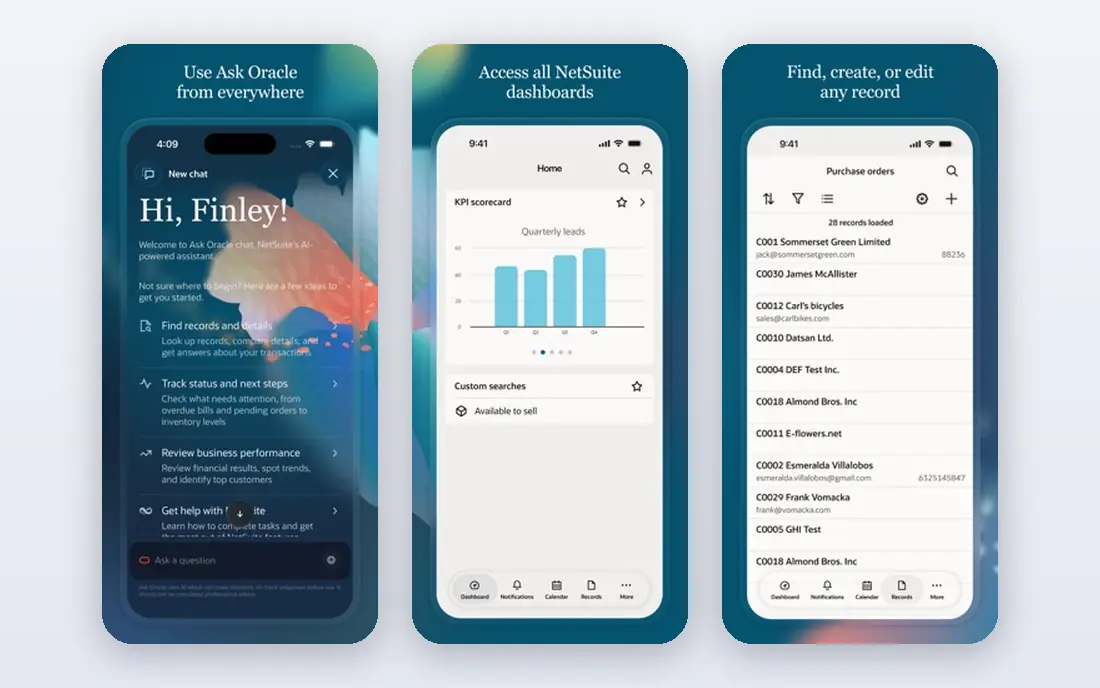
NetSuite is the most common step up from a smaller ERP, because it covers financials, inventory, order management, manufacturing, and commerce on one database. That single record matters when a company outgrows separate accounting and inventory tools and starts losing time to reconciliations. Multi-entity firms also benefit from consolidated reporting, multi-currency handling, and controls that suit a larger finance team.
The cost is not just the license. Implementation often takes months, and partner services can rival a year of licensing on a complex project. Per-user pricing also means the bill grows with every seat, unlike Acumatica resource pricing. Pick NetSuite when you need a full, proven ERP and you have the budget and internal time for a careful rollout. For a small team that only needs accounting, it is more system than you need.
- Finance, inventory, CRM, and commerce in one system
- Strong multi-entity and multi-currency support
- Large partner network
- Implementation can be long and costly
- Per-user fees add up as teams grow
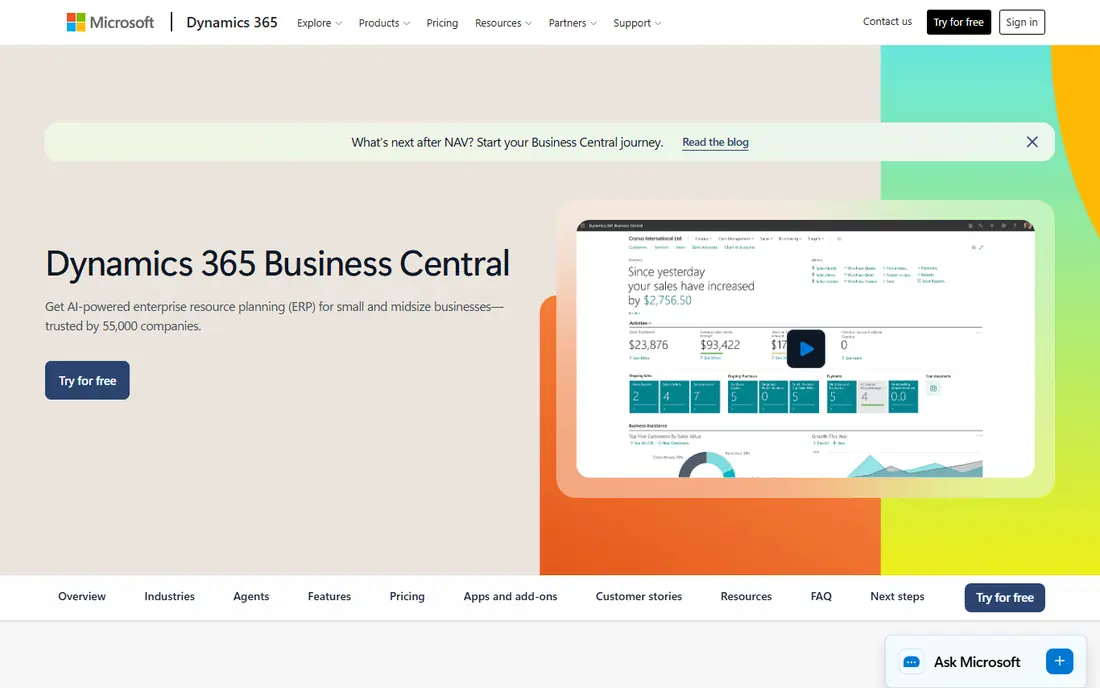
Business Central suits companies that already live in Outlook, Excel, and Teams, because the ERP shares sign-in, data, and reporting links with those tools. Financials, inventory, purchasing, and sales are solid for small and mid-market firms, and Power BI reporting is a natural fit for managers who already use Microsoft tools. Per-user pricing is also easier to forecast than a resource model, at least for a stable team size.
Partner setup is still common for manufacturing, warehousing, and complex workflows, and the Premium tier is needed for some manufacturing and service features. The interface can feel dense at first, and training matters for staff who only use a few screens. If your company is Microsoft-based and wants a clear per-user bill, Business Central is a strong Acumatica alternative.
- Tight Microsoft 365 and Teams links
- Predictable per-user pricing
- Strong financials and inventory
- Full value often needs partner setup
- Manufacturing depth sits on higher tiers

Sage Intacct is a financial management system first, and it shows in its reporting. Dimensions let finance teams slice results by department, project, location, or fund without a maze of separate charts of accounts, and multi-entity consolidation is a clear strength. Service firms, nonprofits, and subscription businesses that live or die by financial reporting often prefer Intacct to a broader ERP that treats finance as one module among many.
Operations are the limit. Inventory, manufacturing, and warehouse features are thinner than in NetSuite, Business Central, or Epicor, so product companies usually need a separate system or integration. Pricing is quote-based and varies by entities and users, so get a written quote early. Pick Intacct when finance reporting is the main job, and pick a full ERP when stock and production must live in the same system.
- Strong dimensional reporting
- Good multi-entity consolidation
- Faster finance-only rollout
- Thin inventory and manufacturing
- Needs other tools for full operations
Odoo takes a modular approach, with separate apps for CRM, sales, inventory, manufacturing, accounting, and more, all sharing one database. Small and mid-market firms like the low entry cost and the ability to start with a few apps and add more later. The community edition is free to use, while the hosted online and enterprise editions add support, hosting, and extra features. That range makes Odoo one of the most flexible low-cost ERP routes.
Flexibility has a cost in effort. Choosing the right apps, setting them up, and keeping them updated takes internal skill or a good partner, and support quality can vary by partner and region. Some advanced features sit in paid apps, so the total cost is higher than the community edition alone suggests. Pick Odoo when you want modular control and lower license costs, and you have the time or partner help to set it up well.
- Modular apps for sales, inventory, manufacturing, and accounting
- Low entry cost
- Open-source community edition
- Support quality varies
- Setup and app choice need care
- Some features need paid apps
SAP Business One is SAP's ERP for smaller companies, covering finance, sales, purchasing, inventory, and production in one system. It suits distributors and light manufacturers that want SAP depth without a large enterprise rollout, and it can run on premise or in the cloud through partners. Companies that plan to grow into larger SAP systems sometimes pick Business One for a smoother long-term path.
The interface feels older than newer cloud ERPs in some areas, and partner implementation and customization costs can push the total well above the license fee. It is also heavier than QuickBooks or Odoo for a very small firm. Pick Business One when you need integrated operations with SAP credibility and you have partner support. For a tiny team, a lighter tool will be faster to run.
- Integrated finance, sales, inventory, and production
- On-premise or cloud options
- SAP partner network
- Older interface in places
- Customization and partner costs add up
- Smaller firms may find it heavy
Epicor Kinetic is built for discrete manufacturers, job shops, and make-to-order firms, with deep tools for production scheduling, shop-floor control, materials planning, and job costing. If Acumatica manufacturing felt thin for your shop, Epicor is a natural next look, because its manufacturing depth is the main reason firms choose it. The system tracks a job from quote to shipment with costing that managers can actually use.
That depth comes with a heavier rollout. Implementation, training, and data migration take time, and service-only firms will pay for manufacturing features they never use. Pricing is quote-based, so budget for services as well as licenses. Pick Epicor when manufacturing is the core of the business and shop-floor control matters more than a simple finance upgrade.
- Deep manufacturing, scheduling, and shop-floor tools
- Good for make-to-order work
- Strong job costing
- Implementation is heavier than a general ERP
- Less suited to service-only firms
- Quote-based pricing
QuickBooks Enterprise is the step up for firms that already run on QuickBooks and need more inventory, reporting, and user capacity without learning a full ERP. It keeps the familiar QuickBooks screens, adds advanced inventory and pricing tools, and supports more users and larger files than QuickBooks Online. For a small distributor or contractor that is outgrowing QuickBooks Online, it is a lower-risk move.
It is not a full cloud ERP. Multi-entity handling is limited, manufacturing is basic without add-ons, and the desktop roots show in remote access and integration options. Firms that need true multi-entity consolidation or deep production planning should look at NetSuite, Business Central, or Epicor instead. Pick Enterprise when familiarity and a modest step up matter more than a full ERP rebuild.
- Familiar QuickBooks workflow
- Stronger inventory and reporting than QuickBooks Online
- Desktop control
- Not a full cloud ERP
- Multi-entity support is limited
- Advanced manufacturing needs add-ons
ERPNext is a free, open-source ERP with modules for accounting, inventory, manufacturing, sales, purchasing, projects, and HR in one system. Hosted plans are available, but the open-source core is the appeal for technical teams that want full control, no per-user license lock-in, and the ability to host the system themselves. Small manufacturers and distributors with in-house skill often use it to replace several separate tools at low license cost.
The trade is upkeep. Installation, updates, backups, and security fall on your team or your partner, and the interface is functional rather than polished. Documentation and community support are good, but they are not the same as a vendor service contract. Pick ERPNext when you have technical capacity and you value control and low license cost over a polished, vendor-managed rollout.
- Free open-source core
- Full modules included
- Self-hosting option for control
- Needs technical setup and upkeep
- Interface is functional rather than polished
- Support depends on partner or community
How we picked these
We compared official product pages, pricing models, module coverage, and implementation guidance, plus public reviews about rollout time and support. We favored systems that are actively sold in 2026, that cover finance plus operations in some form, and that give a distinct answer to Acumatica, whether that is per-user pricing, finance depth, manufacturing depth, or open-source control. We did not claim hands-on testing, and ERP quotes vary widely, so get a written quote tied to your entities, users, and modules.
Choosing the right ERP for your firm
Start with the processes that break today, not the feature list. If month-end consolidation breaks, pick a finance-strong system. If stock counts and production schedules break, pick a manufacturing-strong system. If both break, pick a full ERP and budget for a longer rollout. A system that fixes the wrong problem will disappoint even if it looks impressive in a demo.
Budget for implementation, not just licenses
Services, data migration, training, and integrations often equal or exceed a year of license fees on a complex ERP project. Ask each vendor for a services estimate, a timeline, and a list of what your team must do during rollout. Keep a small pilot group on the new system before a full cutover, and keep the old system readable until the first month-end closes cleanly.
Check pricing at your real scale
Per-user systems get more expensive as headcount grows, while resource systems get more expensive as transaction volume grows. Model both at your current size and at your size in two years, including entities, warehouses, and add-on modules. A low entry quote that ignores those factors is not a fair comparison.
FAQ
What are the best alternatives to Acumatica?
NetSuite suits growing mid-market firms, Business Central suits Microsoft-based firms, Sage Intacct suits finance-led firms, and Epicor suits manufacturers. Odoo and ERPNext suit budget-conscious teams, SAP Business One suits smaller distributors, and QuickBooks Enterprise suits firms scaling up from QuickBooks. The best pick follows your main broken process.
Is there a free alternative to Acumatica?
ERPNext offers a free open-source core, and Odoo offers a free community edition, though hosting, setup, and support still cost time or money. Most commercial ERPs in this list are quote-based with no free plan, though some offer trials or demos. A free core can save license fees, but budget for the technical work to run it well.
Which Acumatica alternative has no per-user pricing?
Acumatica itself is known for resource-based pricing, and most rivals in this list price per user or by quote, so a direct match is rare. ERPNext avoids per-user license fees for its open-source core, and Odoo community edition is also free to use. For commercial systems, ask whether unlimited or light users are priced differently, since some vendors offer cheaper limited roles.
Is Sage Intacct a full ERP?
Sage Intacct is best described as a strong financial management system, not a full operational ERP. It excels at dimensional reporting and multi-entity finance, but inventory and manufacturing are thinner than in NetSuite or Business Central. Product firms usually pair it with a separate inventory system or pick a full ERP instead.
How long does ERP implementation take?
Small finance-only rollouts can take a few months, while full ERP projects with manufacturing, warehousing, and integrations often take six to twelve months. Data quality, partner availability, and how much your team can spare for testing all affect the timeline. Ask for a phased plan with a pilot group, and do not plan a cutover during your busiest season if you can avoid it.
Should a small business move from QuickBooks to an ERP?
Move when QuickBooks limits start costing real time, such as manual inventory reconciliations, weak multi-entity reporting, or approval and audit gaps. If QuickBooks still handles your volume and reporting well, a move to a full ERP may add cost without benefit. QuickBooks Enterprise is a middle step for firms that need more capacity but are not ready for a full ERP.
Sources
- https://www.netsuite.com/pricing
- https://www.microsoft.com/en-us/dynamics-365/products/business-central
- https://www.sage.com/en-us/sage-business-cloud/intacct/
- https://www.odoo.com/pricing
- https://www.sap.com/products/erp/business-one.html
- https://www.epicor.com/en-us/erp/kinetic/
- https://quickbooks.intuit.com/enterprise/
- https://erpnext.com/pricing