Best Action1 Alternatives in 2026: 9 Tools Compared
We compared the best action1 alternatives for patch management and endpoint control, with current pricing, OS coverage and honest trade-offs for IT teams.
- Editor's choice
 Automox
Patch-first cloud teams
Starts at$1 per endpoint per monthVisit automox.comFull review - Great alternative
 NinjaOne
Broader endpoint management
Starts atSee websiteVisit ninjaone.comFull review - Also consider
 ManageEngine Patch Manager Plus
Dedicated budget patching
Starts at$245 per yearVisit manageengine.comFull review
TL;DR:
- Automox is the closest patch-first replacement for Action1, with a low published entry price for OS patching.
- NinjaOne, Atera and PDQ Connect add broader endpoint management, remote access and helpdesk features beyond patching alone.
- ManageEngine Patch Manager Plus suits budget-conscious teams that want a dedicated patching product with a free edition.
- Microsoft Intune makes sense if your company already pays for Microsoft 365 or Entra, because patching may already be included.
- Count endpoints, operating systems and third-party apps before comparing prices, because entry prices often cover OS patching only.
Quick comparison
| Tool | Best for | Starts at | Free plan? | |
|---|---|---|---|---|
| Automox | Patch-first cloud teams | $1 per endpoint per month | No | Visit |
| NinjaOne | Broader endpoint management | See website | No | Visit |
| ManageEngine Patch Manager Plus | Dedicated budget patching | $245 per year | Yes | Visit |
 PDQ Connect | Windows-heavy small teams | $12 per device per year | No | Visit |
 Atera | High endpoint-to-technician ratio | See website | No | Visit |
 Microsoft Intune | Microsoft 365 shops | $8 per user per month | No | Visit |
 Heimdal | Patch compliance and security | See website | No | Visit |
 Lansweeper | Asset discovery plus patching | See website | Yes | Visit |
 Ivanti Neurons | Vulnerability-led enterprise patching | See website | No | Visit |
The best action1 alternatives
Action1 is known for cloud patch management with a free tier for smaller fleets, covering Windows, macOS and Linux endpoints from a browser. The tools below cover the same core job in different ways, from patch-only products to full endpoint management platforms. We compared official feature and pricing pages, and we noted where a low entry price covers OS patching only, because third-party app patching often sits in a higher tier. Prices change, so check the vendor page for your endpoint count before you commit.
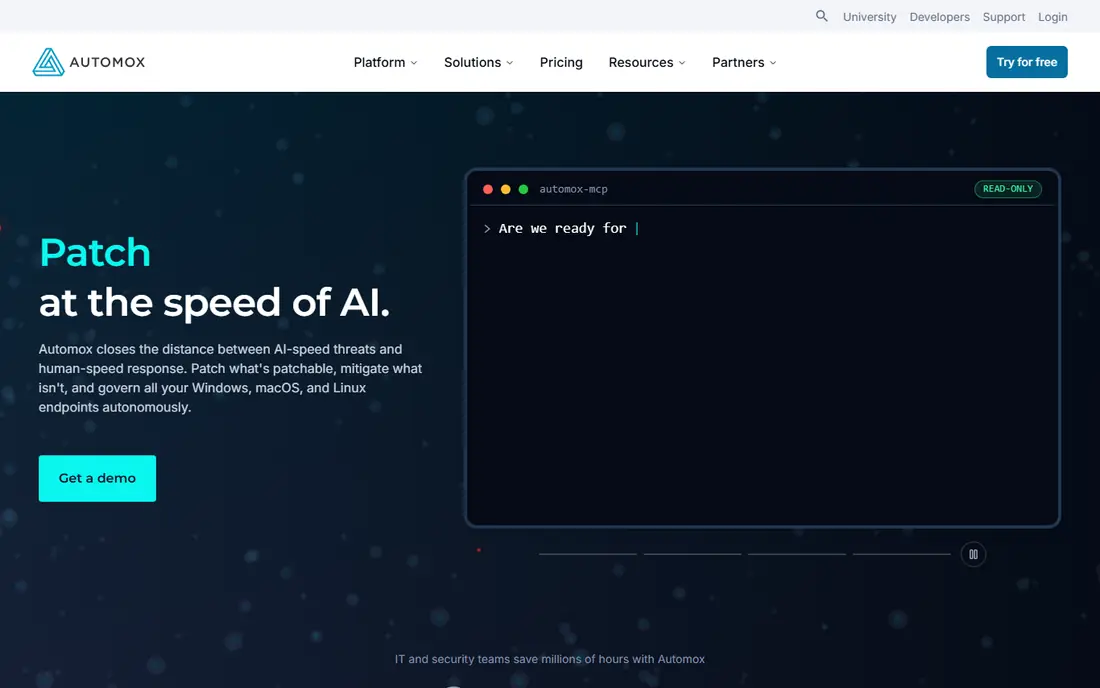
Automox is the most direct patch-first alternative to Action1. It is cloud-native, so there is no on-prem server to maintain, and policies keep endpoints patched once they are set, even for remote staff. Worklets, which are scripted tasks, extend Automox beyond patching into configuration and remediation, which helps small IT teams automate repeat jobs.
The entry price needs careful reading. The published $1 per endpoint per month tier, with an annual commitment, covers OS patching, while third-party application patching and deeper automation sit in higher, quote-based tiers. That means a realistic Automox bill for a team with many third-party apps will be higher than the headline price. If your main job is OS patching across Windows, macOS and Linux, Automox is a strong, simple pick.
- Cloud-native patching for Windows, macOS and Linux
- Policy-driven automation
- Worklets extend tasks
- Entry tier covers OS patching only
- Third-party patching needs a higher tier
- No built-in helpdesk
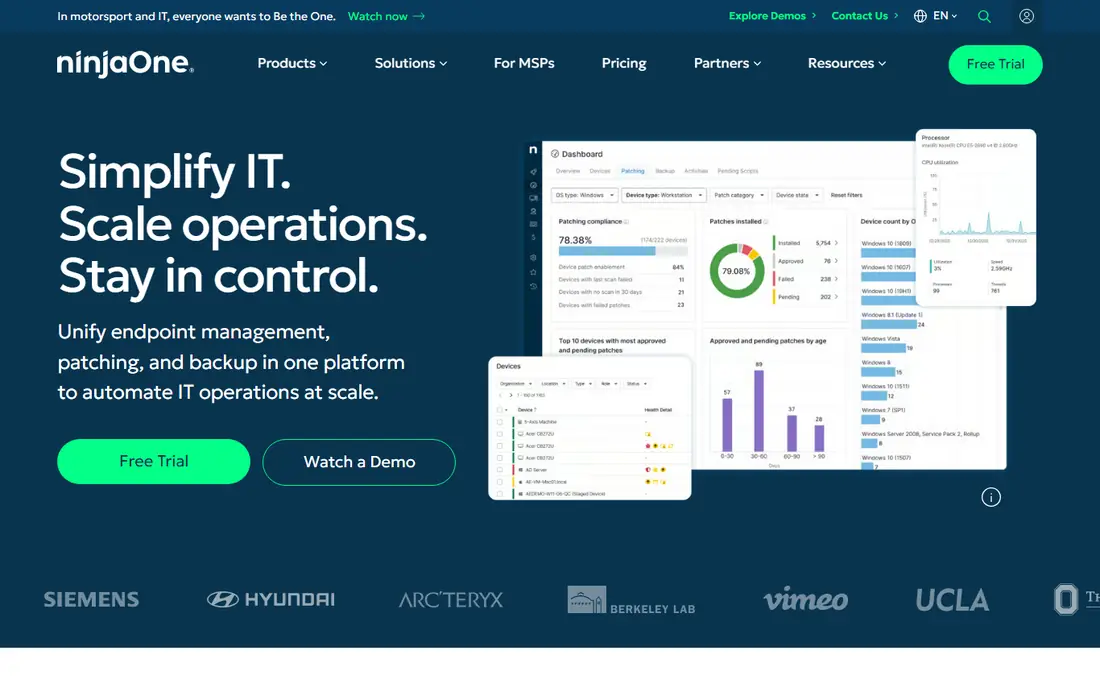
NinjaOne goes beyond patching into a full endpoint management platform, with monitoring, alerting, remote access, backup, asset management and ticketing alongside automated patching for Windows, macOS and Linux. For IT teams and managed service providers that support many endpoints, having those jobs in one console reduces tool sprawl and gives a single view of endpoint health.
Pricing is the main friction. NinjaOne publishes a volume range in third-party comparisons, but final pricing is quote-based and depends on endpoint count and products chosen. That makes a direct price comparison harder than with Automox or PDQ. Pick NinjaOne if you want patching as part of a broader endpoint platform, not just a patching console, and ask for a quote that matches your real endpoint mix.
- Patching plus monitoring and remote access
- Clean console
- Strong MSP features
- Quote-based final pricing
- Broader platform takes setup
- Some features are add-ons
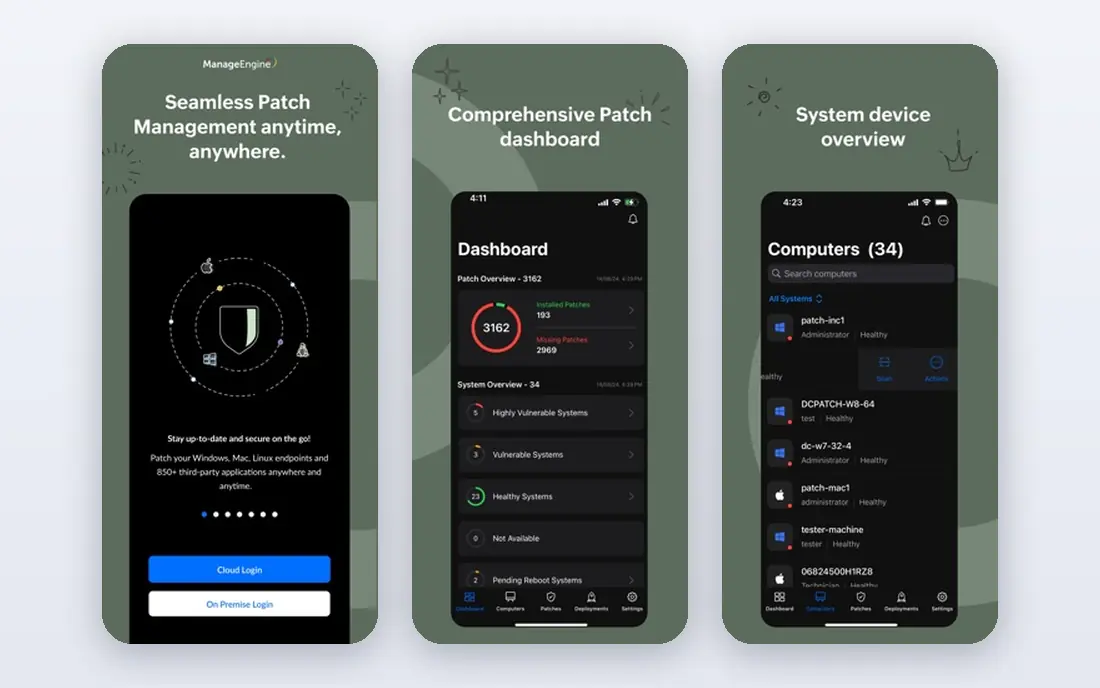
ManageEngine Patch Manager Plus is a dedicated patching product, and that focus is its appeal. It covers OS and third-party patching, with vulnerability reporting and compliance views, and it offers a free edition for up to 20 computers and 5 servers. The Professional edition is listed at $245 per year for 50 endpoints in third-party listings citing official pricing, so check the current ManageEngine page for your count.
The product is less polished than newer cloud tools, and teams that want full endpoint management will need to look at ManageEngine Endpoint Central instead. For a budget-conscious team that wants patching done well without paying for a full RMM suite, Patch Manager Plus is a practical, low-cost alternative to Action1.
- Dedicated patching focus
- Free edition for small fleets
- On-prem and cloud options
- Interface feels dated to some users
- Broader endpoint features need Endpoint Central
- Per-endpoint tiers need care
PDQ Connect suits small IT teams with mostly Windows devices. Pricing is simple and annual, starting at $12 per device per year for the Basic tier, with Plus and Premium tiers adding features. That per-device model makes budgeting easy, and PDQ's strength in deploying software and patches to Windows endpoints is well established.
The limit is platform breadth. PDQ is Windows-first, so a mixed fleet with many macOS or Linux endpoints will need another tool or a different pick. There is also a minimum device count, so very small teams should check the current terms. If your fleet is mainly Windows and you want predictable patching costs, PDQ Connect is a clear, low-friction Action1 alternative.
- Simple per-device annual pricing
- Strong Windows patching and deployment
- Easy to estimate costs
- Windows-focused
- Minimum device count applies
- Less depth for macOS and Linux fleets
Atera charges per technician rather than per endpoint, which changes the math for teams that support many devices with few staff. Patching, monitoring, remote access and a helpdesk sit in one platform, so a small IT team or MSP can support a large fleet without a per-device bill for every endpoint. That model is why Atera appeals to teams with a high endpoint-to-technician ratio.
The trade-off is that adding technicians raises the bill, even if endpoint count stays flat, and Atera's pricing tiers have changed over time, so check the current page. Patching is also one part of a broader platform, not a patch-only console, so teams that want only patching may find Atera more than they need. Pick Atera when technician count, not endpoint count, is the fair way to price your support model.
- Per-technician pricing
- Patching plus helpdesk and remote access
- Good for MSPs and small IT teams
- Per-technician cost rises with team size
- Patching is part of a larger suite
- Pricing varies by tier
Microsoft Intune is often the cheapest Action1 alternative in practice, because many companies already pay for it through Microsoft 365 or Enterprise Mobility plus Security. Intune manages Windows, macOS, iOS and Android devices, deploys apps, sets policies and handles update rings, so patching becomes part of device management rather than a separate console.
Intune is not a simple patching tool. Setup, policy design and reporting take effort, and teams without Microsoft 365 or Entra will pay the standalone Plan 1 price of $8 per user per month and still need other tools for some jobs. If your company is already on Microsoft 365, check what you already own before buying a separate patching product, because Intune may cover the core need.
- May already be included in Microsoft 365
- Device and app management
- Strong policy controls
- Setup takes effort
- Patching is part of a larger system
- Best with Entra and Microsoft 365
Heimdal focuses on patch compliance and security posture, with a large catalog of third-party applications and features such as OS rollback in some modules. For mid-market and enterprise teams where patch compliance is a security requirement, not just an IT chore, that focus matters, and Heimdal's reporting helps prove compliance to auditors and managers.
Pricing is modular and quote-based, based on modules and endpoint count, so budgeting needs a sales conversation. Heimdal is also broader than a simple patching console, with security modules that some teams will not need. Pick Heimdal when patch compliance, third-party coverage and security reporting are the priority, and you are willing to pay for a platform built around those goals.
- Strong third-party patch catalog
- Patch compliance focus
- Security features alongside patching
- Quote-based modular pricing
- Can be more than a patch-only team needs
- Setup needs planning
Lansweeper starts from a different question: what do you actually own? It discovers hardware, software and network assets, then links patching and vulnerability information to that inventory. For teams that have inherited an undocumented fleet, or that keep finding unmanaged devices, that discovery step is valuable before patching can be trusted.
Patching in Lansweeper is part of a broader asset and IT management platform, so teams that want only a patching console may find it heavier than Action1 or Automox. A free tier exists for smaller use, while larger fleets move to quote-based pricing. Pick Lansweeper if your main problem is not just patching known endpoints, but knowing which endpoints exist in the first place.
- Discovers assets across the network
- Patching linked to inventory
- Useful for unknown endpoints
- Patching is part of a larger asset platform
- Pricing is quote-based for larger fleets
- Setup takes time
Ivanti Neurons for Patch Management suits larger IT and security teams that want patching driven by vulnerability risk, not just by a calendar. It prioritizes patches by risk, covers OS and third-party apps, and fits into a broader Ivanti platform for endpoint and service management. For enterprises with thousands of endpoints and formal vulnerability programs, that risk view is the main draw.
The product is quote-based and enterprise in scope, so small teams will find it costly and complex compared with Automox or Patch Manager Plus. Implementation also needs planning and staff time. Pick Ivanti when vulnerability risk, compliance reporting and enterprise scale matter more than a low entry price or a simple setup.
- Vulnerability-led patch prioritization
- Enterprise scale
- Risk-based patching views
- Quote-based pricing
- Enterprise complexity
- Overkill for small fleets
How we picked these
We compared official product and pricing pages for tools that patch Windows, macOS and Linux endpoints, or a large part of that mix, and that are available now with a working homepage. We kept patch-first tools, broader endpoint platforms and asset-led tools, because Action1 users split across those needs. We noted where entry prices cover OS patching only, and where pricing is quote-based, because those two facts change most comparisons.
We also favored tools with clear third-party patching, vulnerability reporting and remote endpoint support, since those are the jobs that separate a useful patching tool from a simple update scheduler. Tools with no current homepage, no clear patching focus, or only one operating system were left out.
What to check before you switch
Start with an endpoint count by operating system and by location. Remote staff, staff on VPNs and staff who rarely connect all patch differently, and a tool that works well in an office may struggle with offline or rarely connected devices. Check whether the tool can patch endpoints that are offline at patch time, and how it reports success and failure.
Check third-party app coverage, not just OS coverage
Most vendors patch Windows and macOS well. The gap is usually third-party apps: browsers, PDF readers, collaboration apps and line-of-business tools. List your ten most common third-party apps, check each vendor's catalog for them, and ask what happens when an app is not in the catalog. A tool that only patches the OS will leave a large part of your risk untouched.
Test reporting and rollback before rollout
Patching without clear reporting is guesswork. Test the compliance dashboard, the per-device patch history, and the export for auditors before you roll out to all endpoints. Also check rollback or uninstall options for a bad patch, and how the tool handles a patch that fails on some devices but not others. Those details matter more in a real incident than a feature list.
Run a pilot on a mixed group
Pick a pilot group that includes Windows, macOS and Linux if you have them, plus remote and office staff. Run patches for a few cycles, measure success rates, support tickets and time spent, and compare that with your current Action1 experience. A pilot also reveals agent problems on specific distributions or device types before they affect the whole fleet.
FAQ
Is Action1 still free for small teams?
Action1 has offered a free tier for smaller fleets, with the limit reported as 100 or 200 endpoints at different times, so check the current Action1 pricing page for your fleet size. The alternatives here matter most when you outgrow that free tier, need broader endpoint management, or want a different pricing model such as per-technician or per-device annual pricing.
Which Action1 alternative is cheapest for OS patching?
Automox has the lowest published entry price in this list, at $1 per endpoint per month with an annual commitment for OS patching. That tier does not include full third-party patching, so compare the cost of the tier you actually need, not just the entry tier. For Windows-only fleets, PDQ Connect at $12 per device per year can also be very low cost.
Do I need a full RMM if I only want patching?
No. Automox, ManageEngine Patch Manager Plus and PDQ Connect focus mainly on patching and deployment, while NinjaOne, Atera and Ivanti add monitoring, helpdesk and broader management. If patching is the only job, a patch-first tool will be simpler and often cheaper, and you can add a separate helpdesk or monitoring tool later if needed.
Can these tools patch macOS and Linux as well as Windows?
Automox, NinjaOne, Heimdal and Ivanti cover Windows, macOS and Linux in their main patching products, while PDQ is Windows-focused and Intune covers Windows, macOS, iOS and Android. Check the current vendor page for your specific distributions, because Linux support varies by distribution and version, and test a pilot device before committing.
How do I compare quote-based patching tools fairly?
Ask each vendor for a quote for the same endpoint count, the same operating systems, and the same third-party apps, with the same support level. Ask whether third-party patching, reporting and remote support are included or add-ons, and ask for the renewal price, not just the first-year price. That like-for-like quote is the only fair comparison for quote-based tools.