Switching From Veo? 5 Alternatives for 2026
Comparing Veo alternatives? 5 contenders, each with entry cost, free tier and best-fit buyer. Verdicts stay brief and factual. Last reviewed November 2026.
- Editor's choice
 Luma Dream Machine
Planning and iterating creative video work
Starts atSee websiteVisit lumalabs.aiFull review - Great alternative
 HeyGen
Avatar and voice-led presenter videos
Starts at$29 a monthVisit heygen.comFull review - Also consider
 Pika
One system with multiple video models
Starts at$10 per monthVisit pika.artFull review
Direct answer
Luma Dream Machine comes first here, mainly for planning and iterating creative video work. Listed starting prices: HeyGen from $29 a month and Pika from $10 per month. If your case is different, HeyGen suits avatar and voice-led presenter videos and Pika suits one product with multiple video models. Details, prices and limits for the rest of the 5 tools are below.
TL;DR:
- Luma Dream Machine sits first on this list: planning and iterating creative video work.
- Free plans exist at 2 of 5 tools (HeyGen, Pika).
- For Multimodal text, image and reference video, Kling AI is worth a look.
- Luma Dream Machine comes with a trade-off: less detail on input types.
- Pika has the lowest monthly starting price in this list: $10 per month.
Last checked November 2026. Prices and plan details were read from the vendors' own pages in November 2026; vendors change plans often, so confirm the current price on the vendor site before you buy.
Quick comparison
| Tool | Best for | Starts at | Free plan? | |
|---|---|---|---|---|
| Luma Dream Machine | Planning and iterating creative video work | See website | Not stated | Visit |
| HeyGen | Avatar and voice-led presenter videos | $29 a month | Yes | Visit |
| Pika | One system with multiple video models | $10 per month | Yes | Visit |
 Adobe Firefly Video | Generative video inside Adobe workflows | See website | Not stated | Visit |
 Kling AI | Multimodal text, image and reference video | See website | Not stated | Visit |
The 5 tools in detail
LinkVetted put together this guide to Veo for readers who want a clear shortlist without reading every vendor page. It compares 5 tools on starting price, free plans, who each one suits and where each one falls short.
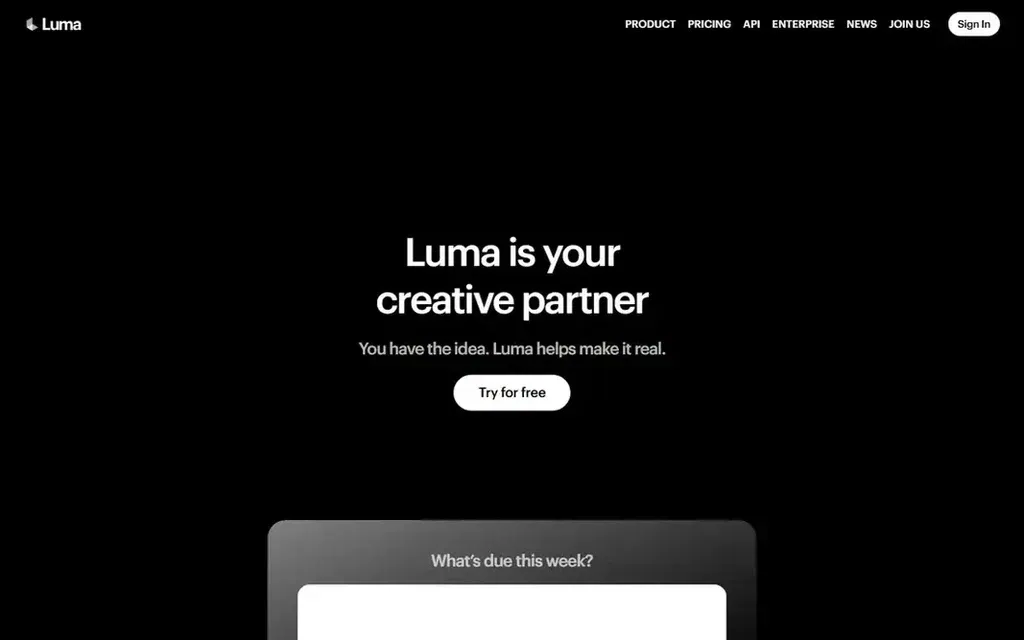
Luma Dream Machine makes the most sense for planning and iterating creative video work. Luma Dream Machine presents itself as a set of creative agents for creative professionals, emphasizing planning, generating, iterating and refining whereas keeping full context across every stage.
In daily use, the homepage leans on workflow language and gives you fewer specifics about individual generation modes, so check current capabilities before committing. From a buyer's view, if you want a straightforward prompt-to-clip tool with minimal setup, a more direct generator may be simpler. This comparison lists no price for Luma Dream Machine; ask the vendor. Free options: Not stated.
Points against: Workflow-first instead of prompt-first.
- Iterative plan and refine workflow
- Targeted at creative professionals
- Less detail on input types
Pick HeyGen if this describes you: avatar and voice-led presenter videos. HeyGen is specialized, so it is not the tool for generating imaginative scenes or stylized footage from text prompts. For everyday use, HeyGen centres on AI videos built around a personal avatar, using your face and voice so you can produce presenter-style content without filming every time.
That makes it well suited to explainers, updates and other talking-head formats where consistency of the presenter matters more than cinematic visuals. For open-ended creative video generation, Kling AI or Pika handle more ground. What you pay to start with HeyGen: $29 per month. HeyGen has a free plan.
Main advantages: confident presenter videos. Points against: Not for cinematic scene creation.
- Avoids filming each video
- Personal avatar from your face and voice
- Narrower than general video generation

Pika was built for one product with multiple video models. Pika positions itself as a creative system for AI video, images and audio.
Its homepage names multiple external video models available alongside its own tools. That makes it appealing to creators who want to compare model behavior without juggling separate accounts for each generator. Pika cost at the entry level: $10 per month. You can start on Pika without paying.
Trade-offs to know: Less suited to avatar video. Upsides: Video.
- Wide creative system
- Several models in one place
- Model lineup shifts over time
Adobe Firefly Video is designed for Generative video inside Adobe workflows. If your central need is a photorealistic avatar speaking a script, HeyGen addresses that job more straight than a general generative suite.
Where it is weaker: Interface geared to Adobe users.
The experience is designed around Adobe's ecosystem, so the benefit is smaller if you use other editing software. Check the vendor site for Adobe Firefly Video pricing; none is listed in this comparison. On free options: Not stated.
- Suits Adobe creative tools
- Audio and video generation
- Best value inside Adobe ecosystem

Kling AI targets Multimodal text, image and reference video. Since Kling AI spans both video and image generation, the interface includes a wide set of controls, so newcomers may need time to learn the workflow.
Its homepage describes turning text, images and references into creative content inside a single studio, which makes it a natural first stop for creators who want to start from a prompt, a still image or a reference clip instead of text alone. This comparison lists no price for Kling AI; ask the vendor. Trial and free access: Not stated.
Watch-outs: Model details change frequently.
- Multimodal creative output
- Images and references
- Less centred on avatar video
How the list was put together
LinkVetted looked at what each vendor publishes: pricing, plan limits, feature coverage for Veo and stated drawbacks. No hands-on testing is claimed. Where a vendor does not publish a price, the entry says quote. Where a price depends on seats or billing term, the entry says so. Position on the page reflects fit for a typical buyer first, with price clarity and free access breaking ties. Treat it as a guide, not a ruling.
What to confirm before you sign up
- Get a written quote from Luma Dream Machine, Adobe Firefly Video and Kling AI; the list shows no starting price for them.
- Look at free plan limits closely: HeyGen and Pika have one, and the caps decide whether it is usable for real work.
- Read the limits listed for Luma Dream Machine first: less detail on input types.
- Ask whether Kling AI integrates with your current software, and whether that comes standard or as an add-on.
- Ask Luma Dream Machine which support channels and response times come with the plan you would buy.
FAQ
Which options for Veo have a free plan?
On this list, HeyGen and Pika include a free plan. Caps on seats, usage or features are common, so test the free plan against your real workload. Prices, free plan details and limits for all 5 tools in this Veo alternatives roundup sit on the individual cards above.
Is Luma Dream Machine the right pick for everyone comparing Veo?
No single tool suits every team. Luma Dream Machine comes first because it fits planning and iterating creative video work, while HeyGen suits avatar and voice-led presenter videos and Pika suits one platform with several video models. Match the tool to your own size, budget and workflow before deciding.
Can I try these tools before paying?
Often, yes. HeyGen and Pika have a free plan. Use your own data and a real task during the test, and check what the free tier or trial limits before you rely on it. Each of the 5 options in this Veo alternatives guide has its own card above with the price, free plan and limits.
How are the tools for Veo ordered?
The order follows typical fit for Veo, with Luma Dream Machine first and Kling AI last, then price clarity and free access. It is editorial judgement, not a score, so another team could rank the tools differently.
Sources
- https://lumalabs.ai/dream-machine
- https://www.heygen.com
- https://pika.art
- https://www.adobe.com/products/firefly.html
- https://klingai.com