Toasty Alternatives in 2026: 5 Options Vetted
Toasty alternatives in 2026: 5 contenders with entry costs and free tiers. Slack comes first for AI work product and team chat. Reviewed in November 2026.
- Editor's choice
 Slack
AI work system and team chat
Starts at$4.38 per user a monthVisit slack.comFull review - Great alternative
 Cisco Webex
AI-powered collaboration and customer experience
Starts atSee websiteVisit webex.comFull review - Also consider
 Zoom
Dedicated video meeting product
Starts atSee websiteVisit zoom.usFull review
Direct answer
This list puts Slack first for AI work system and team chat. Listed starting prices: Slack from $4.38 per user a month. Cisco Webex is the stronger choice for AI-powered collaboration and customer experience, while Zoom suits dedicated video meeting platform. Prices, free plans and limits for all 5 tools follow.
TL;DR:
- The list opens with Slack, aimed at AI work product and team chat.
- Starting prices begin at $4.38 per user per month with Slack.
- Microsoft Teams fits Microsoft-centric team collaboration.
- 2 of 5 tools offer a free plan: Slack, Cisco Webex.
Last checked November 2026. Prices and plan details were read from the vendors' own pages in November 2026; vendors change plans often, so confirm the current price on the vendor site before you buy.
Quick comparison
| Tool | Best for | Starts at | Free plan? | |
|---|---|---|---|---|
| Slack | AI work system and team chat | $4.38 per user a month | Yes | Visit |
| Cisco Webex | AI-powered collaboration and customer experience | See website | Yes | Visit |
| Zoom | Dedicated video meeting product | See website | Not stated | Visit |
 Discord | Community and group chat | See website | Not stated | Visit |
 Microsoft Teams | Microsoft-centric team collaboration | See website | Not stated | Visit |
Toasty compared in detail
If you are comparing Toasty, this page covers 5 tools in one place: what each is best for, what it costs to start, whether it has a free plan, and the main limit to know about.
Where Slack fits: AI work system and team chat. Slack is an AI work system for managing projects, automating workflows, and connecting teams securely. The product emphasizes saving time and working smarter through automation and organized communication.
Slack is built around messaging and workflows instead of hosting large video meetings. If your priority is video conferencing, a meeting-first tool is a better primary choice. Worth adding: Teams needing solid meeting features may pair it with a video product. What you pay to start with Slack: $4.38 per user per month. Free access exists with Slack.
Drawbacks to consider: Needs setup for advanced automation.
Strengths: Secure team connection.
- Workflow automation features
- AI-powered productivity tools
- Not a dedicated video meeting system
Cisco Webex makes the most sense for AI-powered collaboration and customer experience. Cisco Webex is an AI-powered collaboration product that also spans customer experience, devices, and product options.
In practice, smaller teams may not need the full breadth. More specifically, the system is aimed at firms that require collaboration and contact center capabilities together. This comparison lists no price for Cisco Webex; ask the vendor. Cisco Webex has a free plan.
Downsides: Enterprise focus can feel heavy for small teams.
- Product options for organizations
- AI-powered collaboration features
- Wide suite may be complicated to configure
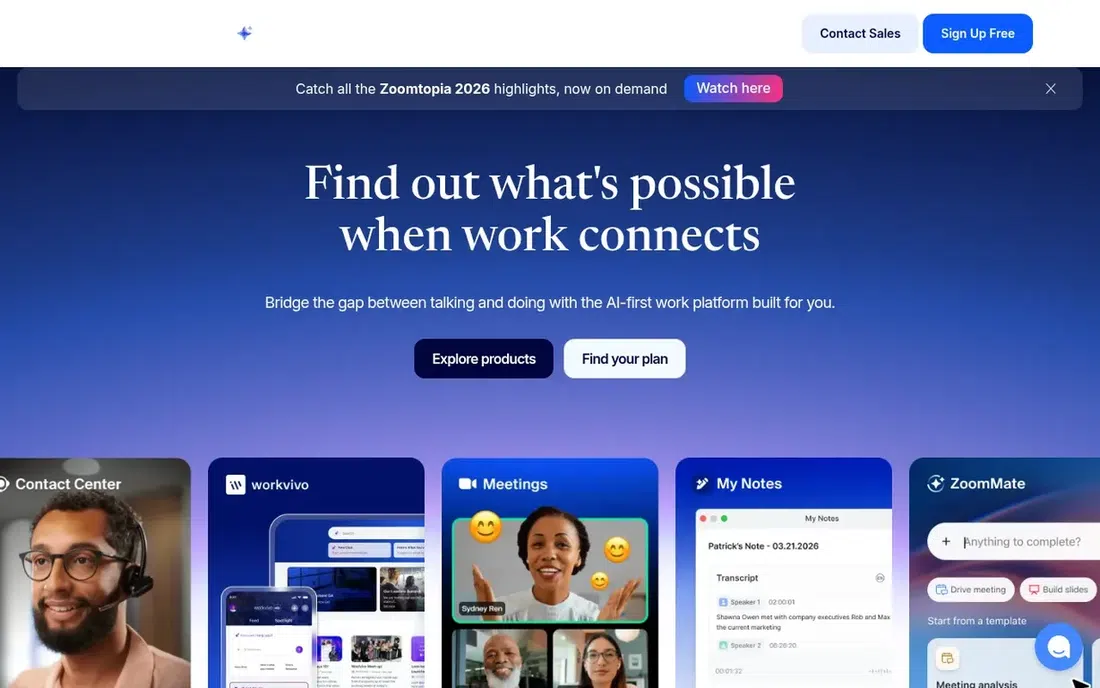
Zoom works best for dedicated video meeting product. Zoom is a collaboration product centered on video meetings, with extra tools for chat, VoIP phone, webinars, whiteboard, contact center, and events.
Also, since Zoom is built around meetings, teams that chiefly need persistent chat channels may find it less natural than messaging-first tools. More specifically, consider a chat-centered product if your priority is continuing conversation instead of scheduled calls. No starting price is listed for Zoom here; confirm pricing on the vendor site. Trial and free access: Not stated.
Points against: Can feel meeting-centric for chat-first teams.
- Supports events and contact center
- Wide meeting and webinar features
- Feature depth may need admin setup
Discord makes the most sense for community and group chat. For workplace collaboration with compliance needs, a business-focused system is more appropriate. For everyday use, Discord is a group chat platform aimed at playing games, chilling with friends, and building communities.
Points against: Less business-oriented administration.
It lets users customize their own space to talk, play, and hang out. Worth adding: consider Discord when community engagement is the primary goal. No starting price is listed for Discord here; confirm pricing on the vendor site. Free access: Not stated.
- Customizable spaces for groups
- Made for communities and friends
- Can feel informal for workplace use
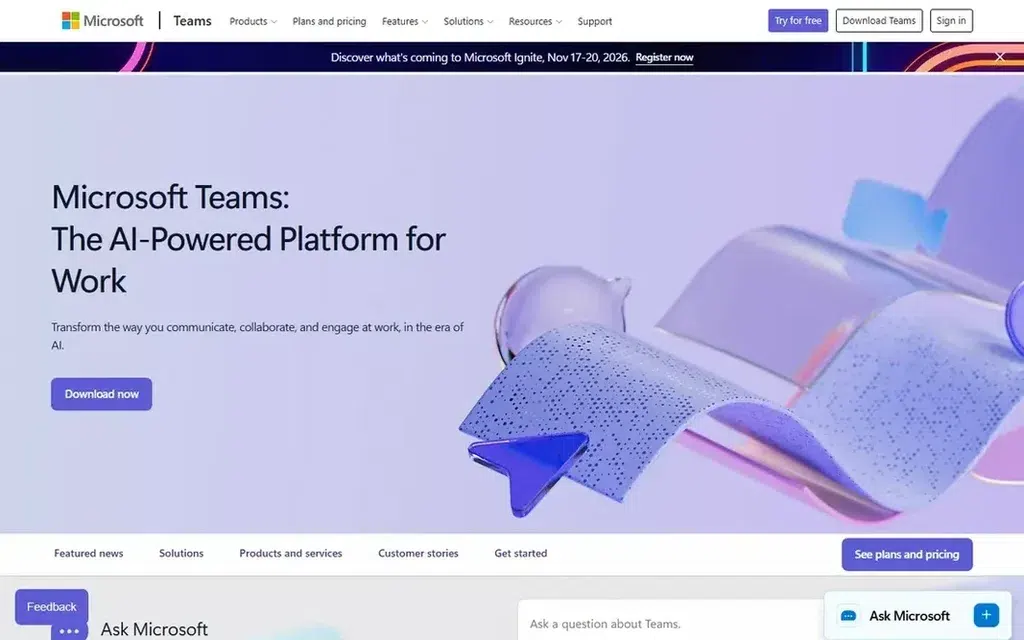
Microsoft Teams was built for Microsoft-centric team collaboration. Microsoft Teams is a collaboration hub for video conferencing, meetings, and calling, with tools and files kept in one place to help teams link and stay organized. From a buyer's view, Teams can bring ideas to life with integrated workspaces.
From a buyer's view, Teams performs best when paired with Microsoft services, so mixed environments may see less benefit. The interface packs plenty of features, which can overwhelm casual users. This comparison lists no price for Microsoft Teams; ask the vendor. On free options: Not stated.
Drawbacks to consider: Best experience within Microsoft ecosystem.
- Meetings and calling in one place
- Made for organized teamwork
- Interface can feel dense for new users
How we compared the tools
For each of the 5 tools we noted price, free plan or trial, fit for Toasty and the main limit, using vendor pages and documentation. Figures are shown as the vendors publish them. Billing terms, seat minimums and add-ons can change the real cost. Tools are placed by general fit for Toasty, with price clarity and free access as tie-breakers. A different team can reasonably rank them differently.
Things to verify first
- Confirm the entry price on the vendor page. For Cisco Webex, Zoom, Discord and Microsoft Teams that means a quote rather than a fixed price.
- Look at free plan limits closely: Slack and Cisco Webex have one, and the caps decide whether it is usable for real work.
- Read the limits listed for Slack first: not a dedicated video meeting system.
- Test how quickly Microsoft Teams answers a pre-sales question; it hints at how support will feel later.
- Check whether Slack bills monthly or annually, and what cancelling early costs.
FAQ
What is the cheapest option for Toasty in this list?
On published monthly entry prices, Slack is the lowest here at $4.38 per user per month. Entry price is only part of the cost, because seats, add-ons and billing terms can change the total. All 5 picks in this Toasty alternatives comparison list a starting price, free plan details and the main limits on their cards above.
Can I try these tools before paying?
Often, yes. Slack and Cisco Webex have a free plan. Use your own data and a real task during the test, and check what the free tier or trial limits before you rely on it.
Can I use Discord for professional collaboration?
It can support informal team communication, but it may lack the formal administration and business integrations some organizations need. For workplace use, a business-oriented product is commonly more suitable.
Do these tools publish their prices?
Not all of them. Cisco Webex, Zoom, Discord and Microsoft Teams publish no starting price, so expect a quote request for those. The rest, Slack included, show a starting price, though seats and billing terms still change the final cost.
Is Slack the right pick for everyone comparing Toasty?
No single tool suits every team. Slack comes first because it fits AI work platform and team chat, while Cisco Webex suits AI-powered collaboration and customer experience and Zoom suits dedicated video meeting platform. Match the tool to your own size, budget and workflow before deciding.
What is the best Toasty alternative for video meetings?
For most readers this guide would start with Slack, built for AI work system and team chat. Cisco Webex is the alternative for AI-powered collaboration and customer experience, and Zoom for dedicated video meeting system. The right answer depends on budget and workflow.
Sources
- https://slack.com
- https://www.webex.com
- https://zoom.us
- https://discord.com
- https://www.microsoft.com/microsoft-teams