Switching From Starburst? 5 Alternatives for 2026
Comparing Starburst alternatives? 5 contenders, each with entry cost, free tier and best-fit buyer. Each listing flags where it falls short. Updated for 2026.
- Editor's choiceClickHouse
Data-intensive live workloads
Starts at$0.056 per unit per hourVisit clickhouse.comFull review - Great alternative
 Dremio
Open lakehouse for AI and analytics
Starts atSee websiteVisit dremio.comFull review - Also consider
 Databricks
Unified data, analytics and AI
Starts atSee websiteVisit databricks.comFull review
Direct answer
Our first pick is ClickHouse, best for data-intensive live workloads. Listed starting prices: ClickHouse from $0.056 per unit per hour. Dremio is the stronger choice for open lakehouse for AI and analytics, while Databricks suits unified data, analytics and AI. The full list of 5 tools follows, with prices and free plan facts.
TL;DR:
- ClickHouse takes the first slot, best suited to data-intensive real-time workloads.
- Pricing for Dremio, Databricks, Google BigQuery and Trino is quote-based, which adds a sales step before you can compare cost.
- Trino suits distributed SQL engine control.
- Before buying Google BigQuery, weigh this: tied to the Google Cloud ecosystem.
- ClickHouse, Trino and the 3 others all need a premium plan or a trial, since no free plan is listed.
Last checked November 2026. Prices and plan details were read from the vendors' own pages in November 2026; vendors change plans often, so confirm the current price on the vendor site before you buy.
Quick comparison
| Tool | Best for | Starts at | Free plan? | |
|---|---|---|---|---|
| ClickHouse | Data-intensive live workloads | $0.056 per unit per hour | Free trial | Visit |
| Dremio | Open lakehouse for AI and analytics | See website | Not stated | Visit |
| Databricks | Unified data, analytics and AI | See website | Not stated | Visit |
 Google BigQuery | Managed autonomous data and AI | See website | Not stated | Visit |
| Trino | Distributed SQL engine control | See website | Not stated | Visit |
The full Starburst list
LinkVetted put together this guide to Starburst for readers who want a clear shortlist without reading every vendor page. It compares 5 tools on starting price, free plans, who each one suits and where each one falls short.
ClickHouse
Best for: Data-intensive live workloads
ClickHouse is built with data-intensive live workloads in mind. ClickHouse is positioned around data-intensive use cases, so teams seeking a wide enterprise warehouse or lakehouse may have to pair it with other tools.
It suits teams with heavy, high-volume workloads, for example live analytics or observability pipelines, that require a product tuned for intensity instead of general-purpose reporting alone. ClickHouse cost at the entry level: $0.056 per unit per hour. Free options: Free trial.
The main drawbacks: Workload focus differs from general warehousing.
- Designed for data-intensive workloads
- Open and composable system
- Composable design needs integration work
For open lakehouse for AI and analytics, Dremio is a natural candidate. Dremio markets itself as an agentic lakehouse for AI and analytics, an open, high-performance data lakehouse system built to accelerate AI and analytical workloads across all enterprise data. Consider Dremio when lakehouse performance across enterprise data is the core requirement.
From a buyer's view, Dremio assumes a lakehouse-centered approach, so organizations with more straightforward or more traditional warehouse setups may have to rethink architecture first. More specifically, teams that only need a distributed SQL engine could find a leaner choice like Trino sufficient. Pricing for Dremio is not stated here, so ask the vendor for current figures. On free options: Not stated.
Trade-offs to know: Lakehouse focus may not suit straightforward query needs.
- Works across enterprise data
- High-performance lakehouse design
- Needs lakehouse-oriented architecture
Think of Databricks for unified data, analytics and AI. Databricks presents itself as a unified product for data, analytics and AI, built around a data-centric approach.
Trade-offs to know: Wide scope can mean more setup decisions.
More specifically, if your priority is a light query layer over existing storage, a focused engine like Trino may be a better starting point. More specifically, since Databricks spans many workloads, teams that only need a standalone SQL query engine may find the product broader than necessary. Check the vendor site for Databricks pricing; none is listed in this comparison. Free access: Not stated.
- Data-centric approach to AI projects
- Warehousing and AI
- Platform-centric instead of engine-only
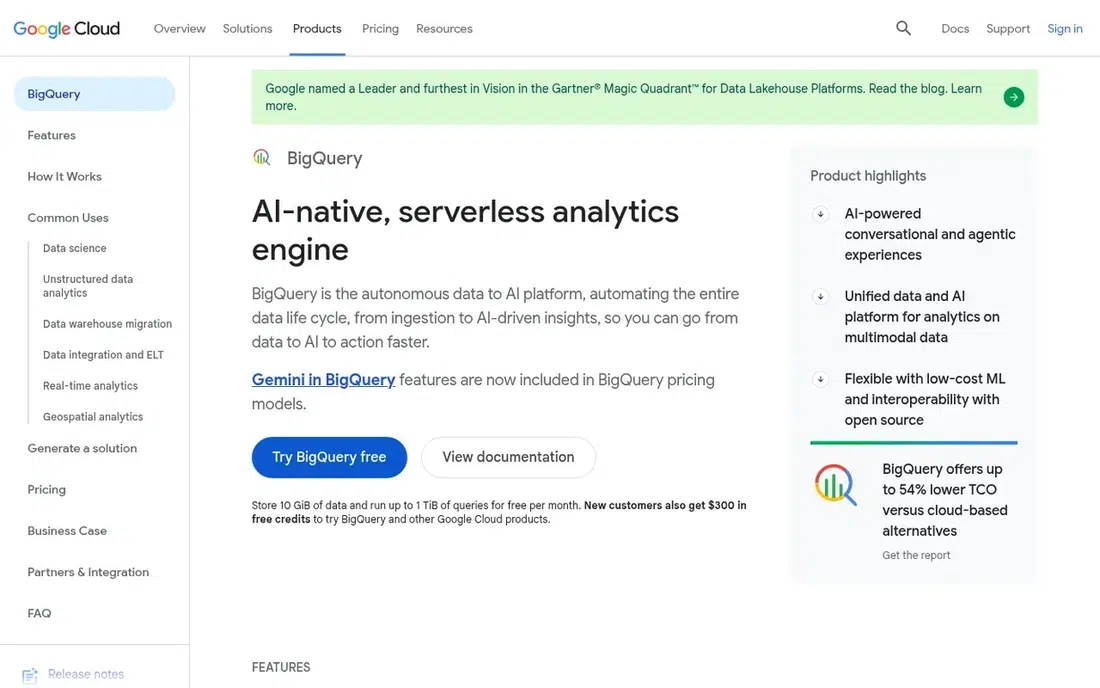
Google BigQuery is a good fit for managed autonomous data and AI. Google BigQuery describes itself as an autonomous data and AI product that automates the whole data life cycle, helping teams move from data to AI to action quicker.
BigQuery is a managed service, so teams wanting direct control over query engine internals or a self-managed deployment will find it less adaptable. It also makes most sense within the Google Cloud environment. No starting price is listed for Google BigQuery here; confirm pricing on the vendor site. Free access: Not stated.
Limits to weigh: Managed model limits low-level engine tuning.
- Completely managed cloud data system
- Automates much of the data life cycle
- Tied to the Google Cloud ecosystem
Trino
Best for: Distributed SQL engine control
Trino is built with distributed SQL engine control in mind. Instead of a full system, it gives teams a dedicated engine for querying large datasets, which fits organizations with engineering capacity that want direct control over how queries run and where the engine is deployed.
Since Trino is an engine, operational responsibilities like deployment, tuning and surrounding tooling fall to your team. Organizations wanting a managed experience or bundled governance and AI features should look at systems like Databricks or BigQuery. Trino shows no starting price here, so confirm the cost on the vendor site. Free options: Not stated.
The main drawbacks: You operate and tune the engine yourself.
- Made for big data querying
- Engine-level instead of full system
- No bundled product features
How the list was put together
For each of the 5 tools we noted price, free plan or trial, fit for Starburst and the main limit, using vendor pages and documentation. Treat prices as a snapshot: vendors change plans often, so check the vendor site for the figure that applies today. Order on the page follows fit for the typical buyer first, then price transparency and free access. Your own requirements should decide the final pick.
What to confirm before you sign up
- Confirm the entry price on the vendor page. For Dremio, Databricks, Google BigQuery and Trino that means a quote rather than a fixed price.
- Take the trial from ClickHouse and push a live task through it before you pay.
- Before choosing ClickHouse, weigh its main limit: workload focus differs from general warehousing.
- Confirm the exact Trino plan that includes your must-have features.
- Ask Dremio how an export works before you move any records in; an easy exit lowers the risk.
FAQ
What is the primary difference between these alternatives?
Others, like Trino and ClickHouse, are focused engines for querying and data-intensive workloads. From a buyer's view, the right choice relies on whether you want a product or a component.
Can I use these tools for AI workloads?
Databricks, BigQuery and Dremio all describe AI capabilities on their homepages, and ClickHouse mentions AI engineering among its workload types. Trino and Athena are more concentrated on SQL querying, so AI tooling would generally come from surrounding services.
Does any tool for Starburst here have a free plan?
A permanent free plan is not offered by ClickHouse, Trino or the other tools here. ClickHouse offer a trial. Plan a short evaluation period instead.
Can I try these tools before paying?
Often, yes. ClickHouse offers a free trial. Use your own data and a real task during the test, and check what the free tier or trial limits before you rely on it. Prices, free plan details and limits for all 5 tools in this Starburst alternatives roundup sit on the individual cards above.
Do I need engineering staff to run these tools?
Managed systems like BigQuery cut operational burden through automation. Engine-level choices like Trino place deployment and tuning with your team, so engineering capacity matters. From a buyer's view, confirm the operating model for each tool before deciding.
Do these tools publish their prices?
Not all of them. Dremio, Databricks, Google BigQuery and Trino publish no starting price, so expect a quote request for those. The rest, ClickHouse included, show a starting price, though seats and billing terms still change the final cost.
Sources
- https://clickhouse.com
- https://www.dremio.com
- https://www.databricks.com
- https://cloud.google.com/bigquery
- https://trino.io