Best Kling Alternatives for 2026 (5 Compared)
Shortlisting Kling alternatives? 5 products compared on cost, free access and ideal buyer. Plus the drawbacks of each tool. Current for November 2026.
- Editor's choice
 Hailuo AI
Text and photo to video for social
Starts atSee websiteVisit hailuoai.videoFull review - Great alternative
 Luma Dream Machine
Iterative creative work with context
Starts atSee websiteVisit lumalabs.aiFull review - Also consider
 Pika
One product with several video models
Starts at$10 a monthVisit pika.artFull review
Direct answer
This list puts Hailuo AI first for text and photo to video for social. Listed starting prices: Pika from $10 a month and HeyGen from $29 a month. Alternatives: Luma Dream Machine for Iterative creative work with context, and Pika for one product with multiple video models. Prices, free plans and limits for all 5 tools follow.
TL;DR:
- The list opens with Hailuo AI, aimed at text and photo to video for social.
- What to know about Luma Dream Machine first: positioning is wide instead of video-only.
- The lowest published monthly entry price here is $10 per month, from Pika.
- 2 of 5 tools offer a free plan: Pika, HeyGen.
Last checked November 2026. Prices and plan details were read from the vendors' own pages in November 2026; vendors change plans often, so confirm the current price on the vendor site before you buy.
Quick comparison
| Tool | Best for | Starts at | Free plan? | |
|---|---|---|---|---|
| Hailuo AI | Text and photo to video for social | See website | Not stated | Visit |
| Luma Dream Machine | Iterative creative work with context | See website | Not stated | Visit |
| Pika | One product with several video models | $10 a month | Yes | Visit |
 HeyGen | Avatar-led business and explainer videos | $29 a month | Yes | Visit |
 Veo | High-fidelity AI video from a research model | See website | Not stated | Visit |
Kling profiles
If you are comparing Kling, this page covers 5 tools in one place: what each is best for, what it costs to start, whether it has a free plan, and the main limit to know about.
Pick Hailuo AI if this describes you: text and photo to video for social. It suits people who want fast visual content for social products and are comfortable starting from a prompt or a still image.
For everyday use, if your output is short-form and social-first, Hailuo AI is a relevant alternative to Kling. Check the vendor site for Hailuo AI pricing; none is listed in this comparison. Free access: Not stated.
Honest limits: Focus leans toward short social content.
- Builds video and images from text or photos
- Comes with meme and social content tools
- Fewer details on professional editing pipelines
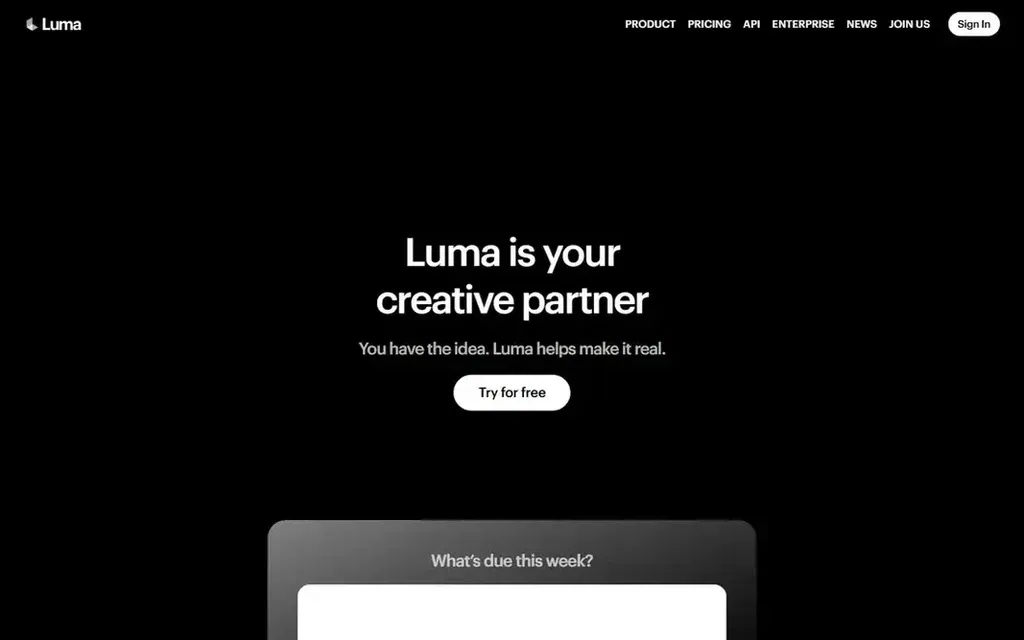
Luma Dream Machine serves Iterative creative work with context. Review the vendor site to confirm how the agent workflow maps to your projects.
Where it is weaker: Less detail on specific model outputs.
Luma Dream Machine does not show a starting price in this comparison, so check the vendor site for current pricing. Free access: Not stated.
- Keeps context across creative stages
- Built for planning and refining
- Positioning is wide instead of video-only

Pika targets one system with several video models. Teams that require deep control over one specific engine, or that prefer a research-first model, may look at Veo or another focused choice.
Limits to weigh: Model availability can vary over time.
Pika describes itself as a system for AI video, images and audio, and it lets you use models for example Seedance, Kling, Veo and Wan within one creative environment. If your priority is adaptability and a single workspace for several media types, Pika is a natural alternative to evaluate. Pika pricing: $10 per month. Pika has a free plan.
What Pika does well: image and audio tools.
- Merges video
- Fits creators who want variety
- Less focused on a single proprietary engine
HeyGen was built for Avatar-led business and explainer videos. HeyGen lets you build AI videos with a personal avatar that uses your face and voice. So you can produce clear, confident business videos without filming every time.
Also, creators concentrated on generative visuals may prefer Pika or Hailuo AI. If your priority is speaking-style video instead of cinematic generation, HeyGen is a practical Kling alternative. From a buyer's view, review the vendor site to confirm how avatars are created and what video formats are supported. What you pay to start with HeyGen: $29 per month. HeyGen includes a free tier.
Where it is weaker: Concentrated on avatar video instead of general generation.
- Pitched at clear
- Cuts the have to film repeatedly
- Less suited to abstract or cinematic AI footage

Veo is aimed squarely at high-fidelity AI video from a research model. Since Veo is positioned as a model instead of a full creative suite, you may need separate tools for editing, audio and asset management.
As for the details, creators who want numerous models and built-in media tools in one place may prefer a product like Pika instead. Veo does not show a starting price in this comparison, so check the vendor site for current pricing. Free access: Not stated.
Points against: Restricted public detail on everyday creator workflows.
- Suits teams wanting a single solid model
- Centred on high-quality video generation
- Less emphasis on all-in-one creative tools
How these tools were picked
For each of the 5 tools we noted price, free plan or trial, fit for Kling and the main limit, using vendor pages and documentation. Figures are shown as the vendors publish them. Billing terms, seat minimums and add-ons can change the real cost. The sequence is a judgement call: typical use case first, then pricing transparency, then free access. Use the profiles to check fit.
Pre-purchase checklist
- Get a written quote from Hailuo AI, Luma Dream Machine and Veo; the list shows no starting price for them.
- Check what the free option really includes: Pika and HeyGen offer a free plan, and usage caps differ.
- Before choosing Hailuo AI, weigh its main limit: focus leans toward short social content.
- Test the integrations you rely on with Hailuo AI before committing; some connectors sit on upper tiers.
- Get the contract term, renewal terms and any onboarding fees from Veo in writing.
FAQ
What is the cheapest option for Kling in this list?
On published monthly entry prices, Pika is the lowest here at $10 per month. Entry price is only part of the cost, because seats, add-ons and billing terms can change the total. Each of the 5 options in this Kling alternatives guide has its own card above with the price, free plan and limits.
Which options for Kling have a free plan?
On this list, Pika and HeyGen include a free plan. Caps on seats, usage or features are common, so test the free plan against your real workload.
Can I try these tools before paying?
Often, yes. Pika and HeyGen have a free plan. Use your own data and a real task during the test, and check what the free tier or trial limits before you rely on it.
Is Hailuo AI the right pick for everyone comparing Kling?
No single tool suits every team. Hailuo AI comes first because it fits text and photo to video for social, while Luma Dream Machine suits Iterative creative work with context and Pika suits one platform with multiple video models. Match the tool to your own size, budget and workflow before deciding.
Which Kling alternative is a good match for business videos with a presenter?
The first pick on this list is Hailuo AI, because it suits text and photo to video for social. Luma Dream Machine is better for Iterative creative work with context, and Pika for one system with several video models. Check price and limits against your own needs before choosing.
Sources
- https://hailuoai.video
- https://lumalabs.ai/dream-machine
- https://pika.art
- https://www.heygen.com
- https://deepmind.google/models/veo