Flickr Alternatives in 2026: 5 Options Vetted
5 products for Flickr alternatives, ranked by fit, with starting costs and free tiers. Fit and flaws are laid out for each entry. Budget notes included.

- Editor's choiceZenfolio
Portfolio sites with client galleries
Starts at$9 a monthVisit zenfolio.comFull review - Great alternative
 Squarespace
Design-led portfolio sites
Starts at$12 per monthVisit squarespace.comFull review - Also consider
 Adobe Lightroom
Editing and organizing photos
Starts atSee websiteVisit adobe.comFull review
Direct answer
Zenfolio is the first pick on this list for portfolio sites with client galleries. Listed starting prices: Zenfolio from $9 a month, Squarespace from $12 per month and Format from $10 a month. Alternatives: Squarespace for design-led portfolio sites, and Adobe Lightroom for editing and organizing photos. The other 2 tools in the list cover narrower or pricier cases.
TL;DR:
- Number one here is Zenfolio, a fit for portfolio sites with client galleries.
- The main caution on Zenfolio: concentrated on photography firms.
- For general website building, Wix is worth a look.
- Starting prices begin at $9 per month with Zenfolio.
Last checked November 2026. Prices and plan details were read from the vendors' own pages in November 2026; vendors change plans often, so confirm the current price on the vendor site before you buy.
Quick comparison
| Tool | Best for | Starts at | Free plan? | |
|---|---|---|---|---|
| Zenfolio | Portfolio sites with client galleries | $9 a month | Free trial | Visit |
| Squarespace | Design-led portfolio sites | $12 per month | Free trial | Visit |
| Adobe Lightroom | Editing and organizing photos | See website | Not stated | Visit |
 Format | Creative portfolio websites | $10 a month | Free trial | Visit |
 Wix | General website building | See website | Not stated | Visit |
Flickr compared in detail
Choosing Flickr usually comes down to price, fit and limits. This LinkVetted guide sets 5 tools side by side on those three points, with the facts kept short and checkable.
Zenfolio
Best for: Portfolio sites with client galleries

Choose Zenfolio for portfolio sites with client galleries. For someone leaving a photo-sharing community, it supplies a more business-oriented home for a portfolio.
Also, Zenfolio is built around photography firms, so it may be more than a hobbyist needs. The starting price for Zenfolio: $9 per month. Trial and free access: Free trial.
Points against: Centred on photography companies.
- E-commerce and workflow tools
- Shareable client galleries
- Less handy for casual sharing
Squarespace works best for design-led portfolio sites. Worth adding: pick Squarespace when design and a general website are the priority.
Where it falls short: No dedicated editing tools.
As an alternative to a photo-sharing network, it offers a personal home for a portfolio instead of a social feed. As for the details, if client gallery delivery is a core need, a photography-specific system may fit better. What you pay to start with Squarespace: $12 per month. Free plan details: Free trial.
- Domain and business features
- AI website builder tools
- Not a photo community
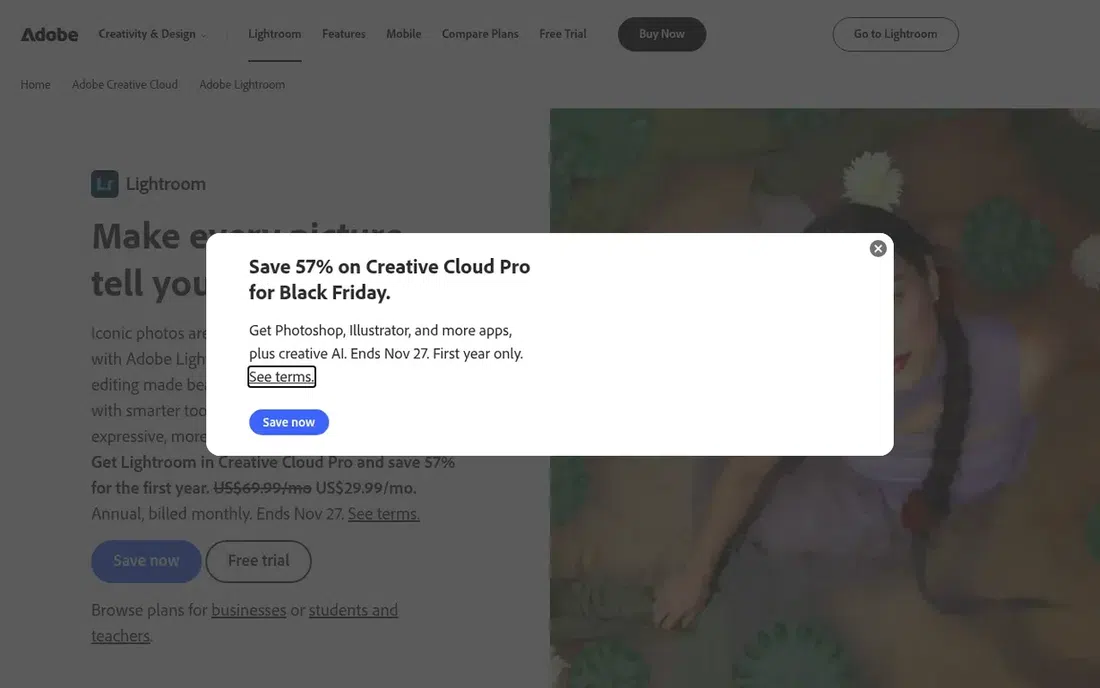
Adobe Lightroom targets editing and organizing photos. Lightroom does not replace a portfolio website or client gallery service, and it is not a social network for discovering other photographers.
Where it falls short: Website and client gallery features are restricted.
Highlights: Built-in photo organization.
This comparison lists no price for Adobe Lightroom; ask the vendor. Free options: Not stated.
- Web and mobile
- Editing on desktop
- Not a social photo-sharing network
Format is aimed squarely at creative portfolio websites. Format is a website builder for creative professionals, centred on presenting work, collaborating and expanding an online business.
From a buyer's view, Format does not offer photo editing or a browsing community. So it works alongside editing software instead of replacing it. Format pricing: $10 per month. On free options: Free trial.
The main drawbacks: Restricted photo community features.
- Portfolio-focused website builder
- Tools to present and grow work
- Not an editing tool
Pick Wix if this describes you: general website building. Wix is not designed specifically for photographers, so client delivery and photo-specific tools may need additional setup.
More specifically, people who want a ready-made photography workflow may prefer a dedicated product. Wix is a general website platform with hosting, business tools, domains and marketing built in. Check the vendor site for Wix pricing; none is listed in this comparison. Free options: Not stated.
Honest limits: Not photography-specific.
- Adaptable templates for numerous uses
- Business and marketing tools
- Large feature set can overwhelm beginners
Selection criteria
LinkVetted looked at what each vendor publishes: pricing, plan limits, feature coverage for Flickr and stated drawbacks. No hands-on testing is claimed. Where a price is missing, the vendor does not list one publicly or ties it to a quote. Always confirm before budgeting. The sequence is a judgement call: typical use case first, then pricing transparency, then free access. Use the profiles to check fit.
Things to verify first
- Get a written quote from Adobe Lightroom and Wix; the list shows no starting price for them.
- Use real work to test the free trial from Zenfolio, Squarespace and Format, rather than a demo project.
- Before choosing Zenfolio, weigh its main limit: focused on photography firms.
- Make sure Zenfolio lets you export your data in a format another tool can read.
- Involve the people who will use Squarespace daily; a short pilot beats a long feature checklist.
FAQ
Can I use a website builder rather than Flickr?
Yes. Format, Wix and Squarespace let you build a personal site to present your photos. Format is geared toward creatives, whereas Wix and Squarespace are broader website products. None of them supply a photo-sharing community, so they work best alongside editing software.
Can I try these tools before paying?
Often, yes. Zenfolio, Squarespace and Format offer a free trial. Use your own data and a real task during the test, and check what the free tier or trial limits before you rely on it.
Which alternative is best for delivering photos to clients?
For most readers this guide would start with Zenfolio, built for portfolio sites with client galleries. Squarespace is the alternative for design-led portfolio sites, and Adobe Lightroom for editing and organizing photos. The right answer depends on budget and workflow.
Do these tools replace a photo-sharing community?
These choices focus on editing, client delivery or portfolio websites instead of social discovery. If browsing and commenting on other photographers' work matters to you, check whether a product contains community features before switching.
Does any tool for Flickr here have a free plan?
A permanent free plan is not offered by Zenfolio, Wix or the other tools here. Zenfolio, Squarespace, Format offer a trial. Plan a short evaluation period instead.
Do these tools publish their prices?
Not all of them. Adobe Lightroom and Wix publish no starting price, so expect a quote request for those. The rest, Zenfolio included, show a starting price, though seats and billing terms still change the final cost.
Sources
- https://www.zenfolio.com
- https://www.squarespace.com
- https://www.adobe.com/products/photoshop-lightroom.html
- https://www.format.com
- https://www.wix.com