Best ClassDojo Alternatives for 2026 (5 Compared)
ClassDojo alternatives in 2026: 5 tools with starting prices, free plans and limits. Trade-offs are spelled out for each entry. Updated November 2026.
- Editor's choice
 Kahoot.
Engagement through game-based learning
Starts at$3 a monthVisit kahoot.comFull review - Great alternative
 Remind
Straightforward messaging for teachers and groups
Starts atSee websiteVisit remind.comFull review - Also consider
 Google Classroom
Organizing classes and learning resources
Starts atSee websiteVisit classroom.google.comFull review
Direct answer
For engagement through game-based learning, Kahoot. Listed starting prices: Kahoot. from $3 a month, Bloomz from $3 per student a year and Microsoft Teams for Education from $4.00 per user per month. Is where this list starts. Alternatives: Remind for straightforward messaging for teachers and groups, and Google Classroom for organizing classes and learning resources. All 5 tools are compared below on price, free plan and limits.
TL;DR:
- Kahoot. Sits first on this list: engagement through game-based learning.
- For the cheapest start, look at Kahoot.: $3 per month.
- Microsoft Teams for Education fits classes, meetings and collaboration in one place.
- What to know about Google Classroom first: not built as a parent messaging app.
- Only Kahoot. Offers a free plan among these 5 tools.
Last checked November 2026. Prices and plan details were read from the vendors' own pages in November 2026; vendors change plans often, so confirm the current price on the vendor site before you buy.
Quick comparison
| Tool | Best for | Starts at | Free plan? | |
|---|---|---|---|---|
| Kahoot. | Engagement through game-based learning | $3 a month | Yes | Visit |
| Remind | Straightforward messaging for teachers and groups | See website | Not stated | Visit |
| Google Classroom | Organizing classes and learning resources | See website | Not stated | Visit |
| Bloomz | All-in-one K-12 communication and operations | $3 per student a year | Not stated | Visit |
 Microsoft Teams for Education | Classes, meetings and collaboration in one place | $4.00 per user per month | Free trial | Visit |
ClassDojo, one by one
If you are comparing ClassDojo, this page covers 5 tools in one place: what each is best for, what it costs to start, whether it has a free plan, and the main limit to know about.
Kahoot. Targets engagement through game-based learning. Teachers looking to add interactive quizzes and games can use Kahoot. As a complement to a messaging or management system.
What users get: Works at school.
Beyond that, pick it when student engagement through games is the goal, and keep a separate tool for family updates and classroom organization. Kahoot. pricing: $3 per month. You can start on Kahoot. Without paying. What to check first: Does not handle classes or families.
- Game-based learning focus
- Work and home
- Not a communication product
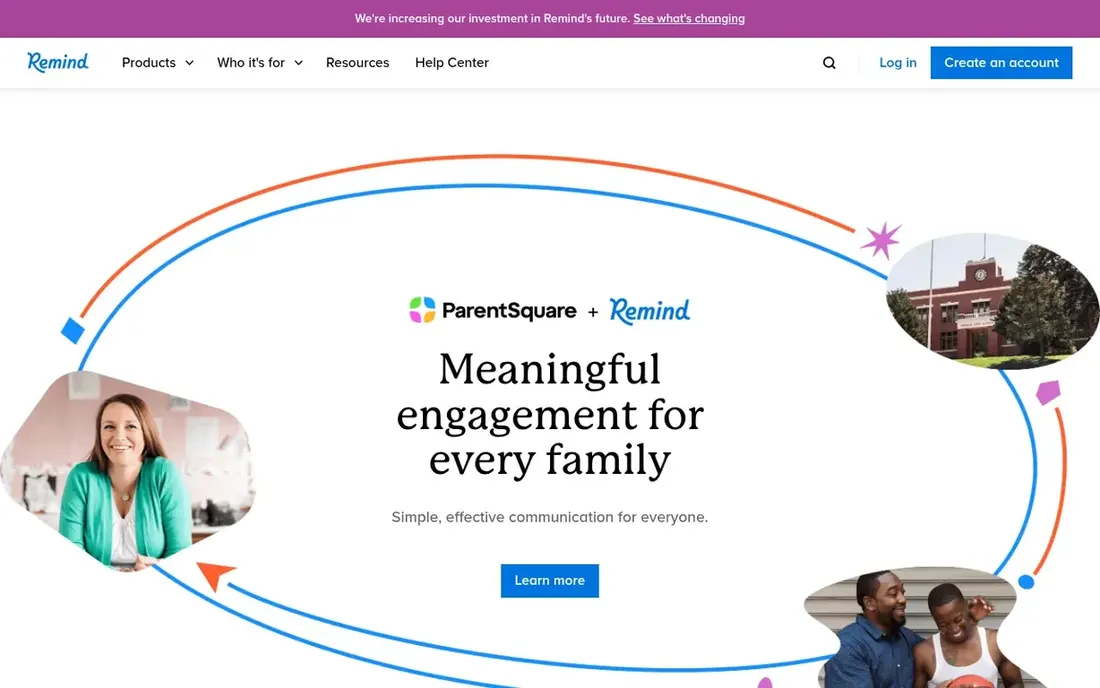
In short, Remind is for straightforward messaging for teachers and groups. Its homepage notes that K-12 schools and districts are served by a separate product.
Drawbacks to consider: Not a full operations product.
That makes Remind a solid fit for individual teachers, coaches and community leaders who chiefly need dependable messaging without the weight of a full school operations suite. Remind shows no starting price here, so confirm the cost on the vendor site. On free options: Not stated.
- Straightforward communication focus
- Simple fit for non-district groups
- K-12 districts are directed elsewhere

Where Google Classroom fits: organizing classes and learning resources. Google Classroom is presented by Google for Education as a central hub for tools and resources meant to help educators run classrooms and enrich learning experiences.
Points against: Not built as a parent messaging app.
Pick it when class organization and learning resources matter most, and pair it with a messaging tool if family updates are a priority. Google Classroom is not primarily a family communication or school operations tool, so parent messaging and dismissal logistics may still need another product. No starting price is listed for Google Classroom here; confirm pricing on the vendor site. Free options: Not stated.
- Supports managing classes and resources
- Suits schools already using Google tools
- Fewer school operations features
Bloomz
Best for: All-in-one K-12 communication and operations

Bloomz targets all-in-one K-12 communication and operations. Bloomz positions itself as an all-in-one K-12 school communications and operations product.
It is a natural starting point for anyone comparing alternatives to ClassDojo at the school level instead of the single-classroom level. In practice, consider Bloomz when family engagement and school-wide logistics are both priorities and you want them handled in one place. Entry price for Bloomz: $3 per student per year. As for free access: Not stated.
Points against: Feature depth varies by module. What Bloomz does well: attendance and dismissal features.
- Single app for school operations
- Family messaging with two-way translation
- Wide scope may feel heavy for small groups
Microsoft Teams for Education
Best for: Classes, meetings and collaboration in one place
Pick Microsoft Teams for Education if this describes you: classes, meetings and collaboration in one place. Microsoft Teams for Education brings classes, meetings, assignments, files and collaboration together, based on its homepage.
Reasons to shortlist it: Files and collaboration built in.
Limits to weigh: Can feel complicated for straightforward messaging.
Microsoft Teams for Education pricing: $4.00 per user per month. Free options: Free trial.
- Classes
- Suits Microsoft-centered schools
- Best value inside the Microsoft ecosystem
What went into this list
We compared the tools on published pricing, free plan or trial availability, feature coverage for ClassDojo, and the limits each vendor documents. Figures are shown as the vendors publish them. Billing terms, seat minimums and add-ons can change the real cost. The order reflects how well each tool fits the most common buying scenario for ClassDojo, then price clarity, then free plan access. It is a starting point, not a verdict.
Questions to settle before buying
- Ask Remind and Google Classroom for a written quote, since no starting price is shown.
- Look at the free plan from Kahoot. closely: its caps decide whether it is usable for real work.
- Take the trial from Microsoft Teams for Education and push a live task through it before you pay.
- Read the limits listed for Kahoot. first: not a communication product.
- Confirm that Remind connects to the apps your team already uses, on the plan you would actually buy.
- Make sure Kahoot. Lets you export your data in a format another tool can read.
FAQ
What is the cheapest option for ClassDojo in this list?
On published monthly entry prices, Kahoot. Is the lowest here at $3 per month. Entry price is only part of the cost, because seats, add-ons and billing terms can change the total. Each of the 5 options in this ClassDojo alternatives guide has its own card above with the price, free plan and limits.
How are the tools for ClassDojo ordered?
Kahoot. Sits first and Microsoft Teams for Education last because the order follows typical fit for ClassDojo, then price clarity and free access. It is a judgement call, so read each profile for fit and limits.
Can I try these tools before paying?
Often, yes. Kahoot. Has a free plan and Microsoft Teams for Education offers a free trial. Use your own data and a real task during the test, and check what the free tier or trial limits before you rely on it.
Is Kahoot. The right pick for everyone comparing ClassDojo?
No single tool suits every team. Kahoot. Comes first because it fits engagement through game-based learning, while Remind suits simple messaging for teachers and groups and Google Classroom suits organizing classes and learning resources. Match the tool to your own size, budget and workflow before deciding.
What is the best ClassDojo alternative for parent communication?
The first pick on this list is Kahoot., because it suits engagement through game-based learning. Remind is better for straightforward messaging for teachers and groups, and Google Classroom for organizing classes and learning resources. Check price and limits against your own needs before choosing.
Sources
- https://kahoot.com
- https://www.remind.com
- https://classroom.google.com
- https://www.bloomz.com
- https://www.microsoft.com/en-us/microsoft-teams/education