Best Client Management Software for Small Business in 2026: 8 Tools Compared
Compare the best client management software for small business in 2026, from HoneyBook and Dubsado to Bonsai, with pricing, payments and workflow tools.
- Editor's choice
 HoneyBook
Fast setup and polished client flow
Starts at$29 per monthVisit honeybook.comFull review - Great alternative
 Dubsado
Deep customization and workflows
Starts at$35 per monthVisit dubsado.comFull review - Also consider
 Bonsai
Freelancers needing contracts and tax
Starts at$9 per user per monthVisit hellobonsai.comFull review
TL;DR:
- The best client management software for small business covers leads, proposals, contracts, invoices, payments and client portals in one flow.
- HoneyBook suits fast setup, Dubsado suits deep customization, and Bonsai suits freelancers who also need tax help.
- Payment fees matter as much as subscription cost, so check card and bank transfer rates at your real volume.
- A client portal cuts status emails, but only if clients find it easy to use on a phone.
- Our pick for most small businesses is HoneyBook, because it gets a new business from lead to paid invoice with the least setup friction.
Quick comparison
| Tool | Best for | Starts at | Free plan? | |
|---|---|---|---|---|
| HoneyBook | Fast setup and polished client flow | $29 per month | Free trial | Visit |
| Dubsado | Deep customization and workflows | $35 per month | Free trial | Visit |
| Bonsai | Freelancers needing contracts and tax | $9 per user per month | Free trial | Visit |
 17hats | Solo businesses wanting simplicity | $60 per month | Free trial | Visit |
 SuiteDash | White-label client portals for agencies | $19 per month | Free trial | Visit |
 Plutio | Projects plus client management | $19 per month | Free trial | Visit |
 Keap | Sales and marketing automation | See website | Free trial | Visit |
 Bloom | Budget client management for creatives | $7 per month | Free trial | Visit |
The best client management software for small business
We compared official pricing pages, feature documentation and public comparisons for tools used by freelancers, agencies and service businesses. The focus is the full client journey, from first inquiry to final payment.
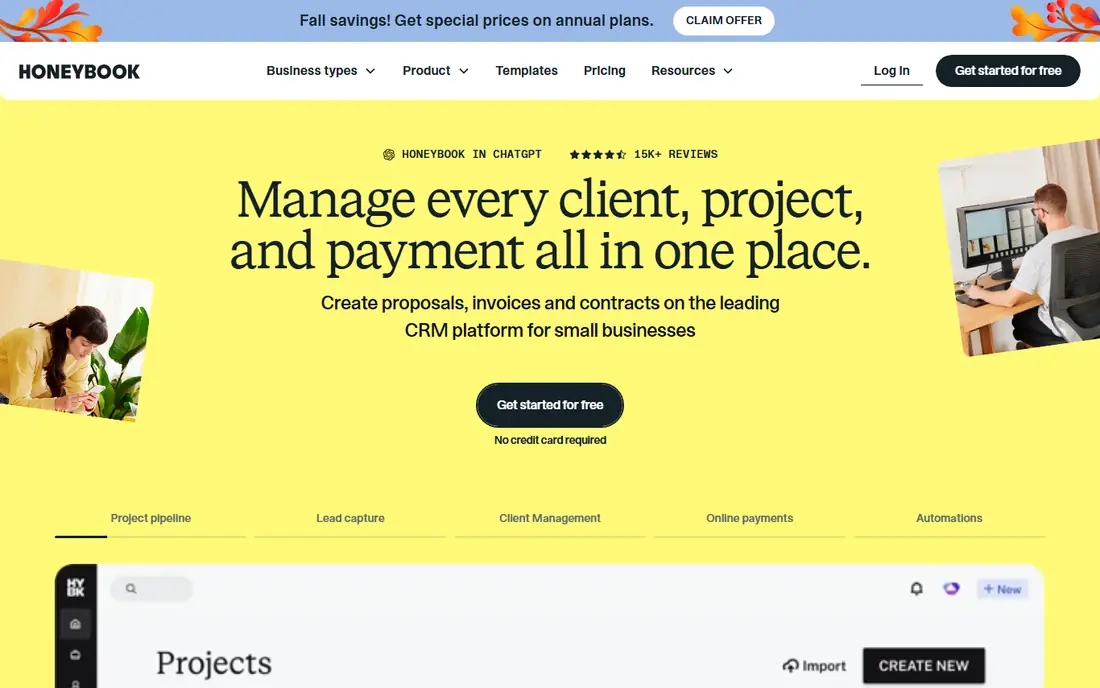
HoneyBook is the easiest way for a small business to look professional from the first client. Leads, proposals, contracts, invoices and payments live in one flow, with a client portal where clients sign and pay without chasing email threads. Starter pricing has been listed at $29 per month billed yearly, with Essentials at $49 and Premium at $109.
HoneyBook automation covers common follow-ups, but it does not match Dubsado for branching logic and custom forms. It also works best in the US, Canada, UK and Australia for payments. For a solo owner or small team that wants to start invoicing this week, HoneyBook is our pick.
- Fast onboarding with templates for proposals, contracts and invoices
- Built-in payments
- Strong mobile app
- Automation is simpler than Dubsado
- Team pricing rises on higher tiers

Dubsado suits service businesses that want every form, workflow and portal to match their exact process. Owners can build intake forms, automated sequences, contracts and invoices with multiple triggers and conditional steps. Annual pricing has been listed at $335 per year for Starter and $525 per year for Premier, with three users included on Premier.
Setup takes longer, often a week or more for a fully customized system, and the mobile experience is mostly web-based. For businesses with complex onboarding, multiple brands or detailed workflows, that effort pays off. For a business that wants speed over control, HoneyBook is simpler.
- Deep workflow automation with conditional logic
- Full branding control
- Good team economics for small teams
- Steeper learning curve
- Mobile app is weaker than HoneyBook
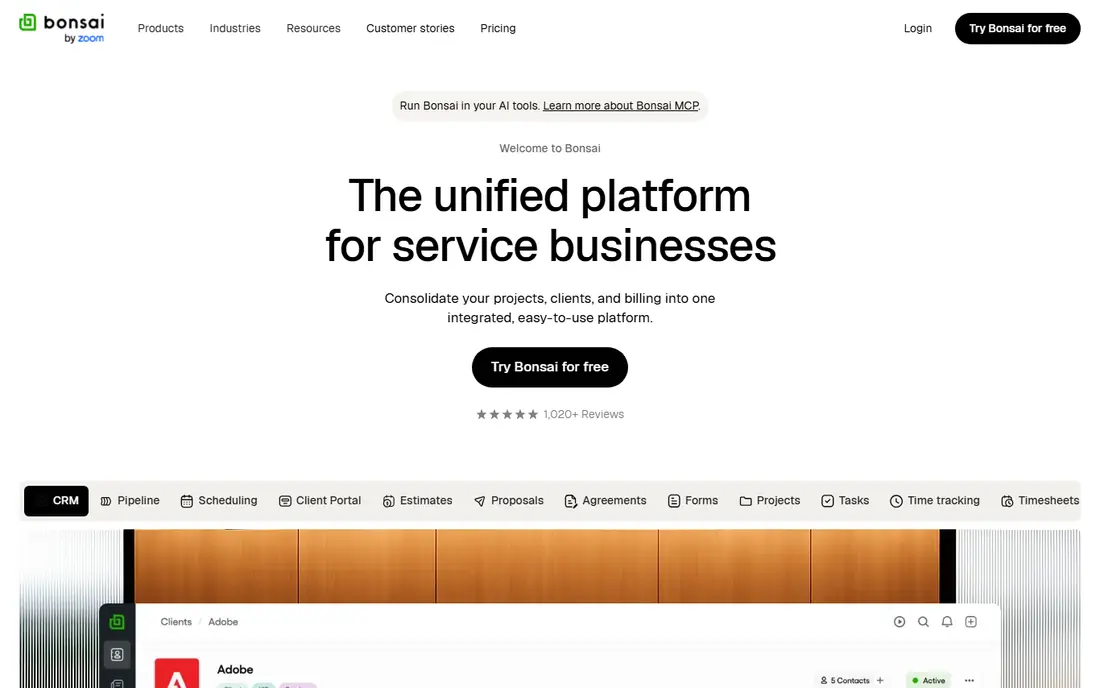
Bonsai is built for freelancers and small agencies that need contracts, proposals, time tracking, invoices and tax estimates without a large platform. Starting at $9 per user per month, it is one of the cheapest ways to get a professional client flow. Tax features help freelancers set aside money and track expenses, which is a real plus at year end.
Bonsai is less suited to larger agencies that need white-label portals, deep automation or complex team roles. For a freelancer or a team of two or three, it covers the core client job at a fair price. Test the contract templates for your service type before you switch.
- Low starting price
- Contracts, invoices and tax tools in one place
- Built-in payments
- Less deep for agency teams
- Client portal is simpler than SuiteDash
17hats targets solo owners who want one tool for leads, scheduling, quotes, contracts and invoices without learning a complex system. The interface is straightforward, and the workflow is guided, which helps owners who do not want to build automations from scratch. Pricing has been listed from $60 per month.
17hats costs more than Bonsai for a similar solo use case, and it lacks Dubsado-level workflow depth. It wins on simplicity for owners who want a single system that just works. If you run a team or need deep branding, compare SuiteDash and Dubsado first.
- Simple all-in-one flow for leads, bookings and invoices
- Easy for non-technical owners
- Good for solo service businesses
- Higher starting price than Bonsai
- Customization is lighter than Dubsado
SuiteDash suits agencies that want clients to see their own brand, not a third-party tool. It combines CRM, client portals, project management, invoicing and file sharing, with white-label options on paid plans. Starting at $19 per month, it is good value for an agency that would otherwise pay for several tools.
SuiteDash has a lot of settings, so initial setup needs care. The payoff is a single client hub where projects, messages, files and invoices live together. For an agency with many ongoing clients, that hub reduces email and keeps work visible.
- White-label portals, CRM, projects and invoicing in one tool
- Good value for agencies
- Strong customization
- Interface has many settings
- Setup takes time to configure well
Plutio fits businesses where client management continues after the sale, through projects and delivery. Owners can send proposals, track project tasks, share files and invoice from the same workspace. Starting at $19 per month, it is a practical middle ground between a pure CRM and a project tool.
Plutio is less strong for lead nurture and marketing automation than Keap or HubSpot. If your main need is winning and onboarding clients, HoneyBook or Dubsado may fit better. If your main need is delivering work and keeping clients updated, Plutio is a strong pick.
- Projects, tasks, proposals and invoices in one workspace
- Good for service delivery after signing
- Clean interface
- CRM depth is lighter than Keap
- Automation is simpler than Dubsado
Keap, formerly Infusionsoft, suits small businesses that win clients through follow-up. It combines CRM, email marketing, sales pipelines and automation, so a lead can move from inquiry to booked call to paid invoice with automated reminders. That automation helps service businesses that lose leads to slow follow-up.
Keap pricing varies by plan and is often quote-based, so get a written price for your contact count. Setup also benefits from a clear automation plan, since too many sequences can confuse clients. For a business that needs marketing automation inside client management, Keap is worth a trial.
- Strong CRM plus email and sales automation
- Good for follow-up sequences
- Integrates payments and appointments
- Pricing is quote-based for many plans
- Learning curve for automation
Bloom, also known as Bloom for photographers and creatives, offers client management at a low entry price, listed from $7 per month in public comparisons. It covers contracts, invoices, questionnaires and client galleries, which suits photographers, designers and planners who need a simple, visual client flow.
Bloom is not a full agency platform, and its automation and reporting are lighter than Dubsado or SuiteDash. For a solo creative on a tight budget, it is a good starting point. If you outgrow it, HoneyBook is a natural next step with a similar client-first feel.
- Very low starting price
- Contracts, invoices and client galleries for creatives
- Simple setup
- Smaller feature set than HoneyBook
- Support and integrations are lighter
How we picked these
We compared official pricing pages, feature documentation and public client management comparisons for tools in active use in 2026. We favored tools that cover the full client flow, from lead to payment, with a client portal and clear pricing. Where pricing is quote-based, we say so. Prices change, so confirm the current price and payment fees on the vendor site before you buy.
What to check before you buy client management software
Start with one real client journey. Map inquiry, discovery call, proposal, contract, deposit, delivery, final invoice and follow-up, then test each tool with that journey. A tool that looks good for invoices but makes proposals awkward will slow you down every week.
Count payment fees, not only subscriptions
Card fees around 2.7 to 2.9 percent plus a small per-transaction fee are common, with bank transfer fees lower. At $100,000 in annual volume, a 1 percent fee difference is $1,000. Ask each vendor for card, bank and international fees, payout timing and refund handling before you choose.
Test the client view on a phone
Most clients will open proposals and invoices on a phone. Send yourself a test proposal, sign it and pay it from a phone, and note any friction. A portal that is hard on mobile will generate support messages that erase the time you saved.
FAQ
What is the best client management software for small business for beginners?
HoneyBook is the easiest starting point, with templates and a polished client flow from $29 per month. Bonsai is cheaper for freelancers, while Dubsado suits owners who want deep customization and are willing to spend setup time.
How much does client management software cost?
Starting prices on this list range from $7 to $60 per month, with HoneyBook at $29, Dubsado around $35 and Bonsai at $9 per user per month. Payment processing fees are extra, so check card and bank rates at your volume.
Do I need a CRM and client management software?
For many small businesses, one tool covers both. Client management tools include CRM features such as leads, contacts and pipelines, plus proposals, contracts and payments. A separate CRM makes sense only when marketing automation or complex sales pipelines are the main job.
Can clients sign contracts and pay in one place?
Yes, HoneyBook, Dubsado, Bonsai, 17hats and SuiteDash all support e-signatures and payments in a client portal. Check which payment processors are supported and what fees apply, since that affects your real cost.
Is Dubsado or HoneyBook better?
HoneyBook is better for fast setup and mobile use, while Dubsado is better for custom workflows, branding and team economics. Choose HoneyBook if you want to start this week, and Dubsado if you want a system built exactly around your process.
What about data export if I leave?
Ask each vendor how to export clients, projects, invoices and contracts before you sign. A clean export protects your business if you outgrow the tool. Avoid tools that lock client data behind a complex export process.