5 BuildingConnected Alternatives Worth Switching To in 2026
5 products for BuildingConnected alternatives, ranked by fit, with starting costs and free tiers. Every pick gets a straight assessment. Narrow your shortlist.
- Editor's choice
 CoConstruct
Builders wanting a unified brand experience
Starts atPricing on requestVisit coConstruct.comFull review - Great alternativeKahua
Owners and agencies managing capital programs
Starts atPricing on requestVisit kahua.comFull review - Also consider
 Autodesk Construction Cloud
Secure collaboration across project teams
Starts atPricing on requestVisit construction.autodesk.comFull review
Direct answer
CoConstruct leads the list, best for builders wanting a unified brand experience. If your case is different, Kahua suits owners and agencies managing capital programs and Autodesk Construction Cloud suits secure collaboration across project teams. Free plan facts and limits for all 5 tools follow. None of these vendors publish plan prices, so pricing is on request for every option.
TL;DR:
- Top of the list is CoConstruct, which targets builders wanting a unified brand experience.
- Check the limits for CoConstruct before you commit: brand transition may raise questions.
- For connecting site and office teams, Procore is worth a look.
- A permanent free plan is missing from all 5 tools, CoConstruct and Procore included; plan for a trial or a premium start.
Last checked November 2026. Pricing on request: vendors did not publish plan prices when this guide was last checked (November 2026), so ask each vendor for a written quote.
Quick comparison
| Tool | Best for | Starts at | Free plan? | |
|---|---|---|---|---|
| CoConstruct | Builders wanting a unified brand experience | Pricing on request | Not stated | Visit |
| Kahua | Owners and agencies managing capital programs | Pricing on request | Not stated | Visit |
| Autodesk Construction Cloud | Secure collaboration across project teams | Pricing on request | Not stated | Visit |
 PlanGrid | Teams already using Autodesk Forma | Pricing on request | Not stated | Visit |
 Procore | Connecting site and office teams | Pricing on request | Not stated | Visit |
5 options for BuildingConnected in detail
If you are comparing BuildingConnected, this page covers 5 tools in one place: what each is best for, what it costs to start, whether it has a free plan, and the main limit to know about.
Choose CoConstruct for builders wanting a unified brand experience. CoConstruct and Buildertrend are now a unified brand committed to offering a smooth experience, with a shared vision for construction.
Check current product details straight with the vendor. Since the brands are unifying, buyers should confirm which features and support paths apply to them. This comparison lists no price for CoConstruct; ask the vendor. As for free access: Not stated.
Where it is weaker: Brand transition may raise questions.
What works well: Unified with Buildertrend.
- Construction management focus
- Aims at a smooth experience
- Feature details need vendor confirmation
Kahua
Best for: Owners and agencies managing capital programs
Kahua serves owners and agencies managing capital programs. Kahua asks interested buyers to request a demo, so evaluation takes more planning than a self-serve tool.
Trade-offs to know: May be less suited to small residential work.
Worth adding: Kahua is a construction project management product for owners, GCs, and agencies to control capital programs, cut risk, and align teams. Pricing for Kahua is not stated here, so ask the vendor for current figures. Trial and free access: Not stated.
- Aims to cut risk and align teams
- Designed for owners, GCs, agencies
- Demo request required to evaluate
Autodesk Construction Cloud
Best for: Secure collaboration across project teams
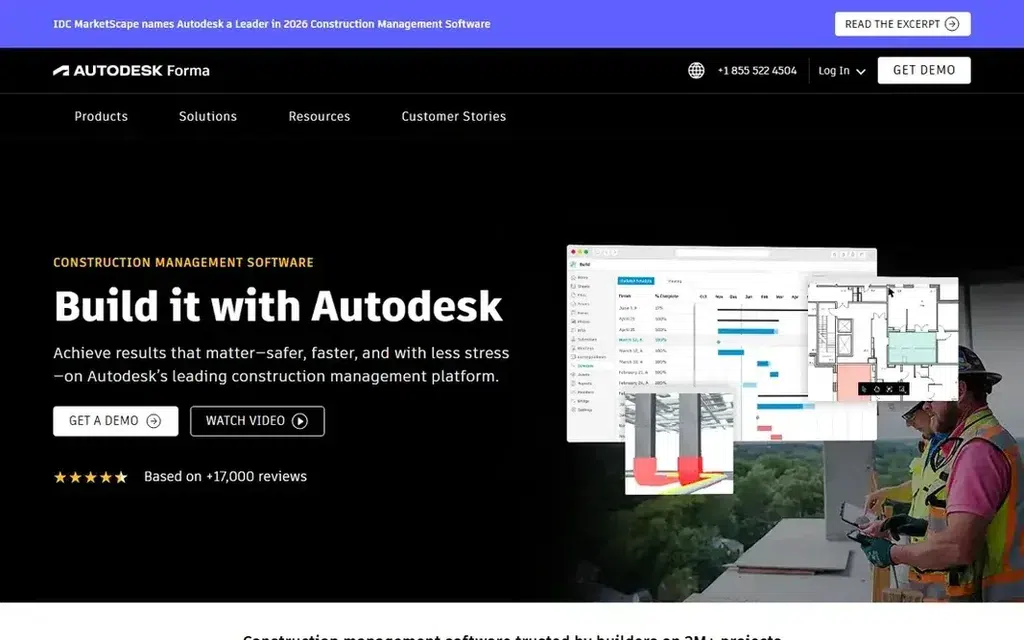
It fits teams already working with Autodesk design tools or those wanting a connected construction data environment. Pricing for Autodesk Construction Cloud is not stated here, so ask the vendor for current figures. On free options: Not stated.
What to check first: Brand transition may confuse buyers.
What works well: on-budget delivery.
- Now part of Autodesk Forma
- Secure team collaboration
- May suit Autodesk-centric workflows best
Think of PlanGrid for teams already using Autodesk Forma. The site centres on login, support, and FAQs, so it primarily serves existing users and teams already within the Autodesk ecosystem.
Also, PlanGrid is not positioned as a standalone alternative for new buyers; those users should evaluate Autodesk Forma instead. PlanGrid shows no starting price here, so confirm the cost on the vendor site. Free access: Not stated.
Points against: No longer a standalone product.
- Now part of Autodesk Forma
- Login and support resources available
- New buyers should start with Autodesk Forma

Choose Procore for connecting site and office teams. If you chiefly need plan viewing or straightforward task tracking, a narrower tool may be a better fit. As for the details, Procore is a construction management system that links the site and the office, giving teams live visibility to deliver quality projects on time.
Downsides: Wide scope may overwhelm small teams.
Confirm module coverage on the vendor site. Since Procore spans plenty of construction workflows, smaller teams may find the breadth more than they need. Pricing for Procore is not stated here, so ask the vendor for current figures. Free access: Not stated.
- Wide construction management system
- Supports quality and on-time delivery
- Needs setup to fit workflows
How we chose
LinkVetted looked at what each vendor publishes: pricing, plan limits, feature coverage for BuildingConnected and stated drawbacks. No hands-on testing is claimed. Seat minimums, billing terms and add-ons can move the real cost, so the starting prices here are a guide and not a quote. Order on the page follows fit for the typical buyer first, then price transparency and free access. Your own requirements should decide the final pick.
What to confirm before you sign up
- Confirm the entry price with every vendor: no tool from CoConstruct to Procore shows a fixed starting price.
- Before choosing CoConstruct, weigh its main limit: brand transition may raise questions.
- Before you load data into Kahua, check what an export looks like and who can run it.
- Look at the help docs and support options for Procore before you commit.
- Add up seats, add-ons and usage charges for CoConstruct before comparing it with cheaper entries.
FAQ
Do these tools publish their prices?
No. None of the tools, from CoConstruct to Procore, shows a fixed starting price here, so budget time for quotes.
What should I look for in a BuildingConnected alternative?
Focus on how the tool links project teams, controls costs, and supports your delivery model. Match the system to your project scale instead of the longest feature list.
Can I try these tools before paying?
Not by default. None of the tools, from CoConstruct to Procore, lists a free plan or a free trial here, so ask each vendor for a demo before committing.
Is CoConstruct the right pick for everyone comparing BuildingConnected?
No single tool suits every team. CoConstruct comes first because it fits builders wanting a unified brand experience, while Kahua suits owners and agencies managing capital programs and Autodesk Construction Cloud suits secure collaboration across project teams. Match the tool to your own size, budget and workflow before deciding.
How are the tools for BuildingConnected ordered?
The order follows typical fit for BuildingConnected, with CoConstruct first and Procore last, then price clarity and free access. It is editorial judgement, not a score, so another team could rank the tools differently.
Sources
- https://www.coConstruct.com
- https://www.kahua.com
- https://construction.autodesk.com
- https://www.plangrid.com
- https://www.procore.com