The 5 Best Web Design Software for WordPress in 2026, Ranked
Best web design software for WordPress in 2026: 5 contenders with entry costs and free tiers. Price notes and drawbacks come with each one. Plain facts.

- Editor's choiceOxygen Builder
Developer-oriented AI-assisted WordPress builds
Starts at$199.50 premium onceVisit oxygenbuilder.comFull review - Great alternativeBreakdance
AI-generated sites refined in a visual editor
Starts at$99.99 per yearVisit breakdance.comFull review - Also considerElementor
General visual WordPress site building
Starts atSee websiteVisit elementor.comFull review
Direct answer
For developer-oriented AI-assisted WordPress builds, Oxygen Builder is where this list starts. Listed starting prices: Oxygen Builder from $199.50 premium once, Breakdance from $99.99 per year and WPBakery Page Builder from $82 per lifetime. Breakdance is the stronger choice for AI-generated sites refined in a visual editor, while Elementor suits general visual WordPress site building. Prices, free plans and limits for all 5 tools follow.
TL;DR:
- This list starts with Oxygen Builder, which is built for developer-oriented AI-assisted WordPress builds.
- Expect to ask for a quote from Elementor and Divi; the other tools show a starting price.
- Before buying Divi, weigh this: tied closely to its own theme ecosystem.
- WPBakery Page Builder is the one to check for drag-and-drop layouts with wide compatibility.
Last checked November 2026. Prices and plan details were read from the vendors' own pages in November 2026; vendors change plans often, so confirm the current price on the vendor site before you buy.
Quick comparison
| Tool | Best for | Starts at | Free plan? | |
|---|---|---|---|---|
| Oxygen Builder | Developer-oriented AI-assisted WordPress builds | $199.50 premium once | No | Visit |
| Breakdance | AI-generated sites refined in a visual editor | $99.99 per year | Yes | Visit |
| Elementor | General visual WordPress site building | See website | Not stated | Visit |
| Divi | Theme and builder in one package | See website | Not stated | Visit |
| WPBakery Page Builder | Drag-and-drop layouts with wide compatibility | $82 per lifetime | No | Visit |
Web Design Software for WordPress compared in detail
LinkVetted compared 5 tools for web design software for WordPress. The goal is a practical shortlist: published prices, free plan facts, best-fit use cases and honest limits for every entry.
Oxygen Builder
Best for: Developer-oriented AI-assisted WordPress builds
Oxygen Builder serves developer-oriented AI-assisted WordPress builds. Oxygen Builder is positioned as an AI website builder for WordPress with completely editable results. Its homepage describes building sites by talking to an AI agent, producing real pages, content types and WordPress structures that you can then keep prompting or edit visually.
What to check first: Less beginner-friendly workflow.
The AI-first workflow assumes comfort with prompting and reviewing generated structure, which can be a hurdle for non-technical users. For everyday use, output still needs human checking for quality and consistency. In daily use, teams wanting a purely manual, template-driven editor may prefer a more conventional builder. The starting price for Oxygen Builder: $199.50 premium once. Oxygen Builder does not include a free plan.
- AI-assisted site generation
- Designed for real WordPress content types
- AI features need careful review
Breakdance
Best for: AI-generated sites refined in a visual editor
For AI-generated sites refined in a visual editor, Breakdance is a natural candidate. Since the starting point is generated, results rely on how plainly you describe the site, and every build needs review before launch.
What to check first: Newer approach with less long-term track record.
In daily use, Breakdance is an AI website builder for WordPress. On cost, Breakdance starts like this: $99.99 per year. Free access exists with Breakdance.
- Professional visual editor included
- Output stays completely editable
- AI results need review and adjustment
Elementor
Best for: General visual WordPress site building

Elementor serves general visual WordPress site building. Elementor is a visual website builder for WordPress that lets creators assemble pages without coding. Its homepage emphasizes simplicity for web creators and support for both standard websites and online keeps.
Teams that prefer a lighter, code-first workflow may prefer a builder concentrated on clean output, whereas Elementor remains a practical default for mixed-skill teams. More specifically, the tradeoff is that a very adaptable editor can produce heavier pages if layouts are built carelessly, and the number of settings takes time to learn. No starting price is listed for Elementor here; confirm pricing on the vendor site. Free access: Not stated.
Honest limits: Feature depth can overwhelm beginners.
- No coding required for layout work
- Supports sites and online keeps
- Complicated pages may need performance tuning
Divi
Best for: Theme and builder in one package
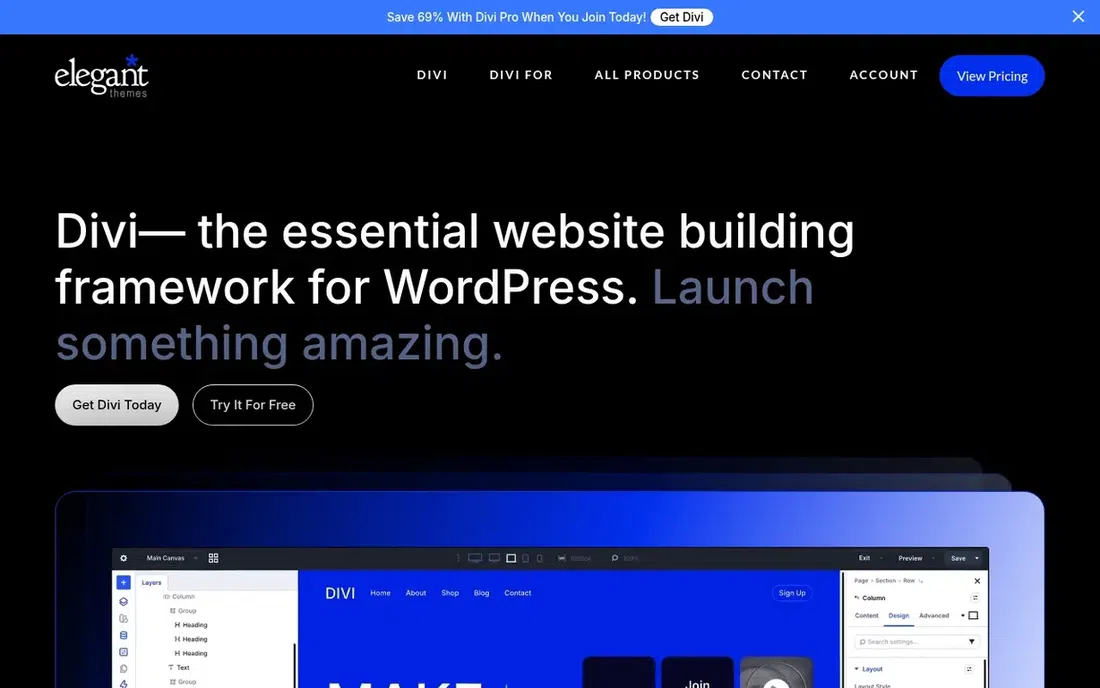
Divi is a good fit for theme and builder in one package. Since the builder and theme are closely linked, some teams find the workflow less modular than standalone page builders.
What to check first: Tied closely to its own theme ecosystem.
Divi presents itself as a WordPress theme combined with a visual page builder, which means design and layout tools arrive together. Designers who want to keep their existing theme, or who prefer a minimal plugin footprint, may look elsewhere. Check the vendor site for Divi pricing; none is listed in this comparison. Free plan details: Not stated.
- Visual page builder included
- Consistent styling controls
- Ramp-up time for its builder interface
WPBakery Page Builder
Best for: Drag-and-drop layouts with wide compatibility
WPBakery Page Builder makes the most sense for drag-and-drop layouts with wide compatibility. WPBakery remains practical when your theme already relies on it. Also, if you are starting fresh and want the newest editing experience, compare alternatives first.
Its homepage promises quick page creation and unlimited layouts. It frequently appears bundled with themes, so numerous site owners encounter it without choosing it straight. Starting cost for WPBakery Page Builder: $82 per lifetime. WPBakery Page Builder has no free tier.
Where it is weaker: Interface feels dated to some users.
- Widely used across themes
- Easy-to-learn drag-and-drop interface
- Shortcode-based output can complicate migration
Selection criteria
LinkVetted looked at what each vendor publishes: pricing, plan limits, feature coverage for web design software for WordPress and stated drawbacks. No hands-on testing is claimed. Figures are shown as the vendors publish them. Billing terms, seat minimums and add-ons can change the real cost. The ranking is editorial: typical fit first, then clear pricing, then free access. If your needs are unusual, read the profiles rather than relying on position.
What to confirm before you sign up
- Ask Elementor and Divi for a written quote, since no starting price is shown.
- Test the free plan from Breakdance against your real workload before relying on it.
- Before choosing Oxygen Builder, weigh its main limit: less beginner-friendly workflow.
- Ask the daily users to test WPBakery Page Builder on a live task before you roll it out to everyone.
- Make sure Oxygen Builder lets you export your data in a format another tool can read.
FAQ
Can AI really build a WordPress site for me?
The output is a starting point that still needs human review, editing and testing. From a buyer's view, treat AI as a speed aid instead of a replacement for design judgment.
Do these tools publish their prices?
Not all of them. Elementor and Divi publish no starting price, so expect a quote request for those. The rest, Oxygen Builder included, show a starting price, though seats and billing terms still change the final cost.
Is Oxygen Builder the right pick for everyone comparing web design software for WordPress?
No single tool suits every team. Oxygen Builder comes first because it fits developer-oriented AI-assisted WordPress builds, while Breakdance suits AI-generated sites refined in a visual editor and Elementor suits general visual WordPress site building. Match the tool to your own size, budget and workflow before deciding.
How are the tools for web design software for WordPress ordered?
Oxygen Builder sits first and WPBakery Page Builder last because the order follows typical fit for web design software for WordPress, then price clarity and free access. It is a judgement call, so read each profile for fit and limits.
Can I try these tools before paying?
Often, yes. Breakdance has a free plan. Use your own data and a real task during the test, and check what the free tier or trial limits before you rely on it. For the full picture, the cards above cover all 5 entries of this web design software for WordPress list, including price, free plan and limits.
Sources
- https://oxygenbuilder.com
- https://breakdance.com
- https://elementor.com
- https://www.elegantthemes.com/gallery/divi
- https://wpbakery.com