Choosing User-Friendly POS Software in 2026: 6 Options Compared
6 tools for the best User-Friendly POS software, compared on pricing, free plans and best-fit use. Each listing flags where it falls short. See which fits.
- Editor's choiceLoyverse POS
Small companies wanting straightforward mobile POS
Starts at$5 per store per monthVisit loyverse.comFull review - Great alternativeClover POS
Companies wanting an all-in-one POS setup
Starts atSee websiteVisit clover.comFull review - Also consider
 Zettle by PayPal
Sellers wanting PayPal-linked payments
Starts at£29Visit zettle.comFull review
Direct answer
Start with Loyverse POS if you need small companies wanting straightforward mobile POS. Listed starting prices: Loyverse POS from $5 per store per month, Zettle by PayPal from £29 and TouchBistro from $69 a month. If your case is different, Clover POS suits companies wanting an all-in-one POS setup and Zettle by PayPal suits sellers wanting PayPal-linked payments. All 6 tools are compared below on price, free plan and limits.
TL;DR:
- This list starts with Loyverse POS, which is built for small firms wanting straightforward mobile POS.
- For the cheapest start, look at Loyverse POS: $5 per store per month.
- Zettle by PayPal comes with a trade-off: payment features are the primary draw.
- TouchBistro suits restaurants wanting dedicated management tools.
Last checked November 2026. Prices and plan details were read from the vendors' own pages in November 2026; vendors change plans often, so confirm the current price on the vendor site before you buy.
Quick comparison
| Tool | Best for | Starts at | Free plan? | |
|---|---|---|---|---|
| Loyverse POS | Small companies wanting straightforward mobile POS | $5 per store per month | Yes | Visit |
| Clover POS | Companies wanting an all-in-one POS setup | See website | Not stated | Visit |
| Zettle by PayPal | Sellers wanting PayPal-linked payments | £29 | Not stated | Visit |
| Square Point of Sale | Straightforward setup for most small companies | See website | Not stated | Visit |
 Shopify POS | Retailers already selling on Shopify | See website | Not stated | Visit |
 TouchBistro | Restaurants wanting dedicated management tools | $69 a month | Not stated | Visit |
User-Friendly POS Software profiles
Choosing User-Friendly POS software usually comes down to price, fit and limits. This LinkVetted guide sets 6 tools side by side on those three points, with the facts kept short and checkable.
Loyverse POS
Best for: Small companies wanting straightforward mobile POS
Loyverse POS is aimed squarely at small businesses wanting straightforward mobile POS. The focus on small business means bigger operations with complicated multi-location or deep reporting needs may outgrow it.
For everyday use, Loyverse POS is a mobile point-of-sale system that Loyverse says simplifies sales, inventory and employee management for small companies. Beyond that, check that the documented inventory and employee features include your daily tasks before deciding. Price to start with Loyverse POS: $5 per store per month. You can start on Loyverse POS without paying.
Watch-outs: Fewer advanced retail or restaurant modules.
- Mobile point-of-sale design
- Inventory and employee management
- Targeted at small companies instead of large chains
Clover POS
Best for: Companies wanting an all-in-one POS setup
Clover POS makes the most sense for firms wanting an all-in-one POS setup. Clover provides POS systems and credit card readers, presenting software and payment hardware as a combined setup for small firms. It is a typical choice for shops and eateries that want a ready-made terminal and reader arrangement instead of assembling components themselves.
For everyday use, buyers should review the specific setup offered to them and compare documented capabilities against their needs. Beyond that, since the primary page hands restricted detail, the exact feature set can rely on the configuration and provider you work with. No starting price is listed for Clover POS here; confirm pricing on the vendor site. On free options: Not stated.
Points against: Less detail available on the central page.
- Fits numerous small business types
- Merges POS software with card readers
- Feature set varies by configuration
For sellers wanting PayPal-linked payments, Zettle by PayPal is a natural candidate. Zettle by PayPal provides business owners the capacity to accept card, contactless and mobile payments whereas organizing inventory and analyzing sales, based on Zettle.
Drawbacks to consider: Deep retail or restaurant tooling is restricted.
It suits small retailers, market sellers and service providers who prioritize adaptable payment acceptance with light inventory and reporting tools. Zettle by PayPal cost at the entry level: £29. Free plan details: Not stated.
- Inventory organization and sales analysis
- PayPal connection for payments
- Payment features are the central draw
Square Point of Sale
Best for: Straightforward setup for most small companies
Square Point of Sale is designed for straightforward setup for most small companies. Its appeal for newcomers is a straightforward setup that does not demand deep technical knowledge.
No starting price is listed for Square Point of Sale here; confirm pricing on the vendor site. On free options: Not stated.
Watch-outs: Hardware ecosystem is closely tied to Square.
- Works across retail and restaurant settings
- Appointments and online keeps
- Advanced needs may push you toward extras
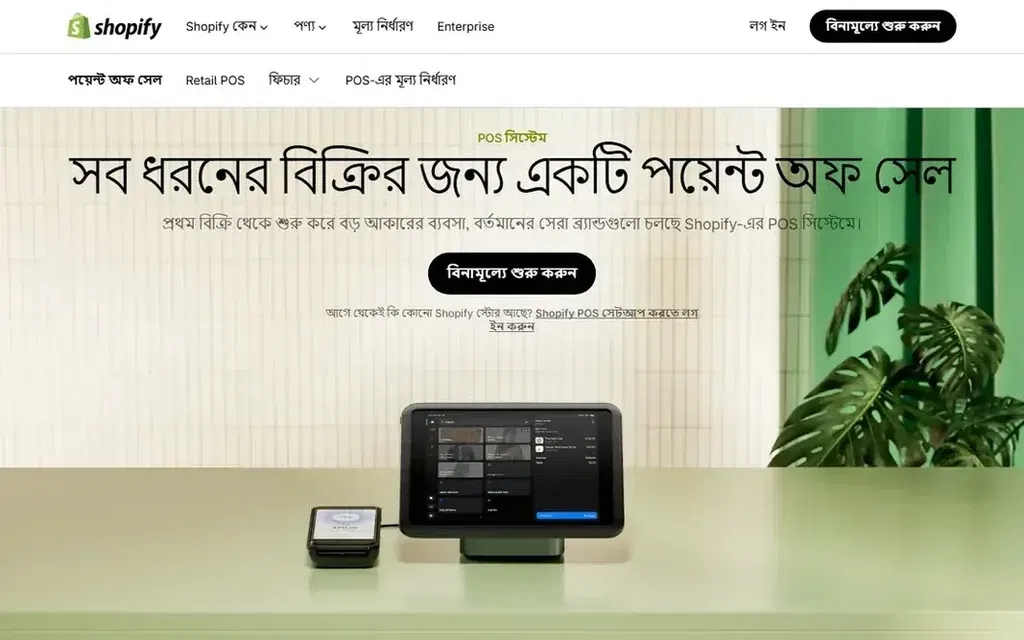
Pick Shopify POS if this describes you: retailers already selling on Shopify. For sellers already operating a Shopify store, it keeps in-person and online selling in one place, which cuts duplicate work. As for the details, Shopify POS integrates everything needed to run a retail business, from inventory management to checkout, based on Shopify.
What to check first: Most handy if you already use Shopify.
More specifically, retailers with unusual inventory models or purely offline operations should confirm that documented features match their workflow before committing. In daily use, the value depends heavily on being part of the Shopify ecosystem, so businesses without an online Shopify presence may find it less compelling. This comparison lists no price for Shopify POS; ask the vendor. Trial and free access: Not stated.
- Familiar interface for Shopify users
- Links checkout with inventory management
- Retail focus is more solid than restaurant focus
TouchBistro targets restaurants wanting dedicated management tools. TouchBistro is an all-in-one POS and restaurant management system that TouchBistro says helps increase sales, delight guests and save time and money. It is designed around food service, so menus, orders and front-of-house tasks are central instead of added on.
Highlights: All-in-one restaurant management focus.
Honest limits: Restaurant-specific scope may be more than some need.
Smaller food operations with very straightforward needs may find a general-purpose POS simpler to adopt. In daily use, confirm that the documented restaurant features match your service style and that staff can learn the workflow comfortably. Beyond that, since it is restaurant-focused, retail shops and service businesses should look elsewhere. More specifically, full-service restaurants, cafes and quick-service spots that want a system speaking their language are the intended audience. Entry price for TouchBistro: $69 per month. Trial and free access: Not stated.
- Aims to save time and support guests
- Built around food service operations
- Not intended for general retail
How we chose
Pre-purchase checklist
- Get a written quote from Clover POS, Square Point of Sale and Shopify POS; the list shows no starting price for them.
- Test the free plan from Loyverse POS against your real workload before relying on it.
- Before choosing Loyverse POS, weigh its main limit: pitched at small firms rather than large chains.
- Look at which plan of Clover POS unlocks the features you need; entry tiers are often cut down.
- Let daily users try Zettle by PayPal on real work; their feedback beats any feature checklist.
FAQ
How are the tools for User-Friendly POS software ordered?
The order follows typical fit for User-Friendly POS software, with Loyverse POS first and TouchBistro last, then price clarity and free access. It is editorial judgement, not a score, so another team could rank the tools differently.
Which POS software is easiest for new staff to learn?
Square Point of Sale and Loyverse POS are frequently described as approachable since they keep everyday selling straightforward. The right fit relies on your workflow, so have a staff member try a demo before deciding.
How should I compare POS choices before buying?
List the tasks you do daily, then check each vendor's documented features against that list. Confirm hardware, payment and support details straight with the vendor before committing.
What is the cheapest option for User-Friendly POS software in this list?
On published monthly entry prices, Loyverse POS is the lowest here at $5 per store per month. Entry price is only part of the cost, because seats, add-ons and billing terms can change the total. For the full picture, the cards above cover all 6 entries of this User-Friendly POS software list, including price, free plan and limits.
Is Loyverse POS the right pick for everyone comparing User-Friendly POS software?
No single tool suits every team. Loyverse POS comes first because it fits small businesses wanting simple mobile POS, while Clover POS suits businesses wanting an all-in-one POS setup and Zettle by PayPal suits sellers wanting PayPal-linked payments. Match the tool to your own size, budget and workflow before deciding.
Can I try these options before paying?
Often, yes. Loyverse POS has a free plan. Use your own data and a real task during the test, and check what the free tier or trial limits before you rely on it. Prices, free plan details and limits for all 6 tools in this User-Friendly POS software roundup sit on the individual cards above.
Sources
- https://loyverse.com
- https://www.clover.com
- https://www.zettle.com
- https://squareup.com/us/en/point-of-sale
- https://www.shopify.com/pos
- https://www.touchbistro.com