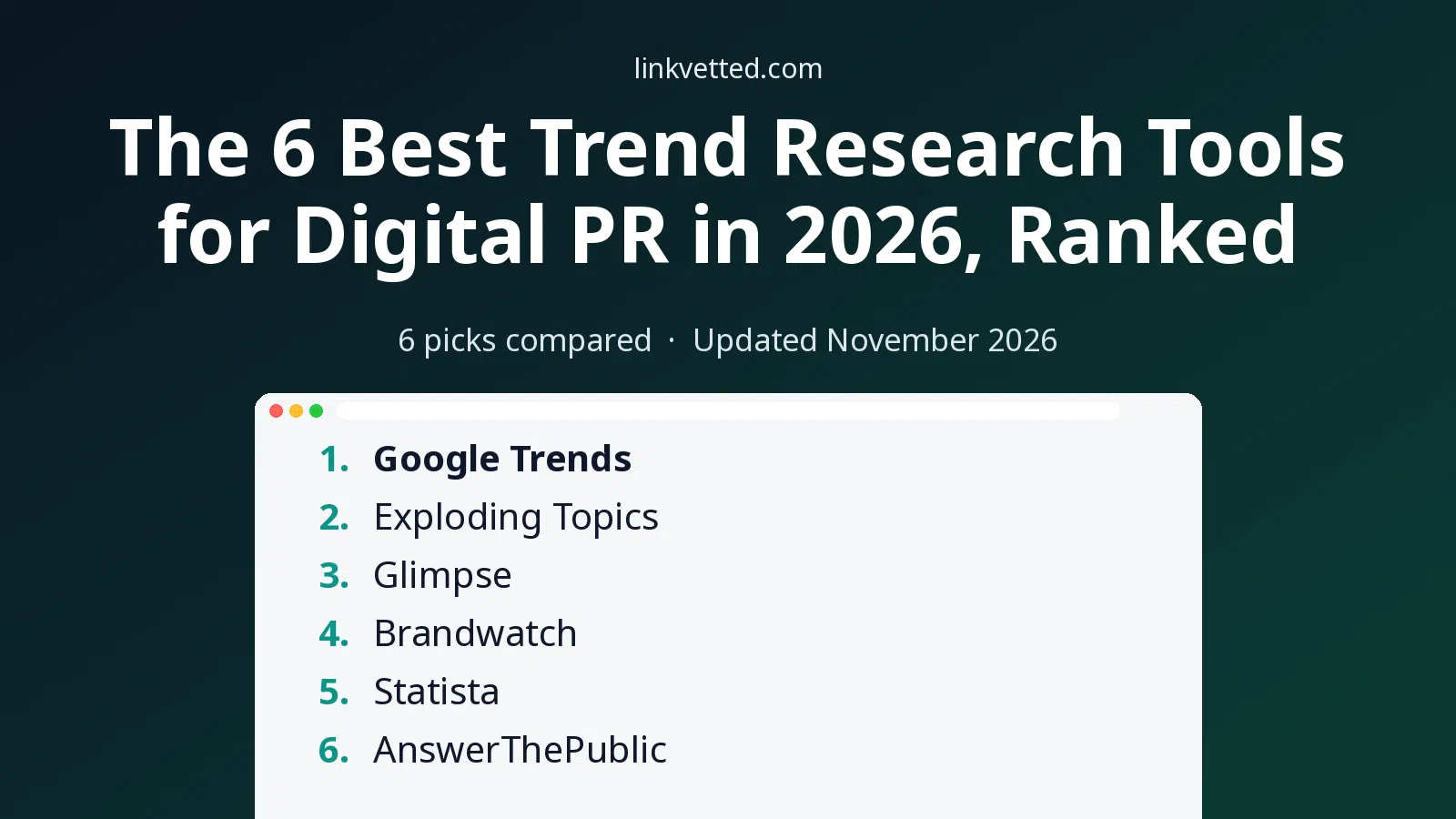
The 6 Best Trend Research Tools for Digital PR in 2026, Ranked
A practical guide to the best trend research tools for digital PR in 2026, compared from vendor documentation and public sources, with limits and fit.
- Editor's choice
 Google Trends
Search interest and seasonality checks
Starts atSee websiteVisit trends.google.comFull review - Great alternative
 Exploding Topics
Early topic discovery before the peak
Starts atSee websiteVisit explodingtopics.comFull review - Also considerGlimpse
Search demand forecasting
Starts atSee websiteVisit meetglimpse.comFull review
Direct answer
My first pick is Google Trends, because it shows what people actually search for over time and it is free. For social conversation spikes I would look at Exploding Topics, and for survey-style data that supports a story I would use Statista. Each covers a different part of trend research for digital PR, so most teams end up using more than one.
TL;DR:
- Trend research for digital PR means finding a story angle before it peaks, not just checking search volume after the fact.
- Google Trends is the cheapest starting point and works well for seasonality and regional interest comparisons.
- Social listening tools show conversation spikes that search data often misses in the first days.
- Data and survey platforms give you numbers a journalist can quote, which is often what gets a pitch accepted.
- No single tool covers search, social and survey data, so plan for a small stack rather than one subscription.
Last checked November 2026. Plan prices are not quoted in this guide because they change often; see each vendor's own pricing page for current figures before you buy.
Quick comparison
| Tool | Best for | Starts at | Free plan? | |
|---|---|---|---|---|
| Google Trends | Search interest and seasonality checks | See website | Free plan | Visit |
| Exploding Topics | Early topic discovery before the peak | See website | Free plan | Visit |
| Glimpse | Search demand forecasting | See website | Free trial | Visit |
 Brandwatch | Social listening and conversation spikes | See website | No free plan | Visit |
| Statista | Citable statistics for pitches | See website | No free plan | Visit |
 AnswerThePublic | Question-led story angles | See website | Free plan | Visit |
The best trend research tools for digital pr compared
I compared these tools from vendor documentation, help centre articles and public sources. I did not run hands-on tests, so treat this as a fit-and-limits guide rather than a benchmark. The order reflects how I would sequence them in a small agency workflow, starting with the cheapest source of signal.
Google Trends is the first place I look when a client asks whether a topic is worth pitching. It shows relative search interest over time, which helps you spot a rising topic, a seasonal pattern or a term that is already declining. For digital PR, that matters because a pitch built on a falling trend is harder to sell to a journalist.
In practice I use it to compare a proposed angle against two or three alternatives, then check regional interest to see whether a story has a local hook. The related queries panel often surfaces the phrasing people actually use, which feeds directly into headline ideas. It works best as a screening step before you spend time on data collection.
The limits are real. It gives relative numbers, not absolute volumes, and it says nothing about social conversation. If you need to prove a trend to a client with hard figures, pair it with a data source. Teams that only need a quick sanity check can stop here.
- Free to use
- compares up to five terms
- shows regional and related queries
- No social conversation data
- export options are limited
Exploding Topics tracks terms across the web and labels them by how fast they are growing. I find it useful at the idea stage, when a client wants angles that are not yet saturated. Browsing by category gives you a list of candidate topics you can then verify elsewhere.
For digital PR, the value is in timing. A topic marked as growing rather than peaked is more likely to feel fresh to a journalist. I usually take two or three candidates from here and check them in Google Trends before writing anything. That two-step keeps me from pitching something that only looks popular on one platform.
The caveat is that the growth labels are modelled estimates, not published search volumes. Niche B2B and regional topics can be underrepresented. If your client works in a narrow industry, treat this as a prompt generator rather than a source of truth.
- Surfaces topics before they go mainstream
- simple trend status labels
- useful category browsing
- Labels are estimates
- niche B2B topics can be thin
Glimpse
Best for: Search demand forecasting
Glimpse adds estimated search volumes and forecasts on top of Google Trends style data. I use it when a client wants to know whether interest in a topic is likely to hold for the next few months, which affects whether a campaign is worth building.
For digital PR planning, that forward view helps you decide when to publish. If a topic peaks in six weeks, you have a deadline. If it is flat, you need a different hook. The keyword grouping also helps when you are comparing several related phrases and want one clean view instead of five separate charts.
It does not cover social conversation or news coverage, so it is one input rather than a full research desk. Small teams on a tight budget may find Google Trends covers enough of the same ground. I would add Glimpse when forecasting is a recurring client request.
- Shows historical and forecast search volume
- integrates with Google Trends data
- keyword grouping features
- Search-focused only
- forecast accuracy varies by category
Brandwatch is a social listening platform. It tracks mentions across social channels and lets you build queries around a topic, brand or phrase. I point clients to it when a story depends on what people are saying rather than what they are searching for.
For digital PR, that means you can see a conversation start to build before search data catches up. You can also check whether a proposed angle is already being discussed heavily, which tells you whether you are early or late. Historical data helps when you want to show a client how a topic behaved around a past event.
The trade-off is complexity. Building useful queries takes practice, and the platform is built for teams with ongoing listening needs. A solo PR operator with occasional trend checks will likely find it more than they need. Skip it if you only want a quick search-interest read.
- Broad social coverage
- sentiment and volume tracking
- historical conversation data
- Setup and query building take time
- pricing suits larger teams
Statista
Best for: Citable statistics for pitches
Statista aggregates statistics from research firms, government bodies and industry reports. I use it when a pitch needs a number a journalist can reference, such as market size or audience behaviour. Having a citable figure often makes the difference between a pitch that gets a reply and one that does not.
For trend research, it is less about spotting a rising topic and more about supporting one you have already found. If Google Trends shows interest rising, Statista can help you explain why it matters. The citation details on each chart make it easier to check the original source before you quote it.
Check reuse rights carefully. Many charts are licensed and cannot be republished without permission, and the underlying data often sits behind a paywall. If your client needs original data rather than published figures, this is not a substitute for running your own survey.
- Large range of published statistics
- clear source citations
- good for market context
- Many charts are licensed
- original data sits behind a paywall
AnswerThePublic collects questions and phrases people use around a keyword and groups them by words like how, what and why. I use it late in the process, once I have a topic, to find the specific question a story should answer.
For digital PR, that question often becomes the headline or the angle. A pitch framed around a real question reads more naturally than one built on a keyword. The grouped view makes it quick to scan for patterns, and the phrasing can be reused in outreach subject lines.
It does not tell you whether a topic is growing or fading, so it cannot replace a trend check. Results for very broad terms can also repeat. I treat it as a phrasing tool that sits on top of the trend research, not as the research itself.
- Groups questions by preposition
- visual output is easy to scan
- useful for headline phrasing
- Shows questions, not momentum
- results can be repetitive for broad terms
How I chose
I built this list from vendor documentation, help centre pages and public product descriptions, then filtered by how each tool fits a digital PR workflow. The main questions were whether a tool shows timing, whether it produces something a journalist would accept, and whether a small team could use it without a long setup. I did not run hands-on tests or measure results, so the notes describe documented features and known limits rather than performance.
I also looked at overlap. Several tools read similar data, so I picked ones that cover different stages: discovery, forecasting, social conversation, citable statistics and question phrasing. That way the list works as a stack rather than six versions of the same thing. Where a tool is built for larger teams, I say so, because fit matters more than a long feature list.
What to check before you buy
- Confirm whether the tool shows relative interest or absolute volume, since pitches often need the latter.
- Check export and citation rules, especially for charts you plan to share with journalists.
- Ask whether social conversation is included, because search data alone misses early spikes.
- Test the query builder or search interface on a real client topic before committing to an annual plan.
- Check how far back historical data goes, since seasonal comparisons need more than one year.
- Confirm the licence terms for any data you republish, and whether you need original research instead.
FAQ
What is the best free trend research tool for digital PR?
Google Trends is the most useful free starting point because it shows search interest over time and by region. AnswerThePublic also has a free tier for question research. Neither covers social conversation, so if a story depends on what people are saying online, you will need a listening tool as well.
Do I need a paid tool for trend research?
Not always. If you only need to check whether a topic is rising or seasonal, Google Trends covers that. Paid tools help when you need forecasts, social listening at scale or citable statistics. Start free, then add a paid tool when a specific client request cannot be answered with free data.
How do I know a trend is real and not just noise?
Check it in more than one place. A topic that shows up in search interest, social conversation and published statistics is more likely to hold. Single-platform spikes can be short-lived. I also look at whether the topic has appeared before, since returning trends behave differently from new ones.
Can these tools replace original research for a campaign?
No. They help you find and support an angle, but published statistics are often licensed and cannot be republished freely. If a campaign needs unique data, you still have to commission a survey or analyse a dataset yourself. Trend tools tell you what to research, not what the answer is.
How often should I check trends for a PR campaign?
For most campaigns, a check at the planning stage and one before launch is enough. Fast-moving news topics may need weekly checks. Seasonal topics are worth reviewing a few months ahead so you have time to build data and assets before interest peaks.
Sources
- https://trends.google.com
- https://explodingtopics.com
- https://meetglimpse.com
- https://www.brandwatch.com
- https://www.statista.com
- https://answerthepublic.com