6 Best Tool for Scanning a Container Security for 2026, Vetted and Compared
Weighing the best tool for scanning a container security? We lined up 6 products by cost, free access and fit. With pricing notes and limits. Start here.
- Editor's choiceTrend Micro Cloud One - Container Security
Image scanning with admission control
Starts atSee websiteVisit trendmicro.comFull review - Great alternative
 Sysdig Secure
Cloud coverage with deep runtime insight
Starts atSee websiteVisit sysdig.comFull review - Also consider
 Prisma Cloud
Wide code-to-cloud container protection
Starts atSee websiteVisit paloaltonetworks.comFull review
Direct answer
For image scanning with admission control, Trend Micro Cloud One - Container Security is where this list starts. Listed starting prices: Snyk Container from $25 a month. Sysdig Secure is better for Cloud coverage with deep runtime insight, and Prisma Cloud is better for wide code-to-cloud container protection. All 6 tools are compared below on price, free plan and limits.
TL;DR:
- Trend Micro Cloud One - Container Security sits first on this list: image scanning with admission control.
- For the cheapest start, look at Snyk Container: $25 per month.
- Snyk Container stands alone as the one tool in this list with a free plan.
- The main caution on Sysdig Secure: product scope may be broad for single needs.
Last checked November 2026. Prices and plan details were read from the vendors' own pages in November 2026; vendors change plans often, so confirm the current price on the vendor site before you buy.
Quick comparison
| Tool | Best for | Starts at | Free plan? | |
|---|---|---|---|---|
| Trend Micro Cloud One - Container Security | Image scanning with admission control | See website | Not stated | Visit |
| Sysdig Secure | Cloud coverage with deep runtime insight | See website | Not stated | Visit |
| Prisma Cloud | Wide code-to-cloud container protection | See website | Not stated | Visit |
 Orca Security | Multicloud CNAPP with workload defense | See website | Not stated | Visit |
 Aqua Security | Runtime context and policy enforcement | See website | Not stated | Visit |
| Snyk Container | Developer-led image vulnerability fixing | $25 a month | Yes | Visit |
The 6 tools in detail
Short on time? The summary and table above give the quick view of 6 tools for tool for scanning a container security, and the profiles that follow give the detail behind each entry.
Trend Micro Cloud One - Container Security
Best for: Image scanning with admission control
Trend Micro Cloud One - Container Security is designed for image scanning with admission control. Admission control policies need planning before rollout.
More specifically, choose this tool when image scanning, admission control and runtime protection are the core requirements. In practice, the offering is centered on container image and runtime security, so teams needing wide cloud posture management may look to a CNAPP. Trend Micro Cloud One - Container Security does not show a starting price in this comparison, so check the vendor site for current pricing. Free options: Not stated.
Limits to weigh: Focused scope compared to full CNAPPs.
- Container runtime protection
- Container image scanning
- Policy tuning is required
Sysdig Secure targets Cloud coverage with deep runtime insight. Sysdig Secure is presented as a cloud security system delivering the breadth of coverage and depth of insights needed to protect cloud environments. Worth adding: for container scanning, it fits teams that want image and workload risk handled within a wider cloud protection product.
Limits to weigh: System scope may be wide for single needs.
For everyday use, choose Sysdig Secure when container scanning should link to deeper cloud and runtime insight instead of stand alone. On top of that, organizations prioritizing runtime visibility alongside scanning are a decent match. Sysdig Secure does not show a starting price in this comparison, so check the vendor site for current pricing. Free access: Not stated.
- Depth of runtime insights
- Wide cloud security coverage
- Needs environment visibility to deliver value

In short, Prisma Cloud is for wide code-to-cloud container protection. Prisma Cloud is a cloud native application protection system that spans code to cloud security across any cloud, multicloud and hybrid environment. For container scanning, it suits organizations that want image and workload risk handled inside a wider cloud security program instead of as a standalone scanner.
On top of that, smaller teams that only need build-time vulnerability checks may find a narrower tool simpler to adopt. The system's breadth can translate into more configuration and onboarding effort than a focused image scanner. No starting price is listed for Prisma Cloud here; confirm pricing on the vendor site. Free access: Not stated.
Where it falls short: May overlap with existing cloud tools.
- Supports multicloud and hybrid setups
- Spans code to cloud security
- Wide scope can mean complicated setup
Orca Security was built for Multicloud CNAPP with workload defense. Orca Security describes an AI-powered cloud security system and CNAPP that secures multicloud environments from build to runtime, with AI security and workload defense. As a CNAPP, Orca Security is broader than a dedicated image scanner, which may be more than a small team needs.
Teams wanting only pipeline checks might prefer a focused tool. From a buyer's view, for container scanning, it suits teams wanting image and workload risk inside a single cloud security product. Multicloud organizations are the intended audience. No starting price is listed for Orca Security here; confirm pricing on the vendor site. On free options: Not stated.
Where it is weaker: CNAPP scope may be more than needed.
- Multicloud environment focus
- Handles build to runtime
- Adoption needs cloud-wide planning
Where Aqua Security fits: Runtime context and policy enforcement. A runtime-centered approach can be more than a build-time-only team needs, and policy design takes thought. For everyday use, consider Aqua Security when runtime threat detection and enforcement are central to your container security plan.
What to check first: Policy setup requires planning.
As for the details, Aqua Security monitors code and running workloads, spots real threats and enforces policy at runtime, turning deep runtime context into control. In practice, Security groups wanting runtime visibility alongside scanning are the natural audience. Worth adding: for container scanning, it suits teams that care as much about what happens after deployment as about image checks. This comparison lists no price for Aqua Security; ask the vendor. On free options: Not stated.
- Spots real threats at runtime
- Enforces policy at runtime
- Runtime emphasis may exceed build-only needs
Snyk Container
Best for: Developer-led image vulnerability fixing
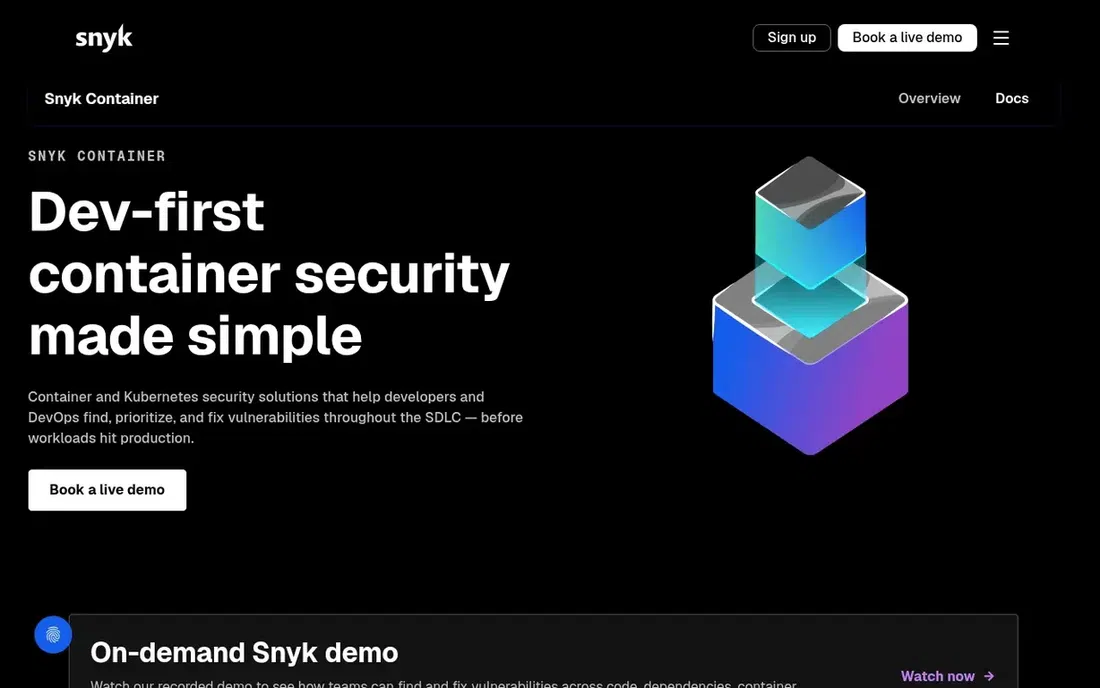
Pick Snyk Container if this describes you: developer-led image vulnerability fixing. Snyk Container is targeted at image and workload vulnerability management, so teams needing deep runtime threat detection may pair it with another tool.
For everyday use, Snyk Container is a container vulnerability management tool that helps developers find and fix vulnerabilities in Docker base images and commands, Kubernetes workloads and more. Also, the focus on fix guidance makes it practical for pipeline-driven workflows. Starting cost for Snyk Container: $25 per month. Free access exists with Snyk Container.
Limits to weigh: Narrower than full CNAPP systems.
- Targets Docker and Kubernetes workloads
- Finds vulnerabilities in base images
- Runtime depth is restricted compared to product tools
How these tools were picked
The comparison looks at four things: starting price, free access, how well the feature set matches tool for scanning a container security, and the main limit of each tool. Treat prices as a snapshot: vendors change plans often, so check the vendor site for the figure that applies today. Position on the page reflects fit for a typical buyer first, with price clarity and free access breaking ties. Treat it as a guide, not a ruling.
A buyer's checklist
- Get a written quote from Trend Micro Cloud One - Container Security, Sysdig Secure, Prisma Cloud and others; the list shows no starting price for them.
- Look at the free plan from Snyk Container closely: its caps decide whether it is usable for real work.
- Before choosing Trend Micro Cloud One - Container Security, weigh its main limit: focused scope compared to full CNAPPs.
- Run a one or two week pilot of Orca Security with the people who will use it every day.
- Add up seats, add-ons and usage charges for Trend Micro Cloud One - Container Security before comparing it with cheaper entries.
FAQ
Can I try these tools before paying?
Often, yes. Snyk Container has a free plan. Use your own data and a real task during the test, and check what the free tier or trial limits before you rely on it. All 6 picks in this tool for scanning a Container security comparison list a starting price, free plan details and the main limits on their cards above.
What should a container security scanner check?
A scanner should identify vulnerabilities in base images and workload definitions, and ideally link those findings to deployment controls and runtime behavior.
What is the cheapest option for tool for scanning a container security in this list?
On published monthly entry prices, Snyk Container is the lowest here at $25 per month. Entry price is only part of the cost, because seats, add-ons and billing terms can change the total. For the full picture, the cards above cover all 6 entries of this tool for scanning a Container security list, including price, free plan and limits.
Is Trend Micro Cloud One - Container Security the right pick for everyone comparing tool for scanning a container security?
No single tool suits every team. Trend Micro Cloud One - Container Security comes first because it fits image scanning with admission control, while Sysdig Secure suits Cloud coverage with deep runtime insight and Prisma Cloud suits broad code-to-cloud container protection. Match the tool to your own size, budget and workflow before deciding.
Do these tools publish their prices?
Not all of them. Trend Micro Cloud One - Container Security, Sysdig Secure, Prisma Cloud and others publish no starting price, so expect a quote request for those. The rest, Snyk Container included, show a starting price, though seats and billing terms still change the final cost.
Sources
- https://www.trendmicro.com/en_us/business/products/hybrid-cloud/cloud-one-container-image-security.html
- https://sysdig.com/products/secure
- https://www.paloaltonetworks.com/prisma/cloud
- https://orca.security
- https://www.aquasec.com
- https://snyk.io/product/container-vulnerability-management