The 5 Best Team Mind Mapping Software in 2026, Ranked
Best team mind mapping software in 2026: 5 contenders with entry costs and free tiers. Strengths and weak spots are spelled out. Pick with confidence.

- Editor's choice
 XMind
AI-assisted brainstorming and mapping
Starts at$4.92 a monthVisit xmind.appFull review - Great alternative
 Mural
Visual collaboration and innovation
Starts at$9.99 per member per monthVisit mural.coFull review - Also consider
 Miro
Collaborative visual ideation
Starts at$8 per member a monthVisit miro.comFull review
Direct answer
XMind leads the list, best for AI-assisted brainstorming and mapping. Listed starting prices: XMind from $4.92 a month, Mural from $9.99 per member per month and Miro from $8 per member a month. If your case is different, Mural suits visual collaboration and innovation and Miro suits collaborative visual ideation. All 5 tools are compared below on price, free plan and limits.
TL;DR:
- Number one here is XMind, a fit for AI-assisted brainstorming and mapping.
- XMind, Mural, Miro, MindMeister: these are the 4 tools out of 5 that offer a free plan.
- MindMeister suits simple online mind mapping.
- Before buying Miro, weigh this: can be overwhelming for straightforward mind maps.
Last checked November 2026. Prices and plan details were read from the vendors' own pages in November 2026; vendors change plans often, so confirm the current price on the vendor site before you buy.
Quick comparison
| Tool | Best for | Starts at | Free plan? | |
|---|---|---|---|---|
| XMind | AI-assisted brainstorming and mapping | $4.92 a month | Yes | Visit |
| Mural | Visual collaboration and innovation | $9.99 per member per month | Yes | Visit |
| Miro | Collaborative visual ideation | $8 per member a month | Yes | Visit |
 Lucidchart | Diagramming with data and automation | See website | Not stated | Visit |
 MindMeister | Simple online mind mapping | See website | Yes | Visit |
The best team mind mapping software
Short on time? The summary and table above give the quick view of 5 tools for team mind mapping software, and the profiles that follow give the detail behind each entry.
XMind makes the most sense for AI-assisted brainstorming and mapping. XMind is a mind map maker and AI brainstorming tool that permits users to produce mind maps online or on desktop. It supports brainstorming, organizing thoughts, and planning projects with AI, templates, and visual structures.
Teams needing deep co-editing might look elsewhere. That said, for AI-enhanced brainstorming, XMind is a compelling choice. Whereas XMind gives you capable individual mapping features, its live team collaboration might not be as smooth as some dedicated collaborative systems. On top of that, XMind suits individuals and teams looking for a versatile mapping tool with AI assistance for creative thinking and project planning. XMind pricing: $4.92 per month. A free plan is available with XMind.
The main drawbacks: Collaboration features may be less solid.
- AI brainstorming capabilities
- Templates and visual structures
- Interface can be complicated for beginners
Mural targets visual collaboration and innovation. Mural is well suited to teams that require a collaborative space for several visual activities, including mind mapping, in a single tool.
The main drawbacks: May need onboarding for full use.
Price to start with Mural: $9.99 per member per month. You can start on Mural without paying.
- Supports planning and strategizing
- AI-powered visual workspace
- Mind mapping is part of a broader feature set

Pick Miro if this describes you: collaborative visual ideation. Miro is an AI innovation workspace that supports visual collaboration from ideation to launch.
What to check first: Can be overwhelming for straightforward mind maps.
It permits teams to align and break down silos using a shared visual product. The starting price for Miro: $8 per member per month. A free plan is available with Miro.
- Supports team alignment and breaking silos
- AI-powered features for product development
- May need training for full utilization
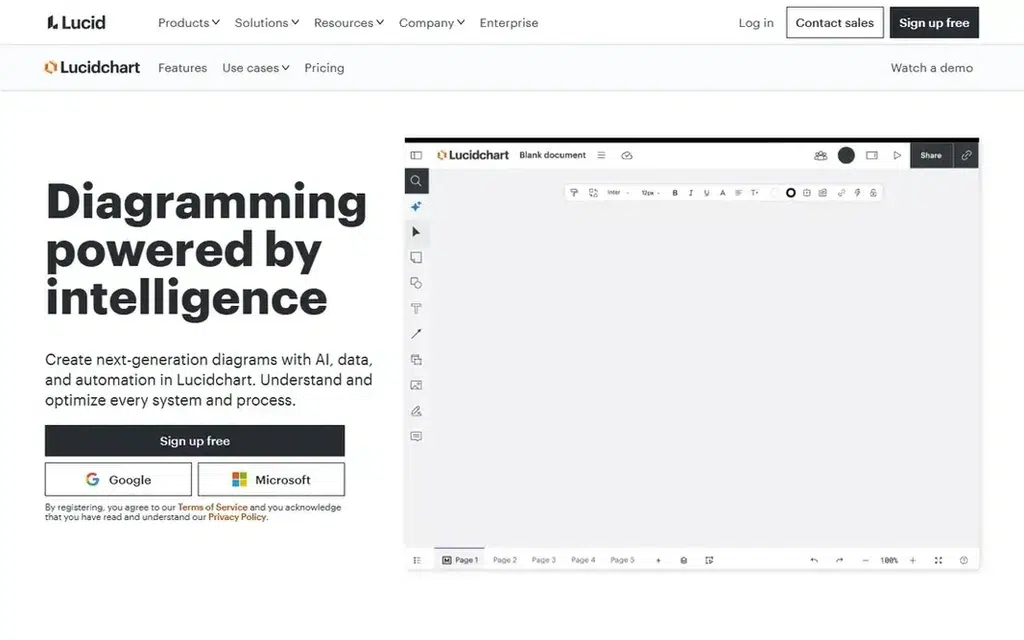
Lucidchart is aimed squarely at Diagramming with data and automation. Lucidchart is a diagramming product powered by intelligence, enabling teams to build next-generation diagrams with AI, data, and automation. It helps users understand and optimize systems and processes.
This tool is a strong match for teams that require to visualize complicated information and workflows, with mind mapping as part of a broader diagramming toolkit. Also, Lucidchart's strength in technical and process diagrams means its mind mapping features might not be as specialized as dedicated tools. Even so, for those needing to integrate mapping with system design, Lucidchart supplies unique advantages. No starting price is listed for Lucidchart here; confirm pricing on the vendor site. On free options: Not stated.
Downsides: Mind mapping is one of many diagram types.
- Helps understand and optimize systems
- Integrates data and automation
- May need familiarity with diagramming concepts
MindMeister was built for easy online mind mapping. MindMeister is a simple online mind mapping software that lets users to create, share, and generate AI mind maps rapidly. It is accessible straight in the browser without downloads.
Whereas it spans core mind mapping well, teams with advanced needs might outgrow it. That said, for most collaborative mapping tasks, MindMeister gives you a steady and accessible choice. MindMeister's simplicity might limit teams needing highly complicated or customized diagrams. MindMeister shows no starting price here, so confirm the cost on the vendor site. You can start on MindMeister without paying.
Strengths: AI mind map generation.
The main drawbacks: Advanced features may require a premium plan.
- No download
- Widely used and trusted
- May lack some customization choices
Our selection method
Selection started from tools commonly considered for team mind mapping software, then narrowed to 5 that have clear pricing information or a clear quote process. Prices and plan limits come from vendor pages and can change, so confirm them on the vendor site before you buy. Tools are placed by general fit for team mind mapping software, with price clarity and free access as tie-breakers. A different team can reasonably rank them differently.
Questions to settle before buying
- Confirm the entry price on the vendor page. For Lucidchart and MindMeister that means a quote rather than a fixed price.
- Look at free plan limits closely: XMind, Mural, Miro and MindMeister have one, and the caps decide whether it is usable for real work.
- Before choosing XMind, weigh its main limit: collaboration features may be less solid.
- Look at which plan of Mural unlocks the features you need; entry tiers are often cut down.
- Verify that exporting from XMind is possible on your plan and covers all your records.
FAQ
Do these tools support live collaboration?
Most tools listed, like Miro, Mural, and MindMeister, are designed for live team collaboration. Check each vendor's documentation for specifics on collaborative features.
Which tools offer AI-powered mind mapping?
XMind, MindMeister, and Miro advertise AI capabilities for brainstorming and map generation. Lucidchart also incorporates AI for diagramming. Verify the current AI features on vendor sites, as they may evolve.
What is the best mind mapping software for teams?
XMind is the pick this page puts first, mainly for AI-assisted brainstorming and mapping. If your situation differs, Mural suits visual collaboration and innovation, and Miro suits collaborative visual ideation. Compare price and limits before you decide.
Do these tools publish their prices?
Not all of them. Lucidchart and MindMeister publish no starting price, so expect a quote request for those. The rest, XMind included, show a starting price, though seats and billing terms still change the final cost.
Is XMind the right pick for everyone comparing team mind mapping software?
No single tool suits every team. XMind comes first because it fits AI-assisted brainstorming and mapping, while Mural suits visual collaboration and innovation and Miro suits collaborative visual ideation. Match the tool to your own size, budget and workflow before deciding.
What is the cheapest option for team mind mapping software in this list?
On published monthly entry prices, XMind is the lowest here at $4.92 per month. Entry price is only part of the cost, because seats, add-ons and billing terms can change the total. All 5 picks in this team mind mapping software comparison list a starting price, free plan details and the main limits on their cards above.
Sources
- https://xmind.app
- https://www.mural.co
- https://miro.com
- https://www.lucidchart.com
- https://www.mindmeister.com