Best Software for Time-Lapse Video (2026): 5 Picks Checked on Vendor Pages
Best software for Time-Lapse video in 2026: 5 contenders with entry costs and free tiers. Every pick includes one clear drawback. Reviewed this month.
- Editor's choice
 Adobe Lightroom
Photo editing and organizing frames
Starts atPricing on requestVisit adobe.comFull review - Great alternativeLRTimelapse
Dedicated time-lapse editing and rendering
Starts atPricing on requestVisit lrtimelapse.comFull review - Also consider
 Capture One
Precise RAW handling and tethering
Starts atPricing on requestVisit captureone.comFull review
Direct answer
This list puts Adobe Lightroom first for photo editing and organizing frames. LRTimelapse is the stronger choice for dedicated time-lapse editing and rendering, while Capture One suits precise RAW handling and tethering. Details and limits for the rest of the 5 tools are below. None of these vendors publish plan prices, so pricing is on request for every option.
TL;DR:
- Adobe Lightroom sits first on this list: photo editing and organizing frames.
- Neither Adobe Lightroom nor Final Cut Pro, nor any of the other 3 tools, has a permanent free plan; trials and quotes are the norm.
- For Mac and iPad editors, Final Cut Pro is worth a look.
- No starting price is shown for any of the 5 tools, Adobe Lightroom and Final Cut Pro included, so plan time for sales calls.
- One limit worth knowing about Adobe After Effects: not made for time-lapse.
Last checked November 2026. Pricing on request: vendors did not publish plan prices when this guide was last checked (November 2026), so ask each vendor for a written quote.
Quick comparison
| Tool | Best for | Starts at | Free plan? | |
|---|---|---|---|---|
| Adobe Lightroom | Photo editing and organizing frames | Pricing on request | Not stated | Visit |
| LRTimelapse | Dedicated time-lapse editing and rendering | Pricing on request | Not stated | Visit |
| Capture One | Precise RAW handling and tethering | Pricing on request | Not stated | Visit |
 Adobe After Effects | Motion graphics and compositing work | Pricing on request | Not stated | Visit |
 Final Cut Pro | Mac and iPad editors | Pricing on request | Not stated | Visit |
Our 5 picks for software for Time-Lapse video
LinkVetted compared 5 tools for software for Time-Lapse video. The goal is a practical shortlist: published prices, free plan facts, best-fit use cases and honest limits for every entry.
Adobe Lightroom serves photo editing and organizing frames. Adobe Lightroom is photo editing and organizing software for desktop, web and mobile, geared toward professional photographers and enthusiasts.
What to check first: Not a video editor.
Choose it as the front end of a workflow when frame-level photo quality matters most. In a time-lapse pipeline it is the place to cull, organize and adjust individual frames before they are assembled into a sequence. Pricing for Adobe Lightroom is not stated here, so ask the vendor for current figures. Free options: Not stated.
- Works on desktop
- Manages large photo collections
- Time-lapse assembly happens elsewhere
LRTimelapse
Best for: Dedicated time-lapse editing and rendering
LRTimelapse targets dedicated time-lapse editing and rendering. Users who only occasionally assemble a short sequence may prefer a general editor. In practice, LRTimelapse is presented as a solution for time-lapse editing, keyframing, grading and rendering, supporting Windows and Mac with RAW and JPG files from any camera.
That focus makes it the natural first stop for photographers who shoot long sequences and need smooth exposure and color transitions across frames. Since it is built around time-lapse, it is not the tool for editing unrelated video projects. It usually works alongside a photo editor for the underlying adjustments. No starting price is listed for LRTimelapse here; confirm pricing on the vendor site. Trial and free access: Not stated.
The main drawbacks: Narrow focus beyond time-lapse.
- Supports RAW and JPG from any camera
- Keyframing designed for time-lapse
- Needs a companion editing workflow
Capture One targets precise RAW handling and tethering. Capture One is professional photo editing software made for photographers who want precision and control, with advanced editing tools, RAW handling and tethering capabilities.
As for the details, for time-lapse shooters it suits the capture and frame-adjustment stage, especially when shooting tethered and needing consistent color across a sequence. Beyond that, Capture One does not assemble or render time-lapse video, so a dedicated tool or editor is still required for the final sequence. No starting price is listed for Capture One here; confirm pricing on the vendor site. Free access: Not stated.
What to check first: Targeted at still photographers.
- Advanced editing tools
- Smooth RAW handling
- Not a video or time-lapse editor
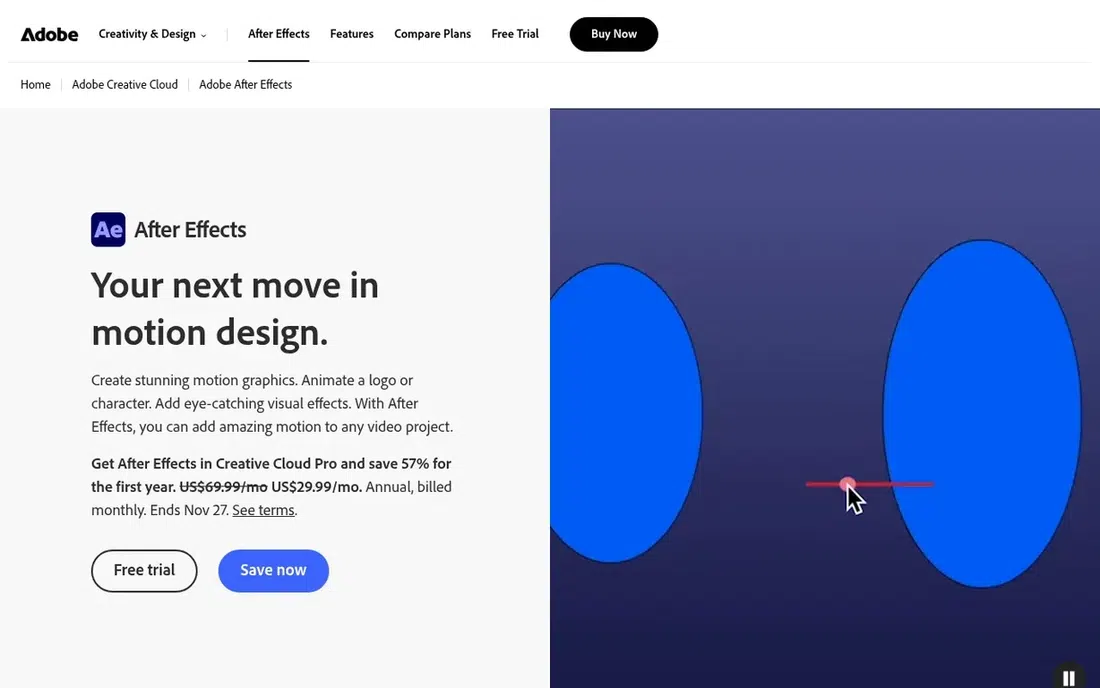
Adobe After Effects is built with motion graphics and compositing work in mind. Editors who already work inside Adobe workflows will find it a natural place to finish a stylized time-lapse piece.
Drawbacks to consider: Not designed for time-lapse.
As for the details, After Effects is not a dedicated time-lapse application, so batch keyframing and grading of long RAW sequences are better handled elsewhere. It also rewards users who know their way around layers and keyframes. No starting price is listed for Adobe After Effects here; confirm pricing on the vendor site. Free access: Not stated.
- Solid motion graphics toolset
- Compositing for layered sequences
- Demanding for straightforward sequence assembly
In short, Final Cut Pro is for Mac and iPad editors. Final Cut Pro is not a dedicated time-lapse tool, so batch keyframing and grading of large RAW sequences are better handled elsewhere.
Points against: No dedicated time-lapse module.
It is also restricted to Apple hardware. Worth adding: consider it when you edit on Mac or iPad and want time-lapse as part of a wider project instead of a standalone specialty. No starting price is listed for Final Cut Pro here; confirm pricing on the vendor site. Free options: Not stated.
- Intelligence features for quicker work
- Pro-quality creation workflow
- Apple systems only
How we compared the tools
For each of the 5 tools we noted price, free plan or trial, fit for software for Time-Lapse video and the main limit, using vendor pages and documentation. Treat prices as a snapshot: vendors change plans often, so check the vendor site for the figure that applies today. The ranking is editorial: typical fit first, then clear pricing, then free access. If your needs are unusual, read the profiles rather than relying on position.
Questions to settle before buying
- Ask each vendor, from Adobe Lightroom to Final Cut Pro, for a written quote; none of them publishes a starting price.
- Before choosing Adobe Lightroom, weigh its main limit: not a video editor.
- Confirm you can export your data from Adobe After Effects, so leaving later does not mean losing records.
- The entry price of LRTimelapse is only the starting point; model the full cost with seats and extras.
- Check the support hours and onboarding help Capture One offers; smaller vendors vary a lot here.
FAQ
Does any tool for software for Time-Lapse video here have a free plan?
No tool in this list, Adobe Lightroom and Final Cut Pro included, has a permanent free plan. Trials and quotes are the usual route, so plan a short evaluation period.
How are the tools for software for Time-Lapse video ordered?
Adobe Lightroom sits first and Final Cut Pro last because the order follows typical fit for software for Time-Lapse video, then price clarity and free access. It is a judgement call, so read each profile for fit and limits.
Do these tools publish their prices?
No. None of the tools, from Adobe Lightroom to Final Cut Pro, shows a fixed starting price here, so budget time for quotes.
Is Adobe Lightroom the right pick for everyone comparing software for Time-Lapse video?
No single tool suits every team. Adobe Lightroom comes first because it fits photo editing and organizing frames, while LRTimelapse suits dedicated time-lapse editing and rendering and Capture One suits precise RAW handling and tethering. Match the tool to your own size, budget and workflow before deciding.
Sources
- https://www.adobe.com/products/photoshop-lightroom.html
- https://lrtimelapse.com
- https://www.captureone.com
- https://www.adobe.com/products/aftereffects.html
- https://www.apple.com/final-cut-pro