Software for Online Tutoring in 2026: The 6 Best Options Side by Side
Best software for online tutoring in 2026: 6 contenders with entry costs and free tiers. Short, factual notes on every option. Current for November 2026.
- Editor's choice
 Kajabi
Knowledge companies and expert brands
Starts at$143 a monthVisit kajabi.comFull review - Great alternative
 LearnWorlds
Structured training programs and courses
Starts atSee websiteVisit learnworlds.comFull review - Also consider
 Zoom
Live video tutoring sessions
Starts atSee websiteVisit zoom.usFull review
Direct answer
Kajabi comes first here, mainly for knowledge firms and expert brands. Listed starting prices: Kajabi from $143 a month, TutorBird from $16.95 per month and Teachable from $39 a month. Look at LearnWorlds for structured training programs and courses, and at Zoom for live video tutoring sessions. Details, prices and limits for the rest of the 6 tools are below.
TL;DR:
- This list starts with Kajabi, which is built for knowledge firms and expert brands.
- Teachable suits selling courses and coaching online.
- TutorBird has the lowest monthly starting price in this list: $16.95 per month.
- Before buying LearnWorlds, weigh this: not centred on tutor billing or scheduling.
Last checked November 2026. Prices and plan details were read from the vendors' own pages in November 2026; vendors change plans often, so confirm the current price on the vendor site before you buy.
Quick comparison
| Tool | Best for | Starts at | Free plan? | |
|---|---|---|---|---|
| Kajabi | Knowledge companies and expert brands | $143 a month | Free trial | Visit |
| LearnWorlds | Structured training programs and courses | See website | Free trial | Visit |
| Zoom | Live video tutoring sessions | See website | Not stated | Visit |
 Canvas LMS | Institutional teaching and learning management | See website | Not stated | Visit |
 TutorBird | Tutor business management in one place | $16.95 per month | Free trial | Visit |
 Teachable | Selling courses and coaching online | $39 a month | Free trial | Visit |
The 6 tools in detail
If you are comparing software for online tutoring, this page covers 6 tools in one place: what each is best for, what it costs to start, whether it has a free plan, and the main limit to know about.
Kajabi was built for knowledge firms and expert brands. Kajabi is not a tutor management system, so scheduling recurring lessons and tracking student billing are outside its core focus. It may also be more system than a tutor who only teaches live sessions needs.
Watch-outs: Broader business focus than tutoring admin.
In a tutoring context, it fits educators who want to turn their knowledge into courses, coaching or membership offerings under their own brand. It is targeted at experts building a business around what they teach instead of at daily lesson administration. Kajabi pricing: $143 per month. As for free access: Free trial.
- AI-powered support described by the vendor
- Supports courses
- Not built around lesson scheduling
Pick LearnWorlds if this describes you: structured training programs and courses. It fits educators expanding from individual lessons into repeatable training programs with enrolled students.
LearnWorlds does not show a starting price in this comparison, so check the vendor site for current pricing. Trial and free access: Free trial.
Drawbacks to consider: Not centred on tutor billing or scheduling.
- Complete LMS for building and delivering training
- Supports scaling training programs
- May be heavy for straightforward one-to-one tutoring
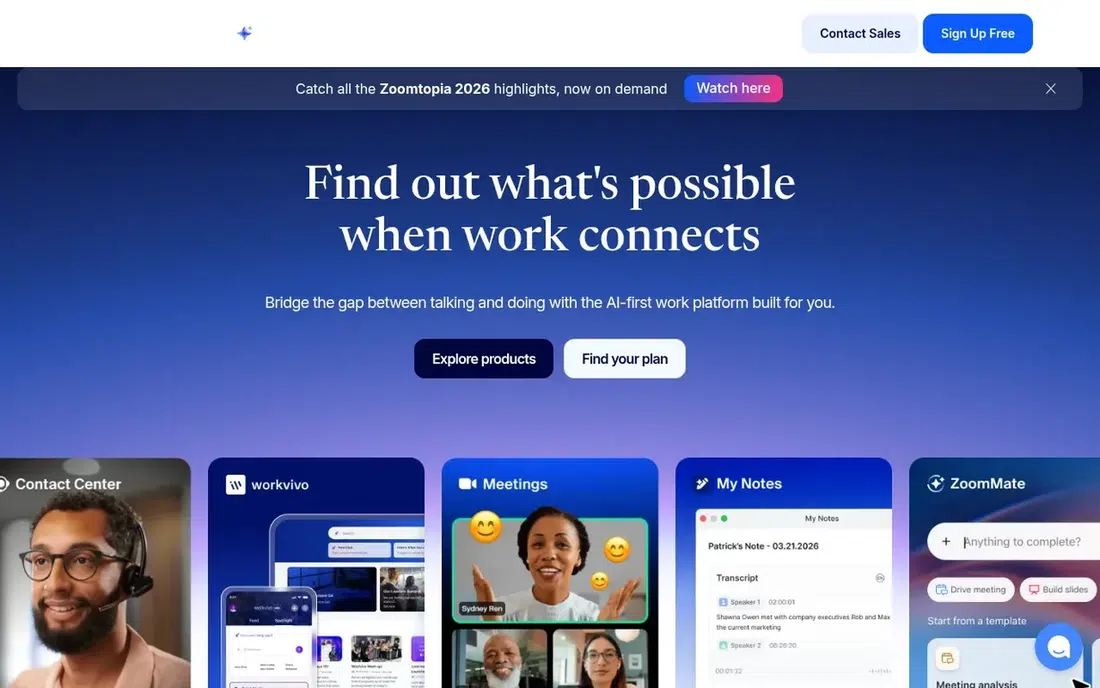
Zoom works best for live video tutoring sessions. For online tutoring, the core value is dependable live sessions where you can share screens, talk with students and run group classes. Its broader feature set may also be more than a solo tutor needs.
What to check first: Advanced features can feel complicated for solo tutors.
Also, consider a tutor management system instead if administration is your central pain point. Zoom is a collaboration product centered on video meetings, with chat, VoIP phone, webinars, whiteboard, contact center and events described on its homepage. Zoom does not show a starting price in this comparison, so check the vendor site for current pricing. Free plan details: Not stated.
- Webinars and events for group teaching
- Video meetings with chat and whiteboard
- Not made for tutor billing or student records
Canvas LMS works best for institutional teaching and learning management. In the tutoring space, it fits tutoring organizations, schools and programs that require a structured place to deliver course materials, assignments and communication to groups of learners. Also, Canvas LMS is not built for tutor scheduling, billing or one-to-one lesson management, and its institutional orientation may be more than a small tutoring business needs.
Solo tutors typically do better with a tutor management system or a course product. Consider Canvas when your tutoring operation resembles a structured educational program. More specifically, Canvas by Instructure is presented as a world-leading, approachable LMS built to ease teaching and enhance student learning. Canvas LMS does not show a starting price in this comparison, so check the vendor site for current pricing. On free options: Not stated.
Downsides: Not a tutoring business admin tool.
- Approachable LMS for teaching
- Suited to organized course delivery
- Geared toward institutions more than solo tutors
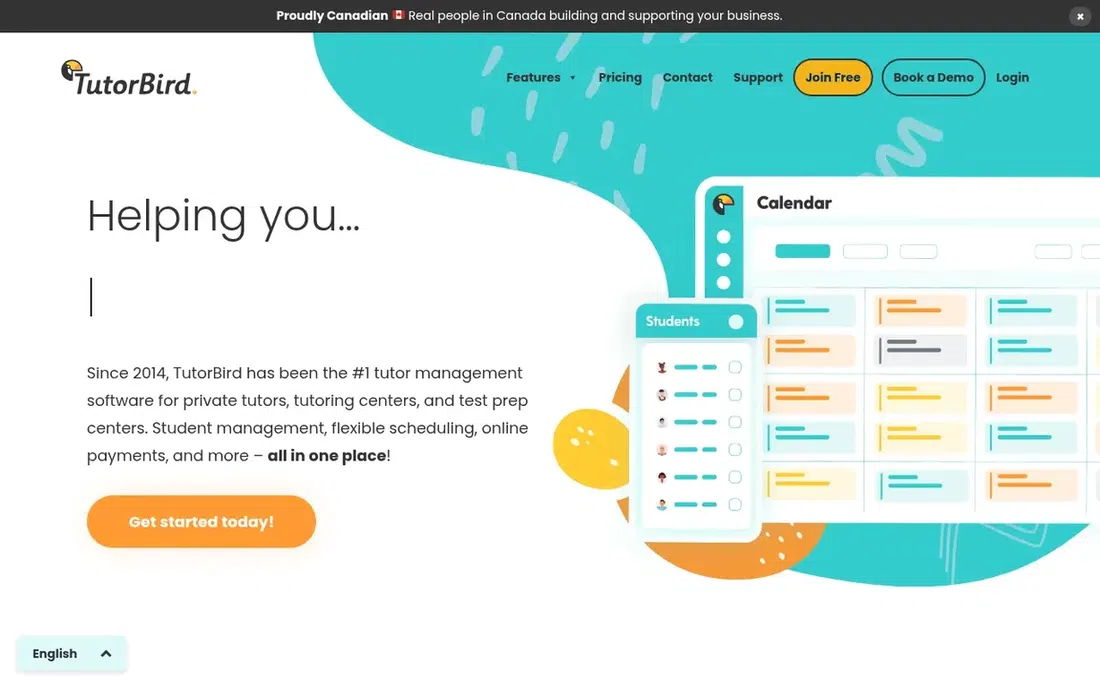
TutorBird is aimed squarely at Tutor business management in one place. TutorBird is tutor management software pitched at private tutors, tutoring centers and test prep centers. That makes it a solid fit for tutors who want to stop juggling separate calendars, invoices and student notes.
The main drawbacks: Concentrated on tutoring instead of general course sales.
Also, choose a course product instead when content sales are the priority. Solo tutors with very light admin needs may also find a more straightforward calendar and payment setup sufficient. Beyond that, centers with several tutors and recurring lessons are the natural audience for this kind of consolidated admin tool. TutorBird starts at: $16.95 per month. As for free access: Free trial.
- Student and schedule management
- Billing aimed at tutoring firms
- May be more than a casual tutor needs
Teachable works best for selling courses and coaching online. Teachable is an online course system for building and selling courses, coaching, memberships and digital products. Pair it with a video tool if you also teach live.
Trade-offs to know: Less suited to scheduling recurring tutor lessons.
Reasons to shortlist it: Digital products alongside courses.
More specifically, Teachable does not focus on tutor scheduling, student billing records or live meeting hosting. So it is a poor fit for tutors whose core need is managing recurring one-to-one lessons. More specifically, for tutors, it fits those who want to package recorded lessons, group programs or coaching into products students can buy. It performs best when your tutoring model leans toward structured content instead of one-to-one session admin. Price to start with Teachable: $39 per month. Free plan details: Free trial.
- Designed for creators and firms
- Course
- Not a live tutoring session tool
What went into this list
Each tool was reviewed on what its vendor publishes: price, plan limits, core features and stated drawbacks. We did not run hands-on tests. Where a price is missing, the vendor does not list one publicly or ties it to a quote. Always confirm before budgeting. The order reflects how well each tool fits the most common buying scenario for software for online tutoring, then price clarity, then free plan access. It is a starting point, not a verdict.
Questions to settle before buying
- Ask LearnWorlds, Zoom and Canvas LMS for a written quote, since no starting price is shown.
- Run a trial of Kajabi, LearnWorlds, TutorBird and Teachable with real work before paying for a year; your own workflow is the best test.
- Read the limits listed for Kajabi first: broader business focus than tutoring admin.
- Get the contract term, renewal terms and any onboarding fees from LearnWorlds in writing.
- Test how quickly Teachable answers a pre-sales question; it hints at how support will feel later.
FAQ
Can I try these tools before paying?
Often, yes. Kajabi, LearnWorlds, TutorBird and Teachable offer a free trial. Use your own data and a real task during the test, and check what the free tier or trial limits before you rely on it.
How are the tools for software for online tutoring ordered?
Kajabi sits first and Teachable last because the order follows typical fit for software for online tutoring, then price clarity and free access. It is a judgement call, so read each profile for fit and limits.
Should I use a tutor management tool or a course platform?
Choose a tutor management tool when your work centers on recurring one-to-one or small group lessons that require scheduling and invoicing. In practice, choose a course product like Teachable or Kajabi when you want to sell recorded courses, coaching or memberships to a wider audience.
Is Kajabi the right pick for everyone comparing software for online tutoring?
No single tool suits every team. Kajabi comes first because it fits knowledge businesses and expert brands, while LearnWorlds suits structured training programs and courses and Zoom suits live video tutoring sessions. Match the tool to your own size, budget and workflow before deciding.
Can I combine multiple of these tools?
Yes, plenty of tutors pair a video tool with a management product, or a course product with a live meeting tool. Check that the tools you pick do not duplicate the same function, and confirm integration choices on each vendor site.
Do these tools publish their prices?
Not all of them. LearnWorlds, Zoom and Canvas LMS publish no starting price, so expect a quote request for those. The rest, Kajabi included, show a starting price, though seats and billing terms still change the final cost.
Sources
- https://kajabi.com
- https://www.learnworlds.com
- https://zoom.us
- https://www.instructure.com/canvas
- https://www.tutorbird.com
- https://teachable.com