6 Best Software for Business Plan Analysis for 2026, Vetted and Compared
6 products for the best software for business plan analysis, ranked by fit, with starting costs and free tiers. The catches are listed up front. Easy to scan.
- Editor's choiceProjectionHub
Projection templates and custom plans
Starts at$499 one time paymentVisit projectionhub.comFull review - Great alternative
 Anaplan
Enterprise scenario planning and analysis
Starts atSee websiteVisit anaplan.comFull review - Also consider
 LivePlan
Small business planning and forecasting
Starts at$15 a monthVisit liveplan.comFull review
Direct answer
For projection templates and custom plans, ProjectionHub is where this list starts. Listed starting prices: ProjectionHub from $499 one time payment, LivePlan from $15 a month and Jirav from $50 a month. Anaplan is the stronger choice for enterprise scenario planning and analysis, while LivePlan suits small business planning and forecasting. The remaining 3 options are covered below with prices and limits.
TL;DR:
- ProjectionHub sits first on this list: projection templates and custom plans.
- Neither ProjectionHub nor Causal, nor any of the other 4 tools, has a permanent free plan; trials and quotes are the norm.
- Causal fits model-driven planning and scenarios.
- One limit worth knowing about Anaplan: heavy for small business needs.
Last checked November 2026. Prices and plan details were read from the vendors' own pages in November 2026; vendors change plans often, so confirm the current price on the vendor site before you buy.
Quick comparison
| Tool | Best for | Starts at | Free plan? | |
|---|---|---|---|---|
| ProjectionHub | Projection templates and custom plans | $499 one time payment | Not stated | Visit |
| Anaplan | Enterprise scenario planning and analysis | See website | Not stated | Visit |
| LivePlan | Small business planning and forecasting | $15 a month | Not stated | Visit |
 Jirav | FP&A for accounting businesses and SMBs | $50 a month | Not stated | Visit |
| Vena Solutions | Microsoft-native financial and operational planning | See website | Not stated | Visit |
 Causal | Model-driven planning and scenarios | See website | Not stated | Visit |
6 options for software for business plan analysis in detail
LinkVetted put together this guide to software for business plan analysis for readers who want a clear shortlist without reading every vendor page. It compares 6 tools on starting price, free plans, who each one suits and where each one falls short.
ProjectionHub
Best for: Projection templates and custom plans
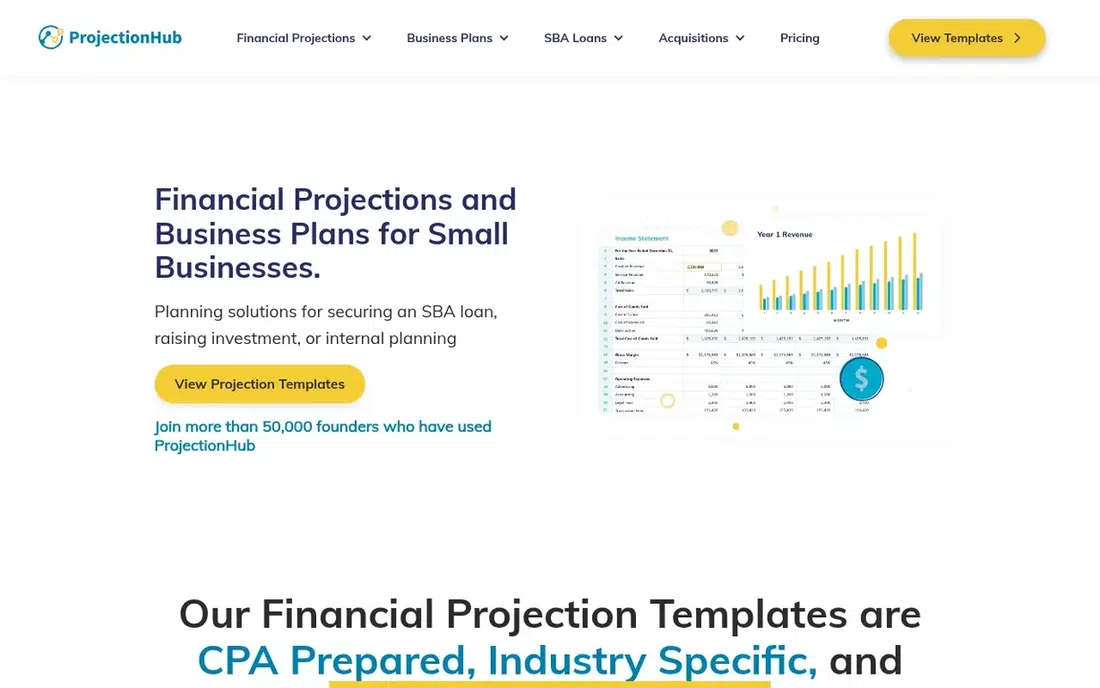
ProjectionHub is built with projection templates and custom plans in mind. In daily use, consider a broader FP&A tool if your analysis must stay live and connected to accounting data after the plan is finished. Beyond that, the industry focus helps frame assumptions rapidly.
Its template orientation can feel limiting if you need highly customized scenario logic or continuous reforecasting. It also leans toward plan creation instead of daily performance tracking. Entry price for ProjectionHub: $499 one time payment. Free options: Not stated.
Honest limits: Template-driven approach may feel rigid.
- Business plans for numerous industries
- Financial projection templates
- Less emphasis on live performance tracking
Choose Anaplan for enterprise scenario planning and analysis. Anaplan positions itself as decision infrastructure for scenario planning and analysis, where AI, data and planning converge to support quicker decisions. As for the details, if you want a fast, owner-friendly plan and forecast, a more straightforward tool suits better.
Honest limits: Heavy for small business needs.
Choose Anaplan when scenario depth and enterprise breadth matter. Also, the emphasis on connected decision-making fits structured enterprise planning cycles. Worth adding: effective use usually calls for dedicated planning expertise and careful implementation. Anaplan is made for scale, so it can be more product than a small business needs for a single business plan. Anaplan does not show a starting price in this comparison, so check the vendor site for current pricing. On free options: Not stated. Highlights: Links AI.
- Designed for complicated decision support
- Data and planning
- Implementation demands planning expertise

In short, LivePlan is for small business planning and forecasting. LivePlan is business plan software that pairs planning with forecasting and performance tracking, geared toward small companies that want one workspace for writing a plan and monitoring results.
On top of that, teams that want plan and performance in a single view will find the framing handy. Since it centers on small business planning, LivePlan is less tailored to heavy multi-entity modeling or enterprise FP&A workflows. LivePlan cost at the entry level: $15 per month. Trial and free access: Not stated.
Drawbacks to consider: Less suited to complicated enterprise modeling.
- Made for small business owners
- Merges planning with performance tracking
- Analysis depth relies on data entered

Pick Jirav if this describes you: FP&A for accounting businesses and SMBs. It suits teams that want FP&A capability without adopting a large enterprise system, and it fits advisors who build plans for several clients.
Where it falls short: Best value with clean accounting data.
Its analysis quality relies on well-maintained source data. Jirav pricing: $50 per month. Free access: Not stated.
- Forecasting built in
- Financial planning and analysis focus
- Narrower than full ERP suites
Vena Solutions
Best for: Microsoft-native financial and operational planning
Pick Vena Solutions if this describes you: Microsoft-native financial and operational planning. Vena Solutions is a Microsoft-native product that links financial and operational planning, decisioning and close, with data connections and AI agents supporting the workflow. From a buyer's view, consider a lighter planning tool if your analysis is occasional.
The main drawbacks: Best fit assumes Microsoft tooling.
Choose Vena when connected, recurring planning across finance and operations is the goal. As for the details, the product can also exceed what very small companies need for a single plan. Organizations seeking connected planning across departments are the natural audience. Its Microsoft-native design is an advantage only if your team works that way; other stacks may find integration less natural. Check the vendor site for Vena Solutions pricing; none is listed in this comparison. As for free access: Not stated.
- Links financial and operational planning
- Contains close and decisioning support
- Can be more than small teams need
Choose Causal for model-driven planning and scenarios. Causal is a modeling and planning tool now part of Lucanet, oriented toward driver-based financial models and scenario analysis. If you want a guided plan template or owner-friendly dashboard, a planning-first tool may be more straightforward; pick Causal when adaptable modeling is the core need.
From a buyer's view, firms that want to explore how changes in inputs affect outcomes will find the modeling approach relevant to business plan analysis. It is less oriented toward straightforward narrative plan writing. Causal shows no starting price here, so confirm the cost on the vendor site. As for free access: Not stated.
Points against: Less pitched at straightforward plan writing.
- Scenario and driver-based planning
- Built around financial modeling
- Product direction tied to Lucanet
How these tools were picked
Selection started from tools commonly considered for software for business plan analysis, then narrowed to 6 that have clear pricing information or a clear quote process. Plan names, prices and limits change often. Treat the figures here as a starting point and verify them with the vendor. The sequence is a judgement call: typical use case first, then pricing transparency, then free access. Use the profiles to check fit.
What to check before you buy
- Confirm the entry price on the vendor page. For Anaplan, Vena Solutions and Causal that means a quote rather than a fixed price.
- Before choosing ProjectionHub, weigh its main limit: template-driven approach may feel rigid.
- Total up the real monthly cost of LivePlan, including add-ons, extra users and usage-based fees.
- Test the integrations you rely on with ProjectionHub before committing; some connectors sit on upper tiers.
- Look at the renewal terms for Anaplan: auto-renewal, notice periods and price changes can matter more than the first-year price.
FAQ
How do I choose between template and model-based tools?
Template tools like ProjectionHub guide you through standard projections rapidly, whereas model-based tools for example Causal suit teams that want driver-level control.
What is the cheapest option for software for business plan analysis in this list?
On published monthly entry prices, LivePlan is the lowest here at $15 per month. Entry price is only part of the cost, because seats, add-ons and billing terms can change the total.
Can I try these tools before paying?
Not by default. None of the tools, from ProjectionHub to Causal, lists a free plan or a free trial here, so ask each vendor for a demo before committing.
Does any tool for software for business plan analysis here have a free plan?
No tool in this list, ProjectionHub and Causal included, has a permanent free plan. Trials and quotes are the usual route, so plan a short evaluation period.
Is ProjectionHub the right pick for everyone comparing software for business plan analysis?
No single tool suits every team. ProjectionHub comes first because it fits projection templates and custom plans, while Anaplan suits enterprise scenario planning and analysis and LivePlan suits small business planning and forecasting. Match the tool to your own size, budget and workflow before deciding.
Is a dedicated planning tool better than an ERP for analysis?
A dedicated planning tool is commonly quicker to adopt for plan-focused analysis, whereas an ERP grounds analysis in live financial and operational data. Many companies start with planning software and move to broader systems as complexity grows.
Sources
- https://www.projectionhub.com
- https://www.anaplan.com
- https://www.liveplan.com
- https://www.jirav.com
- https://www.venasolutions.com
- https://www.causal.app