Choosing Platforms for Real-Time Creative Feedback in 2026: 6 Options Compared
6 products for the best platforms for Real-Time creative feedback, ranked by fit, with starting costs and free tiers. Real limits included. Decide faster.
- Editor's choice
 Wipster
Video review and approval
Starts at$9.95 a monthVisit wipster.ioFull review - Great alternative
 Ziflow
Automatic proofing across file types
Starts at$199 a month billed yearlyVisit ziflow.comFull review - Also consider
 Miro
Visual collaboration and ideation
Starts at$8 per member per monthVisit miro.comFull review
Direct answer
Start with Wipster if you need video review and approval. Listed starting prices: Wipster from $9.95 a month, Ziflow from $199 a month billed yearly and Miro from $8 per member per month. Ziflow fits automatic proofing across file types; Miro fits visual collaboration and ideation. The other 3 tools in the list cover narrower or pricier cases.
TL;DR:
- Wipster is the opening pick, best for video review and approval.
- Figma is the lowest-priced starter here at $3 per month.
- Filestage is the one to check for regulated industries needing proofing.
- Ziflow comes with a trade-off: complex setup for straightforward needs.
Last checked November 2026. Prices and plan details were read from the vendors' own pages in November 2026; vendors change plans often, so confirm the current price on the vendor site before you buy.
Quick comparison
| Tool | Best for | Starts at | Free plan? | |
|---|---|---|---|---|
| Wipster | Video review and approval | $9.95 a month | Free trial | Visit |
| Ziflow | Automatic proofing across file types | $199 a month billed yearly | Yes | Visit |
| Miro | Visual collaboration and ideation | $8 per member per month | Yes | Visit |
 Notion | Team workspaces with feedback | $10 per member a month | Yes | Visit |
 Figma | Design teams needing live collaboration | $3 per month | Not stated | Visit |
 Filestage | Regulated industries needing proofing | See website | Not stated | Visit |
Platforms for Real-Time Creative Feedback profiles
LinkVetted put together this guide to platforms for Real-Time creative feedback for readers who want a clear shortlist without reading every vendor page. It compares 6 tools on starting price, free plans, who each one suits and where each one falls short.
Wipster is built with video review and approval in mind. Wipster is an online video review, approval, and collaboration product. It lets you rapidly share media, collect feedback, handle reviews, and deliver finished work faster.
Honest limits: May not deal with design files.
Consider a broader proofing system if you review several content types. As for the details, Wipster is specialized for video, so teams working on static designs or documents may need a different tool. Starting cost for Wipster: $9.95 per month. As for free access: Free trial.
- Share and collect feedback on video
- Deliver finished work quicker
- Restricted to video and media
Ziflow works best for automatic proofing across file types. Ziflow is online proofing software for quicker reviews and approvals, with automatic workflows and support for a broad set of file types. It links up with other tools, making it right for teams that deal with diverse content and need structured feedback.
Drawbacks to consider: Complicated setup for straightforward needs.
If your team needs to design together in the same file, a collaborative canvas like Figma may be more appropriate. Also, Ziflow is built around proofing and approval instead of live co-editing. What you pay to start with Ziflow: $199 per month billed annually. Free access exists with Ziflow.
- Supports plenty of file types
- Automatic workflows
- Focus on proofing instead of live co-editing
Where Miro fits: visual collaboration and ideation. Miro is not aimed at formal proofing or approval workflows.
Points against: Not a dedicated proofing tool.
Beyond that, if you need version control and sign-off on creative assets, a dedicated proofing product may be a better choice. Price to start with Miro: $8 per member per month. Miro has a free plan.
- Accelerates product development
- AI-powered visual workspace
- Feedback may be less structured
Notion is a good fit for team workspaces with feedback. It can serve as a central hub for project documentation and feedback collection, particularly for teams already using it for knowledge management.
From a buyer's view, for live feedback on designs or videos, a specialized system is likely more effective. The starting price for Notion: $10 per member per month. Notion has a free plan.
The main drawbacks: Real-time feedback is restricted.
- Custom agents and automation
- AI workspace for teams
- Not a specialized proofing tool
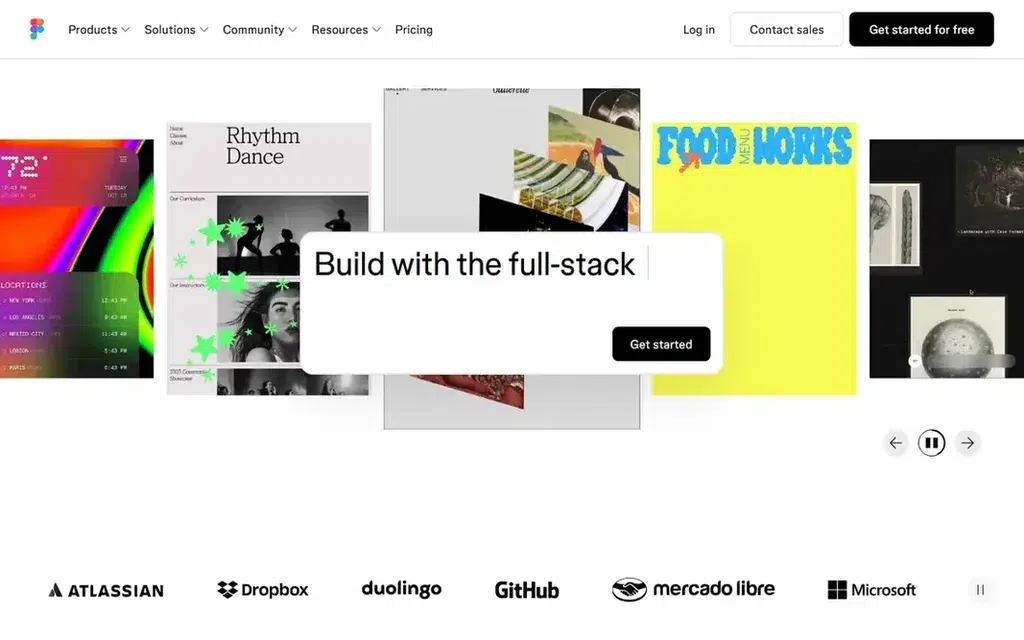
Choose Figma for design teams needing live collaboration. Figma is a collaborative canvas where design, code, and AI come together. It lets teams go from concept to production in one place, with live feedback on designs.
Figma is not made for video review or regulated-industry proofing. If your feedback needs center on video files or compliance workflows, consider a dedicated proofing tool instead. Starting cost for Figma: $3 per month. On free options: Not stated.
Trade-offs to know: Restricted video review features.
- Feedback straight on design files
- Integrates design and code
- Requires design file access

Filestage serves regulated industries needing proofing. Filestage is online proofing software that helps you take control of your review and approval process. It is aimed at creative and marketing teams in regulated industries, where audit trails and structured feedback matter.
Where it is weaker: Focus on approval workflows.
Worth adding: for light, live design collaboration, a canvas-based tool might be a better fit. Filestage emphasizes formal approval workflows, which may be more structure than some small teams need. Filestage does not show a starting price in this comparison, so check the vendor site for current pricing. Trial and free access: Not stated.
- Simplifies review and approval
- Aimed at regulated industries
- May be overkill for straightforward reviews
What went into this list
Selection started from tools commonly considered for platforms for Real-Time creative feedback, then narrowed to 6 that have clear pricing information or a clear quote process. Prices and plan limits come from vendor pages and can change, so confirm them on the vendor site before you buy. Order on the page follows fit for the typical buyer first, then price transparency and free access. Your own requirements should decide the final pick.
Before you commit
- Ask Filestage for a written quote, since no starting price is shown.
- Look at free plan limits closely: Ziflow, Miro and Notion have one, and the caps decide whether it is usable for real work.
- Take the trial from Wipster and push a live task through it before you pay.
- Read the limits listed for Wipster first: restricted to video and media.
- Confirm minimum seats and billing terms with Filestage before you commit to an annual plan.
- Confirm you can export your data from Notion, so leaving later does not mean losing records.
FAQ
Do these tools publish their prices?
Not all of them. Filestage publishes no starting price, so expect a quote request for it. The rest, Wipster included, show a starting price, though seats and billing terms still change the final cost.
How are the tools for platforms for Real-Time creative feedback ordered?
Wipster sits first and Filestage last because the order follows typical fit for platforms for Real-Time creative feedback, then price clarity and free access. It is a judgement call, so read each profile for fit and limits.
How do regulated industries deal with creative feedback?
Regulated industries commonly need structured approval workflows and audit trails. Filestage is aimed at creative and marketing teams in regulated industries, offering online proofing with controls to support compliance.
Is Wipster the right pick for everyone comparing platforms for Real-Time creative feedback?
No single tool suits every team. Wipster comes first because it fits video review and approval, while Ziflow suits automated proofing across file types and Miro suits visual collaboration and ideation. Match the tool to your own size, budget and workflow before deciding.
What is the cheapest option for platforms for Real-Time creative feedback in this list?
On published monthly entry prices, Figma is the lowest here at $3 per month. Entry price is only part of the cost, because seats, add-ons and billing terms can change the total. All 6 picks in this platforms for Real-Time creative feedback comparison list a starting price, free plan details and the main limits on their cards above.
Which platform is a good match for video feedback?
For most readers this guide would start with Wipster, built for video review and approval. Ziflow is the alternative for automatic proofing across file types, and Miro for visual collaboration and ideation. The right answer depends on budget and workflow.
Sources
- https://www.wipster.io
- https://www.ziflow.com
- https://miro.com
- https://www.notion.com
- https://www.figma.com
- https://filestage.io