5 Online Form Builder for Medical Clinics Worth Shortlisting in 2026
5 best online form builder for medical clinics, compared on pricing, free plans and best-fit use. Caveats come with every verdict. Current for November 2026.

- Editor's choice
 Wufoo
Straightforward registration and application forms
Starts atSee websiteVisit wufoo.comFull review - Great alternativeWPForms
Clinics already using WordPress
Starts at$49.50 a yearVisit wpforms.comFull review - Also consider
 Jotform
General patient intake and surveys
Starts at$34 a monthVisit jotform.comFull review
Direct answer
Our first pick is Wufoo, best for straightforward registration and application forms. Listed starting prices: WPForms from $49.50 a year, Jotform from $34 a month and Cognito Forms from $24 per month. For a different need, WPForms covers clinics already using WordPress and Jotform covers general patient intake and surveys. The remaining 2 options are covered below with prices and limits.
TL;DR:
- The list opens with Wufoo, aimed at straightforward registration and application forms.
- Check the limits for Wufoo before you commit: fewer advanced workflow features.
- The cheapest monthly starting price in the list is $24 per month, offered by Cognito Forms.
- Formstack suits secure forms with documents and e-signatures.
Last checked November 2026. Prices and plan details were read from the vendors' own pages in November 2026; vendors change plans often, so confirm the current price on the vendor site before you buy.
Quick comparison
| Tool | Best for | Starts at | Free plan? | |
|---|---|---|---|---|
| Wufoo | Straightforward registration and application forms | See website | Yes | Visit |
| WPForms | Clinics already using WordPress | $49.50 a year | Not stated | Visit |
| Jotform | General patient intake and surveys | $34 a month | Yes | Visit |
 Cognito Forms | Forms with approvals and file uploads | $24 per month | Yes | Visit |
 Formstack | Secure forms with documents and e-signatures | $83 per month | Free trial | Visit |
Our 5 online form builder for medical clinics
LinkVetted compared 5 online form builder for medical clinics. The goal is a practical shortlist: published prices, free plan facts, best-fit use cases and honest limits for every entry.
For straightforward registration and application forms, Wufoo is a natural candidate. Wufoo is an online form builder with cloud storage for the data it collects.
Downsides: Entry-level compared to document-focused tools.
Clinics can produce registration forms, application forms, surveys, and contact forms in minutes, which fits smaller practices that want straightforward patient-facing forms without a steep ramp-up time. Check the vendor site for Wufoo pricing; none is listed in this comparison. Wufoo has a free plan.
- Takes care of registrations and surveys
- Cloud storage for collected data
- Fewer advanced workflow features
WPForms
Best for: Clinics already using WordPress
WPForms targets clinics already using WordPress. WPForms is a WordPress form builder plugin with AI-assisted and drag-and-drop creation. From a buyer's view, clinics whose websites already run on WordPress can add intake, contact, and appointment request forms without adopting a separate hosted product.
Keeping forms on the same site can ease how patients find and submit them. More specifically, choose WPForms when your site is on WordPress and you want forms embedded directly. The starting price for WPForms: $49.50 per year. Free plan details: Not stated.
Points against: Needs a WordPress site.
- AI-assisted form creation
- Drag-and-drop WordPress plugin
- Not a standalone hosted system

Where Jotform fits: general patient intake and surveys. The wide field library helps teams capture the details clinics often ask for.
The main drawbacks: Advanced needs may need extras.
More specifically, clinics that require tightly integrated document generation may prefer a more document-focused tool. Jotform cost at the entry level: $34 per month. A free plan is available with Jotform.
- Works for surveys and contact forms
- Fast drag-and-drop form creation
- Less centred on document workflows
Cognito Forms was built for Forms with approvals and file uploads. Cognito Forms is an online form builder with workflow automation, document handling, file uploads, signatures, and approvals.
Trade-offs to know: Less known for clinical-specific templates.
In practice, pick Cognito Forms when forms have to move through staff review steps. The starting price for Cognito Forms: $24 per month. Cognito Forms has a free plan.
- Approval steps for internal review
- Supports file uploads and signatures
- Advanced workflows need setup time
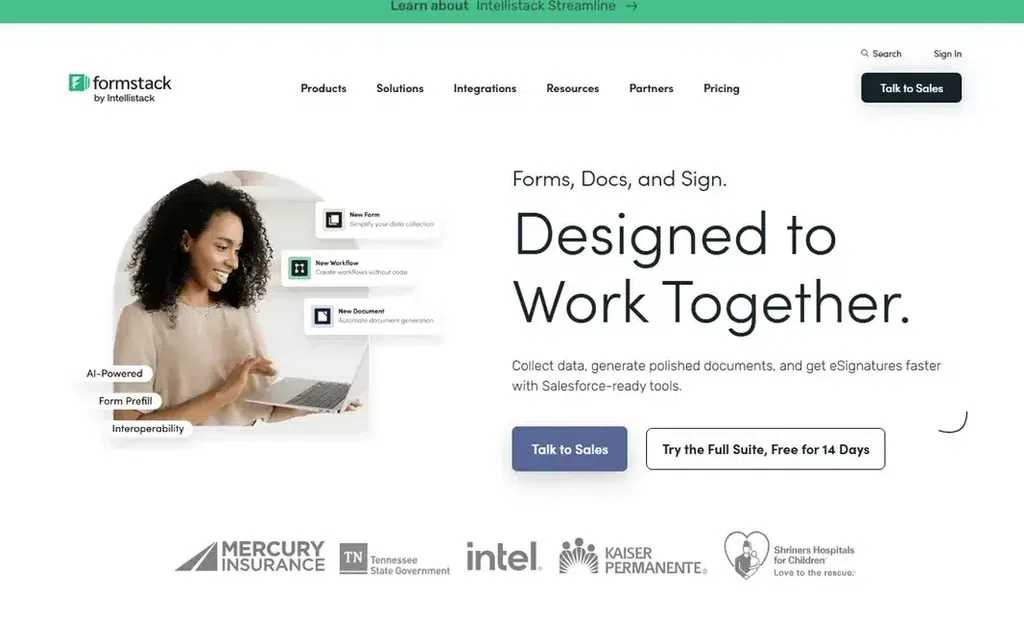
Formstack is a good fit for secure forms with documents and e-signatures. Formstack presents itself as a secure system for forms, documents, and e-signatures. On top of that, the wider feature set means more configuration before a clinic is running smoothly, and smaller practices may not need document generation at all.
Pick Formstack when paperwork and signatures are central. From a buyer's view, teams wanting a single system for patient-facing forms and internal document steps will find the scope handy. Formstack starts at: $83 per month. On free options: Free trial.
The main drawbacks: Broader system may feel complicated.
- Workflow automation for teams
- Positioned around secure data handling
- Setup can take more planning
Selection criteria
Things to verify first
- Get a written quote from Wufoo; the list shows no starting price for them.
- Look at free plan limits closely: Wufoo, Jotform and Cognito Forms have one, and the caps decide whether it is usable for real work.
- Use real work to test the free trial from Formstack, rather than a demo project.
- Before choosing Wufoo, weigh its main limit: fewer advanced workflow features.
- List the apps you already depend on and check that Formstack supports each one on the plan you would buy.
- The entry price of Jotform is only the starting point; model the full cost with seats and extras.
FAQ
How are the online form builder for medical clinics ordered?
Wufoo sits first and Formstack last because the order follows typical fit for online form builder for medical clinics, then price clarity and free access. It is a judgement call, so read each profile for fit and limits.
Do these tools publish their prices?
Not all of them. Wufoo publishes no starting price, so expect a quote request for it. The rest, WPForms included, show a starting price, though seats and billing terms still change the final cost. Prices, free plan details and limits for all 5 tools in this online form builder for medical clinics roundup sit on the individual cards above.
Which online form builder for medical clinics have a free plan?
Wufoo, Jotform and Cognito Forms offer a free plan in this list. Free plans usually cap users, projects or features, so check the limits on the vendor page. One other tool offers a trial instead. Each of the 5 options in this online form builder for medical clinics guide has its own card above with the price, free plan and limits.
Can I try these tools before paying?
Often, yes. Wufoo, Jotform and Cognito Forms have a free plan and Formstack offers a free trial. Use your own data and a real task during the test, and check what the free tier or trial limits before you rely on it. All 5 picks in this online form builder for medical clinics comparison list a starting price, free plan details and the main limits on their cards above.
Sources
- https://www.wufoo.com
- https://wpforms.com
- https://www.jotform.com
- https://www.cognitoforms.com
- https://www.formstack.com