7 Strong Mass Email Marketing Software Options in 2026
Best mass email marketing software: 7 contenders ranked by fit, with entry costs and free tiers. Price notes and drawbacks come with each one. Pick by budget.
- Editor's choice
 Campaign Monitor
Design-conscious brands and agencies sending beautiful campaigns
Starts atSee websiteVisit campaignmonitor.comFull review - Great alternative
 GetResponse
Marketers who want webinars, landing pages and email in one subscription
Starts atSee websiteVisit getresponse.comFull review - Also consider
 Omnisend
Ecommerce keeps on Shopify or WooCommerce
Starts atSee websiteVisit omnisend.comFull review
TL;DR:
- This list starts with Campaign Monitor, which is built for design-conscious brands and agencies sending beautiful campaigns.
- 4 of 7 tools offer a free plan: Omnisend, Brevo, Mailchimp, AWeber.
- For small firms that want email plus a landing page and straightforward automation, AWeber is worth a look.
- The lowest published monthly entry price here is $9/month, from Brevo.
Direct answer
If you need design-conscious brands and agencies sending beautiful campaigns, Campaign Monitor is the first tool to look at here. For a different need, GetResponse covers Marketers who want webinars, landing pages and email in one subscription and Omnisend covers ecommerce keeps on Shopify or WooCommerce. All 7 tools are compared below on price, free plan and limits.
Quick comparison
| Tool | Best for | Starts at | Free plan? | |
|---|---|---|---|---|
| Campaign Monitor | Design-conscious brands and agencies sending beautiful campaigns | See website | No | Visit |
| GetResponse | Marketers who want webinars, landing pages and email in one subscription | See website | Free trial (14 days) | Visit |
| Omnisend | Ecommerce keeps on Shopify or WooCommerce | See website | Yes | Visit |
 Constant Contact | Nonprofits, associations and traditional small firms | See website | No | Visit |
 Brevo | Senders with big lists who mail selectively | $9/month (Starter plan, 5,000 emails a month) | Yes | Visit |
 Mailchimp | Beginners and small firms that want the safe, well-known choice | See website | Yes | Visit |
 AWeber | Small firms that want email plus a landing page and straightforward automation | $15/month (Lite plan) | Yes | Visit |
The 7 tools in detail
Short on time? The summary and table above give the quick view of 7 tools for mass email marketing software, and the profiles that follow give the detail behind each entry.
Campaign Monitor
Best for: Design-conscious brands and agencies sending beautiful campaigns
Campaign Monitor was built for design-conscious brands and agencies sending beautiful campaigns. Campaign Monitor has always led on design, and the 2026 homepage doubles down: Marketing Studio produces complete on-brand campaigns with custom visuals, and the AI Email Booster suggests measurable improvements before you send.
The main drawbacks: The premium positioning means higher prices than budget rivals for similar send volumes.
You pay for the polish. More specifically, agencies get client management tooling, and the template library is genuinely the prettiest here. Pricing for Campaign Monitor is not stated here, so ask the vendor for current figures. Campaign Monitor has no free plan.
- AI tools (Marketing Studio, AI Email Booster) that produce on-brand campaigns quick
- Solid agency features for managing client accounts
- No published pricing on the homepage and no free plan
GetResponse
Best for: Marketers who want webinars, landing pages and email in one subscription
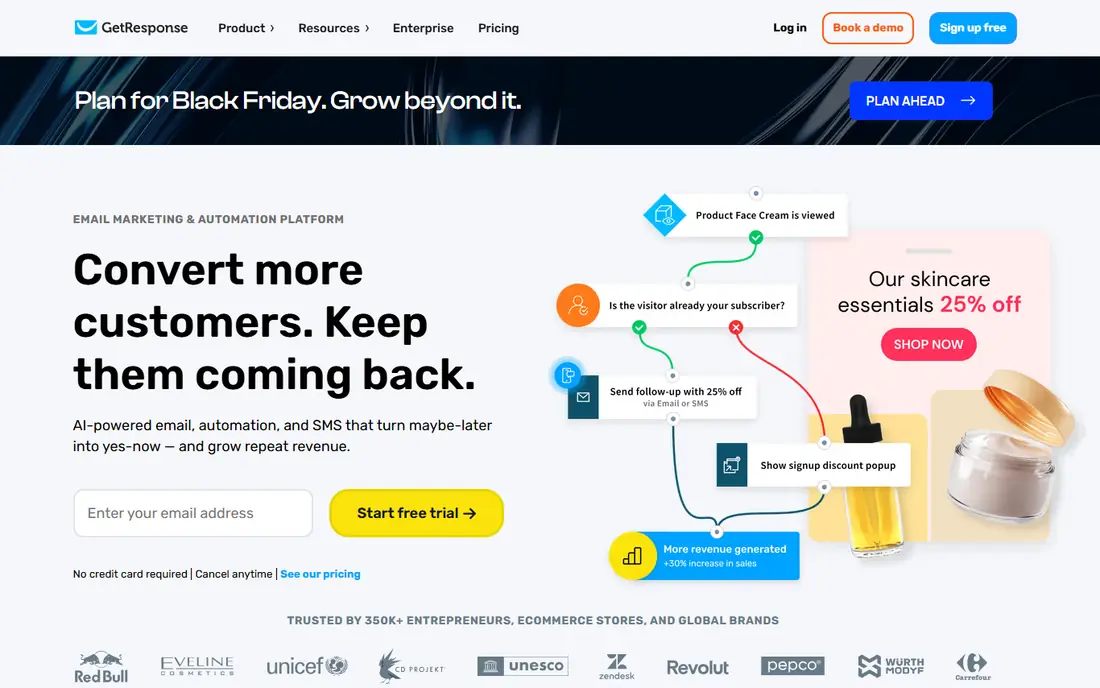
GetResponse was built for Marketers who want webinars, landing pages and email in one subscription. The main limit is commitment.
Honest limits: only the 14-day trial; Pricing scales with list size like Mailchimp.
Businesses that run webinars will find the bundle decent value; companies that only send newsletters are paying for rooms they will never enter. No starting price is listed for GetResponse here; confirm pricing on the vendor site. As for free access: Free trial (14 days).
- Unusual in this category and genuinely handy for lead generation
- 150-plus integrations and 24/7 support
- No published prices on the homepage and no permanent free plan
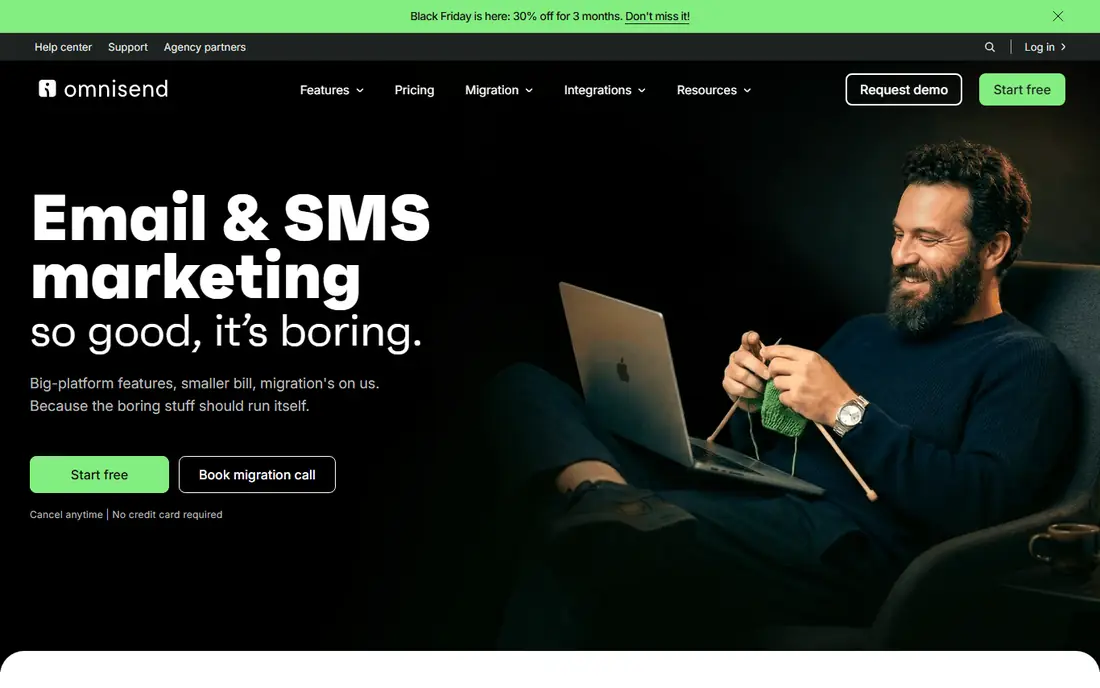
Omnisend targets ecommerce keeps on Shopify or WooCommerce. The explicit Klaviyo comparison (up to 35 percent smaller invoice, free 5-day migration) tells you exactly who they are courting. For a Shopify or WooCommerce store doing meaningful volume, it is the pragmatic Klaviyo alternative.
What works well: welcome and post-purchase automations from day one.
The main drawbacks: Advanced reporting and segmentation depth trail ActiveCampaign.
For anyone not selling products online, the feature set is narrower than the generalists, and the value proposition thins. More specifically, the pre-built automation library spans the revenue-critical flows (abandoned cart, browse abandonment, welcome series, post-purchase cross-sell) with minimal setup. The product handles email, SMS and web push in a single workflow. Omnisend does not show a starting price in this comparison, so check the vendor site for current pricing. You can start on Omnisend without paying.
- Purpose-built for ecommerce: abandoned-cart
- Positions itself as up to 35 percent less expensive than Klaviyo with free migration
- The ecommerce focus means thinner tooling for non-retail use cases (B2B, publishers, nonprofits)
Constant Contact
Best for: Nonprofits, associations and traditional small firms
Choose Constant Contact for nonprofits, associations and traditional small firms. Nonprofits get tailored tooling for donations and event promotion.
Where it is weaker: Automation and segmentation are entry-level compared to ActiveCampaign or Brevo.
Where Constant Contact stands out: 460,000-plus small-business customers and decades of stability. The template library is made for people who do not think of themselves as marketers. If you want to send a professional newsletter, promote an event and collect donations without learning marketing automation, Constant Contact's hand-holding is the feature. This comparison lists no price for Constant Contact; ask the vendor. Constant Contact has no free tier.
- The most guided experience on this list: templates
- Event management and social tools targeted at non-marketers
- No published prices on the homepage and no free plan
Brevo makes the most sense for senders with big lists who mail selectively. A 50,000-person list mailed once per month costs the same as a 5,000-person list mailed weekly, which makes it the value pick for companies with large, quiet databases. More specifically, automation, A/B testing and landing pages wait until Standard at $18 a month, and the Professional level jumps to $499.
Where it is weaker: Marketing automation only starts on Standard ($18 a month).
Main advantages: Per-send pricing (not per contact) with unlimited contacts on every plan.
As for the details, the trade-off is features per level. In practice, transactional email (API/SMTP) is included on every plan, which developers appreciate. On cost, Brevo starts like this: $9/month. Free access exists with Brevo.
- The free plan spans 300 emails a day with no time limit
- Starter at $9 a month is the cheapest premium entry on this list
- Deliverability and support quality can be uneven on the free and lower levels
Mailchimp
Best for: Beginners and small firms that want the safe, well-known choice
Mailchimp is a good fit for beginners and small companies that want the safe, well-known choice. Premium levels (Essentials, Standard, Premium) add automation flows, A/B testing, predictive segmentation and priority support, with monthly send limits set as a several of your contact count. On top of that, if you are starting small and want the easiest onboarding, Mailchimp is still the path of least resistance.
As for the details, the honest catch is the billing model. More specifically, every contact counts toward your level, including unsubscribed and archived ones until you clean them, so a 20,000-person list with low engagement costs far more than the headline rate recommends. Mailchimp shows no starting price here, so confirm the cost on the vendor site. Mailchimp offers a free plan.
Drawbacks to consider: Automation depth trails ActiveCampaign and Brevo; No published prices render on the pricing page without interacting with the plan quiz.
- The largest template library and integration ecosystem in the category (300-plus integrations)
- 14-day free trials of the premium Standard and Essentials plans
- Per-contact billing punishes large
AWeber
Best for: Small firms that want email plus a landing page and straightforward automation
AWeber makes the most sense for small firms that want email plus a landing page and straightforward automation. Lite at $15 a month removes branding and layers on more automations; Plus at $30 brings deeper ecommerce and advanced features. AWeber manages newsletters, welcome sequences and basic automation well, but marketers who require complicated branching journeys, predictive send-time or deep ecommerce triggers will outgrow it.
From a buyer's view, AWeber has served small companies since 1998, and its current lineup is refreshingly straightforward. For a small business that wants to send a decent newsletter and automate the basics without a ramp-up time, the free plan alone may be enough. The honest catch is ceiling. Starting cost for AWeber: $15/month. You can start on AWeber without paying.
The main drawbacks: The free plan carries AWeber branding and permits only one landing page and one automation.
- A genuinely handy free plan (500 subscribers, 3,000 emails per month, no time limit, no credit card)
- Published pricing with Lite at $15 and Plus at $30 a month
- Template design feels dated next to Mailchimp and Omnisend
What separates the tools
Email marketing still returns more per dollar than any other digital channel. Litmus puts the average return at $36 for every $1 spent, which is why every business ends up needing a bulk sender eventually. More specifically, the trap is picking on brand alone: Mailchimp bills per contact, Brevo bills per email sent.
The "cheapest" tool flips based on whether your list is large and quiet or small and often mailed. These nine handle the real market, with the pricing-model differences spelled out.
What went into this list
For each of the 7 tools we noted price, free plan or trial, fit for mass email marketing software and the main limit, using vendor pages and documentation. Where a price is missing, the vendor does not list one publicly or ties it to a quote. Always confirm before budgeting. The ranking is editorial: typical fit first, then clear pricing, then free access. If your needs are unusual, read the profiles rather than relying on position.
What to check before you buy
- Confirm the entry price on the vendor page. For Campaign Monitor, GetResponse, Omnisend and others that means a quote rather than a fixed price.
- Look at free plan limits closely: Omnisend, Brevo, Mailchimp and AWeber have one, and the caps decide whether it is usable for real work.
- Run a trial of GetResponse with real work before paying for a year; your own workflow is the best test.
- Read the limits listed for Campaign Monitor first: no published pricing on the homepage and no free plan.
- Get the contract term, renewal terms and any onboarding fees from Constant Contact in writing.
- List the apps you already depend on and check that AWeber supports each one on the plan you would buy.
FAQ
Is Campaign Monitor the right pick for everyone comparing mass email marketing software?
No single tool suits every team. Campaign Monitor comes first because it fits design-conscious brands and agencies sending beautiful campaigns, while GetResponse suits Marketers who want webinars, landing pages and email in one subscription and Omnisend suits ecommerce stores on Shopify or WooCommerce. Match the tool to your own size, budget and workflow before deciding.
Which options for mass email marketing software have a free plan?
On this list, Omnisend, Brevo, Mailchimp and AWeber include a free plan. Caps on seats, usage or features are common, so test the free plan against your real workload. One other tool offers a trial instead.
What is the cheapest option for mass email marketing software in this list?
On published monthly entry prices, Brevo is the lowest here at $9/month. Entry price is only part of the cost, because seats, add-ons and billing terms can change the total.
Should I choose Mailchimp or Brevo?
Choose Brevo if your contact list is large relative to your send volume, since per-send pricing with unlimited contacts will cost less, or if you want transactional email included. Both have genuinely handy free plans, so trial both with your real list before deciding.
Can I try these options before paying?
Often, yes. Omnisend, Brevo, Mailchimp and AWeber have a free plan and GetResponse offers a free trial. Use your own data and a real task during the test, and check what the free tier or trial limits before you rely on it.