Best Lesson Planning Software for Department Heads (2026): 5 Picks Checked on Vendor Pages
Best lesson planning software for department heads: 5 tools compared on price, free plans and fit. With pricing notes and limits. Pick with confidence.
- Editor's choiceAtlas
Curriculum mapping and alignment
Starts atPricing on requestVisit onatlas.comFull review - Great alternative
 Google Classroom
Straightforward classroom management and planning
Starts atPricing on requestVisit classroom.google.comFull review - Also consider
 Canvas LMS
Thorough learning management
Starts atPricing on requestVisit instructure.comFull review
Direct answer
If you need curriculum mapping and alignment, Atlas is the first tool to look at here. Google Classroom is the stronger choice for straightforward classroom management and planning, while Canvas LMS suits full learning management. The other 2 tools in the list cover narrower or pricier cases. None of these vendors publish plan prices, so pricing is on request for every option.
TL;DR:
- Atlas sits first on this list: curriculum mapping and alignment.
- Atlas, OnCourse Systems and the 3 others all need a premium plan or a trial, since no free plan is listed.
- A fair warning about Canvas LMS: lesson planning may need customization.
- No starting price is shown for any of the 5 tools, Atlas and OnCourse Systems included, so plan time for sales calls.
Last checked November 2026. Pricing on request: vendors did not publish plan prices when this guide was last checked (November 2026), so ask each vendor for a written quote.
Quick comparison
| Tool | Best for | Starts at | Free plan? | |
|---|---|---|---|---|
| Atlas | Curriculum mapping and alignment | Pricing on request | Not stated | Visit |
| Google Classroom | Straightforward classroom management and planning | Pricing on request | Not stated | Visit |
| Canvas LMS | Thorough learning management | Pricing on request | Not stated | Visit |
| Planbook | Dedicated lesson planning with team oversight | Pricing on request | Not stated | Visit |
| OnCourse Systems | K-12 student information and planning integration | Pricing on request | Not stated | Visit |
The best lesson planning software for department heads
Short on time? The summary and table above give the quick view of 5 lesson planning software for department heads, and the profiles that follow give the detail behind each entry.
Atlas
Best for: Curriculum mapping and alignment
Atlas was built for curriculum mapping and alignment. Atlas is a curriculum mapping system that helps schools align instruction and articulate learning goals across grade levels and subjects.
As for the details, if you need a single option for both planning and curriculum mapping, you may have to pair Atlas with another system. Atlas does not show a starting price in this comparison, so check the vendor site for current pricing. As for free access: Not stated.
Trade-offs to know: Not a full lesson planning tool.
- Supports alignment across courses
- Strong curriculum mapping capabilities
- May need integration with other systems
Google Classroom
Best for: Straightforward classroom management and planning
Google Classroom is a good fit for straightforward classroom management and planning. Department heads can use it to oversee several classes and ensure consistency. In practice, Google Classroom provides entry-level planning features and may not support complicated curriculum mapping or in-depth lesson plan templates.
Also, if you need advanced planning and alignment, consider a dedicated tool like Planbook or Atlas. Google Classroom is a central hub for managing classes and resources. It lets educators to build assignments, share materials, and communicate with students. Google Classroom does not show a starting price in this comparison, so check the vendor site for current pricing. Trial and free access: Not stated.
Where it is weaker: May lack deep curriculum mapping.
- Central hub for class resources
- Simple to use and integrate
- Restricted advanced planning features
In short, Canvas LMS is for thorough learning management. Canvas LMS is a learning management system that offers tools for teaching and learning. Department heads can use Canvas to build courses, share resources, and coordinate instruction.
Limits to weigh: Lesson planning may need customization.
Canvas is not specifically aimed at lesson planning, so some planning workflows may need workarounds. It may be overkill for departments seeking only a planning tool. Canvas LMS shows no starting price here, so confirm the cost on the vendor site. Trial and free access: Not stated.
- Supports course creation and planning
- Full-featured LMS
- Can be complicated for straightforward planning needs
Planbook
Best for: Dedicated lesson planning with team oversight
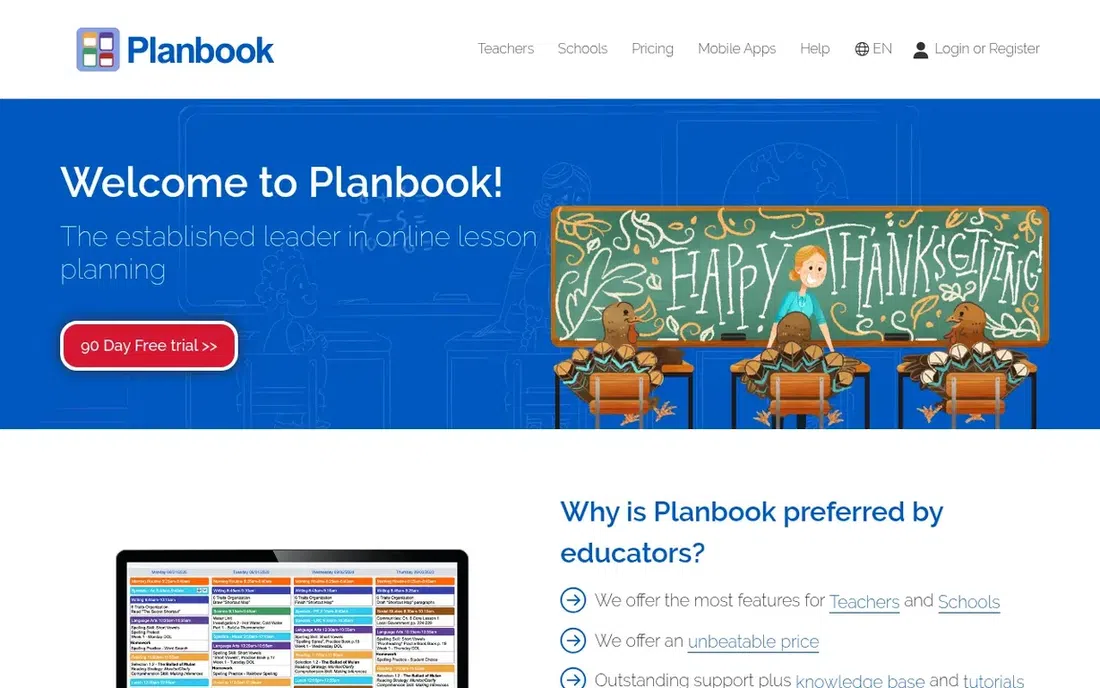
Planbook is aimed squarely at dedicated lesson planning with team oversight. Consider Planbook when planning is the core need. In practice, if your department needs integrated assessment or gradebook functions, a broader LMS might be more suitable.
In practice, Planbook is an online lesson planning system aimed at educators. It supplies a structured way to produce, organize, and share lesson plans. As for the details, Planbook focuses primarily on lesson planning, so it may lack deeper curriculum mapping or student information features. Check the vendor site for Planbook pricing; none is listed in this comparison. Free access: Not stated.
Where it is weaker: Restricted native curriculum mapping.
- Simplified lesson planning interface
- Established presence in K-12 planning
- May need extras for advanced reporting
OnCourse Systems
Best for: K-12 student information and planning integration

Pick OnCourse Systems if this describes you: K-12 student information and planning integration. Whereas not exclusively a lesson planning tool, it can support planning through its integrated environment.
Drawbacks to consider: May need training for full adoption.
OnCourse Systems does not show a starting price in this comparison, so check the vendor site for current pricing. As for free access: Not stated.
- Modern SIS features
- Supports K-12 community collaboration
- Lesson planning is not the primary focus
Our selection method
For each of the 5 tools we noted price, free plan or trial, fit for lesson planning software for department heads and the main limit, using vendor pages and documentation. Plan names, prices and limits change often. Treat the figures here as a starting point and verify them with the vendor. Position on the page reflects fit for a typical buyer first, with price clarity and free access breaking ties. Treat it as a guide, not a ruling.
Questions to settle before buying
- Confirm the entry price with every vendor: no tool from Atlas to OnCourse Systems shows a fixed starting price.
- Before choosing Atlas, weigh its main limit: not a full lesson planning tool.
- Make sure Google Classroom lets you export your data in a format another tool can read.
- Check whether Canvas LMS bills monthly or annually, and what cancelling early costs.
- Confirm that Planbook connects to the apps your team already uses, on the plan you would actually buy.
FAQ
Does any tool for lesson planning software for department heads here have a free plan?
A permanent free plan is not offered by Atlas, OnCourse Systems or the other tools here. Plan a short evaluation period instead.
How are the tools for lesson planning software for department heads ordered?
The order follows typical fit for lesson planning software for department heads, with Atlas first and OnCourse Systems last, then price clarity and free access. It is editorial judgement, not a score, so another team could rank the tools differently.
Can I try these tools before paying?
Not by default. None of the tools, from Atlas to OnCourse Systems, lists a free plan or a free trial here, so ask each vendor for a demo before committing.
Do these tools publish their prices?
No. None of the tools, from Atlas to OnCourse Systems, shows a fixed starting price here, so budget time for quotes.
Can these tools help with curriculum mapping?
Some tools, like Atlas, specialize in curriculum mapping, whereas others offer mapping as part of a broader feature set. Planbook and Canvas LMS offer planning capabilities that can support alignment.
Sources
- https://www.onatlas.com
- https://classroom.google.com
- https://www.instructure.com/canvas
- https://www.planbook.com
- https://www.oncoursesystems.com