5 Best ETL Tools for Remote Teams for 2026, Vetted and Compared
5 best ETL tools for remote teams, compared on pricing, free plans and best-fit use. AWS Glue leads the list for serverless ETL on AWS. Decide faster.
- Editor's choice
 AWS Glue
Serverless ETL on AWS
Starts atSee websiteVisit aws.amazon.comFull review - Great alternative
 Airbyte
Open-source control and deployment adaptability
Starts at$20 per monthVisit airbyte.comFull review - Also consider
 Azure Data Factory
Hybrid integration inside the Azure ecosystem
Starts atSee websiteVisit azure.microsoft.comFull review
Direct answer
Start with AWS Glue if you need serverless ETL on AWS. Listed starting prices: Airbyte from $20 per month and Fivetran from $12,000. For a different need, Airbyte covers open-source control and deployment adaptability and Azure Data Factory covers hybrid integration inside the Azure ecosystem. The other 2 tools in the list cover narrower or pricier cases.
TL;DR:
- AWS Glue is the opening pick, best for serverless ETL on AWS.
- Airbyte has the lowest monthly starting price in this list: $20 per month.
- One limit worth knowing about Airbyte: more setup and upkeep when self-hosted.
- Fivetran stands alone as the one tool in this list with a free plan.
Last checked November 2026. Prices and plan details were read from the vendors' own pages in November 2026; vendors change plans often, so confirm the current price on the vendor site before you buy.
Quick comparison
| Tool | Best for | Starts at | Free plan? | |
|---|---|---|---|---|
| AWS Glue | Serverless ETL on AWS | See website | Not stated | Visit |
| Airbyte | Open-source control and deployment adaptability | $20 per month | Free trial | Visit |
| Azure Data Factory | Hybrid integration inside the Azure ecosystem | See website | Free trial | Visit |
 Fivetran | Low-maintenance automatic data movement | $12,000 | Yes | Visit |
| Informatica PowerCenter | Enterprise-scale data management | See website | Not stated | Visit |
ETL Tools for Remote Teams, one by one
Choosing ETL tools for remote teams usually comes down to price, fit and limits. This LinkVetted guide sets 5 tools side by side on those three points, with the facts kept short and checkable.
AWS Glue works best for serverless ETL on AWS. It suits organizations already running workloads on AWS that want ETL close to their storage and analytics services.
What works well: Serverless.
Where it falls short: Requires some data engineering knowledge. Choose AWS Glue when your data system lives on AWS and you want serverless ETL without cluster administration. Pricing for AWS Glue is not stated here, so ask the vendor for current figures. Free options: Not stated.
- Suits AWS-native stacks
- Discovery and preparation built in
- Tied closely to the AWS ecosystem
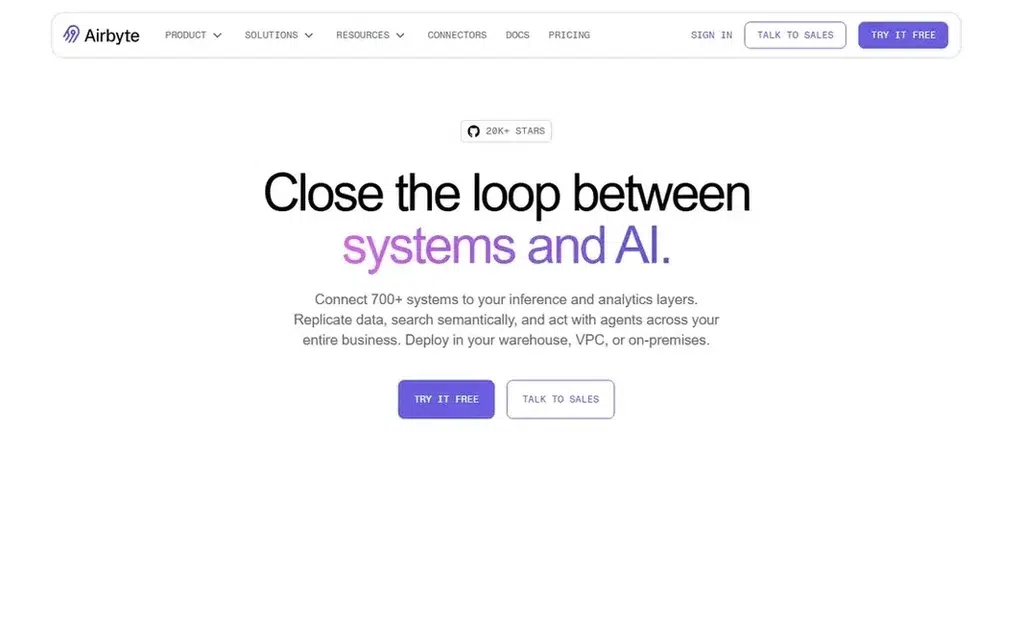
Airbyte targets open-source control and deployment adaptability. Airbyte is an open-source data integration and ELT system handling a large catalog of sources, with the choice to run in your own VPC or on Airbyte Cloud. That adaptability appeals to remote teams that want ownership of their data pipelines and the capacity to provide AI agents context they control.
The main drawbacks: More setup and upkeep when self-hosted.
Worth adding: teams without engineering bandwidth for upkeep may prefer a completely managed choice. More specifically, pick Airbyte when open-source control and deployment choice are priorities over zero-maintenance operation. Worth adding: self-hosting shifts operational work onto your team, and connector reliability can differ across sources, so testing matters. Entry price for Airbyte: $20 per month. On free options: Free trial.
- Wide source coverage
- Runs in your VPC or on managed cloud
- Connector quality varies by source
Azure Data Factory
Best for: Hybrid integration inside the Azure ecosystem
Azure Data Factory serves hybrid integration inside the Azure ecosystem. Azure Data Factory is Microsoft's cloud-based hybrid data integration service for building data pipelines at enterprise scale, with visual tooling that cuts the have to code.
Where it falls short: Ramp-up time for pipeline concepts.
It suits remote teams already working in Azure that want orchestration and integration close to their existing cloud services. Pricing for Azure Data Factory is not stated here, so ask the vendor for current figures. Free access: Free trial.
- Enterprise-scale orchestration
- Code-free pipeline building
- Best value within Azure

Fivetran is built with low-maintenance automatic data movement in mind. Fivetran is an automatic data movement product built to centralize the data a team needs so it can deliver insights quicker.
Beyond that, costs scale with usage, so very high-volume or highly customized pipelines may justify a different tool. As for the details, choose Fivetran when automation and low maintenance outweigh granular configuration. Price to start with Fivetran: $12,000. Fivetran has a free plan.
Watch-outs: Less control over pipeline internals.
- Automatic connector upkeep
- Centralizes data from numerous sources
- Usage-based costs can grow with volume
Informatica PowerCenter
Best for: Enterprise-scale data management
Informatica PowerCenter is a long-established enterprise data integration tool, now offered alongside Informatica's cloud data management portfolio from Salesforce. Also, PowerCenter is heavy for small teams and demands specialized administration, which can slow distributed groups without dedicated staff. Informatica PowerCenter shows no starting price here, so confirm the cost on the vendor site. Free access: Not stated.
Where it is weaker: Needs specialized administration.
- Wide data management capabilities
- Long-established enterprise integration
- Heavy for small teams Informatica PowerCenter if this describes you: enterprise-scale data management. Simpler cloud-native tools may be quicker to adopt. Worth adding: consider it when enterprise governance and existing investment in the system outweigh ease of setup.
Selection criteria
LinkVetted looked at what each vendor publishes: pricing, plan limits, feature coverage for ETL tools for remote teams and stated drawbacks. No hands-on testing is claimed. Treat prices as a snapshot: vendors change plans often, so check the vendor site for the figure that applies today. The ranking is editorial: typical fit first, then clear pricing, then free access. If your needs are unusual, read the profiles rather than relying on position.
Pre-purchase checklist
- Ask AWS Glue, Azure Data Factory and Informatica PowerCenter for a written quote, since no starting price is shown.
- Look at the free plan from Fivetran closely: its caps decide whether it is usable for real work.
- Run a trial of Airbyte and Azure Data Factory with real work before paying for a year; your own workflow is the best test.
- Read the limits listed for AWS Glue first: tied closely to the AWS ecosystem.
- Ask Airbyte about contract length, onboarding fees and user minimums before you sign.
- Check whether the features you need in Informatica PowerCenter sit on the entry plan or only on higher tiers.
FAQ
Is AWS Glue the right pick for everyone comparing ETL tools for remote teams?
No single tool suits every team. AWS Glue comes first because it fits serverless ETL on AWS, while Airbyte suits open-source control and deployment flexibility and Azure Data Factory suits hybrid integration inside the Azure ecosystem. Match the tool to your own size, budget and workflow before deciding.
Can I try these tools before paying?
Often, yes. Fivetran has a free plan and Airbyte and Azure Data Factory offer a free trial. Use your own data and a real task during the test, and check what the free tier or trial limits before you rely on it.
Which options for ETL tools for remote teams have a free plan?
Fivetran is the only tool in this list with a free plan. Free plans usually cap users, projects or features, so check the limits on the vendor page. Several others offer a trial instead. Each of the 5 options in this ETL tools for remote teams guide has its own card above with the price, free plan and limits.
Do enterprise tools like Informatica PowerCenter and Talend suit smaller remote teams?
These products are aimed at complicated, governed enterprise environments and generally need specialized administration. Smaller teams may find them heavier than necessary and slower to adopt.
How do cloud-native tools like Azure Data Factory and AWS Glue compare?
Both are capable when your infrastructure already lives in their respective clouds, since integration and orchestration stay close to your data. Teams spanning several clouds may prefer a neutral tool instead. Evaluate based on where your data and analytics services actually reside.
Should remote teams choose open-source or managed ETL tools?
Open-source choices like Airbyte provide control and deployment choice but need engineering upkeep. Managed tools like Fivetran cut maintenance at the cost of some customization.
Sources
- https://aws.amazon.com/glue
- https://airbyte.com
- https://azure.microsoft.com/en-us/products/data-factory
- https://www.fivetran.com
- https://www.informatica.com