Best Embedded Business Intelligence Software in 2026: 8 Tools Compared
Compare the best embedded business intelligence software in 2026, with 8 tools rated on embedding, white labeling, security and pricing for SaaS vendors.
- Editor's choice
 Tableau Embedded
Polished enterprise dashboards
Starts atSee websiteVisit tableau.comFull review - Great alternative
 Power BI Embedded
Microsoft-centered products
Starts atSee websiteVisit powerbi.microsoft.comFull review - Also consider
 Looker
Governed embedded metrics
Starts atSee websiteVisit cloud.google.comFull review
TL;DR:
- Embedded BI puts dashboards and analytics inside your own product, so customers see insights without opening a separate reporting tool.
- The key tests are embedding method, white labeling, row-level security, performance on large data, and pricing based on users, views or data volume.
- Tableau, Power BI and Looker suit large enterprises with governance needs, while Sisense, GoodData and ThoughtSpot suit SaaS vendors that need customer-facing analytics.
- Metabase and open-source options lower costs for smaller teams, but they need more engineering work for polished, secure embedding.
- Always test embedding with your real data, your authentication system and your largest customer account before signing, since demo dashboards hide performance and security gaps.
Quick comparison
| Tool | Best for | Starts at | Free plan? | |
|---|---|---|---|---|
| Tableau Embedded | Polished enterprise dashboards | See website | Free trial | Visit |
| Power BI Embedded | Microsoft-centered products | See website | Free trial | Visit |
| Looker | Governed embedded metrics | See website | No | Visit |
 Sisense | Developer-built embedded analytics | See website | Free trial | Visit |
 ThoughtSpot | Search-driven embedded analytics | $25 per user per month | Free trial | Visit |
 Metabase | Low-cost embedded dashboards | Free | Yes | Visit |
 GoodData | SaaS vendor embedding | $29 per user per month | Yes | Visit |
 Qlik Sense | Exploratory embedded analytics | $30 per user per month | Free trial | Visit |
The best embedded business intelligence tools
We compared official embedding documentation, pricing pages, security features and public reviews for eight tools that support embedding analytics into another product. Embedded pricing is often quoted, so we show published entry rates where vendors publish them and use See website where embedded deals require a quote.
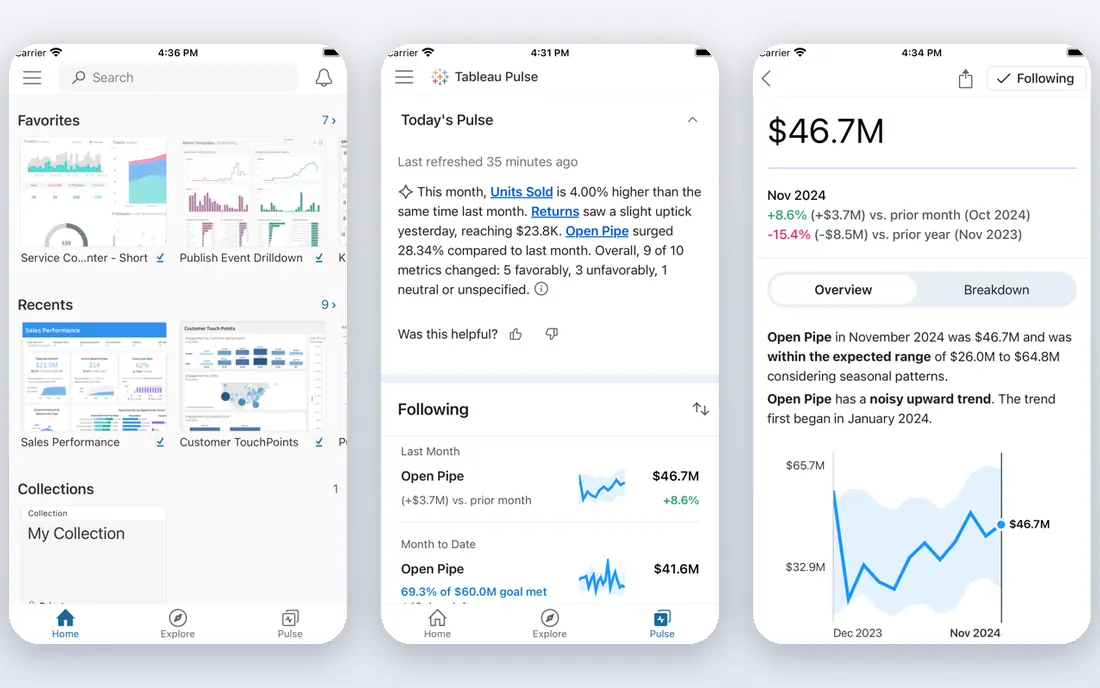
Tableau Embedded lets teams place interactive Tableau dashboards inside a web app, portal or customer product, with filtering, drill-down and sharing controls. Visualization quality is a clear strength, with a wide chart library and flexible formatting that suits customer-facing reports. The embedding APIs support single sign-on, row-level security and personalized views, so each customer sees only their own data.
Embedded licensing is quoted and can be complex, since it depends on users, views and deployment type. Teams also need Tableau skills to design and maintain dashboards. For enterprises that already use Tableau and want customer-facing analytics with the same polish as internal reports, Tableau Embedded is a natural extension. For smaller SaaS vendors, the quoted cost may push them toward a lower-cost option.
- Strong visualization quality
- Flexible embedding APIs
- Trusted enterprise brand
- Embedded pricing is quoted
- Licensing can be complex
- Needs Tableau skills
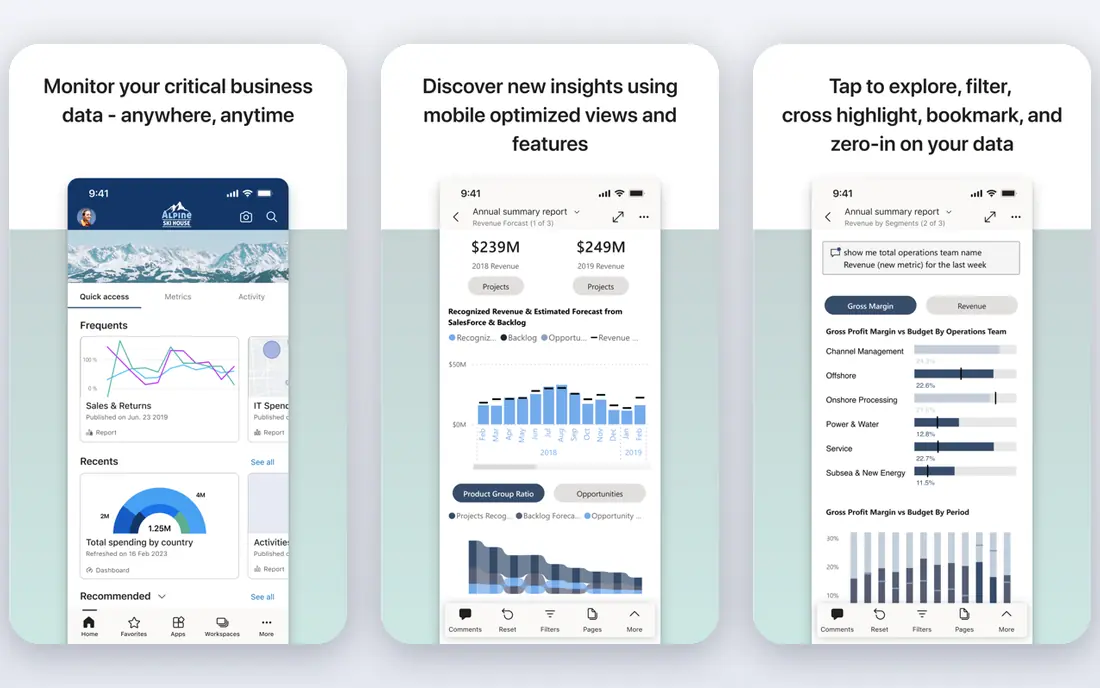
Power BI Embedded places Power BI reports and dashboards inside your app, using Azure capacity for rendering. Teams already using Microsoft 365, Azure and Excel-style data modeling will find the learning curve lower, and the platform supports row-level security, single sign-on and paginated reports for formal customer documents. Capacity-based pricing lets vendors serve many external viewers without a per-user license for each one, which suits customer-facing products.
Capacity sizing and licensing rules need careful reading, since under-sized capacity hurts performance and over-sized capacity wastes money. Non-Microsoft teams gain less from the ecosystem links. For Microsoft-centered SaaS products and internal portals, Power BI Embedded is often the most economical enterprise path to embedded analytics, provided the team plans capacity with real usage data.
- Microsoft 365 and Azure links
- Familiar Excel-like modeling
- Capacity-based pricing option
- Embedded capacity pricing is complex
- Licensing rules need care
- Less flexible for non-Microsoft stacks
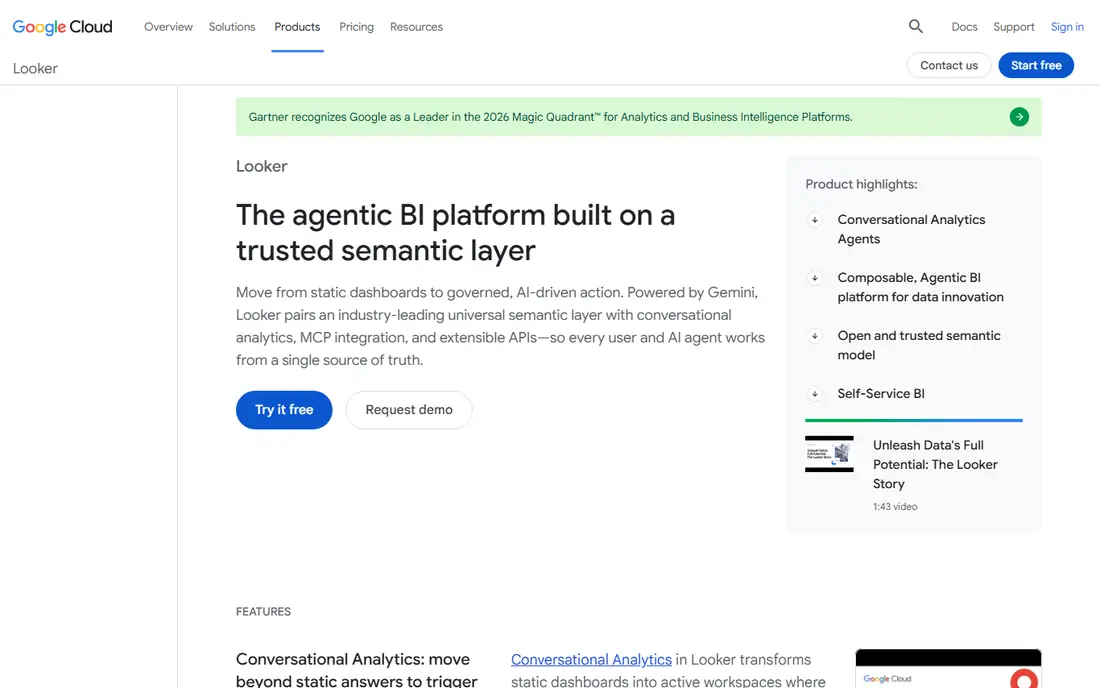
Looker, part of Google Cloud, is the governance-first embedded pick. Its LookML semantic layer defines metrics once, in version-controlled code, so every embedded dashboard uses the same definition of revenue, churn or active users. That consistency matters when customers compare reports across teams or when a SaaS vendor must defend its numbers. Embedding supports single sign-on, row-level security and white labeling.
The trade-off is time and skill. LookML takes training, data modeling needs engineering input, and pricing is quoted, often at enterprise levels. Teams without a data engineering function may find Looker heavy. For data-mature companies that need trusted, consistent metrics inside their product, Looker gives embedded analytics a governance backbone that simpler tools do not offer.
- LookML semantic layer
- Consistent metric definitions
- Strong Google Cloud links
- Quote-based pricing
- LookML learning curve
- Setup time is long
Sisense is built for SaaS vendors that want to embed analytics as a product feature, not just share a dashboard link. Its SDKs and APIs let developers place charts, dashboards and data exploration inside an app, with white labeling so the analytics look like part of the product. The in-memory engine handles large datasets and complex joins, and row-level security controls what each customer sees.
Pricing is quoted, and implementation benefits from developer time, especially for custom embedding and data modeling. Analysts without engineering support may find Sisense heavier than Metabase or GoodData. For vendors that treat embedded analytics as a selling point and have developers to build it properly, Sisense offers control and performance that justify the quoted cost.
- Flexible embedding SDKs
- In-memory engine for large data
- White labeling options
- Quote-based pricing
- Implementation needs developers
- Learning curve for analysts
ThoughtSpot Embedded lets end users ask questions in plain language and get charts and answers inside your product, without waiting for an analyst to build a dashboard. That search-driven model suits customers who want to explore their own data, such as sales managers checking pipeline or operations leads checking delivery times. AI features help suggest questions and explain results, and the platform supports embedding with security controls.
Pixel-perfect, print-ready reporting is not ThoughtSpot's main strength, and data modeling still needs care to make search results trustworthy. Embedded enterprise pricing also varies by deployment. For products where customers value self-service exploration over fixed reports, ThoughtSpot Embedded stands out, since it turns analytics into a question-and-answer feature rather than a static dashboard.
- Natural-language search
- AI-assisted answers
- Easy ad-hoc exploration for non-analysts
- Enterprise embedded pricing varies
- Modeling needs care
- Less suited to pixel-perfect reports
Metabase is the low-cost embedded pick. The open-source version can be self-hosted for free, and the visual query builder lets non-technical users create dashboards without writing SQL. Embedding works through iframes and signed embedding, with filters and basic interactivity, which is enough for many internal portals and early-stage SaaS products. Cloud plans start at $100 per month for small teams.
White labeling, advanced permissions and single sign-on features sit on paid plans, and governance, semantic modeling and large-scale performance need engineering work. Metabase will not match Tableau or Looker for polished, governed customer analytics at scale. For teams that need embedded dashboards quickly and cheaply, and can accept simpler styling and governance, Metabase is the best starting point, with a clear upgrade path as needs grow.
- Free self-hosted option
- Simple visual query builder
- Easy embedding for basic dashboards
- Polished white labeling needs paid plans
- Governance is lighter
- Scaling needs engineering
GoodData is designed from the start for SaaS vendors that embed analytics for many customers. Its multi-tenant architecture, workspace model and API-first design help vendors manage separate customer data, branding and permissions at scale. White labeling, embedding SDKs and data modeling tools support a productized analytics feature, and a free tier lets small teams test the platform.
Data modeling takes learning, and the community and marketplace are smaller than those for Tableau or Power BI, so some answers need vendor support. Enterprise embedded pricing also varies by deployment. For SaaS companies that plan to offer analytics to hundreds or thousands of customer accounts, GoodData's multi-tenant design is a practical advantage over tools built mainly for internal reporting.
- Built for multi-tenant SaaS embedding
- White labeling
- API-first design
- Learning curve for data modeling
- Smaller community than Tableau or Power BI
- Enterprise pricing varies
Qlik Sense suits products where users want to explore data freely, not just view fixed dashboards. Its associative engine lets users click a value and instantly see related and unrelated data, which reveals patterns that fixed filters can hide. Embedding supports mashups, single charts and full apps inside another product, with security rules to control customer access.
The interface takes time to learn, and large-scale embedded deployments are quoted rather than priced from the entry rate alone. Data modeling also needs care to keep exploration fast and accurate. For vendors whose customers value hands-on exploration, Qlik Sense Embedded offers a distinct experience from standard dashboard tools, and it pairs well with products where insight discovery is part of the value.
- Associative exploration
- Strong data exploration
- Flexible embedding options
- Interface learning curve
- Embedded pricing needs a quote for scale
- Modeling needs care
How we picked these
We compared official embedding documentation, security features, pricing pages and public reviews, and we required each tool to support real embedding into another product, not just sharing a dashboard link. We scored embedding APIs, white labeling, single sign-on, row-level security, performance, data modeling and total cost. We did not claim hands-on embedding builds on every tool, since that would require separate production apps; instead we judged published embedding methods, pricing and documented limits, and we flagged where embedded pricing is quoted.
How to choose embedded BI without costly rework
Start with your customer and data model. List how many customer accounts will use analytics, how much data each account holds, how often data refreshes, and which users should see which rows. Test row-level security with a real multi-tenant dataset, since a tool that works for one account can leak or slow down badly across many accounts. Confirm single sign-on with your authentication system, and check whether embedding requires separate logins that will frustrate users.
Next, decide how much control you need over look and feel. Some vendors need full white labeling, custom fonts, colors and layouts, while others accept a standard dashboard frame. Check whether the tool supports your branding, mobile layouts and accessibility needs, and whether embedded dashboards load fast on your largest dataset. A slow or off-brand embedded report will hurt product perception more than no report at all.
Finally, model pricing on views and growth, not just seats. Embedded pricing can be based on users, viewers, capacity, data volume or a flat platform fee, and the cheapest option at 100 customers may be the most expensive at 10,000. Ask vendors for pricing at your current scale and at three times that scale, confirm data export and exit terms, and run a pilot with your largest customer account before committing to a multi-year deal.
FAQ
What are the best embedded analytics tools?
Tableau, Power BI and Looker lead for enterprise governance, Sisense, GoodData and ThoughtSpot lead for SaaS vendor embedding, and Metabase leads for low-cost embedding. Qlik Sense suits exploratory use. The best tool depends on whether you need polished reports, governed metrics, search-driven exploration or low cost.
What is the best embedded business intelligence platform?
There is no single winner, since embedded needs differ by scale, data model and customer expectations. Large enterprises often choose Tableau or Power BI, data-mature teams choose Looker, and SaaS vendors often choose Sisense or GoodData. Test embedding with your real data and authentication before deciding.
How does embedded BI pricing work?
Pricing varies by vendor: some charge per user, some per viewer, some by Azure or platform capacity, and many quote enterprise embedded deals. Metabase offers a free self-hosted option and cloud plans from $100 per month, while ThoughtSpot, GoodData and Qlik publish entry rates that rise with scale. Always get a quote at your expected view volume.
Can I white label embedded dashboards?
Yes, most tools in this guide support white labeling, though the depth varies and some features require paid or enterprise plans. Check logo, color, font, domain and loading screen options, and confirm whether the vendor name appears anywhere in the embedded view. Test branding in a pilot, since marketing pages can overstate how fully a dashboard can be restyled.
Is embedded BI secure for customer data?
It can be, when row-level security, single sign-on and tenant isolation are set up correctly, but security depends on your configuration, not just the tool. Test with multiple customer accounts, confirm that one customer cannot see another customer's rows, and review audit logs and data access controls. Ask vendors for security documentation and compliance certifications relevant to your industry.
Should I build or buy embedded analytics?
Buy when you need polished dashboards, security and maintenance without a large engineering team, and build only when your analytics needs are so specific that no vendor fits. Buying usually costs less over time, since the vendor handles performance, security updates and new features. A hybrid path, such as Metabase for basic needs plus a vendor tool later, can work for early-stage products.