Best Electrical Software in 2026: 8 Tools Compared
Compare the best electrical software for schematics, panel design and power system studies in 2026, with prices, strengths and limits for each tool in detail.

- Editor's choice
 AutoCAD Electrical
AutoCAD teams
Starts at$2,095 per yearVisit autodesk.comFull review - Great alternative
 EPLAN Electric P8
Machine and panel builders
Starts atSee websiteVisit eplan.comFull review - Also consider
 SEE Electrical
Fast small-firm schematics
Starts atSee websiteVisit ige-xao.comFull review
TL;DR:
- AutoCAD Electrical suits teams already using AutoCAD, since the electrical toolset now ships inside the standard subscription.
- EPLAN Electric P8 and SOLIDWORKS Electrical suit larger teams that need shared data, while SEE Electrical suits smaller firms that need fast schematics.
- ETAP, EasyPower and SKM PowerTools cover power system studies, not general drawing, so do not buy them for panel layouts alone.
- ProfiCAD offers a low-cost route to clear electrical diagrams for small jobs, schools and solo contractors.
- Most prices in this category are quoted by vendors, so request a quote for your seat count and confirm what is included.
Quick comparison
| Tool | Best for | Starts at | Free plan? | |
|---|---|---|---|---|
| AutoCAD Electrical | AutoCAD teams | $2,095 per year | Free trial | Visit |
| EPLAN Electric P8 | Machine and panel builders | See website | No | Visit |
| SEE Electrical | Fast small-firm schematics | See website | Free trial | Visit |
 SOLIDWORKS Electrical Schematic | Combined electrical and mechanical design | See website | Free trial | Visit |
 ETAP | Power system studies | See website | Free trial | Visit |
 EasyPower | Power analysis for smaller firms | See website | Free trial | Visit |
 SKM PowerTools | Power studies and arc flash | See website | Free trial | Visit |
 ProfiCAD | Low-cost electrical diagrams | See website | Free trial | Visit |
The best electrical software
Electrical software splits into two jobs, drawing schematics and panels, and studying power systems. This list covers both, with a clear note on which job each tool does best.
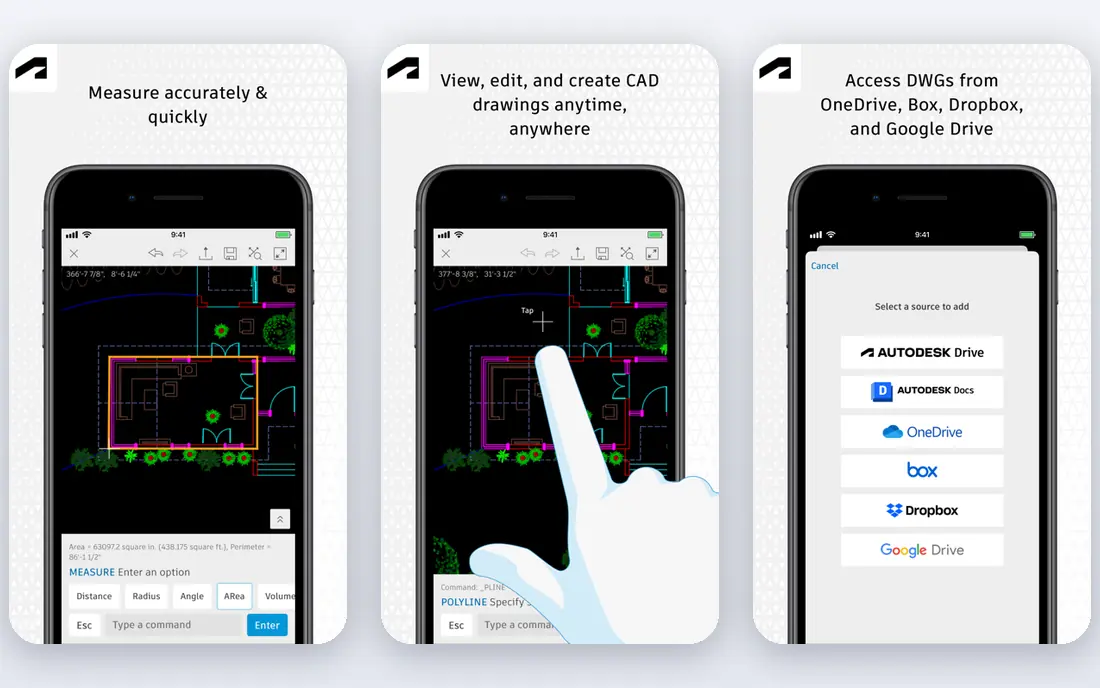
AutoCAD Electrical is the lowest-friction choice for a firm that already pays for AutoCAD, since the electrical toolset is included with the standard subscription. Schematic automation, panel layout tools and PLC input and output drawings come with the package, and automatic wire numbering alone saves hours of manual checking on multi-page projects. The symbol library is deep, and report generation for bills of materials and terminal plans is built in.
The catch is that it remains AutoCAD at its core. Project data is file-based rather than held in a single shared database, so very large teams that want multi-user engineering data management may feel the limits. It also carries the full price of an AutoCAD subscription even if you only need the electrical toolset. For panel shops and integrators who live in DWG files, that trade-off is usually worth it.
- Deep symbol library
- Automatic wire numbering
- Familiar DWG workflow
- Full AutoCAD subscription cost
- File-based projects suit smaller teams best

EPLAN Electric P8 is built for machine and panel builders working at scale, where many engineers touch the same project. Its shared data model helps teams keep schematics, parts lists and panel layouts in step, which matters when a design changes late in a project. The parts database and automated reporting reduce rework, and the tool is widely used in industrial automation.
Pricing is by quote, so budget planning needs a sales conversation, and new users should expect training time before they work at full speed. Smaller firms may find the cost and setup heavy for simple schematics. For a builder with repeat machine designs and a team to coordinate, EPLAN pays back in fewer errors and faster revisions.
- Strong shared project data
- Good for large machine projects
- Broad parts database
- Quote-based pricing
- Learning curve for new users
- Needs training for full value
SEE Electrical, from IGE-XAO, suits small firms that need clear schematics without a long setup. The interface is direct, symbol handling is straightforward, and a small team can produce professional drawings for installations, panels and control systems without a dedicated CAD administrator. A free trial lets a firm test it on a real job before committing.
Very large industrial projects may need the data depth of EPLAN or SOLIDWORKS Electrical, and SEE Electrical is best judged on a typical project rather than an extreme case. Pricing is by quote, so ask for a price that matches your module needs and seat count. For many contractors, speed and clarity matter more than enterprise features, and SEE Electrical delivers both.
- Quick schematic creation
- Clear interface
- Good for smaller teams
- Less depth for very large industrial projects
- Pricing by quote
SOLIDWORKS Electrical Schematic
Best for: Combined electrical and mechanical design
SOLIDWORKS Electrical Schematic fits product teams that design both the mechanical housing and the electrical system inside it. Keeping electrical schematics and mechanical models linked helps catch clashes early, such as a connector that does not fit its panel cutout. Shared parts data also means a change in one place flows through to bills of materials and drawings.
The tool makes most sense when a firm already uses SOLIDWORKS for mechanical work. Bought alone, it loses some of its advantage, and pricing is by quote. Firms that design enclosures, machines or equipment with tight electrical and mechanical integration will get the most from it, while pure installation contractors may prefer a simpler schematic tool.
- Links electrical and mechanical design
- Single parts data
- Good for product teams
- Best value inside a SOLIDWORKS workflow
- Quote-based pricing
ETAP is a power system analysis platform for engineers who design, operate and maintain electrical power systems. It covers load flow, short circuit, motor starting, protection coordination and related studies, and it is used in manufacturing, utilities, transportation and commercial buildings. For a study that must stand up to review, ETAP is a standard choice.
It is not a general schematic drawing tool, and buyers should not choose it for panel layouts alone. Pricing is available on request, and the depth of the tool means training matters. If your work centers on proving a power system will operate safely and within ratings, ETAP belongs on the shortlist. If you mainly draw control schematics, start with the tools above.
- Wide power study coverage
- Load flow and short circuit analysis
- Used across industries
- Quote-based pricing
- Steep learning curve
- Not a general drawing tool
EasyPower offers power system analysis with an interface that many smaller firms find easier to learn than ETAP. It covers short circuit, coordination, arc flash and related studies, and its one-line diagrams are clear enough to share with clients and reviewers. For a consulting engineer or a facility team that runs studies a few times a month, that clarity matters.
The feature range is narrower than ETAP, so very large or highly specialized systems may still need the larger platform. Pricing is by quote, and add-on modules change the total, so confirm the full package before budgeting. EasyPower is a sensible middle ground between a spreadsheet calculation and a full enterprise power platform.
- Clear interface for power studies
- Arc flash support
- Easier to learn than ETAP
- Smaller feature range than ETAP
- Pricing by quote
SKM PowerTools has a long record in power system studies, with modules for load flow, short circuit, coordination, arc flash and related work. Many engineering firms have used it for years, and its results are familiar to reviewers in utilities and industry. That familiarity can speed up approvals, since reviewers know what to expect from its reports.
New users may find the interface dated compared with EasyPower, and pricing is by quote with modules adding cost. Training and existing in-house knowledge often decide this choice, since a team that already knows SKM will work faster in it than in a new tool. For arc flash studies in particular, SKM remains a credible, well-understood option.
- Long record in power studies
- Arc flash and coordination tools
- Broad module set
- Interface feels dated to new users
- Pricing by quote
ProfiCAD suits readers who need clean electrical diagrams without an enterprise budget. It draws schematics, wiring diagrams and related documents with a simple toolset, and it is a practical choice for schools, solo contractors and small workshops. The learning curve is short, and a trial lets you test it on a real diagram before paying.
Automation is lighter than in the larger tools, so wire numbering, reporting and parts management need more manual care on large projects. That limit is acceptable for small jobs, where speed and price matter more than database depth. If your diagrams run to a few pages and your budget is tight, ProfiCAD is worth a trial.
- Low cost
- Simple diagram drawing
- Useful for schools and solo work
- Less automation than EPLAN or AutoCAD Electrical
- Smaller parts libraries
How we picked these
We compared official vendor pages, pricing information and public comparisons updated in October 2026. We required each tool to be in active use for electrical design or power studies, and we kept drawing tools and study tools in separate mental groups so readers do not buy one job when they need the other. Tools that only handle printed circuit boards were left out, since that is a different discipline from installation and power work.
Pricing in this category is often by quote, so we used See website where a vendor does not publish a list price. That is not a gap in research, it reflects how these vendors sell. Always request a quote for your seat count, modules and support level, and test a trial on a real project before signing.
How to choose the right tool
Start by naming the job. If you draw control panels, machines or installations, shortlist AutoCAD Electrical, EPLAN, SEE Electrical and SOLIDWORKS Electrical. If you prove a power system with load flow, short circuit and arc flash studies, shortlist ETAP, EasyPower and SKM PowerTools. Mixing those groups leads to a poor purchase, since a good drawing tool is a weak study tool and vice versa.
Team size and file sharing
A solo contractor needs speed and a low price, while a team of ten needs shared data, revision control and consistent parts libraries. Ask how a tool handles two engineers editing the same project, and how it tracks revisions. File-based tools work well for small teams, while database tools suit larger teams that cannot afford version conflicts.
Standards, libraries and output
Check symbol libraries against the standards your clients require, and check output formats for DWG, PDF and parts lists. A tool that cannot produce the report format your reviewer expects will cost time on every job. Test the trial with a past project, and compare the time it takes to reach a finished drawing against your current tool.
FAQ
What is the best electrical software for beginners?
ProfiCAD and SEE Electrical are the easiest starting points, since both focus on clear diagrams without enterprise setup. AutoCAD Electrical suits beginners who already know AutoCAD, since the interface and file habits carry over. Pick the tool that matches the diagrams you draw most often, and use its trial on a real job.
What is the best electrical design software for panel building?
EPLAN Electric P8 and AutoCAD Electrical are the strongest panel choices here, with EPLAN suiting larger teams and AutoCAD Electrical suiting DWG-based shops. SOLIDWORKS Electrical suits teams that also design the mechanical enclosure. Compare symbol libraries and panel layout tools on a sample panel before deciding.
What is the best electrical diagram software for small firms?
SEE Electrical and ProfiCAD both suit small firms, with SEE Electrical offering more automation and ProfiCAD offering a lower price. If your firm grows into larger industrial work, EPLAN may become the better long-term choice. Start with a trial and check how fast you can finish a typical diagram.
Is AutoCAD Electrical included with AutoCAD?
Yes, the electrical toolset is included with a standard AutoCAD subscription, rather than sold as a separate product. That makes it the lowest-friction upgrade for firms already paying for AutoCAD. Confirm the current subscription terms on the Autodesk site, since packaging changes over time.
What software is used for power system analysis?
ETAP, EasyPower and SKM PowerTools are the main tools in this list for power studies, covering load flow, short circuit, coordination and arc flash work. The right choice depends on system size, reviewer familiarity and budget. All three are quote-based, so request pricing for the modules you need.
Can I get a free trial of electrical software?
Most tools in this list offer a free trial or a demo, including AutoCAD Electrical, SEE Electrical, SOLIDWORKS Electrical, ETAP, EasyPower, SKM PowerTools and ProfiCAD. EPLAN typically offers a demo rather than a self-service trial. Use the trial on a real project, since a demo video does not show how a tool handles your own drawings.