Choosing Electrical Contractor Scheduling Software in 2026: 6 Options Compared
Searching for the best electrical contractor scheduling software? Here are 6 options with prices and free plans. Pros and cons for every tool. Compare quickly.
- Editor's choice
 Kickserv
Managing jobs, customers and payments
Starts at$60 per monthVisit kickserv.comFull review - Great alternative
 Jobber
Small teams wanting straightforward scheduling
Starts atSee websiteVisit getjobber.comFull review - Also consider
 ServiceTitan
All-in-one dispatch and project tracking
Starts atSee websiteVisit servicetitan.comFull review
Direct answer
Kickserv comes first here, mainly for managing jobs, customers and payments. Listed starting prices: Kickserv from $60 per month, Housecall Pro from $59 a month and Service Fusion from $220 a month. Look at Jobber for small teams wanting straightforward scheduling, and at ServiceTitan for all-in-one dispatch and project tracking. The full list of 6 tools follows, with prices and free plan facts.
TL;DR:
- Kickserv takes the first slot, best suited to managing jobs, customers and payments.
- None of the 6 tools, from Kickserv to Service Fusion, has a free plan, so budget for a subscription or use a trial.
- Jobber comes with a trade-off: may lack depth for complicated project work.
- Service Fusion is the one to check for all-in-one field service productivity.
- Housecall Pro is the lowest-priced starter here at $59 per month.
Last checked November 2026. Prices and plan details were read from the vendors' own pages in November 2026; vendors change plans often, so confirm the current price on the vendor site before you buy.
Quick comparison
| Tool | Best for | Starts at | Free plan? | |
|---|---|---|---|---|
| Kickserv | Managing jobs, customers and payments | $60 per month | Free trial | Visit |
| Jobber | Small teams wanting straightforward scheduling | See website | Not stated | Visit |
| ServiceTitan | All-in-one dispatch and project tracking | See website | Free trial | Visit |
 Housecall Pro | Home service firms needing scheduling | $59 a month | Free trial | Visit |
 Simpro | Job costing and asset management | See website | Not stated | Visit |
 Service Fusion | All-in-one field service productivity | $220 a month | No | Visit |
6 options for electrical contractor scheduling software in detail
If you are comparing electrical contractor scheduling software, this page covers 6 tools in one place: what each is best for, what it costs to start, whether it has a free plan, and the main limit to know about.
Kickserv is aimed squarely at managing jobs, customers and payments. Kickserv field service management software gives you management of jobs, customers, communication and payments for home service companies. In practice, for electrical contractors who want the essentials of scheduling and customer communication in one place, it presents a focused choice.
Its scope centers on core job and customer management, so firms needing deep project scheduling or in-depth job costing may outgrow it. From a buyer's view, bigger operations with layered workflows should compare broader products. Kickserv starts at: $60 per month. Free plan details: Free trial.
Trade-offs to know: Lighter on advanced project management.
- Customers and communication
- Field service management focus
- A good match for smaller service operations
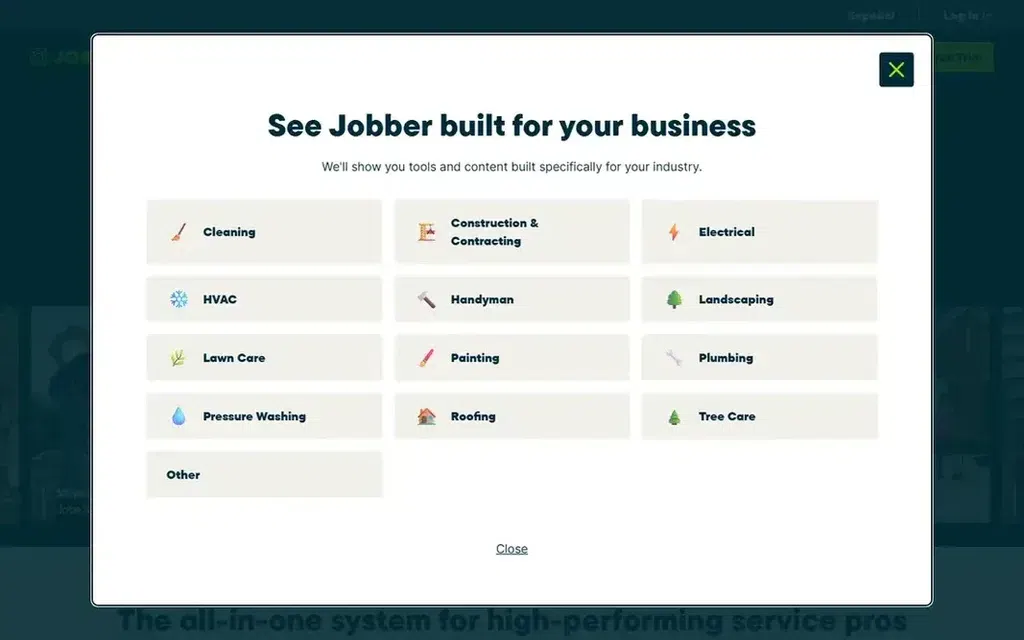
Jobber is aimed squarely at small teams wanting straightforward scheduling. The emphasis on simplicity means very complicated, multi-phase project tracking may not be its solid suit. From a buyer's view, Jobber presents itself as home and commercial service software that organizes your service business, letting you quote, schedule, invoice and get premium in one place.
Drawbacks to consider: May lack depth for complicated project work.
Best features of Jobber: Quote, schedule.
Its easy-to-use app is positioned to power sales, operations and customer service. That makes it a natural fit for smaller electrical contractors who want a straightforward way to book jobs and collect payment without a sprawling system. Pricing for Jobber is not stated here, so ask the vendor for current figures. Free plan details: Not stated.
- Invoice and get premium in one place
- Easy-to-use app for field and office
- Advanced needs could push you elsewhere

For all-in-one dispatch and project tracking, ServiceTitan is a natural candidate. ServiceTitan is an all-in-one software made for home and commercial contractors, with the stated goal of keeping service visits and construction projects running smoothly.
Downsides: Full setup can take time to learn.
If your priority is a light scheduler with minimal setup, a more straightforward choice may suit you better. Worth adding: choose ServiceTitan when breadth and unified operations matter more than simplicity. Check the vendor site for ServiceTitan pricing; none is listed in this comparison. Free access: Free trial.
- Keeps scheduling and operations in one system
- Made for home and commercial contractors
- Wide system may feel heavy for very small teams

Housecall Pro serves home service firms needing scheduling. Smaller operations should also weigh whether the full feature set matches their daily needs. Beyond that, Housecall Pro is described as a software for home service firms, targeted at field service professionals who want scheduling and business management together.
Watch-outs: Home service focus may not include heavy commercial projects.
More specifically, for electrical contractors whose work centers on residential calls and repeat customers, it gives you a recognizable fit. Its home service orientation means contractors doing largely large commercial or industrial electrical projects may find the scope less tailored. What you pay to start with Housecall Pro: $59 per month. Free options: Free trial.
- Aimed at home service companies
- Merges scheduling with business management
- Feature breadth varies by business size
Think of Simpro for job costing and asset management. Simpro is field service management software that links the field to the office, simplifying job management, project management, asset management and job costing.
Watch-outs: Broader feature set may need onboarding time.
Beyond that, choose Simpro when job costing and asset management are central to how you run electrical work. Beyond that, electrical contractors who require to track assets, cost jobs accurately and handle projects alongside service work will find the scope relevant. Simpro shows no starting price here, so confirm the cost on the vendor site. Trial and free access: Not stated.
- Simplifies job and project management
- Links the field to the office
- Project focus may exceed straightforward service needs
Choose Service Fusion for all-in-one field service productivity. Productivity figures come from the vendor, so confirm how the workflow matches your own operations during evaluation.
For everyday use, Service Fusion offers all-in-one field service management software made for service firms and contractors, positioning itself around saving time and increasing productivity. Electrical contractors looking for a single system to coordinate jobs and field staff can consider it. Starting cost for Service Fusion: $220 per month. Service Fusion has no free tier.
Watch-outs: Vendor productivity claims should be verified in a demo.
- Aims to save time and increase productivity
- All-in-one field service management
- May not suit highly specialized project workflows
How we chose
What to check before you buy
- Get a written quote from Jobber, ServiceTitan and Simpro; the list shows no starting price for them.
- Use real work to test the free trial from Kickserv, ServiceTitan and Housecall Pro, rather than a demo project.
- Read the limits listed for Kickserv first: lighter on advanced project management.
- Run a one or two week pilot of Housecall Pro with the people who will use it every day.
- Confirm that ServiceTitan connects to the apps your team already uses, on the plan you would actually buy.
FAQ
Do these tools publish their prices?
Not all of them. Jobber, ServiceTitan and Simpro publish no starting price, so expect a quote request for those. The rest, Kickserv included, show a starting price, though seats and billing terms still change the final cost.
Does any tool for electrical contractor scheduling software here have a free plan?
A permanent free plan is not offered by Kickserv, Service Fusion or the other tools here. Kickserv, ServiceTitan, Housecall Pro offer a trial. Plan a short evaluation period instead.
Can I try these options before paying?
Often, yes. Kickserv, ServiceTitan and Housecall Pro offer a free trial. Use your own data and a real task during the test, and check what the free tier or trial limits before you rely on it. Prices, free plan details and limits for all 6 tools in this electrical contractor scheduling software roundup sit on the individual cards above.
How are the tools for electrical contractor scheduling software ordered?
The order follows typical fit for electrical contractor scheduling software, with Kickserv first and Service Fusion last, then price clarity and free access. It is editorial judgement, not a score, so another team could rank the tools differently.
Can these tools support both residential and commercial electrical work?
Multiple of them, including ServiceTitan, are positioned for home and commercial contractors, whereas others lean toward home service companies. Check each vendor's stated scope to confirm it includes the commercial work you take on.
Sources
- https://www.kickserv.com
- https://www.getjobber.com
- https://www.servicetitan.com
- https://www.housecallpro.com
- https://www.simprogroup.com
- https://www.servicefusion.com