Best Ecommerce Platforms for Product Listings in 2026: 9 Platforms Compared
Compare the best ecommerce platforms for product listings in 2026, from Shopify and WooCommerce to BigCommerce and Wix, with pricing and listing tools.

- Editor's choice
 Shopify
All-round product listings
Starts at$39 per monthVisit shopify.comFull review - Great alternative
 WooCommerce
Full control on WordPress
Starts atFreeVisit woocommerce.comFull review - Also consider
 BigCommerce
Built-in catalog features
Starts at$39 per monthVisit bigcommerce.comFull review
TL;DR:
- Shopify is our pick for most sellers because its listing editor, variants, and app store cover small catalogs and large catalogs alike.
- WooCommerce gives the most control over listing fields and layout, but you manage hosting, updates, and plugins yourself.
- BigCommerce stands out for stores that need many built-in listing features without adding a long list of paid apps.
- Free and low-cost routes such as Ecwid and Square Online work well for testing a product range before paying for a full store.
- Always check variant limits, bulk editing, and feed exports before you commit, since those details matter more than a theme gallery.
Quick comparison
| Tool | Best for | Starts at | Free plan? | |
|---|---|---|---|---|
| Shopify | All-round product listings | $39 per month | Free trial | Visit |
| WooCommerce | Full control on WordPress | Free | Yes | Visit |
| BigCommerce | Built-in catalog features | $39 per month | Free trial | Visit |
 Wix | Simple drag-and-drop listings | See website | No | Visit |
 Squarespace | Visual product pages | See website | Free trial | Visit |
 Ecwid by Lightspeed | Adding a store to an existing site | Free | Yes | Visit |
 Square Online | Small sellers with in-person sales | Free | Yes | Visit |
 Adobe Commerce | Large and complex catalogs | See website | No | Visit |
 Shift4Shop | Feature-rich US stores | See website | No | Visit |
The best ecommerce platforms for product listings
A good listing platform makes it easy to add products, set options, write clear descriptions, and keep stock in sync. The nine platforms below differ in price, control, and how much work they do for you.

Shopify handles the basics with very little friction. You can add titles, descriptions, images, prices, SKUs, barcodes, and variants, then organize products into collections for navigation and promotions. Bulk editing helps when prices or tags change across many items at once, and the admin stays usable even as a catalog grows into hundreds of products.
The catch is cost stacking. The $39 per month Basic plan covers the store, but apps for marketplace feeds, advanced search, or detailed product data can add monthly fees. If you use a payment provider other than Shopify Payments, a transaction fee also applies on lower plans. For most small and mid-sized sellers, that trade is worth it for the speed and the range of integrations.
- Unlimited products on paid plans
- Strong variant and bulk editing tools
- Large app store for feeds and imports
- Transaction fees apply with third-party gateways on lower plans
- Advanced reporting sits on higher plans
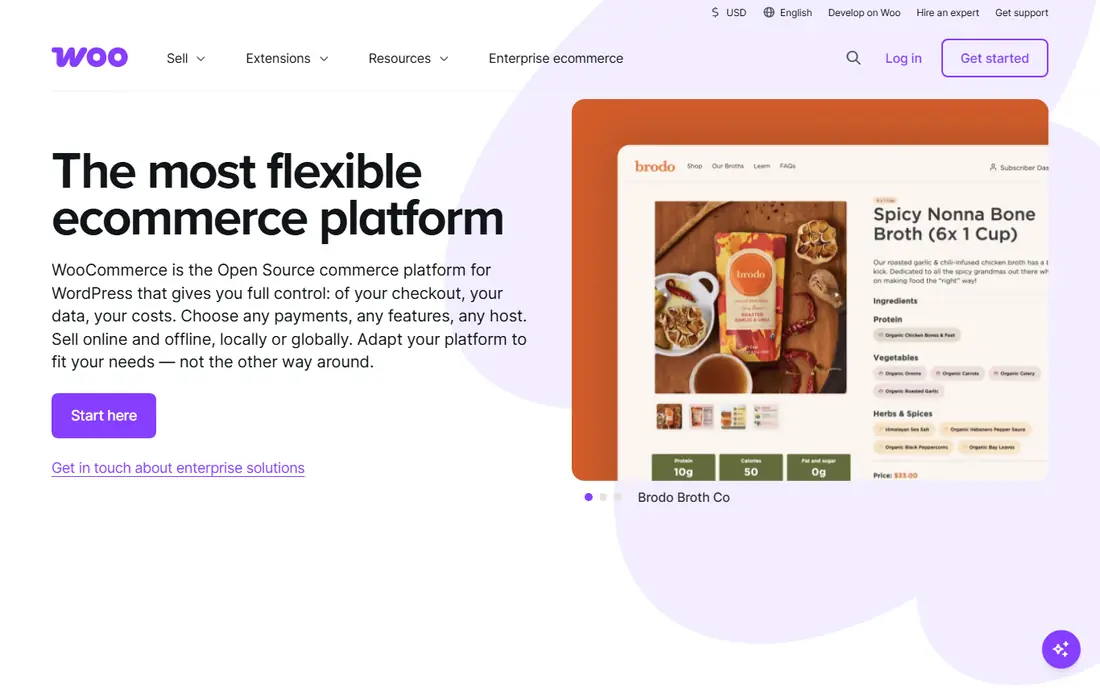
WooCommerce turns a WordPress site into a store, and that matters for listing-heavy sellers who also publish guides, reviews, or blog posts. Product pages can use custom fields, attributes, and grouped or variable products, so a store selling clothing sizes, material options, or bundle choices can shape listings to fit the range. You also own the data and can export it without being tied to one hosted platform.
The trade is maintenance. Hosting, security, backups, and plugin updates fall to you or your developer, and a poorly chosen extension can slow a site or break a checkout. Sellers who are comfortable with WordPress, or who already run a content site, get the most value here. Sellers who want everything managed should look at a hosted option instead.
- Free core plugin
- Full control over product fields and page layout
- Huge extension library
- You pay for hosting and manage updates
- Quality varies across extensions

BigCommerce is a strong choice when you want many catalog features included from the start. Product filtering, custom fields, bulk pricing, and product videos are part of the core toolkit rather than add-ons, which keeps a complex listing set tidy. It also works well for stores selling across several storefronts or channels, since catalog data can be shared and managed centrally.
The smaller app marketplace is the main limit. You may find fewer niche tools for specific feed formats or listing automation than on Shopify. Theme customization can also feel more technical. Even so, sellers with large catalogs who want fewer paid extras often find BigCommerce cheaper over time than a cheaper base plan plus many apps.
- No platform transaction fees
- Strong native product options and search
- Multi-storefront support on higher plans
- Theme and app choice is smaller than Shopify
- Higher plans get pricey as sales grow
Wix suits sellers who want a good-looking product page without learning a complex admin. You can add product options, images, videos, and related items with a visual editor, and the store connects to common payment providers and shipping tools. For a boutique range of tens of products, the workflow feels fast and forgiving.
Scale is where Wix shows its limits. Bulk management and advanced inventory rules are not as deep as on platforms built for large catalogs, and migrating a big store away later can take effort. If your range is small and design matters more than complex variants, Wix is a sensible pick. If you expect thousands of SKUs, test its bulk tools before you commit.
- Easy visual editor
- Good product page templates
- Built-in marketing tools
- Less suited to very large catalogs
- Advanced catalog rules need workarounds
Squarespace works best for brands where the product page itself does the selling. Templates present photos, descriptions, and options cleanly, and the editor keeps formatting consistent across a catalog. Inventory tracking, low-stock alerts, and basic variants cover most small stores, and selling on social channels is built in.
The platform is less flexible for sellers who need deep product data, complex bundles, or marketplace feeds at scale. The extension library is smaller, and some advanced shipping or tax setups need manual steps. For design-led shops with a focused range, those limits rarely bite. For catalog-heavy operations, they can slow daily work.
- Polished templates
- Clean product and variant presentation
- Simple inventory tools
- Fewer ecommerce apps
- Limited advanced catalog features
Ecwid is different from most names here because it adds a store to a site you already run. You can embed product listings on a WordPress site, a custom site, or a social page, and manage them from one dashboard. That makes it a low-risk way to test product listings without rebuilding a whole website.
The free plan suits a handful of products, while larger catalogs need a paid plan. Design options are solid but not as open as a full store builder, since the widget has to fit many kinds of sites. Sellers who already have traffic on a blog, portfolio, or business site will value Ecwid most. Sellers starting from scratch may prefer a platform that builds the whole store.
- Free plan for a small catalog
- Embeds on websites and social pages
- Syncs across channels
- Free plan caps product count
- Design control is more limited than a full store builder
Square Online fits sellers who already use Square for in-person payments. Online listings share inventory with a physical shop or market stall, so a sale at a counter updates the website stock automatically. Setup is quick, and the free plan lets a new seller publish products without a monthly subscription, paying payment processing fees on sales instead.
The platform is not built for complex catalogs. Variant handling, bulk tools, and marketplace integrations are more basic than on Shopify or BigCommerce. Design flexibility is also narrower. For a small shop, a maker, or a seller testing online sales alongside a physical presence, Square Online keeps costs and admin low.
- Free starter plan
- Ties online and in-person stock together
- Simple setup
- Fewer advanced listing tools
- Design options are more limited
Adobe Commerce, formerly Magento, is built for catalogs that break simpler platforms. It supports complex product types, customer-specific pricing, multiple storefronts, and detailed attribute sets, which matters for wholesalers, parts sellers, and brands with thousands of variants. Catalog search, merchandising rules, and integrations with warehouse and ERP systems are part of its appeal at scale.
That power comes with real cost and complexity. Most teams need developers for setup and ongoing work, and hosting plus licensing can run far above a hosted store plan. Small sellers should not start here. Large teams with complex listing rules and the budget to run them will find it hard to outgrow.
- Deep catalog and B2B features
- Flexible product types and pricing rules
- Strong multi-store support
- Needs developer support
- Pricing is quote-based and total cost runs high
Shift4Shop packs in features that other platforms sell as apps, including product options, discounts, email marketing, and marketplace connections. US sellers using Shift4 payments may qualify for a plan without a separate monthly platform fee, which can lower the starting cost for a small store. The admin covers a wide catalog range without much extra spending.
The downside is presentation. Templates and the editor feel older than Shopify, Wix, or Squarespace, so design-led brands may need more work to get a modern look. Support experiences also vary. If built-in features and US payment terms matter more than modern design, Shift4Shop deserves a trial.
- Many built-in ecommerce features
- US payment processing through Shift4
- No extra monthly fee on some plans for US sellers
- Templates feel dated next to newer builders
- Support quality varies in public reviews
How we picked these
We compared official feature pages, pricing pages, and app listings for each platform, with attention to listing fields, variant handling, bulk editing, inventory sync, and feed exports. We favored platforms that are live and widely used in the US in 2026, and we mixed hosted builders with self-hosted and embeddable options so different team sizes and budgets are covered. Prices shown are starting prices from vendor pages or public pricing summaries, and we marked anything we could not verify as See website so you can confirm the current rate before you buy.
What to check before you publish a catalog
Start with your hardest products, not your easiest ones. A shirt in five sizes is simple, while a part with fitment data, a bundle with components, or a food item with weights and allergen notes will expose limits fast. Test how each platform handles those cases, including search filters, variant images, and stock at the variant level.
Next, check bulk work. Import a spreadsheet, change prices in bulk, and export a feed for Google Shopping or a marketplace. If any of those steps needs a paid app or manual cleanup, count that cost and time in your decision. Also confirm how inventory syncs with your warehouse, point-of-sale system, or fulfillment partner, since a listing that oversells creates refunds and bad reviews.
Finally, think about growth. A platform that feels easy with 20 products can feel slow with 2,000 if search, filtering, and admin speed lag. Read the plan limits on products, staff accounts, and API access, and run a trial with a realistic slice of your catalog rather than three sample items.
FAQ
What is the best ecommerce platform for product listings for a small store?
Shopify is a safe default for most small stores because its listing tools, apps, and checkout are proven at scale. Square Online or Ecwid can work better if your budget is tight or you already have a website and in-person sales.
Can I list unlimited products on Shopify?
Paid Shopify plans allow unlimited products, but you still need to manage variants, images, and app costs as the catalog grows. The Starter plan is more limited, so check the plan details before building a large range.
Is WooCommerce really free?
The WooCommerce plugin itself is free, but hosting, a domain, security, and some extensions cost money. A lean store can still run cheaply, while a feature-rich store can cost as much as a hosted platform once those pieces are added.
Which platform is best for a large product catalog?
BigCommerce and Adobe Commerce handle large and complex catalogs well. BigCommerce suits teams that want hosted simplicity, while Adobe Commerce suits teams with developers and complex pricing or multi-store needs.
How do I move product listings to another platform?
Most platforms support CSV import and export, and migration apps can move products, images, and variants. Expect cleanup work on descriptions, SEO fields, and URLs, and test the import with a small batch before moving a full catalog.
Do I need an app to sell on marketplaces?
Many platforms include basic channel connections, but marketplace feeds for Amazon, eBay, Walmart, or Google Shopping often need an app or a feed tool. Confirm feed format, sync frequency, and stock updates before you rely on a channel for sales.
Sources
- https://www.shopify.com/pricing
- https://woocommerce.com
- https://www.bigcommerce.com/pricing/
- https://www.wix.com/ecommerce/website
- https://www.squarespace.com/ecommerce
- https://www.ecwid.com/pricing
- https://squareup.com/online-store
- https://business.adobe.com/products/commerce.html
- https://www.shift4shop.com