Best Ebook Conversion Services in 2026: 7 Services Compared
We compared the best ebook conversion services and software for EPUB and Kindle files, with prices, formats and honest limits for authors plus retailer checks.
- Editor's choice
 BookBaby
Done-for-you conversion
Starts at$299Visit bookbaby.comFull review - Great alternative
 Vellum
Mac authors formatting often
Starts at$199.99 one-timeVisit vellum.pubFull review - Also consider
 Atticus
Cross-platform formatting
Starts at$147 one-timeVisit atticus.ioFull review
TL;DR:
- BookBaby is the best done-for-you conversion service here, with eBook conversion and distribution from $299, while Calibre is the best free do-it-yourself route.
- Vellum and Atticus suit authors who format often, since one-time purchases cover unlimited books, while Reedsy Studio suits a single book on a budget.
- Always validate the EPUB before uploading to a retailer, since a file that looks fine in one reader can fail checks in another.
- Fixed-layout books for children, cookbooks and graphic novels cost more and need a specialist, so do not price them like a plain novel.
Quick comparison
| Tool | Best for | Starts at | Free plan? | |
|---|---|---|---|---|
| BookBaby | Done-for-you conversion | $299 | No | Visit |
| Vellum | Mac authors formatting often | $199.99 one-time | Free trial | Visit |
| Atticus | Cross-platform formatting | $147 one-time | No | Visit |
 Calibre | Free do-it-yourself conversion | Free | Yes | Visit |
 Draft2Digital | Free conversion with distribution | Free | Yes | Visit |
 Reedsy Studio | Free browser-based formatting | Free | Yes | Visit |
 IngramSpark | Distribution with eBook options | See website | No | Visit |
The best ebook conversion services
We compared services that convert a manuscript into a retail-ready eBook, plus software authors use to do the job themselves.
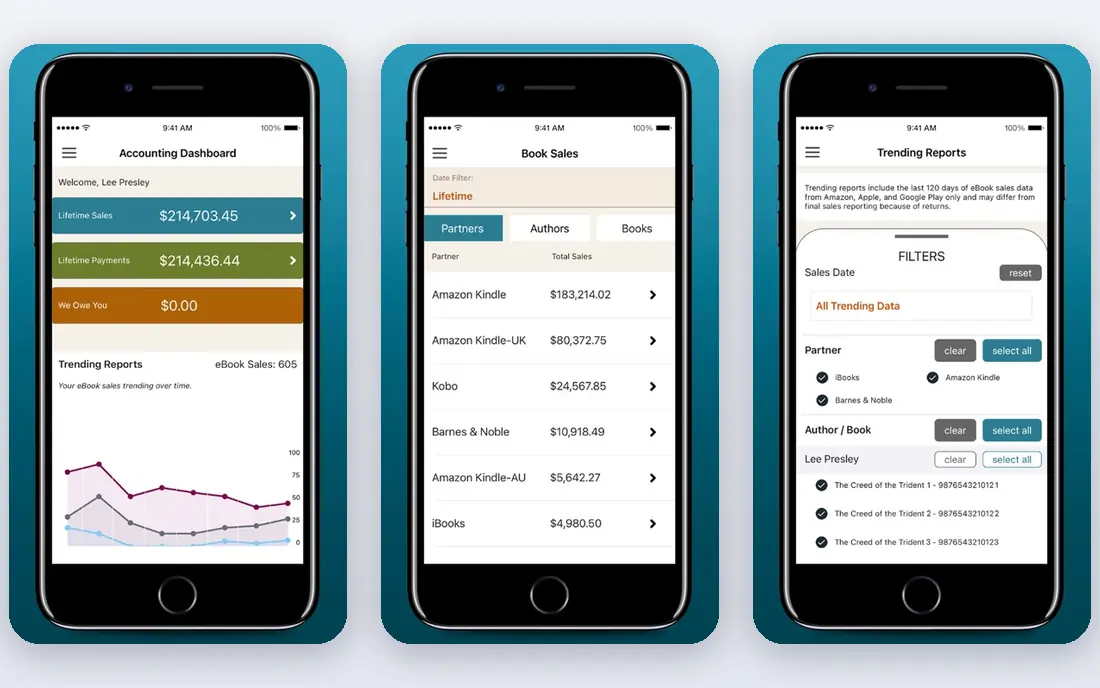
BookBaby is the clearest done-for-you choice on this list. Its eBook conversion and distribution service starts at $299, with specialists converting the manuscript, checking quality and distributing to over 60 retailers in more than 170 countries. It accepts Word as the preferred source, plus PDF, InDesign, EPUB, text, HTML and Pages files, which covers most author workflows.
The honest cost is the total, not the starting price. Text formatting, cover design, an ISBN and image handling are separate, and a fully produced book can run much higher. Fixed-layout conversion for illustrated books costs $499 plus $5 per page, and that price does not include distribution. Authors who want a hands-off result should still get an itemized quote before committing.
- Expert conversion with quality checks
- Distribution to over 60 retailers
- Handles Word, PDF, InDesign and other source files
- Add-ons like formatting, cover and ISBN raise the total
- Fixed-layout books cost $499 plus $5 per page
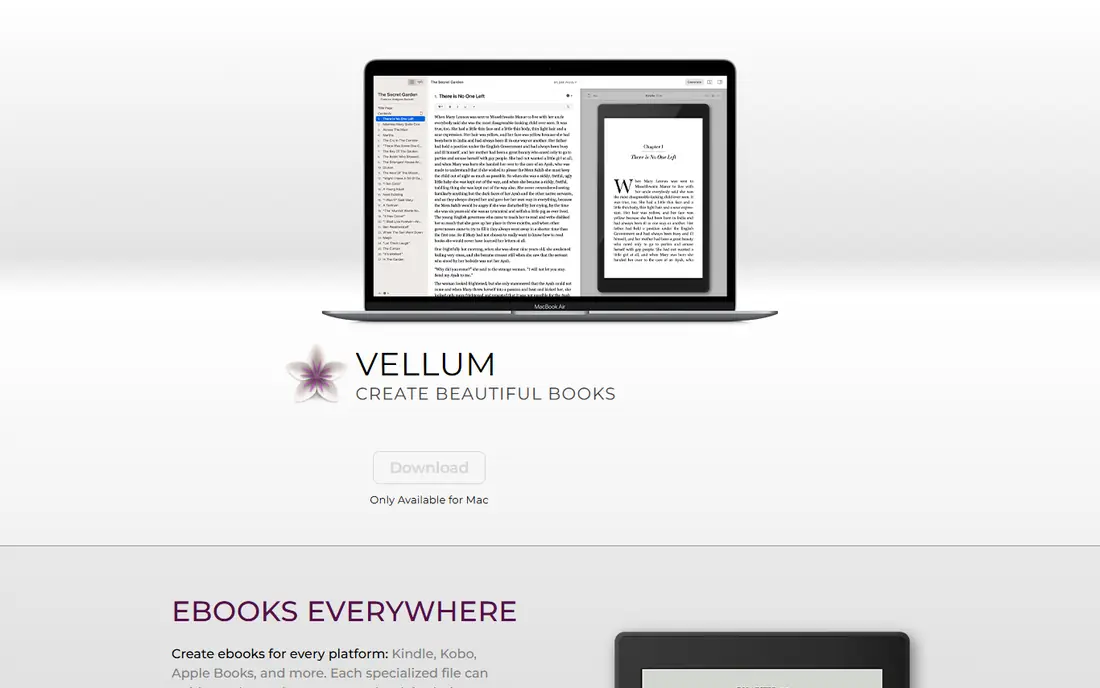
Vellum is the tool many professional indie authors recommend for Mac, and for good reason. Import a Word manuscript, pick from curated book styles, and export EPUB files tuned for Kindle, Apple Books, Kobo, Google Play and Nook, plus a print-ready PDF with the Press license at $249.99. The eBooks-only license costs $199.99 as a one-time purchase with unlimited books.
The limits are platform and scope. Vellum runs only on Mac, and it is a formatting tool rather than a drafting app, so most authors write elsewhere and import. For a Mac author publishing a series, it pays for itself quickly. For a Windows author or a one-book project, Atticus or Reedsy Studio may fit better.
- Beautiful typography with curated styles
- Store-specific EPUB files for major retailers
- One-time purchase for unlimited books
- Mac only, requiring macOS 13 or newer
- Formatting only, with no full writing environment
Atticus is the best cross-platform alternative to Vellum, offering writing and formatting in one tool for a one-time price of $147. It exports EPUB, print-ready PDF, DOCX and Kindle files, and it runs on Windows, Mac, Linux and Chromebook through a browser-based app. Authors who switch machines or work on Windows will find it far more flexible than a Mac-only tool.
The trade-off is polish. Vellum still leads on typography finesse for some readers, and Atticus users should preview carefully on each retailer. For most novels and non-fiction books, though, Atticus produces a clean, professional file at a lower one-time price, and its writing environment is a genuine bonus.
- One-time price of $147 with lifetime updates
- Works on Windows, Mac, Linux and Chromebook
- Combines writing and formatting
- Styles are less refined than Vellum for some tastes
- Complex layouts still need testing
Calibre is the free workhorse of eBook conversion, and every author should know it exists even if they pay for another tool. It converts between most eBook formats, manages a library, edits metadata and can fix many common file problems. For converting a finished EPUB to Kindle format, or cleaning up a file from another tool, it is often the fastest free answer.
The catch is that Calibre rewards care. A messy Word file will convert into a messy EPUB, and authors need to learn its conversion settings, stylesheets and EPUB editing tools to get retail-quality output. Use it for personal conversion and file repair, and validate the result before uploading to a store.
- Free and open source
- Converts between EPUB, MOBI, AZW3, PDF and many formats
- Powerful library management
- Learning curve for clean output
- Default conversions may need style cleanup
Draft2Digital converts a manuscript and distributes it to major retailers at no upfront cost, taking a percentage of each sale instead. That model suits authors who want wide distribution without paying $299 or more before earning anything. Its conversion handles Word documents and EPUB files, and it offers print options as well.
The honest cost is the ongoing share. Authors who sell well may pay more over time through that percentage than they would with a one-time conversion fee and direct uploads. Compare the math at your expected sales level, and check which retailers matter most to you before choosing an aggregator.
- Free to use with no upfront fee
- Converts Word and EPUB files and distributes widely
- Keeps a share of sales instead of charging upfront
- Takes a percentage of retail sales
- Less control than a direct retailer upload
Reedsy Studio is a free, browser-based writing and formatting tool that exports EPUB and PDF files suitable for major retailers. It suits a first-time author who wants a clean book without buying software, and its templates produce a tidy result for standard novels and non-fiction. Since it runs in a browser, it works on any machine.
The limit is depth. Reedsy Studio offers fewer styles and less typographic control than Vellum or Atticus, and heavily illustrated books may need a specialist layout tool. For a straightforward book on a tight budget, though, it is an excellent free starting point, and authors can upgrade to a paid tool later if needed.
- Free to use in a browser
- Clean EPUB and PDF export
- Writing and formatting in one place
- Fewer styles than paid tools
- Complex or image-heavy books may need another tool
IngramSpark suits authors who want print-on-demand and eBook distribution through one platform with a large retail and library network. Its no-fee model for setup appeals to authors who want to reach bookstores and libraries as well as online retailers. Free training resources help first-time users learn the platform.
The trade-off is that IngramSpark is a distribution platform, not a conversion service with hands-on specialists. Authors still need a clean EPUB file from a tool like Vellum, Atticus or Reedsy Studio, or from a formatter, before uploading. Treat it as the distribution step after conversion, rather than a replacement for conversion itself.
- Wide retail and library distribution network
- Print-on-demand alongside eBooks
- Free training resources
- Setup can confuse first-time authors
- EBook handling is less hands-on than BookBaby
How we picked these
We compared official pricing pages, format support and retailer distribution for services and software that convert manuscripts into EPUB or Kindle files in 2026. We favored options with real author use, clear pricing and validated output for major retailers. We left out generic PDF converters with no eBook structure, since a retail eBook needs chapters, navigation and reflowable text, not just a PDF copy.
What to check before you convert
A clean manuscript saves more money than any tool choice, so prepare the file before conversion starts.
Clean the manuscript first
Remove double spaces, manual tabs, empty paragraphs and pasted web formatting from the Word file. Use real heading styles for chapters, and keep images at a sensible size and resolution. A clean source converts cleanly in every tool, while a messy source creates errors that no converter can fully fix.
Validate the EPUB before uploading
Run the exported EPUB through a validator and preview it on Kindle, Apple Books and a Kobo app or device. Check chapter navigation, image placement, footnotes and the table of contents on each. Fixing a validation error before upload is fast, while fixing it after a retailer rejects the file wastes days.
Match the tool to the book type
Plain novels and standard non-fiction work well in Vellum, Atticus or Reedsy Studio. Illustrated, fixed-layout and heavily formatted books need a specialist or a fixed-layout service like BookBaby. Choosing the wrong tool for a complex book leads to rework, so test a sample chapter with real images and tables first.
FAQ
What is the difference between EPUB and Kindle format?
EPUB is the open standard used by Apple Books, Kobo, Google Play and most retailers except Amazon. Kindle uses its own formats, though Amazon accepts EPUB uploads and converts them. Always export or convert for the store you are uploading to, and preview on that store app.
How much does professional eBook conversion cost?
Done-for-you conversion and distribution starts around $299 at BookBaby, with fixed-layout books costing $499 plus $5 per page. Do-it-yourself tools range from free, with Calibre and Reedsy Studio, to one-time purchases of $147 for Atticus and $199.99 for Vellum. Add-ons like formatting, cover design and ISBN raise the total.
Can I convert a PDF into a good eBook?
A text-based PDF can convert, but results depend on how the PDF was made. PDFs built for print often carry headers, footers and fixed layouts that convert poorly. A Word manuscript almost always converts better, so use the original document file when you have it.
What is the best free eBook conversion software?
Calibre is the best free converter for format changes and file repair, while Reedsy Studio is the best free route to a clean, formatted EPUB from a manuscript. Use Calibre when you already have a file to convert, and Reedsy Studio when you are writing and formatting a book from scratch.
Do I need an ISBN for an eBook?
Not always. Amazon and some retailers assign their own identifiers, while wide distribution through aggregators or IngramSpark often works better with your own ISBN. BookBaby sells an ISBN as an add-on, and authors should check each retailer rules before buying one.
What is fixed-layout eBook conversion?
Fixed-layout files lock text and images to exact positions on each page, like a print book. That suits children books, cookbooks, graphic novels and textbooks where layout matters. Most novels should use reflowable EPUB instead, since it adapts to reader font sizes and devices.