Best Disposable Email Services in 2026: 9 Tools Compared
Looking for the best disposable email services? We compared 9 temporary inbox tools for spam free signups, testing, and short term use in 2026, updated today.
- Editor's choice
 Guerrilla Mail
Quick free signups
Starts atFreeVisit guerrillamail.comFull review - Great alternative
 Temp Mail
Longer lasting temp inboxes
Starts atFreeVisit temp-mail.orgFull review - Also consider
 10 Minute Mail
One off 10 minute signups
Starts atFreeVisit 10minutemail.comFull review
TL;DR:
- Guerrilla Mail is our pick for quick signups because it is free, needs no account, and lets you pick a custom inbox name.
- Temp Mail and YOPmail suit longer waits, since their inboxes last longer than the 10 minute window of 10 Minute Mail.
- Public inboxes are not private: anyone who guesses the address can read the mail, so never use them for banking, passwords, or sensitive accounts.
- Mailinator is best for developers and QA teams, with paid private domains, while its free public inboxes are blocked by many sites.
- AdGuard Temp Mail and Mail.tm offer better privacy than fully public inboxes, with browser bound or password protected options.
Quick comparison
| Tool | Best for | Starts at | Free plan? | |
|---|---|---|---|---|
| Guerrilla Mail | Quick free signups | Free | Yes | Visit |
| Temp Mail | Longer lasting temp inboxes | Free | Yes | Visit |
| 10 Minute Mail | One off 10 minute signups | Free | Yes | Visit |
 YOPmail | 8 day public inboxes | Free | Yes | Visit |
 Mailinator | Developer and QA testing | Free | Yes | Visit |
 AdGuard Temp Mail | Browser bound temp mail | Free | Yes | Visit |
 Mail.tm | Private password inboxes | Free | Yes | Visit |
 EmailOnDeck | Simple no signup inboxes | Free | Yes | Visit |
 Tmailor | Token based reusable inboxes | Free | Yes | Visit |
The best disposable email services
A disposable email service gives you a temporary inbox for a signup, a download, or a test, so your real inbox stays free of spam. We compared official feature pages and recent 2026 comparisons for services that still work and state their retention rules clearly.
Guerrilla Mail is the classic disposable inbox, and it remains free and working in 2026. You open the site, get a random address, or pick a custom inbox name, and mail arrives without an account. Messages are deleted after about 60 minutes, which is long enough for most verification codes and download links.
The main catch is privacy. Anyone who knows your inbox name can open it, so use a scrambled name and never use Guerrilla Mail for anything sensitive. Its well known domains are also on many blocklists, so some sites will reject the address. For low stakes signups where a code arrives fast, it is still our first pick.
- No registration needed
- Custom inbox names available
- Can send and reply in limited cases
- Inboxes are public to anyone with the address
- Domains are blocked by many sites
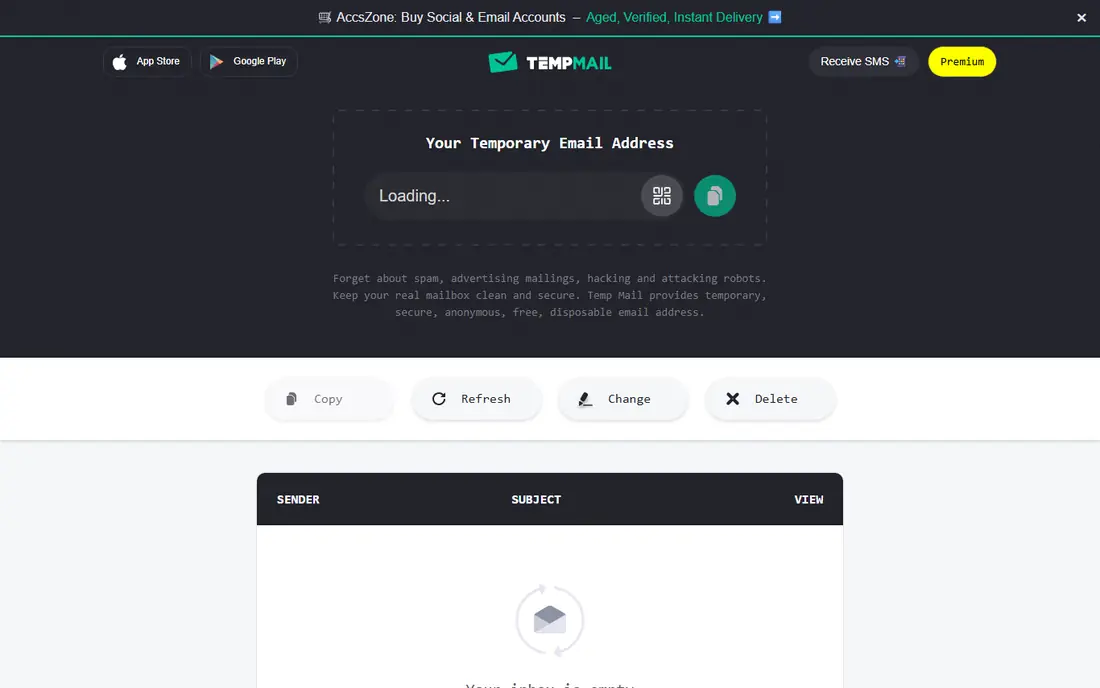
Temp Mail, also known as Temp-Mail.org, gives you an instant inbox with a choice of domains and no signup for basic use. Free mail is kept for about 1 to 2 hours in recent comparisons, with a paid Premium plan extending retention to about a month. Mobile apps make it easy to check a code on your phone.
Free Temp Mail inboxes are not private in the same way a password inbox is, so treat them as public for sensitive mail. Ads on the free tier are also heavier than on some rivals. For signups where the code may take a while, or where you need to return later the same day, Temp Mail is a better fit than a 10 minute inbox.
- Multiple domains to choose from
- Longer inbox life than 10 minute tools
- Apps for mobile and browser
- Free inboxes are viewable under its terms
- Ads on the free tier
- Premium needed for longer retention
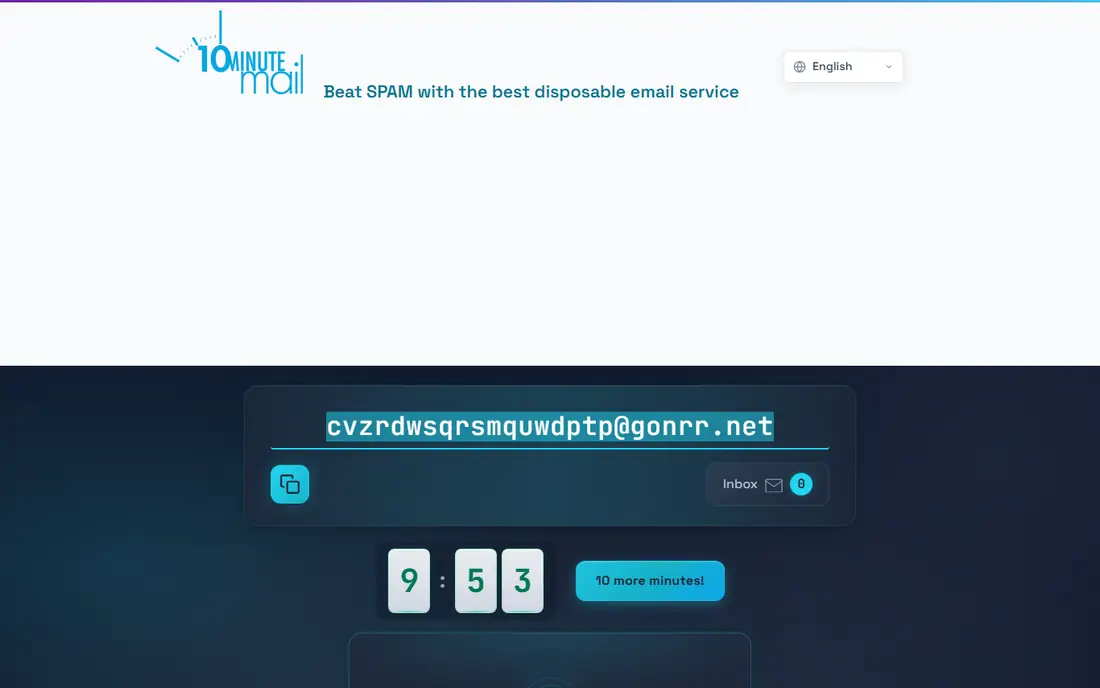
10 Minute Mail does exactly what its name says: it gives you an inbox that lasts 10 minutes, with an option to reset the timer if you are still waiting. There is nothing to configure, which makes it ideal for a single download or a newsletter signup you do not want in your real inbox.
The short window is also its limit. If a site sends codes slowly, or if you need to return tomorrow, the inbox will be gone. Its single domain is also blocked more often than multi domain services. Use 10 Minute Mail for fast, one off signups, and pick Temp Mail or YOPmail when you need more time.
- Simplest interface on this list
- No signup or setup
- Timer can be reset for more time
- 10 minute window is short for slow senders
- Single domain is increasingly blocked
YOPmail is a free French service that keeps mail for 8 days, far longer than most disposable tools. You type any address name, open the inbox, and read mail with no account. You can also send mail from a YOPmail address, which helps for simple replies.
The 8 day retention comes with a privacy trade off: inboxes are fully public, so anyone can open any address. That makes YOPmail unsuitable for anything private, and the site carries heavy ads. For a signup where you need to return over several days, and the content is low stakes, YOPmail is the longest lasting free option here.
- Mail kept for 8 days
- No registration
- Can send mail as well as receive
- Fully public inboxes
- Heavy ads
- Blocked by some sites
Mailinator is built for testing rather than personal privacy. Anyone can send mail to an address at mailinator.com and read it in a public inbox, which makes it perfect for QA teams that need a test fixture, not a secret. Its API lets developers automate signup flows and check messages in code.
For personal use, Mailinator is a poor pick, since its domains are blocked by most consumer sites and inboxes are public. Paid Business plans from $79 per month billed yearly add private domains and team features, which is how QA teams avoid the public blocklist problem. Use Mailinator when the message is a test, not when the secret is yours.
- Instant public inboxes for testing
- API for automated QA
- Paid private domains for teams
- Free public inboxes are on every blocklist
- Paid plans start at $79 per month billed yearly
AdGuard Temp Mail is a cleaner, ad free disposable inbox from the makers of AdGuard. Inboxes are tied to your browser, so they are less exposed than fully public inboxes, and messages are deleted after 7 days of inactivity in recent comparisons. There is no account to create, and the interface is simple.
The browser bound design means you cannot easily reopen the same inbox on another device, which limits it for multi device signups. There is also no API for developer testing. For a personal signup on one device where you want fewer ads and less public exposure, AdGuard Temp Mail is a strong, low friction choice.
- No ads on the temp mail tool
- Inbox tied to your browser
- Messages deleted after 7 days of inactivity
- Same browser only for reopening
- No API
- Fewer domain choices than Temp Mail
Mail.tm is a free, open source style temp mail service with password protected inboxes and a free API. You create an account with a password, so only you can open the inbox, which is a real privacy step up from public inboxes. Messages are kept for 7 days in recent comparisons, and you can reopen the inbox on any device with your password.
Mail.tm is smaller than the biggest temp mail brands, so domain acceptance can vary by site. For users who want a reusable, private temp inbox without paying, and for developers who want a free API, Mail.tm is the best balance on this list. Do not use it for banking or password resets, since temp inboxes can still be lost.
- Password protected inboxes
- Free API
- Messages kept for 7 days
- Smaller service than Temp Mail
- Some sites may still block temp domains
EmailOnDeck gives you a disposable address in two steps, with no account and no setup. It suits quick verification codes and one off downloads where you do not want to learn a new tool. The interface is minimal, which is a strength when you just need an address fast.
Features are thin compared with Temp Mail or Mail.tm, with fewer domains and less control over retention. For a single fast signup, that simplicity is fine. For a signup you may need to return to, pick a longer lasting service instead.
- Very simple two step setup
- No account needed
- Good for quick verification codes
- Limited features and domain choice
- Short retention compared with YOPmail
Tmailor gives you a temp inbox that only the token holder can open, and you can return to it later with that token. Messages last about 24 hours in recent comparisons. That token model is a middle ground between fully public inboxes and full accounts: no signup, but also no public access.
The catch is the token itself. If you lose it, you lose the inbox, so save it somewhere safe for the duration of the signup. Ads are present, though lighter than on some rivals. For a signup that spans a day, Tmailor is a practical, more private alternative to public inboxes.
- Access token lets you reopen an inbox
- Token holder only access
- About 24 hour message retention
- Some ads
- Token must be saved or the inbox is lost
How we picked these
We compared official feature pages and recent 2026 disposable email comparisons for services that are still working, state retention times, and serve a distinct need, from 10 minute signups to developer testing. We excluded services that require payment for basic use or that hide retention rules. We did not claim hands on testing. We weighed inbox privacy, retention time, domain choice, blocklist risk, ads, and whether a service suits personal use or QA testing.
How to use disposable email safely
Use disposable email only for low stakes signups, downloads, and trials. Never use it for banking, email recovery, password resets, tax accounts, or any account you cannot afford to lose, since temp inboxes expire and can be read by others in public cases. If a site needs a recovery address, use your real email.
Check the code window before you pick
Match the inbox life to the sender. A fast code works with 10 Minute Mail, a slow code needs Temp Mail or YOPmail, and a signup you return to needs Mail.tm or Tmailor. If a code does not arrive, check spam handling, try another domain, and remember that many sites block well known temp domains by design.
FAQ
What is the best disposable email service?
Guerrilla Mail is best for quick free signups, Temp Mail is best for longer waits, and Mail.tm is best for a private, password protected temp inbox. The right pick depends on how long you need the inbox and how private it must be.
Are disposable email services safe?
They are safe for low stakes signups when you understand the limits. Public inboxes can be read by anyone, and temp inboxes expire, so never use them for banking, passwords, or account recovery.
Why is my disposable email address blocked?
Many sites block well known temp domains to stop spam signups and abuse. Try a service with multiple or less known domains, or use a real email address with a plus alias or a separate inbox for newsletters.
How long does a disposable email last?
It depends on the service: 10 minutes for 10 Minute Mail, about an hour for Guerrilla Mail, 1 to 2 hours free for Temp Mail, 8 days for YOPmail, and 7 days for Mail.tm and AdGuard Temp Mail in recent comparisons.
Can I send email from a disposable address?
Guerrilla Mail and YOPmail allow sending in limited cases, while most other services on this list are receive only. For full sending, use a real email account.
What is the best disposable email service for developers?
Mailinator is best for QA and automated testing, thanks to its API and paid private domains. Mail.tm is a good free API alternative for smaller test projects.