8 Best Desktop In-App Messaging Solutions in 2026
Compare the best desktop in-app messaging solutions for web and desktop apps, with chat SDKs, pricing, and picks for small teams and scale in October 2026.
- Editor's choice
 Stream Chat
Managed chat with strong UI kits
Starts at$399 per monthVisit getstream.ioFull review - Great alternative
 Sendbird
Enterprise chat with compliance options
Starts at$399 per monthVisit sendbird.comFull review - Also consider
 PubNub
Flexible realtime messaging for custom chat
Starts at$98 per monthVisit pubnub.comFull review
TL;DR:
- Stream and Sendbird are the leading managed chat APIs, with ready UI kits that shorten the build for most product teams.
- PubNub and Ably suit teams that want lower-level realtime control and are happy to build more of the chat layer themselves.
- CometChat and TalkJS offer faster starts with prebuilt interfaces, which helps small teams ship chat without a large engineering effort.
- Pricing is mostly per monthly active user, so estimate your user count and check overage rates before you choose.
Quick comparison
| Tool | Best for | Starts at | Free plan? | |
|---|---|---|---|---|
| Stream Chat | Managed chat with strong UI kits | $399 per month | Yes | Visit |
| Sendbird | Enterprise chat with compliance options | $399 per month | Free trial | Visit |
| PubNub | Flexible realtime messaging for custom chat | $98 per month | Yes | Visit |
 CometChat | Prebuilt chat UI for fast launches | $299 per month | Yes | Visit |
 TalkJS | Simple chat for marketplaces and support | See website | Free trial | Visit |
 Ably | Reliable realtime channels for custom chat | $29 per month | Yes | Visit |
 MirrorFly | Self-hosted chat with source code control | See website | Free trial | Visit |
 Agora Chat | Chat beside voice and video | See website | Free trial | Visit |
The best desktop in-app messaging solutions
Desktop in-app messaging means chat built inside your own web or desktop app, not a separate chat program your users must download. The solutions below are chat APIs and SDKs with web and desktop support, so teams can add direct messages, group chat, and channels to their product.
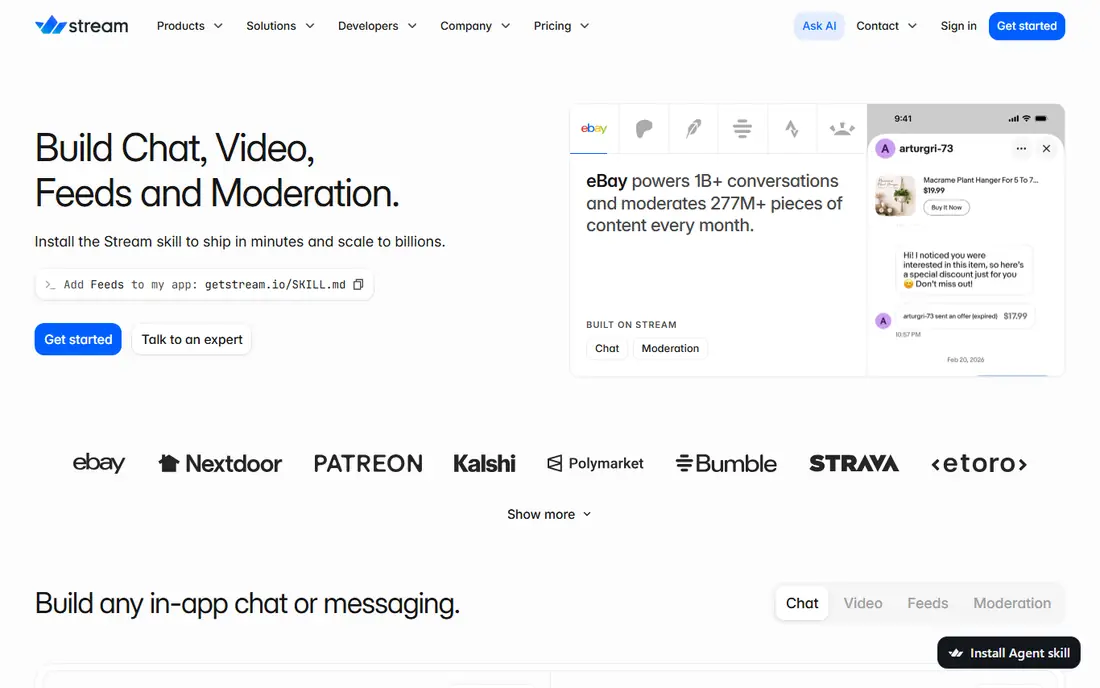
Stream is a strong default for product teams that want chat live without building the whole system from scratch. Its chat API covers direct messages, group chat, channels, threads, and reactions, and its UI kits for web and React speed up the front end. Moderation tools help teams handle reports and spam as the community grows. The free tier covers prototypes up to 1,000 monthly active users, but the first paid tier is $399 per month on annual billing, which is steep for a hobby project. Larger teams will value the scale and support, while small teams should test the free tier fully before committing. For a polished product chat, Stream is a safe, well-documented choice. In practice, Stream Chat suits managed chat with strong ui kits best when the work is regular rather than occasional, because the setup pays off over repeated use and the routine becomes easy to repeat.
- Free tier to 1,000 monthly active users
- React and web UI kits
- Moderation tools
- Paid entry is costly for small teams
- Some advanced features need higher tiers

Sendbird suits mid-size and larger companies that need chat at scale with clear compliance and support options. It supports direct messages, group channels, and large supergroups, plus moderation, file sharing, and voice and video add-ons. The documentation is mature, which helps teams integrating chat into an existing product. The entry Starter plan is $399 per month for 5,000 monthly active users, so it is not a budget pick for tiny teams. A free trial helps with evaluation, but live products need a paid plan early. Choose Sendbird when scale, compliance, and support matter more than the lowest starting price. Day to day, the main test is simple: does Sendbird save time on the next job, or does it add steps that slow you down when you are in a hurry and need a result fast.
- Mature chat API
- Group and supergroup channels
- Moderation and compliance options
- Entry price is high
- Free tier is limited for live products

PubNub gives developers realtime building blocks rather than a finished chat product, which suits teams that want full control. You can build direct and group messaging, presence, typing indicators, and message history on its network, and scale across regions. That flexibility helps products where chat is only one part of a larger realtime system. The trade-off is effort, since you must design channels, storage, and moderation logic yourself. The Starter plan is $98 per month, but total cost depends on transactions and usage, so model your traffic carefully. Pick PubNub if your team has backend capacity and wants a custom chat layer. If price is the deciding factor, start on the free option where one is listed, run one real task through it, and only pay when a limit or a missing feature gets in the way.
- Global realtime network
- Presence and history
- Flexible building blocks
- You build more chat logic yourself
- Pricing depends on transactions
CometChat helps small and mid-size teams ship chat quickly with prebuilt UI kits and ready components. It covers text chat, group chat, voice and video calls, and file sharing, and the web SDK suits desktop-style web apps. The setup is shorter than building on a lower-level service, which matters for teams with a deadline. The free tier is for development with a small user limit, and the Basic paid plan is $299 per month on annual billing. Teams that need deep protocol control may find it less flexible than PubNub. If speed to launch matters most, CometChat is a practical pick. A good test is to try CometChat with a real file, a real schedule, or a real question from your own work, since demo examples often hide the awkward parts of a tool.
- UI kits for web and mobile
- Voice and video options
- Quick setup
- Entry paid plan is costly
- Protocol-level control is less than PubNub
TalkJS focuses on making chat simple to add, with an inbox-style interface that feels familiar to users. It suits marketplaces, tutoring platforms, and support flows where buyers and sellers or students and tutors need to message each other. The setup is short, and the hosted inbox reduces front-end work. The simplicity is also a limit for large social communities that need complex channel structures. Pricing has changed over time, so check the current page and request a quote for your user count. Choose TalkJS when you want chat that feels like email-style messaging, not a social network. Before you commit, check the current pricing page and the cancellation terms, because plans change and the cheapest starting price is not always the cheapest over a year.
- Very easy setup
- Inbox-style interface
- Good for marketplaces
- Less suited to huge social communities
- Pricing needs a quote check
Ably is a realtime platform with a chat SDK that suits teams already using it for live data. It offers channels, presence, and message history, and its free tier covers a large number of messages per month. The Standard plan starts at $29 per month plus usage, which keeps early costs low. The chat SDK is newer than Stream or Sendbird, so some advanced chat features may be less mature. You will also build more of the interface than with a UI-kit provider. Pick Ably if you want reliable realtime infrastructure at a low entry price and you have front-end time to build the chat view. The clearest fit for Ably is reliable realtime channels for custom chat, and that focus is also its limit, so pair it with a second tool if your work regularly crosses into a different kind of task.
- Generous free message allowance
- Reliable delivery
- Chat SDK available
- Chat features are newer than leaders
- You build more of the interface
MirrorFly suits teams that want to run chat on their own servers or hold a source code licence. It covers one-to-one and group chat, voice and video calls, and file sharing, with SDKs for web and mobile. That control appeals to companies with strict data rules or a need to customize deeply. Self-hosting adds work, since you run, update, and scale the infrastructure yourself. Pricing depends on deployment and user count, so request a clear quote before you plan a budget. Choose MirrorFly when data control or a licence model matters more than a fully managed service. What stands out after a few uses is how MirrorFly handles the boring parts, such as repeats, exports, and reminders, because those details decide if you keep using it.
- Self-hosted or cloud options
- Voice and video
- Source code licence available
- Self-hosting needs your own infrastructure
- Pricing varies by deployment
Agora is best known for voice and video, and its chat product lets teams add messaging beside those features from one vendor. That bundle suits live classrooms, telehealth, and social apps where chat, voice, and video all matter. Group chat, presence, and message features cover the core needs for most products. Chat is not Agora's main product in the same way as Stream or Sendbird, so compare its chat features closely during a trial. Pricing depends on usage and plan, so check the current page for your scale. Pick Agora when you already use its voice or video tools and want chat from the same provider. On a busy week, Agora Chat earns its place by keeping the workflow short, and that matters more than a long feature list that you may never open after the first day.
- Chat plus voice and video in one vendor
- Group chat
- Presence
- Pricing needs a quote check
- Chat is less central than voice
How we picked these
We reviewed official pricing pages, SDK documentation, and feature pages for chat APIs that support web apps and desktop-style clients. We kept only providers that are still offered, publish web SDKs, and support direct and group messaging. We favored providers with clear free tiers or trials, moderation tools, and honest pricing for growth. We left out consumer chat apps that cannot be embedded in another product, and providers whose pricing or SDK support was unclear.
How to choose an in-app messaging solution
Start with the build you can staff
A full chat API with UI kits suits a small team that needs to ship in weeks, while a lower-level realtime service suits a team with backend time to build its own chat logic. Be honest about engineering capacity, since a flexible service that never ships helps no one. A pilot with one chat room and one group thread will reveal the real effort.
Check moderation and compliance early
Chat brings spam, abuse reports, and data rules, so check moderation, blocking, message retention, and data region options before launch. Healthcare and finance products should confirm whether the vendor signs the agreements they need. Adding moderation after launch is harder than choosing a provider that includes it.
Model cost at your real user count
Free tiers often cover a prototype, but paid tiers jump once monthly active users grow, and overage rates vary widely. Model cost at 1,000, 10,000, and 50,000 users, and check whether inactive users count. A cheap start can become costly if the pricing curve is steep.
FAQ
What is an in-app messaging solution?
It is a chat API and SDK that lets you add messaging inside your own app or website, so users can message each other without leaving your product. The provider handles message delivery, presence, and storage, while you control the design and user accounts. Some providers also offer ready-made chat interfaces.
Can these solutions work on desktop?
Yes, most providers offer JavaScript and web SDKs that run in browsers and in desktop apps built with web technology, such as Electron apps. Check the SDK list for your stack before you commit, since native desktop support varies. A web SDK usually covers the desktop case for browser-based products.
How much does in-app chat cost?
Many providers offer a free tier for small prototypes, then charge per monthly active user or by usage on paid plans. Entry paid plans in this list range from about $29 per month for lower-level services to several hundred dollars per month for managed chat APIs. Always model cost at your expected user count.
Do I need to build my own chat interface?
Not always, since Stream, Sendbird, CometChat, and TalkJS offer UI kits that you can style to match your product. PubNub and Ably give you more control but expect you to build more of the interface yourself. UI kits save time, while custom builds give full design control.
How do I handle spam and abuse in chat?
Look for moderation tools such as blocking, reporting, profanity filters, and admin controls, and test them in a pilot. Managed chat APIs usually include more of these tools out of the box, while lower-level services may need extra work. Plan a clear reporting path for users before launch.