Best Data Extraction Software in 2026: 10 Tools Compared
Compare the best data extraction software in 2026, from no-code scrapers like Octoparse and ParseHub to developer platforms like Apify and Bright Data.
- Editor's choice
 Octoparse
Visual no-code scraping
Starts atSee websiteVisit octoparse.comFull review - Great alternative
 ParseHub
Visual scraping of complex sites
Starts atSee websiteVisit parsehub.comFull review - Also consider
 Apify
Ready-made scrapers and platform runs
Starts atFreeVisit apify.comFull review
TL;DR:
- Octoparse and ParseHub are the best starting points for non-developers who need visual, point-and-click extraction.
- Apify suits teams that want ready-made scrapers and a platform for running them on a schedule.
- Bright Data and Zyte suit large-scale or developer-led collection, with proxy and anti-bot infrastructure included.
- Diffbot suits teams that want AI-structured data from pages without writing extraction rules for each site.
- Only collect data you have a right to use, and always check a site terms of use and robots file before you scrape it.
Quick comparison
| Tool | Best for | Starts at | Free plan? | |
|---|---|---|---|---|
| Octoparse | Visual no-code scraping | See website | Yes | Visit |
| ParseHub | Visual scraping of complex sites | See website | Yes | Visit |
| Apify | Ready-made scrapers and platform runs | Free | Yes | Visit |
 Bright Data | Large-scale collection | See website | Free trial | Visit |
 Diffbot | AI-structured page data | $299 per month | Yes | Visit |
 Import.io | Managed extraction for business teams | See website | Free trial | Visit |
 ScrapingBee | Simple API for developers | See website | Free trial | Visit |
 ScraperAPI | Scraping without proxy management | See website | Free trial | Visit |
 Browse AI | Scraping that adapts to site changes | See website | Yes | Visit |
 UiPath | Extraction inside automation workflows | See website | Yes | Visit |
The best data extraction software
Data extraction tools turn web pages, PDFs and documents into tables you can use. The right tool depends on your skill level, the sites you target, and how often the data changes. The list below moves from no-code tools to developer platforms and enterprise options.
Octoparse is our pick for business users who do not code. You click the elements you want in a built-in browser, and it builds the extraction workflow, including pagination, infinite scroll and login steps. Scheduled cloud runs on paid plans keep price lists, lead lists and content feeds fresh without manual work.
The limits show on hard sites. Heavy JavaScript, aggressive bot protection and CAPTCHAs push you toward paid tiers or developer tools. For straightforward sites, though, Octoparse gets a non-technical user productive in an afternoon, which is why it leads this list.
- Point-and-click builder
- Handles pagination, logins and schedules
- Cloud runs on paid plans
- Desktop app is Windows-focused
- Difficult sites need workarounds
- Free plan caps tasks and pages
ParseHub also uses a visual builder, but it has a stronger record on complex, dynamic websites. You select data on the page, and ParseHub handles the JavaScript rendering behind it. The free tier is genuinely useful for evaluation and small jobs, which makes it a good first test before you pay.
Paid plans add cloud runs, faster speeds and more projects. If your target sites change often or use heavy JavaScript, ParseHub is worth testing alongside Octoparse on the same pages, since results can differ by site.
- Visual builder for dynamic sites
- Useful free tier
- Handles JavaScript-heavy pages
- Cloud runs and speed need paid plans
- Learning curve for advanced logic
- Desktop setup for local runs
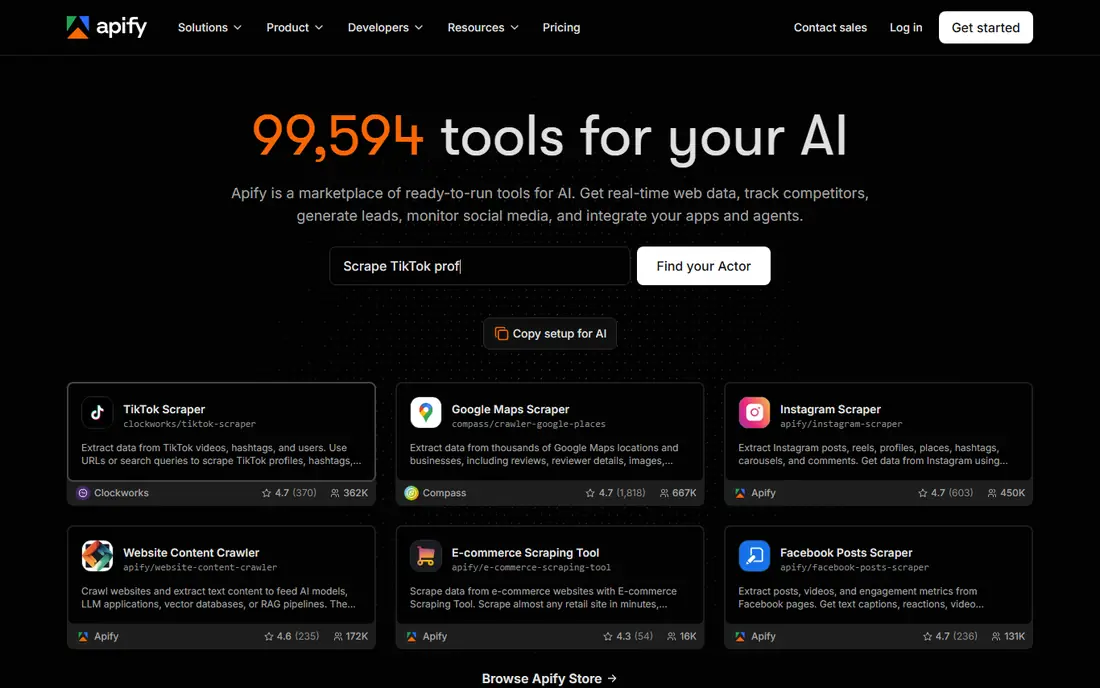
Apify is a platform, not just a scraper. Its marketplace offers ready-made Actors for popular sites, so you can often start from an existing scraper rather than building one. You can also build your own Actors, schedule runs, and pull results through an API into your own systems.
The free plan includes a small monthly usage credit, which is enough to test a workflow. Paid plans start low, but browser-heavy jobs can burn credits faster than expected, so monitor usage on the first runs. For teams that need scraping inside a product or pipeline, Apify is a strong fit.
- Large marketplace of ready-made Actors
- Usage-based platform
- API and scheduling built in
- Usage credits can be hard to predict
- Browser-heavy jobs burn credits fast
- Marketplace quality varies
Bright Data suits enterprises that collect data at scale and need compliance controls. Its proxy network, datasets and scraping infrastructure handle large volumes and varied geographies, while governance features help teams document what they collect and why. That matters when data use is audited.
Small jobs do not need this scale. A single site or a small list will be cheaper and simpler on Octoparse, ParseHub or Apify. Bright Data earns its place when volume, reliability and compliance controls are the main requirements.
- Large proxy network
- Compliance and governance features
- Datasets and scraping tools in one platform
- Enterprise pricing
- Complex for small jobs
- Setup needs planning for large projects
Diffbot takes a different approach: instead of writing rules for each site, you send a URL and Diffbot returns structured fields such as title, author, price or article text. That saves time when you need data from many different sites with different layouts. Knowledge graph features can enrich entities with related facts.
The entry price is higher than no-code tools, and the free plan is limited. Diffbot fits teams that need structured data from varied sources and want to avoid maintaining a scraper per site. Teams with one stable target site may prefer a cheaper visual tool.
- Turns pages into structured data without per-site rules
- Knowledge graph enrichment
- API-first design
- Higher entry price
- Free plan is limited
- Less control than a custom scraper for edge cases
Import.io targets business teams that want data without building engineering capacity. You can use its tools to build extractors, or use managed services where the vendor builds and runs them for you. That suits teams that need reliable data feeds but lack developers to maintain scrapers.
The trade is cost and control. Import.io is dearer than self-serve tools, and solo users will find cheaper options. For a business team that needs data as a service, with support and delivery guarantees, that trade can be worth it.
- Managed service option
- Business-friendly dashboards
- Handles large site sets
- Pricing is higher and less transparent
- Less useful for solo users
- Setup may need vendor help
ScrapingBee is for developers who want to send a URL and get HTML or extracted data back, without managing proxies or browsers. The API handles rendering and rotation, so a small script can collect data from many pages. Documentation is clear, which helps a first integration move quickly.
Non-developers should skip it. ScrapingBee has no visual builder, and you need code to use it well. Developers who already run their own scripts will find it a simple way to remove proxy and rendering work from their code.
- Simple API with clear docs
- Handles JavaScript rendering
- Proxy rotation built in
- API credits need monitoring
- Not a visual tool for non-developers
- Large jobs need higher plans
ScraperAPI plays a similar role to ScrapingBee: it removes proxy management and anti-bot handling from your own scraper. You keep your extraction logic, while ScraperAPI handles the request layer. That split suits teams that already have scrapers but spend too much time on blocks and bans.
As with ScrapingBee, this is a developer tool. Business users without code should start with Octoparse or ParseHub. Developers who want to keep their own logic and outsource only the request layer will find ScraperAPI a practical fit.
- Proxy rotation and anti-bot handling via API
- Simple integration
- Usage-based plans
- Needs developer skills
- Credit use varies by site difficulty
- Not a visual extraction builder
Browse AI lets you train a robot by recording the steps you take on a site, such as clicking through pages and selecting data. The robot then repeats those steps on a schedule, and it can adapt to some layout changes without a full rebuild. Monitoring and alerts flag failures early.
Training takes time, and very complex sites still need tuning. For sites that change layout often, though, the adaptive approach can save rebuild work compared with a fixed rule set. Test it on your most change-prone site before you commit.
- Trains robots by recording actions
- Adapts to some layout changes
- Monitoring and alerts
- Complex sites still need tuning
- Paid plans needed for scale
- Robot training takes time
UiPath is an automation platform, and data extraction is one part of it. It can pull data from documents, web pages and systems, then feed that data into workflows such as approvals, reporting or CRM updates. That end-to-end view suits enterprises that already automate processes.
A simple scraping job does not need UiPath. The platform is heavier and dearer than a dedicated scraper for that use. If extraction is one step in a larger automation, though, UiPath keeps the whole workflow in one place with enterprise controls.
- Document and web extraction inside wider automation
- Enterprise controls
- Community edition for learning
- Heavy for a simple scraping job
- Enterprise pricing for full use
- Learning curve for new users
How we picked these
We compared official feature pages, pricing pages and public reviews in October 2026. We kept tools that exist and work today, that extract data from web pages or documents, and that fit a clear audience, from non-developers to enterprises. We excluded tools that only promise data without a working product, and tools that encourage scraping in ways that breach site terms or the law.
How to choose a data extraction tool
Start with your skill level and your target sites. Non-developers should test Octoparse and ParseHub on the same pages and keep the one that handles their sites best. Developers should test Apify, ScrapingBee or ScraperAPI, depending on whether they want a platform or just a request layer.
Next, check the legal and ethical side. Read the target site terms of use, respect robots directives, avoid personal data you have no right to collect, and keep request rates reasonable. A tool that works technically is not a permission slip.
Finally, run a small pilot before you pay for scale. Measure success rate, data quality and cost per thousand records on real pages. A tool that looks cheap on paper can cost more if it fails often or needs constant fixes.
FAQ
What is the best data extraction software for beginners?
Octoparse and ParseHub are the best beginner picks, because both offer visual builders and free tiers. Test both on your target sites, since each handles different site types better. Start with a small job and scale only after the pilot works.
Is web scraping legal?
It depends on what you collect, how you collect it, and the site terms and applicable law. Public facts, such as prices on a public page, sit in a different position from personal data, copyrighted text or data behind a login. Get legal advice for sensitive projects, and respect robots files and rate limits.
What is the difference between scraping and data extraction?
Scraping usually means collecting data from web pages, while data extraction is broader and covers PDFs, documents and systems as well as web pages. Many tools in this list do both, but check whether a tool handles your source type, not just web pages.
Do I need to code to extract data?
No. Visual tools such as Octoparse, ParseHub and Browse AI let non-developers build extractors by clicking. Coding helps for complex sites, custom logic and large pipelines, which is where Apify, ScrapingBee and ScraperAPI fit better.
How do I handle sites that block scrapers?
Use reasonable request rates, respect robots directives, and choose a tool with proxy rotation and rendering support if the site is JavaScript-heavy. If a site blocks you or its terms forbid scraping, do not try to evade the block. Seek an official API or a data licence instead.
How much does data extraction software cost?
Free tiers cover small jobs on Octoparse, ParseHub, Apify and Browse AI. Paid plans range from low monthly fees for small tools to higher enterprise pricing for Bright Data, Diffbot and Import.io. Model cost per thousand records on a pilot, since usage-based pricing varies by site difficulty.
Sources
- https://www.octoparse.com/pricing
- https://www.parsehub.com/pricing
- https://apify.com/pricing
- https://brightdata.com/pricing
- https://www.diffbot.com/pricing/
- https://www.import.io/pricing/
- https://www.scrapingbee.com/pricing/
- https://www.scraperapi.com/pricing/
- https://www.browse.ai/pricing
- https://www.uipath.com/pricing